This thread has been locked.

If you have a related question, please click the "Ask a related question" button in the top right corner. The newly created question will be automatically linked to this question.

CCS/TMS320F280049C: resource explorer project import error

Part Number: TMS320F280049C
Other Parts Discussed in Thread: C2000WARE

Tool/software: Code Composer Studio

Hi team,

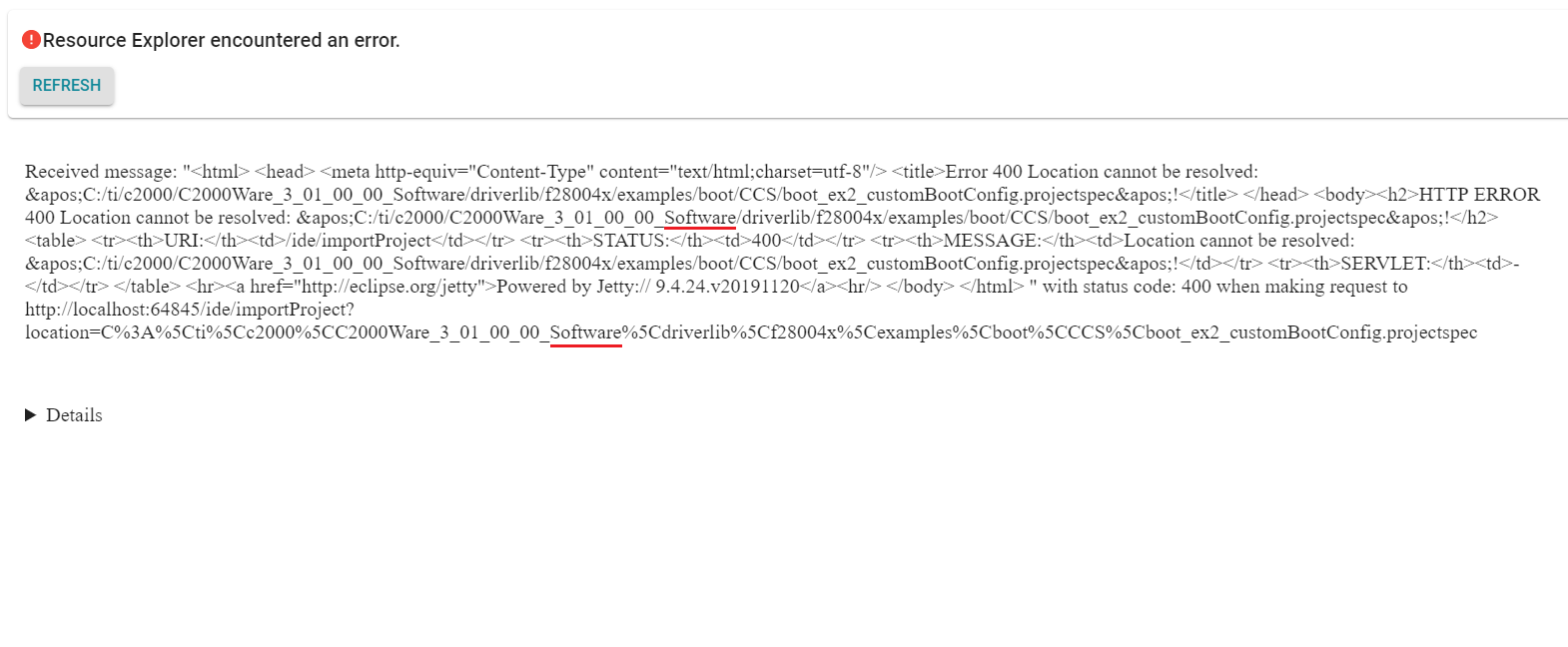
I was trying to import project from c2000ware and got path error, please fix it.

My default installation path is C:\ti\c2000\C2000Ware_3_01_00_00\driverlib\f28004x\examples\boot\CCS\boot_ex2_customBootConfig.projectspec

However in resource explorer it shows C:\ti\c2000\C2000Ware_3_01_00_00_Software\driverlib\f28004x\examples\boot\CCS\boot_ex2_customBootConfig.projectspec
  • Hello,

    I can reproduce this also. It appears it is an issue with the Resource Explorer metadata for that example. I will notify the appropriate team to fix this.

    In the meantime, please use the CCS project import wizard to import the project (Project -> Import CCS Project). Just point the wizard to the projectspec directory.

    Thanks

    ki