This thread has been locked.

If you have a related question, please click the "Ask a related question" button in the top right corner. The newly created question will be automatically linked to this question.

CCS/TMS320F280049C: Creating standalone project from Motor Control lab

Part Number: TMS320F280049C
Other Parts Discussed in Thread: C2000WARE

Tool/software: Code Composer Studio

I am trying to import a existing CCS project "is07_speed_control" from C2000Ware_MotorControl_SDK_3_00_00_00. I want it to be stand along project in my workspace. I had box checked "Copy project into wprkspace" but files were not copied. Folders appered but they are empty. How can I import  "is07_speed_control" lab to my workspace and be standalone? 
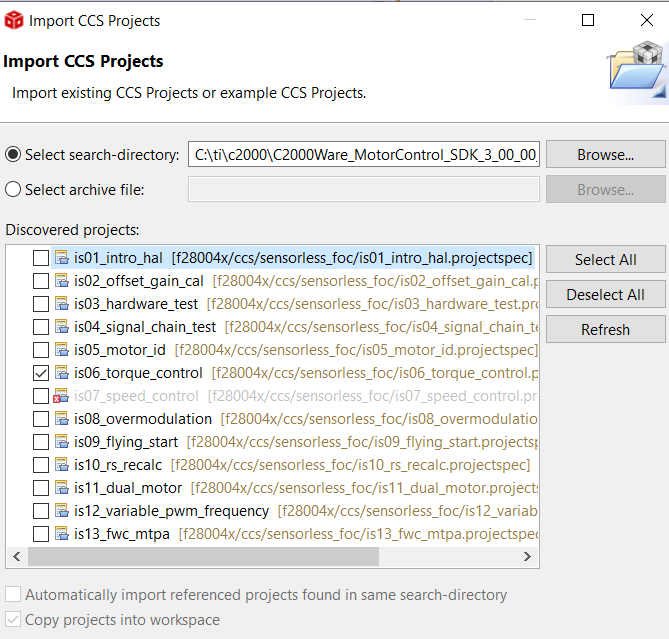
  • This project (and probably all examples in the Motor Control SDK) are set up to use linked resources. So even if you select "Copy projects into workspace", those files will still be linked from their original location within the SDK, and any changes made to the source files will be modified in their original location within the SDK.
    In addition since all the required header files are also in the SDK directory it will require a bit of work to get everything to be self contained within your workspace. If you are looking to have a copy of the project so as to be able to edit/modify the source files, an easier/less time consuming option would be to make a copy of the entire SDK folder and edit that as needed.