This thread has been locked.

If you have a related question, please click the "Ask a related question" button in the top right corner. The newly created question will be automatically linked to this question.

CCS/MSP430FR5969: Trying to locate "Run -> Clock -> Enable" in CCS V10

Part Number: MSP430FR5969

Tool/software: Code Composer Studio

Hello,

I'm following the MSP430 Getting Started Workshop for CSS (written under V9) and there is a step which tells me to Enable the clock by going to menu Run → Clock → Enable.

and it even includes a screenshot of how to do this.  Unfortunately, I don't see the "Run" drop down menu under my V10 installation.  Has this been moved somewhere else, I've searched but can't find it.

Thanks for any guidance!

Scott

  • Scott,

    It should still be in the same spot.  It is in my CCSv10 install.  Can you show me the top right corner of CCS?  I am wondering if CCS is in the wrong "perspective".  A perspective controls the menus, toolbar buttons...

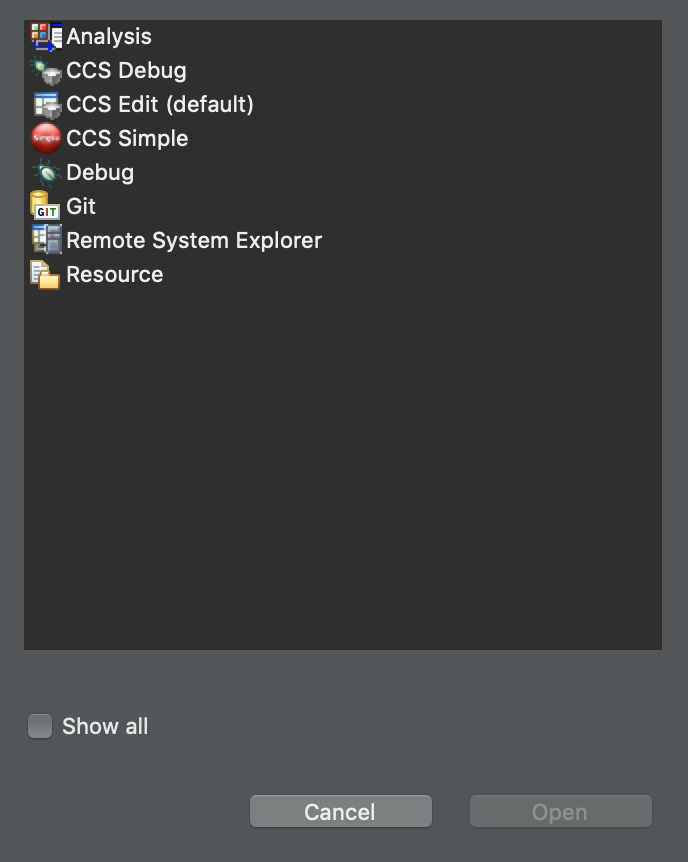
    In general CCS should either be in the "CCS Edit" perspective or the "CCS Debug" perspective.  Since you are in a debug session it should be that one on the right that has the green bug with the small grey cube.  When you launch a debug session CCS will automatically switch to the CCS Debug perspective.  And when you stop debugging it should switch back to the CCS Edit perspective.  The run menu is there in both (has less items on it when in the CCS Edit perspective).

    If you are not in the CCS Debug pespective try clicking on that icon with the + on it.  A dialog will open that lets you choose the perspective.  Select the CCS Debug one.

    Regards,

    John

  • Hi John,

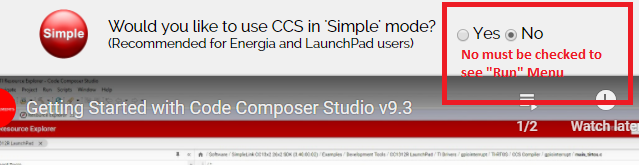
    Thank you very much for your response!  I've continued to play around with my settings and have found that it was a really simple fix.  From the "Getting Started" tab within CCS V10, there is an option to operate in "Simple Mode" (recommended for LaunchPad users which is what I am).  When you select "Yes" to this option, the Run menu is hidden but when you select "No" you do in fact see the Run -> Clock -> Enable set of drop down menu choices.

    warm regards,

    Scott