This thread has been locked.

If you have a related question, please click the "Ask a related question" button in the top right corner. The newly created question will be automatically linked to this question.

CCS/TMDX654IDKEVM: Sharing CCS projects between different systems optimally

Part Number: TMDX654IDKEVM

Tool/software: Code Composer Studio

Hi there,

I have a very simple question, regarding the sharing of projects and workspaces to different systems, which has cost us an unreasonable amount of time.

What we are trying to attempt, is simply to share a workspace between two different systems so that we can simply export->import->build->load->execute our application between different members of our team, when a change have been made to the software.

We have managed to ensure that all versions of the PDK etc. are the same, as well as ensured that all paths are setup correctly to allow for a successful build on each individual PC.

To share workspaces, we perform the following steps:

1. Zip the complete workspace (for example we have a workspace called "TestWorkspace" with two RTSC projects on the C: drive, then zip the whole C:\TestWorkspace directory

2. Share the zipped workspace with other systems.

3. On the other systems, unzip the content at C:

4. Open CCS with the extracted workspace as the active workspace

5. Go to Project->Import CCS Projects and import the projects within TestWorkspace.

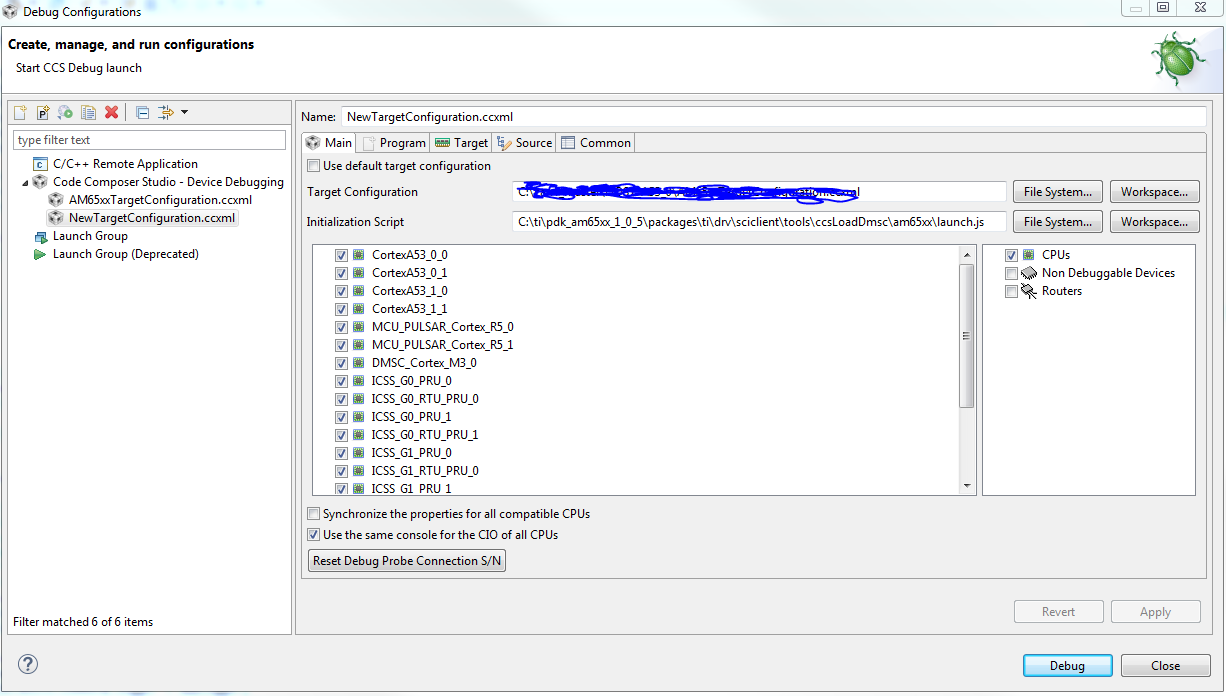
From here, the 2 projects can build successfully. In the projects, a iuniversal target configuration file is also included. The issue we have however is, after importing a project and trying to launch the target configuration file that was shared, is not the same as it was set up to be on the initial system. For example we set up the following on one system:

1. Initialization script
2. Setup automatic load of one project
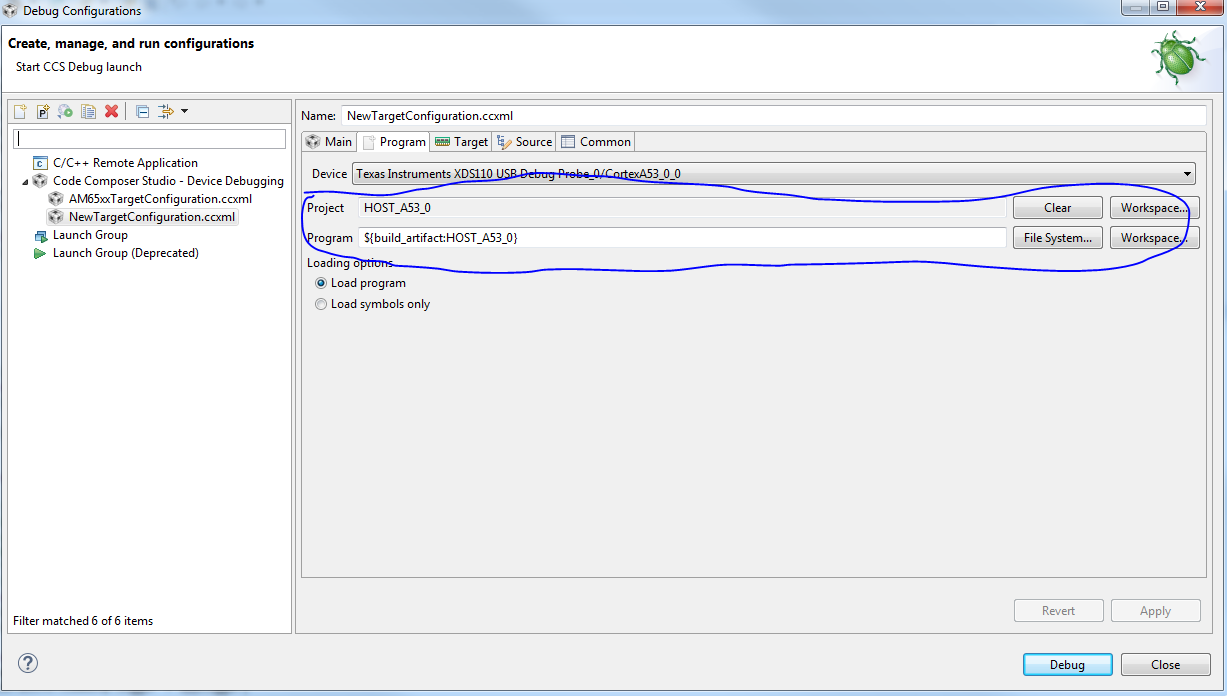
This then works on one system, however after the whole exporting and importing process, on the other system the initialization script should be addeed again, as well as the automatic load? This has do be done every single time a workspace is shared, which costs unnecesarry time. We waisted alot of time trying to get the executables from different systems to the target, only to realize that the config file changes between each share of the project?

What causes this? What should we do so that we can share workspaces/projects between systems, without having to setup the debug configurations each time? We want to share workspaces in an optimal manner, so that a slight change on one system will also be included on the other when imported.

I hope my question is clear?

I look forward to hearing a response.

Kind regards,

Johnny

  • The general recommendation is to share projects rather than share entire workspaces. This is because workspaces are used to store user settings and preferences which are typically not shared with other users. Also when using source control software, it is typically the project files that are checked into source control.

    Here are a few references on sharing projects as well as tips for creating portable projects that can be shared among multiple users. 

    http://software-dl.ti.com/ccs/esd/documents/ccs_sharing-projects.html

    http://software-dl.ti.com/ccs/esd/documents/sdto_ccs_best-practices-projects.html

    This section of the CCS Users Guide talks about debug configurations, where they are stored and how to maintain portability:
    http://software-dl.ti.com/ccs/esd/documents/users_guide/ccs_debug-main.html#debug-configurations

    Hope this helps.

  • Hi AartiG,

    Thanks for your response. However exporting and importing (even not as workspaces) does not allow the debug configuration to be portable. Let me show you my exact steps once again, and I will first give some more context. Currently, within our workspace we have 2 projects, one for the A53_0_0 core and one for the R5_0 core. A target configuration file is created and stored within the project directory of the A53_0_0 core project.

    1. Now, when you go to Run->Debug configurations, firstly the targetconfiguration file is not there. So first go to View->Target Configurations and launch the target configuration that is present in the A53_0_0 project directory.

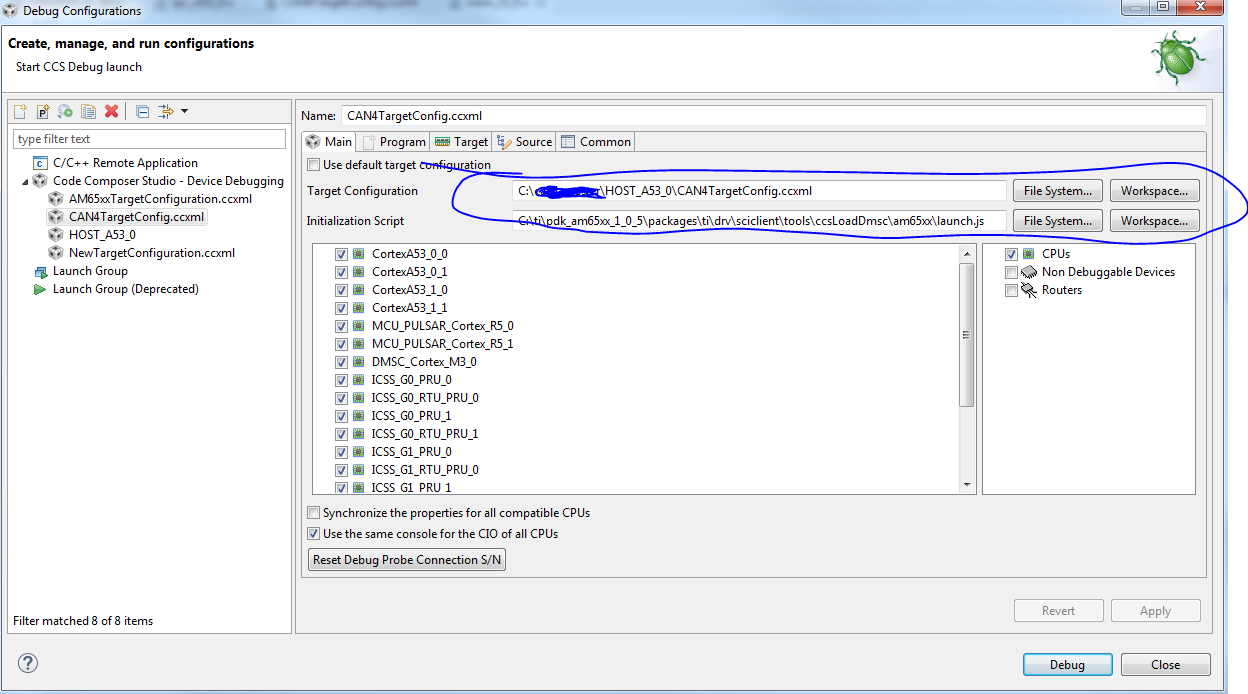
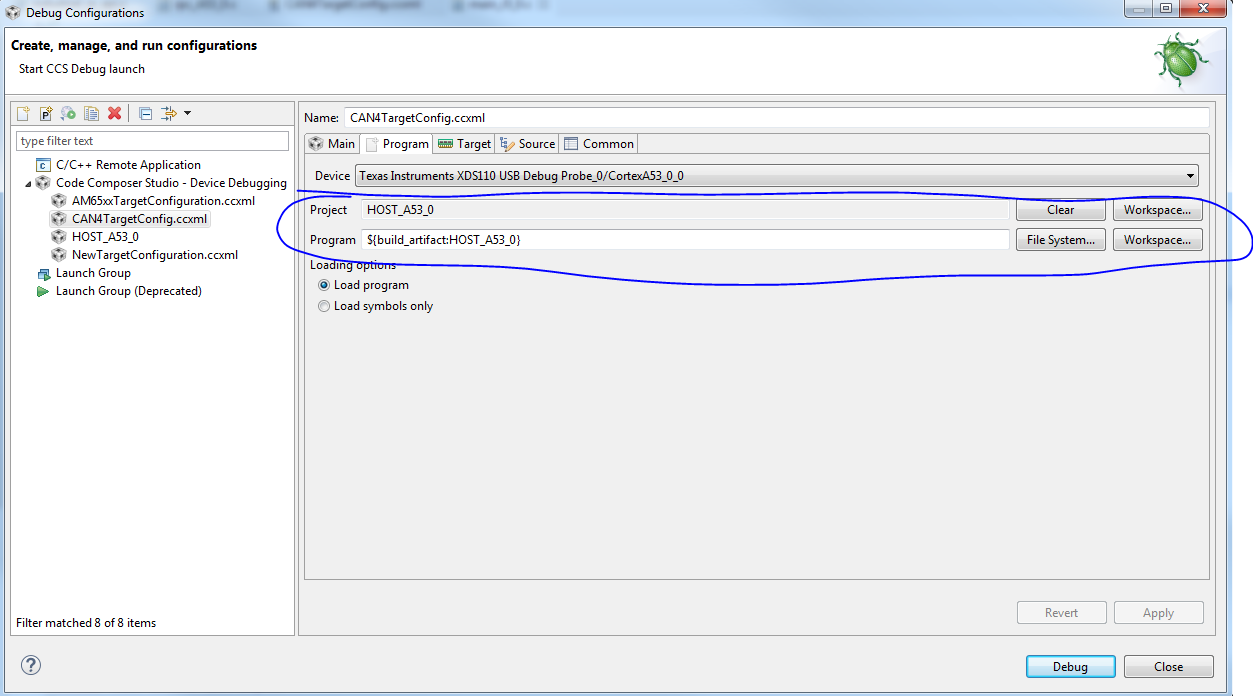
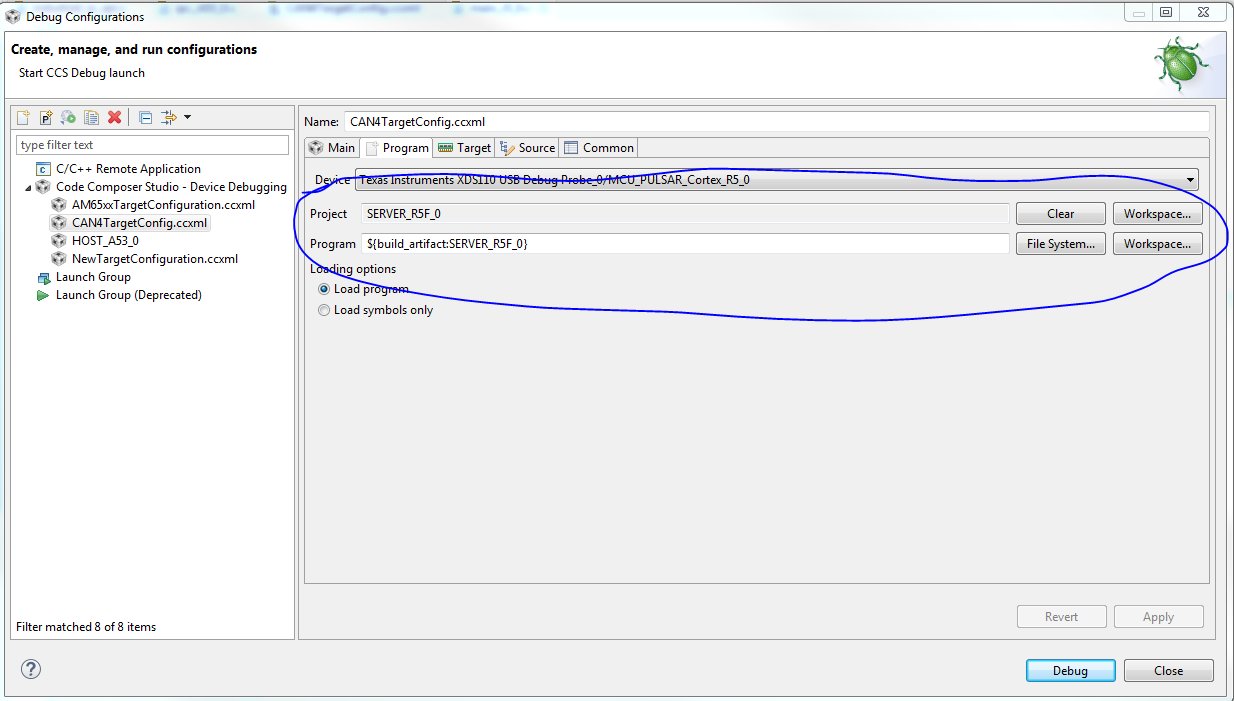
    2. Terminate the debug session. Go to Run->Debug Configurations. Now the target config file can be seen. The following are then included to execute the sciclient initilization script, and automatically upload the software onto the target cores (only A53_0_0 and R5_0).

    Then clicking debug, everything uploads onto the target as expected.

    3. Now export projects into an archive file (not the whole workspace).

    4. Share to another system. On the other system, Project->Import CCS Projects and import both projects into the workspace of the other system.

    5. Now Run->Debug Configurations, then the target configuration file in the A53_0 project can not be seen (Why not???). So again, go to View->Target Configs and launch the target config file from there (right click and launch).

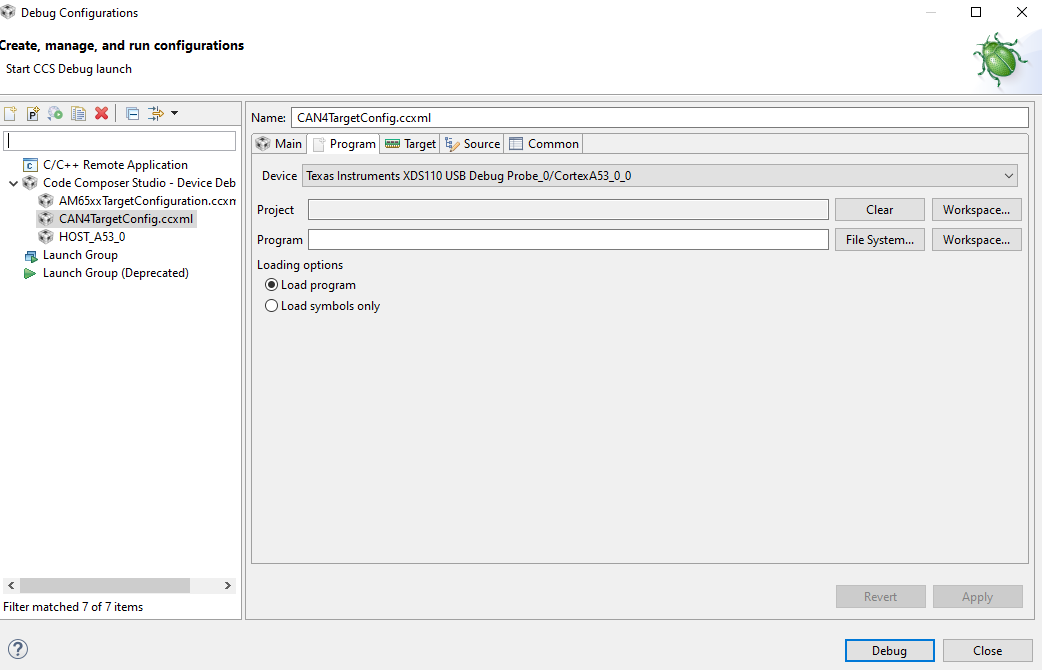
    6. Now, the software does not automatically upload onto the target. The sciclient initialization script also does not execute? Why? Now the target configuration file can be seen at Run->Debug configurations, but without the initialization script, and program load settings that was included on the initial system?? Dynamic variables were used for the program section, so that should also work for the other system. Below is an example screenshot of the Program load settings that are now missing on the other system:

    Thus it is clear, that all these settings should now be included again on the new system, as well as every single time a new changes is shared. Could you please advise as to what we are doing wrong?

    I look forward to you response.

  • I will try to reproduce this and let you know what I find. Thanks for your patience.

  • I will look forward to your response

    Regards,

    Johnny

  • The location where the debug launch configuration is stored is dependent on the way the debug session is launched, as mentioned in this page:
    http://software-dl.ti.com/ccs/esd/documents/users_guide/ccs_debug-main.html#debug-configurations

    If you are performing a manual launch, the file will be stored in the workspace directory instead of the project directory and thereby not get exported to archive along with the project. If that is the case, you can export the Launch configuration separately using menu File->Export->Run/Debug->Launch Configurations. Then import it into the new machine/workpace using menu File->Import->Run/Debug->Launch Configurations.

    I tested this both ways. One where Launch Configuration is stored in the workspace, by exporting/importing Launch Configuration separately . And another where the launch configuration is stored in the project itself in which case the basic export/import was sufficient. In both cases, it worked as expected and the launch configuration appeared as expected in the new workspace.

    Please let me know if this helps explain and resolve your issue.

  • Very strange then that when we do a normal import/export, it does not work then. Yes, the target configuration file is there, but the debug configurations are missing.

    I will try to do the export seperately and see if that works for us.

  • Johnny Smith said:
    Yes, the target configuration file is there, but the debug configurations are missing.

    The target configuration file (.ccxml) and debug configuration file (.launch) are different and are stored in different places (as described in the User's Guide link I referenced above). The location where debug configuration (.launch) file is stored plays in part in whether it is part of the normal export or not. I hope the separate export helps resolve the issue for you.