Part Number: LAUNCHXL-CC1352R1
Other Parts Discussed in Thread: UNIFLASH
Tool/software: Code Composer Studio
This thread has been locked.
If you have a related question, please click the "Ask a related question" button in the top right corner. The newly created question will be automatically linked to this question.
Part Number: LAUNCHXL-CC1352R1
Other Parts Discussed in Thread: UNIFLASH
Tool/software: Code Composer Studio
As written in the READMEfile ,
I ran the rfWsnConcentratorOadServer code through one CC1312R1LP,
and ran rfWsnNodeExtFlashOadClient code through another CC1312R1LP
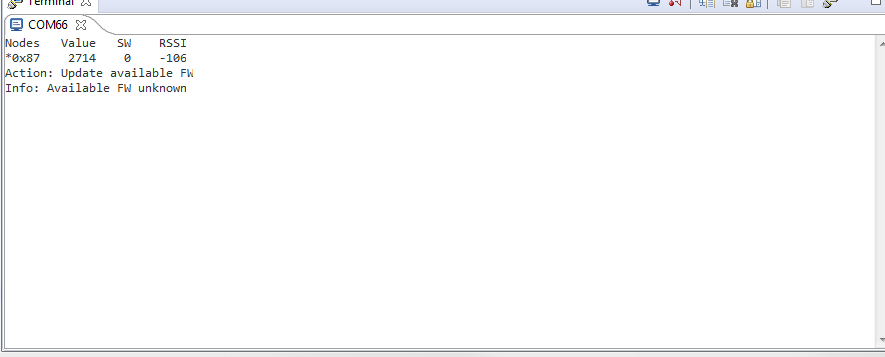
uart printed like below
However,
Nothing happens when btn- 1 is pressed and btn 2 is pressed in concentrator
Neither the node was selected, nor the action was executed.
then
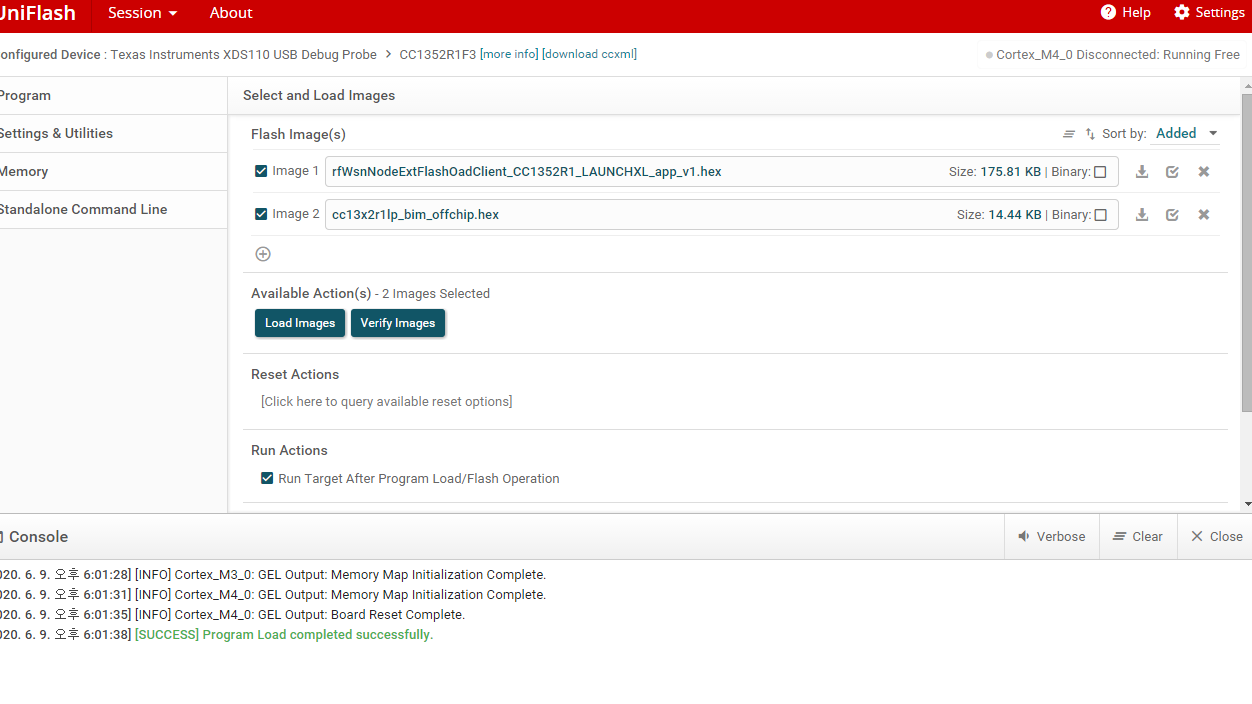
load <SDK_DIR>/examples/rtos/CC1352R1_LAUNCHXL/easylink/hexfiles/offChipOad/ccs/rfWsnNodeExtFlashOadClient_CC1352R1_LAUNCHXL_app_v1.hex and <SDK_DIR>/examples/rtos/CC1352R1_LAUNCHXL/easylink/hexfiles/offChipOad/ccs/cc13x2r1lp_bim_offchip.hex into a CC1312R1LP
using the Uniflash programmer into concentrator
I followed the description of the file
the uart print still same.
Neither the node was selected, nor the action was executed.
in README file,
It was written as
"Press BTN-1 until the desired node is selected, then press BTN-2 until the Action is set to Update node FW. To execute the action, press BTN-1 and BTN-2 simultaneously"
Nothing happens and no selection is made no matter how much the button is pressed.
what's the problem?
Is there something I'm missing?
Since you only have one node (0x87), nothing will happen when you press BTN_1, as this node is already selected (indicated by the *). If you had had several nodes, they would all be listed, and pressing BTN_1 would move the * between the node.
What you should do on the concentrator is to use BTN_2 until you see “Update available FW”. You should then press both buttons, and you will then see “Waiting for Node FW update…”. Now you should free the COM port.
My board was connected to COM119, so I freed this one, and then ran the python script:
py -2 C:/ti/simplelink_cc13x2_26x2_sdk_4_10_00_78/tools/easylink/oad\oad_write_bin.py com119 C:\ti\simplelink_cc13x2_26x2_sdk_4_10_00_78\examples\rtos\CC1352R1_LAUNCHXL\easylink\hexfiles\offChipOad\ccs\rfWsnNodeExtFlashOadClient_CC1352R1_LAUNCHXL_app_v2.bin
When all block were sent, I connected COM119 again, and I got info saying “Available FW rfWsnNode sv:002 bv:03”
My node had been flashed with V1 of the firmware, rfWsnNodeExtFlashOadClient_CC1352R1_LAUNCHXL_app_v1.hex, so when I did “Send FW Ver Req” it reported that my node was running sv: 001:
I then did an “Update node FW” by pressing both buttons, and after a while I got Info: "OAD Complete"
I did a Send FW Ver Req once more, and this time I was that the revision had changed to 002.
BR
Siri