This thread has been locked.

If you have a related question, please click the "Ask a related question" button in the top right corner. The newly created question will be automatically linked to this question.

CCS/CC2642R: BIN File Created by oad_image_tool Crashed

Part Number: CC2642R
Other Parts Discussed in Thread: SYSBIOS

Tool/software: Code Composer Studio

Hi,

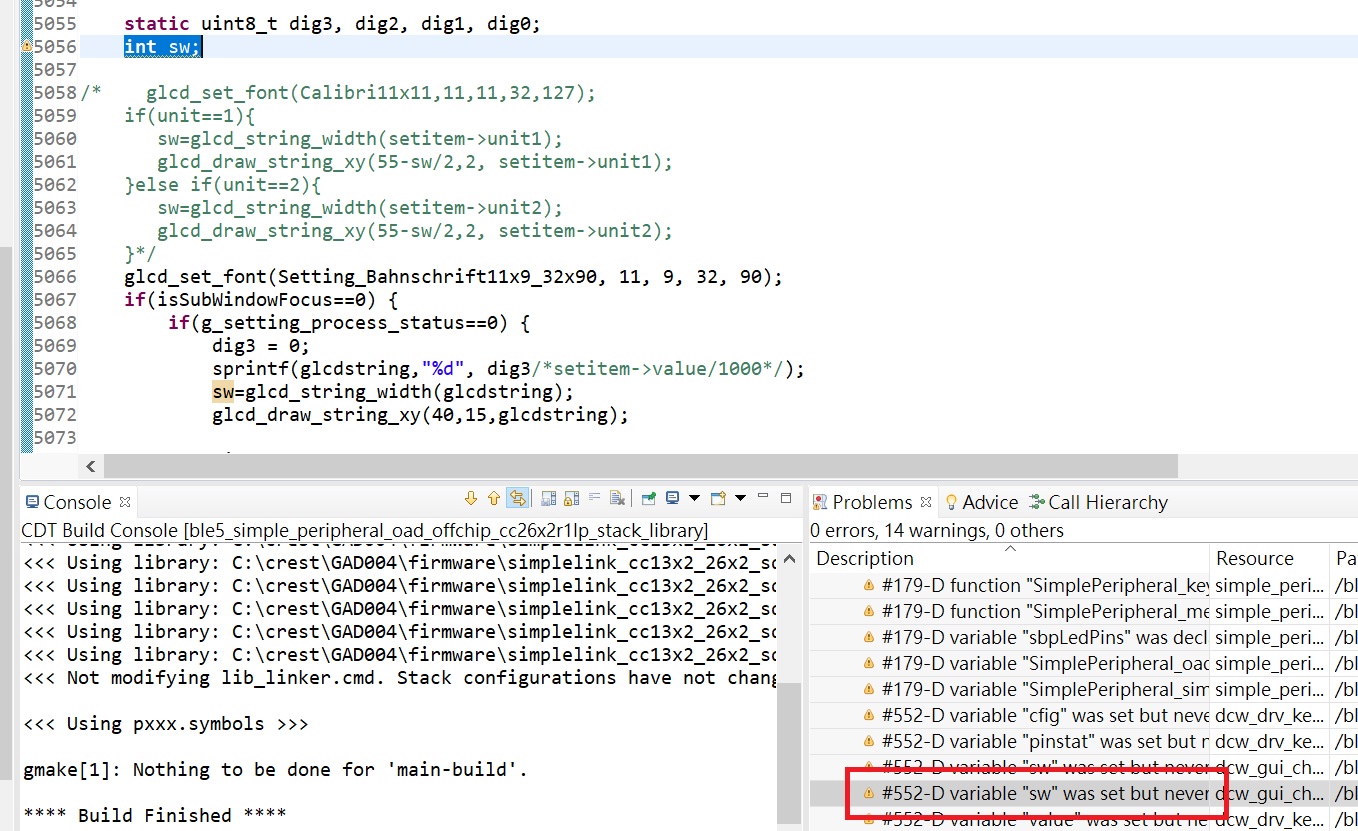
I tried to fix a warning message that a variable was set but never used. After remarking this variable (which is not related to BLE), I found BLE not working if I load the bin file with OAD, but it is okay if I load hex or out files with XDS110.
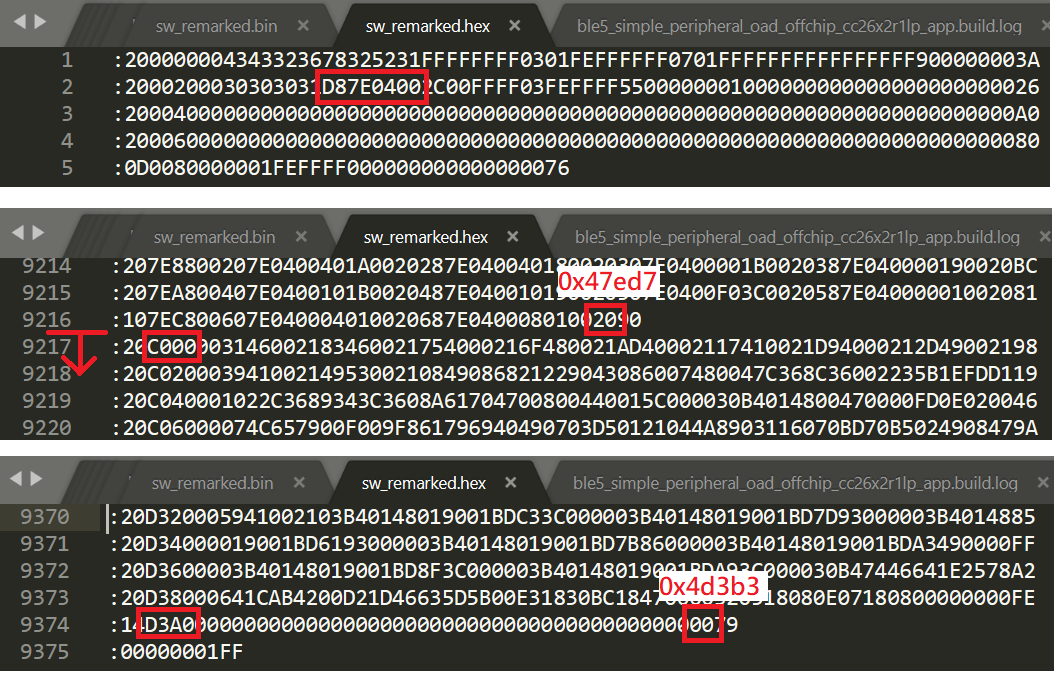
The size of bin file changed from 313k to 288k. According to map files, I suppose section .rodata.3 starting from 0x4c00 is not included in the bin file by oad_image_tool.exe, since the end of bin file is 0x48000 (288k).

Is it just a setting problem, or an issue of oad_image_tool?

Attached are map files.

map_files.zip

ccs version 10.0.0.00010

XDCtools 3.51.2.21

SimpleLink SDK 3.10.0.53

Sincerely,

Gabriel

  • Hi,

    I have asked an expert to look into you issue.

    Please bear with me,

    Kind regards,

  • Hi Gabriel,

    Have you loaded the BIM file too? 

    Is this the only change you have made to the default project?

    And which project are you using and with which settings? (on/off chip, security/no security)

    Thanks, 
    Elin 

  • Hi Elin,

    We loaded an off-chip no-security BIM in factory, and changed app+stack through OAD or XDS110 afterwards.

    The default private.pem was used by oad_image_tool to generate bin files, so the bin files should be with security.

    The changes we have made to the default project are:

    1. user app files under application, including changes to simple_peripheral_oad_offchip.c

    2. turning off ARM compiler optimization for app, library and BIM

    3. pre-defined symbols added under ARM compiler

    4. "var Seconds = xdc.useModule('ti.sysbios.hal.Seconds');" appended to TOOLS/ble_release.cfg

    5. "radix" added to return value of ltoa() in OSAL/osal.c so that  it can be compiled in ccs 10.0.0.00010

    Thanks,

    Gabriel

  • Hi Elin,

    I'd like to add one change I forgot to address:

    6. because we use a different external flash and different gpio pins for it, we modified these files: ext_flash.c, bsp.h, flash_interface_internal.c, flash_interface_ext_rtos_NVS.c, flash_interface.h, led_debug.c, crc32.h, crc32.c, CC26X2R1_LAUNCHXL.c, CC26X2R1_LAUNCHXL_fxns.c, CC26X2R1_LAUNCHXL.h

    Thanks,

    Gabriel

  • Hi Gabriel,

    Thanks for your patience. 

    Okay so if I've understood correctly, you are using a BIM with no-security but the application image uses security? If this is the case, you have to change the security level on either the BIM or the application as they both need to have the same security level in order to work. 

    Thanks, 
    Elin 

  • Hi. Elin,

    I loaded a BIM with security built with the same default key, and then downloaded the problematic bin file through OAD. It booted up and I still found BLE not working. I don't think this solved my problem.

    Thanks,

    Gabriel

  • Hi Gabriel, 

    Thanks for checking. 

    Have you followed Task 4 from SimpleLink Academy BLE Enhanced OAD lab lab to debug the BIM from the application? If not, can you perform this task to see if the BIM launches the application properly?

    Thanks, 
    Elin

  • Hi Elin,

    Thank you for the advice.
    Turning optimization off for secure BIM made it bigger than 8k and unable to fit into 0x56000~0x58000. Therefore I only debugged non-security BIM.
    It took security information segment as payload segment at first, but later it found the correct payload segment. Either the problematic bin file or working bin file was loaded properly. So it should not be an issue of BIM.

    I looked into the problematic bin and working hex file, both derived from the same out file.
    In the hex file, the end address field in fix header is 0x47ed8, but the last byte of the image is at 0x4d3b3 (0x4d3a0+0x14-1).

    In the bin file, length field in fix header matches the size of bin file. (18413*16+12=0x47edc)

    Data from 0x4c000 to 0x4d3b3 in the hex file is not found in the bin file.

    Thanks,

    Gabriel

  • Hi Gabriel, 

    Okay, so you were able to get to the application main when debugging as described in the link from my previous reply? 

    I don't think you have to turn off the optimizations for the BIM project in order to make it work. So if you want to use security, you should debug the security BIM with the application that also uses security. 

    Thanks, 
    Elin

  • Hi Elin,

    I have done 'Debugging from the BIM to the application' of task 4.
    It is difficult to step through code with optimization on, so I watched the starting address, length of image, and program entry at breakpoints. I got the same values from security and non-security BIMs, and they both got to application main. I did not find anything wrong with BIM.

    Thanks,
    Gabriel

  • Hi Gabriel.

    Nice, thanks for checking. 

    Just to check, how are you validating that the image is not running when you are loading the _oad.bin file generated from the OAD image tool? Do you have any snigger logs that you can post?

    Thanks,
    Elin

  • Hello Elin,

    I am a team member of Gabriel's team.

    We are developing a sporting watch with TI CC2642 solution.

    What we encounter now is a problem with OAD image.

    We just found the "oad_image_tool" come along with the CCS and simpleLink SDK may not be able to create correct OAD bin image.

    We compared the .hex(we know it's in intel hex format) created by compiler with .bin created by "oad_image_tool".

    The result shows that the content should be put in .bin may be lost because some content in .hex do not appear in .bin file(I am pretty sure it's not header or CRC or something else of OAD format or procedure, because we can finish the OAD with this problematic .bin file.).

    After the OAD with the problematic .bin file. We can not find our BLE device. So, another time OAD is also not be able to be done.

    The watch can still be turned on and looks like still works. But the BLE is not functional, we can not do anything through BLE.

    We tried "nRFconnect app"(with different smart phones), "SiLab BLED112", and laptop(with Marvell AVASTAR Bluetooth Radio Adapter, Intel AC8265) to find the watch. But no one can find it.

    The solution so far we are using is to keep some "unused" local variable. Because we found this problem after we do some cleaning to our source code. We didn't encounter this problem before, so we just undo what we have done. And the problem just gone.
    So the cause of the problem looks like something about section handling of oad_image_tool.

    We closed the compiler optimization (-O0) of APP due to other consideration.

    If you have any clue about our problem. Please let us know.

    And by the way. Gabriel said his TI account just be locked with no reason. He is confused and no be able to reply the post. Could you give him a help?

    Thanks a lot.

  • Hi Joe, 

    Thanks for letting us know.

    Have you tried using the OAD Image Tool both in CCS and as a standalone tool? Does that make a difference?

    Do you have a sniffer? If yes, can you sniff the connection and send the log file? If not, you can use the Packet Sniffer if you have an extra LaunchPad. 

    Joe Chang3 said:
    And by the way. Gabriel said his TI account just be locked with no reason. He is confused and no be able to reply the post. Could you give him a help?

    I'll check and get back to you. 

    Thanks, 
    Elin

  • Hello Elin,

    I tried oad_image_tool under command line with same parameter as the CCS do. And got same result.

    But I didn't keep too much record. I will try it again later.

    And I will try the sniffer with my LaunchPad as well. I will also reply the result.

    Thanks,

    Joe

  • Hi Joe, 

    Thanks for keeping me updated. Just let men know when you have an update.

    Thanks, 
    Elin