This thread has been locked.

If you have a related question, please click the "Ask a related question" button in the top right corner. The newly created question will be automatically linked to this question.

CCS/OMAP-L138: mem_util Compilation Issues

Part Number: OMAP-L138
Other Parts Discussed in Thread: OMAPL138

Tool/software: Code Composer Studio

Hi,

I have an OMAP-L138 LCDK dev board and Linux SDK v6.03 installed on my computer.

I've been experimenting with the dev board and my next step is to get a program which I compiled in CCS executing on the dev board.

I decided to try one of the example programs from TI as a starting point and chose the mem_util program.

However, when that program is compiled (with no changes) the below error message is output from the console:

mem_util.c:40:10: fatal error: stdio.h: No such file or directory

At the top of the file is #include <stdio.h>

However, if #include <stdio.h> is modified to #include "stdio.h" the compiler finds it, but then other #include <...> statements fail.

Where is the compiler expecting to find #include <stdio.h> as oppose to #include "stdio.h" ?

Below is a picture of the output:

Ben

  • Even after including the include folders where say stdio.h exists, the compiler still complains about it the same way.

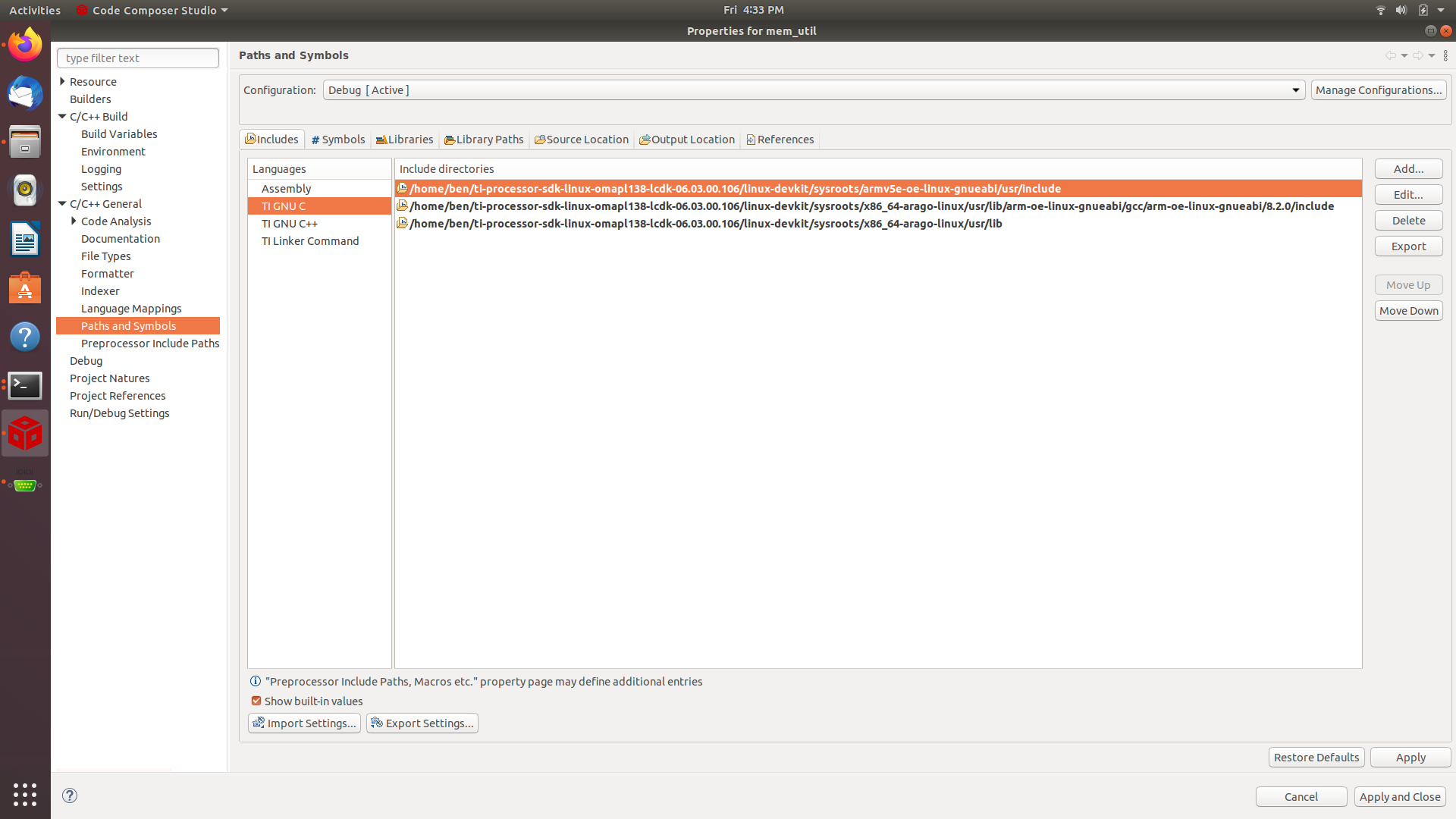
    Below is a picture of what folders were included for the build.

  • Ben,

    If stdio.h is in one of those 3 directories then gcc should not be giving a "no such file or directory" error.   CCS is just going to pass those directories with -I options to gcc.  You could scroll up in the console view and confirm that they are being passed to gcc.  In my gcc this file is located in:

    If you go to the line in your first screen capture and hit F3 does it open stdio.h? 

    I believe this verison of gcc comes with the SDK.  I will see if someone familar with the SDK can assist.

    Regards,

    John

  • Hi John,

    Yes the IDE will open the stdio.h file if I hover over it and hit F3.

    The location that I pointed to for this file is different than yours though.

    I gave the IDE the location "/home/ben/ti-processor-sdk-linux-omapl138-lcdk-06.03.00.106/linux-devkit/sysroots/armv5e-oe-linux-gnueabi/usr/include"

    I will check what the I option has.

    Ben

  • Hi John,

    I believe this is the area in the output screen where the options are printed out for the build, and no I option is specified.

    make debug
    /home/ben/ti-processor-sdk-linux-omapl138-lcdk-06.03.00.106/linux-devkit/sysroots/x86_64-arago-linux/usr/bin/arm-oe-linux-gnueabi/arm-oe-linux-gnueabi-gcc -g3 -gdwarf-2   -c -march=armv5e -marm -oDebug/mem_util.o mem_util.c

    There is no compiler menu in the properties for this project.  I will look in there to see if there are any areas that specify additional options to pass to the compiler at build time.

    Ben

  • Ok I think I know why this is not working.

    I see you have your paths set under something called "paths and symbols".  For me the place where I specify the searh paths is here:

    I believe you are using what we would a standard CDT project and not a CCS project.  Not sure if that was intentional or not.   I didn't notice that before.  Looking back at your first screen capture it looks like some of the projects are CCS projects and some are "C" projects.

    The location to set search path options is different.  I believe you should be able to set them here:

    Regards,

    John

  • Hi John,

    I will look at those settings and see what directories are specified.

    Thanks!

    Ben

  • Hi John,

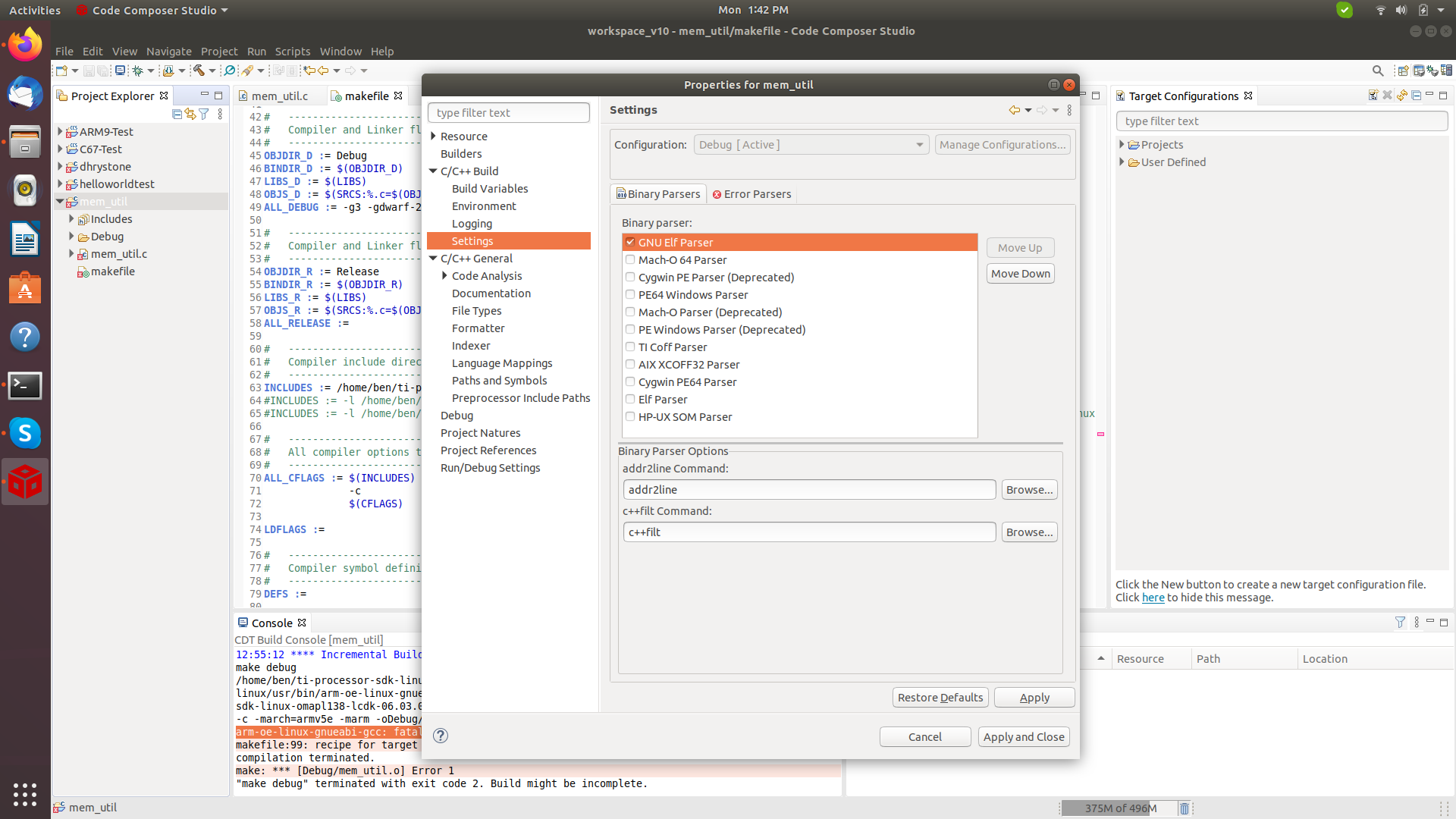
    I do not have the same menu structure as your setup (see below).

    I think this is because the compiler I'm sending the code to was not one that CCS is aware of and installed, it is for an ARM instruction set on the OMAP-L138.

    Is there an area that I can manually specify the paths for the I option?

    Thanks,

    Ben

  • In the tree on the eft Go to C/C++ Build.  Then Settings. 

    This should make the right side look like my last capture.  You can then select Directories under gnu compiler.

    John

  • Hi John,

    Those options don't seem to be available on my configuration (see below).

    Ben

  • Ben,

    Where did this project come from?  I just created a new non-CCS project and I am still able to set these options:

    In your case the Tool settings, Build steps and Build artifact tabs are missing.

    Do they show up for that ARM9-Test project you have?

    Regards,

    John

  • Hi John,

    The project came from a TI example project.

    It is the mem_util example project found within the Linux distribution for the OMAP-L138 processor.

    Ben

  • Hi John,

    The project came from a TI example project.

    It is the mem_util example project found within the Linux distribution for the OMAP-L138 processor.

    Ben

  • Sorry I am not very familiar with the Linux SDKs.  

    Option 1) 

    This may be what is called a standard make project where the build is actually controlled by a makefile and you need to edit the makefile to control the build options

    Option 2)

    The project looks to be pretty simple. You could try creating a new CCS project.  I am unable to show exact steps as I am on macOS and OMAP-L138 is not supported there.

    From the Project menu select New CCS Project

    Enter in OMAPL138 as the device.

    Choose what you are going to use for the debug connection

    You should see a couple tabs.  One for the ARM9 and another for the C67x DSP

    Select the ARM9 tab

    Hopefully your version of GCC is showing up in the compiler selection.  Select it.

    Click finish.

    Now go and copy the mem_util.c file from the other project.  

    Then go to the project properties and add the include paths.  Your options should now look similar to mine.

    Regards,

    John

  • Ben,

    The DSP team is going to take over this thread as they are most familiar with the SDK and its examples.

    Regards,

    John

  • Hi, John,

    The Linux effort in TI is mostly the kernel development, not in user space. In Kernel development, CCS is not used. It is used heavily in RTOS environment. So, we are not familiar with what will be involved in user space set up. Please refer to the similar query on CCS setup for linux application development on other platform. 

    https://e2e.ti.com/support/tools/ccs/f/81/t/699541?CCS-Application-development-for-Debian

    As the last post said that the dependencies may cause some issues. 

    Regarding building the mem_util, I took a look at the Makefile. Have you ever try to build from top-level with the target of am-sysinfo?  That is, from OMAP-L138 SDK direct, do a "make am-sysinfo". 

    am-sysinfo:
    @echo =============================
    @echo Building AM Sysinfo
    @echo =============================
    @cd example-applications; cd `find . -name "*am-sysinfo*"`; make CC="$(CC)"

    Rex

  • Hi, Ben,

    Sorry, my previous post was meant to you, not John.

    By the way, I don't know the history on the examples and why there are CCS project files in the folder. I suspect they were there before migrating to Processor SDK. I don't believe it ever gets tested or used after in PSDK. I'll have to check with one of my co-workers who may know but he is currently out of offcie.

    Rex

  • Hi, Ben,

    I just build the mem_util example. Please see my command history and the output folder: Please ignore command 2127 and 2128.

    2124 echo $PATH
    2125 PATH=~/work/ti-processor-sdk-linux-omapl138-lcdk-06.00.00.07/linux-devkit/sysroots/x86_64-arago-linux/usr/bin/arm-oe-linux-gnueabi:$PATH
    2126 make am-sysinfo
    2127 la example-applications/am-sysinfo-git/mem_util/
    2128 la example-applications/am-sysinfo-git/mem_util/D
    2129 la example-applications/am-sysinfo-git/mem_util/Debug/
    2130 history | tail

    <linux-host>:~/work/ti-processor-sdk-linux-omapl138-lcdk-06.00.00.07$ la example-applications/am-sysinfo-git/mem_util/Debug/
    mem_util mem_util.map mem_util.o

    Rex

  • Hi Rex,

    Thank you for the assistance.

    I tried the make am-sysinfo in the OMAP-L138 SDK directory and the project compiled fine with no errors.

    The executable image was generated and I then loaded it onto the SD card of the OMAP-L138 dev pcb.

    When the executable was run on the OMAP-L138 it did run correctly, so the target environment is setup correctly for the project build.

    We've verified the correct tool chain is present and configured on my host PC, I just need to see what is not configured correctly in the code composer project.

    Ben

  • Hi, Ben,

    I am not sure I can help you on that. I have never used the CCS to build either kernel or linux application. I think the bottom line is to have all needed header files in the include path, and libraries in the library search path.

    Rex