Part Number: TMS570LS1224
Other Parts Discussed in Thread: HALCOGEN
Tool/software: Code Composer Studio
Hello,
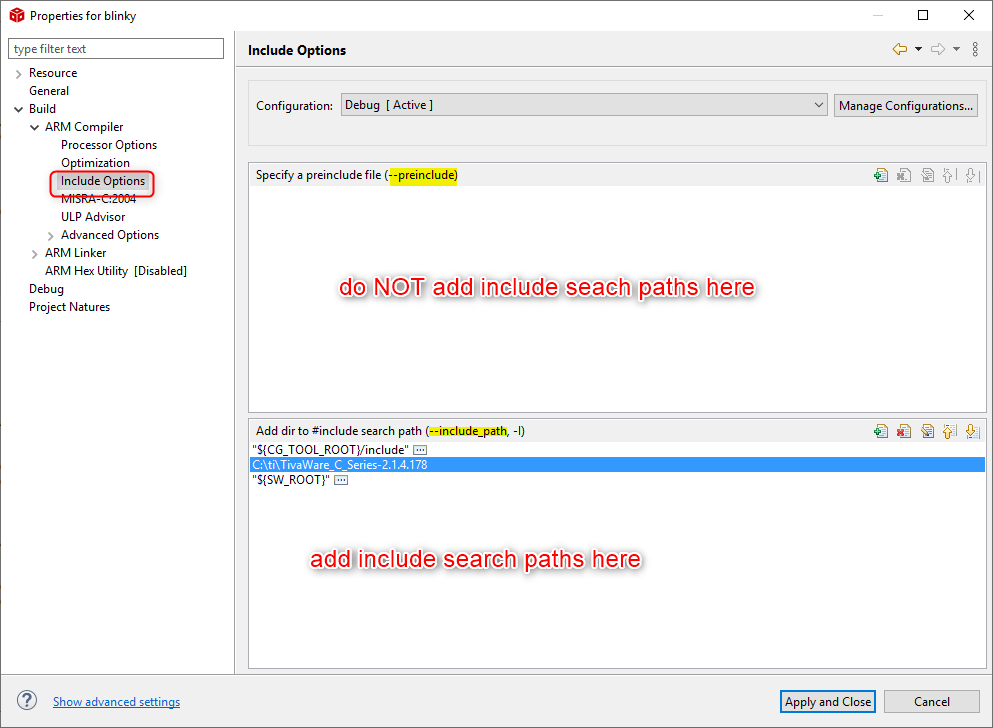
I am working with TMS570LS1224 microcontroller and based on the ti tutorial for sci module: https://www.youtube.com/watch?v=PpalANwuzIo step by step I did everythings but when I want to add my include file which was created by HaLCoGen, I can not choose a whole document and need to select each header file in that document one by one.This causes some errors in running and debugging my program.What is wrong with that?

The picture above is what the tutorial shows and the picture below is what my same step as the tutorial but I get the message which says 'one of the element selected is not file' .

My CCS version is 6.0.1
When I debug the project,Iget the error below which says a header file hadn't been included since I have added all the header files.

Could someone help me with this error please?