This thread has been locked.

If you have a related question, please click the "Ask a related question" button in the top right corner. The newly created question will be automatically linked to this question.

CCS/MSP432P401R: launchpad using mac usb, error message did not give a google hit

Part Number: MSP432P401R


Tool/software: Code Composer Studio

Hi All,

 I attached launchpad to mac v10.14.6, I clicked on "welcome to ti resource explorer", "detect my board" and got this error message from a pop-up:

 -> Unable to open USB device - ensure drivers are installed (LIBUSB_ERROR_NOT_FOUND

I googled the error hoping to get a hit and figure out what to do next, but nothing came up.

What library do I need and where do I find it to download?

thanks,

  bob s.

  • Bob,

    Do you have Code Composer Studio installed or are you just trying to use Resource Explorer from your browser?  Code Composer Studio should install everything tneeded for the XDS110 debug probe that is on that MSP432 LaunchPad.  If using from the browser it should have also installed the TI Cloud agent and driver.  I am running macOS 10.15 but until a couple months ago I was on 10.14.

    Regards,

    John

  • Hi, John,

      I have CCS installed, version 10.1.0, and I'm using the Resource Explorer from a window in the CCS environment.

     The Installation Details window shows TI cloud agent installed, v 0.5.2700

      I tried the "out of the box"  project but the XDS110 wasn't found by the project, which is why I tried the "find my device".

      I'm assuming the driver library is easily found and installed, once I know it's "true" name.  

      Is this a TI library driver or a generic USB driver?

    bob s.

  • Bob,

    I am checking with the team but I thought on macOS for the XDS110 we used a generic already installed USB driver.

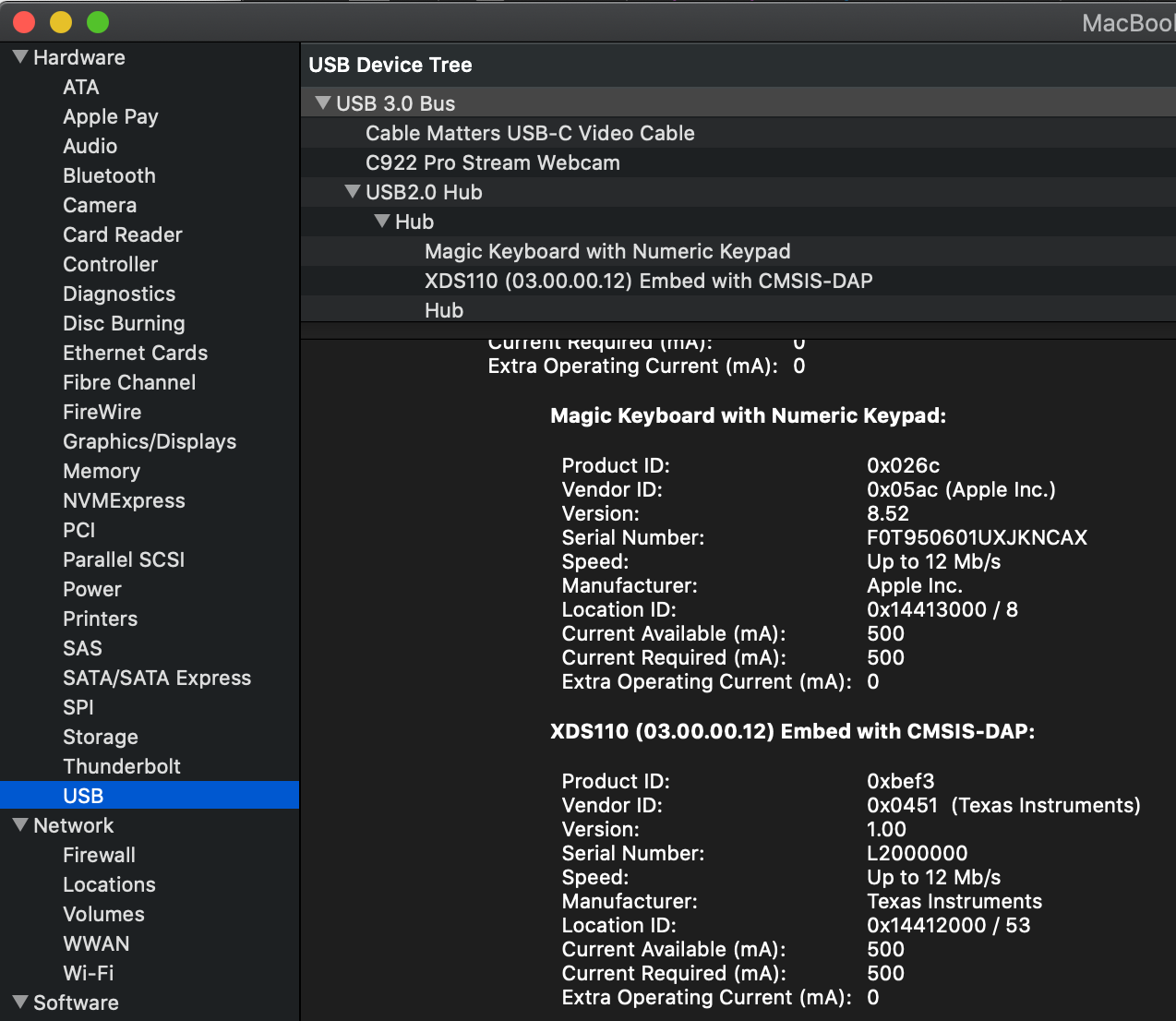
    In System information does it show up at all:

    Regards,

    John

  • Yes, I see he launchpad internal debuggger xds device in the mac system information app and also in a console as a device, copy and pasted below.

    I also re-installed libusb using mac ports without seeing a change.

    from console:

    ls /dev/tty.usb*
    /dev/tty.usbmodemM43210051 /dev/tty.usbmodemM43210054

    from system information app:

    XDS110 (02.03.00.05) Embed with CMSIS-DAP:

      Product ID: 0xbef3

      Vendor ID: 0x0451  (Texas Instruments)

      Version: 1.00

      Serial Number: M4321005

      Speed: Up to 12 Mb/sec

      Manufacturer: Texas Instruments

      Location ID: 0x14200000 / 13

      Current Available (mA): 500

      Current Required (mA): 500

      Extra Operating Current (mA): 0

  • Given the device is seen by the OS but generates a LIBUSB not found error using the TI tool "find my device", could the problem be an environment variable?

  • Bob,

    I am at a loss.  I will see if I can loop someone else in.  

    Regards,

    John

  • Hi Bob,

    robert schaefer said:
    LIBUSB_ERROR_NOT_FOUND

    I have seen this error in the past. The cause was usually with some conflict with some other software running. 

    Can you try closing any other running software (that you can close) and then try again?

    Thanks

    ki

  • HI,

      I've tried this multiple times over multiple days, often on startup as the first thing to try before moving on to other work .

    bob s.