This thread has been locked.

If you have a related question, please click the "Ask a related question" button in the top right corner. The newly created question will be automatically linked to this question.

CCS: CCS didn't debug cc1352R ,display 95%.I need your help

Tool/software: Code Composer Studio

HI

The cc1352r1 development kit was debugged by ccs.10 ,  ccs tool had always display  launching debug session  in the progress of 95%.

I try 4 time ,but the result is the same .I didn't know  the reason , can you help me ? 

Thanks .

  • Hello,

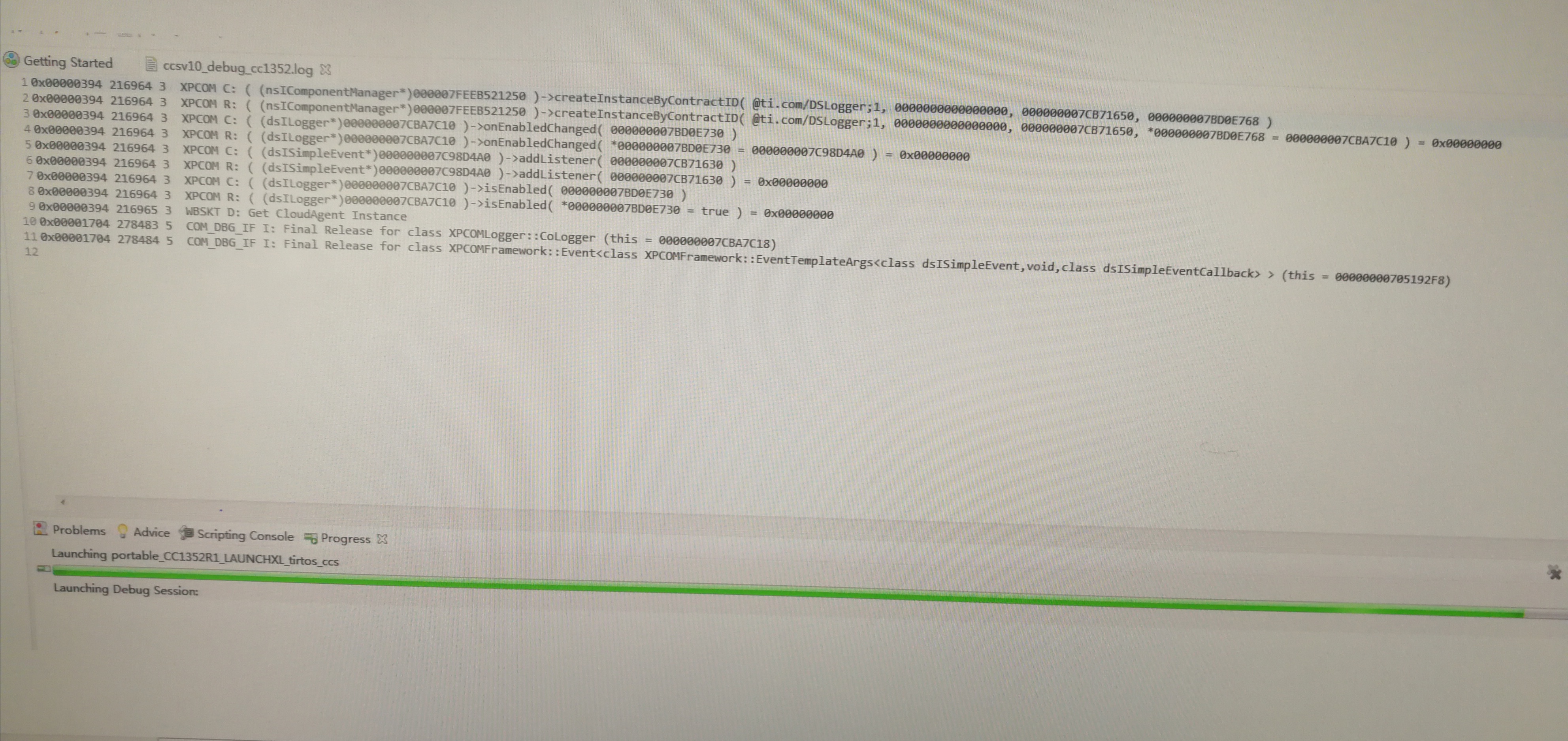
    Can you provide a screenshot of CCS when the error occurs?

    Can you also reproduce the issue with debug server logging enabled? After the log is generated, you can zip and attach it to this thread.

    Thanks

    ki

  • Hi

        Due to my computer  didn't connect network,so send a picture . the cc1352R1 sdk is offline ,I didn't know wether the influence .


  • Not a lot of messages there. Can you start a manual debug session for your target configuration and try to connect to the target and load your program?

    https://software-dl.ti.com/ccs/esd/documents/users_guide/ccs_debug-main.html#manual-launch

  • Hi

        I found out the reason that  the ccs  didn't download , our env  cann't  connect  netwokring , the ccs  check out the lastest version of  xds110  in each download .this will be connected networking.

       Connect to verify whether the version of xds110 can be cancelled?

        thanks 

  • I see, your PCs are not connected to the internet. 

    kenny.cmt said:
    the ccs  check out the lastest version of  xds110  in each download

    I don't think you need internet access. I believe the download file is actually local on the PC. I will confirm.

    Can you try manually updating the firmware using the steps below?

    https://software-dl.ti.com/ccs/esd/documents/xdsdebugprobes/emu_xds110.html#updating-the-firmware

    Thanks

    ki

  • Ki said:
    I don't think you need internet access. I believe the download file is actually local on the PC. I will confirm.

    I confirmed that you do not need internet access. 

    Please try the manual update as mentioned in my previous post.

  • HI

    I downloaded firmware by dfu mode ,according to log , when  xdsdfu.exe -m  , the system didn't  find device .

    1\

    C:\ti\ccs1000\ccs\ccs_base\common\uscif\xds110>xdsdfu.exe -e


    USB Device Firmware Upgrade Utility
    Copyright (c) 2008-2019 Texas Instruments Incorporated.  All rights reserved.


    Scanning USB buses for supported XDS110 devices...


    <<<< Device 0 >>>>


    VID: 0x0451    PID: 0xbef3
    Device Name:   XDS110 Embed with CMSIS-DAP
    Version:       3.0.0.13
    Manufacturer:  Texas Instruments
    Serial Num:    L4100AVI
    Mode:          Runtime
    Configuration: Standard


    Found 1 device.


    C:\ti\ccs1000\ccs\ccs_base\common\uscif\xds110>xdsdfu.exe -m


    USB Device Firmware Upgrade Utility
    Copyright (c) 2008-2019 Texas Instruments Incorporated.  All rights reserved.


    Scanning USB buses for supported XDS110 devices...


    <<<< Device 0 >>>>


    VID: 0x0451    PID: 0xbef3
    Device Name:   XDS110 Embed with CMSIS-DAP
    Version:       3.0.0.13
    Manufacturer:  Texas Instruments
    Serial Num:    L4100AVI
    Mode:          Runtime
    Configuration: Standard


    Switching device into DFU mode.


    C:\ti\ccs1000\ccs\ccs_base\common\uscif\xds110>xdsdfu.exe -f firmware_3.0.0.11.b
    in -r


    USB Device Firmware Upgrade Utility
    Copyright (c) 2008-2019 Texas Instruments Incorporated.  All rights reserved.


    Scanning USB buses for supported XDS110 devices...


    The requested device was not found on the bus.


    C:\ti\ccs1000\ccs\ccs_base\common\uscif\xds110>

    2\

    0x0000026C 9 3  COM_DBG_IF C: class XPCOMLogger::CoLogger::OnEnabledChanged()
    0x0000026C 10 3  XPCOM C: ( (dsISimpleEventCallback*)0000000070192A00 )->onEvent()
    0x0000026C 11 3  XPCOM R: ( (dsISimpleEventCallback*)0000000070192A00 )->onEvent() = 0x00000000
    0x0000026C 11 3  COM_DBG_IF R: class XPCOMLogger::CoLogger::OnEnabledChanged()
    0x0000026C 11 3  XPCOM R: ( (dsILogger*)0000000070126140 )->enable( true ) = 0x00000000
    0x0000026C 11 3  XPCOM C: ( (dsILogger*)0000000070126140 )->getLogFile( 000000000024C130 )
    0x0000026C 11 3  XPCOM R: ( (dsILogger*)0000000070126140 )->getLogFile( *000000000024C130 = C:\ti\ccs1000\ccsv10_debug_cc1352.log ) = 0x00000000
    0x0000026C 11 3  XPCOM C: ( (dsILogger*)0000000070126140 )->isEnabled( 000000000024C080 )
    0x0000026C 11 3  XPCOM R: ( (dsILogger*)0000000070126140 )->isEnabled( *000000000024C080 = true ) = 0x00000000
    0x0000026C 11 3  XPCOM C: ( (dsILogger*)0000000070126140 )->getLogFile( 000000000024C100 )
    0x0000026C 11 3  XPCOM R: ( (dsILogger*)0000000070126140 )->getLogFile( *000000000024C100 = C:\ti\ccs1000\ccsv10_debug_cc1352.log ) = 0x00000000
    0x0000026C 12 3  XPCOM C: ( (dsILogger*)0000000070126140 )->getLogFile( 000000000024C100 )
    0x0000026C 12 3  XPCOM R: ( (dsILogger*)0000000070126140 )->getLogFile( *000000000024C100 = C:\ti\ccs1000\ccsv10_debug_cc1352.log ) = 0x00000000
    0x00001EF4 20377 5  COM_DBG_IF I: Final Release for class XPCOMLogger::CoLogger (this = 0000000070126148)
    0x00001EF4 40803 5  COM_DBG_IF I: Final Release for class XPCOMFramework::Event<class XPCOMFramework::EventTemplateArgs<class dsISimpleEvent,void,class dsISimpleEventCallback> > (this = 0000000070194038)
    0x00002940 80725 3  XPCOM C: ( (nsIComponentManager*)000007FEEA321250 )->createInstanceByContractID( @ti.com/DSLogger;1, 0000000000000000, 0000000079341D00, 0000000079FBE4E8 )
    0x00002940 80725 3  XPCOM R: ( (nsIComponentManager*)000007FEEA321250 )->createInstanceByContractID( @ti.com/DSLogger;1, 0000000000000000, 0000000079341D00, *0000000079FBE4E8 = 0000000079479F30 ) = 0x00000000
    0x00002940 80725 3  XPCOM C: ( (dsILogger*)0000000079479F30 )->onEnabledChanged( 0000000079FBE4B0 )
    0x00002940 80725 3  XPCOM R: ( (dsILogger*)0000000079479F30 )->onEnabledChanged( *0000000079FBE4B0 = 0000000079245700 ) = 0x00000000
    0x00002940 80725 3  XPCOM C: ( (dsISimpleEvent*)0000000079245700 )->addListener( 0000000079341CE0 )
    0x00002940 80725 3  XPCOM R: ( (dsISimpleEvent*)0000000079245700 )->addListener( 0000000079341CE0 ) = 0x00000000
    0x00002940 80725 3  XPCOM C: ( (dsILogger*)0000000079479F30 )->isEnabled( 0000000079FBE4B0 )
    0x00002940 80725 3  XPCOM R: ( (dsILogger*)0000000079479F30 )->isEnabled( *0000000079FBE4B0 = true ) = 0x00000000
    0x00002940 80725 3  WBSKT D: Get CloudAgent Instance

  • After executing "xdsdfu -m", could you also execute "xdsdfs -e" ?

    You should get an output like:

    USB Device Firmware Upgrade Utility
    Copyright (c) 2008-2019 Texas Instruments Incorporated.  All rights reserved.

    Scanning USB buses for supported XDS110 devices...


    <<<< Device 0 >>>>

    VID: 0x1cbe    PID: 0x00ff
    Device Name:   Device Firmware Update
    Manufacturer:  Texas Instruments Incorporated
    Serial Num:    1.0.0.1
    Mode:          DFU

    Found 1 device.

    This would indicate the device has switched to DFU mode.