This thread has been locked.

If you have a related question, please click the "Ask a related question" button in the top right corner. The newly created question will be automatically linked to this question.

CCS/CODECOMPOSER: C2000 Codxe Generation Tool version 18.9 not recognized by CCS

Part Number: CODECOMPOSER


Tool/software: Code Composer Studio

Hello,

I am running CCS Version: 8.3.0.00009 on my Win 10 32-bit OS. I want to install a new C2000 Code Generation Tool to my CCS. I downloaded "ti_cgt_c2000_18.9.0.STS_windows_installer.exe" to my PC and installed it inside C:\ti.

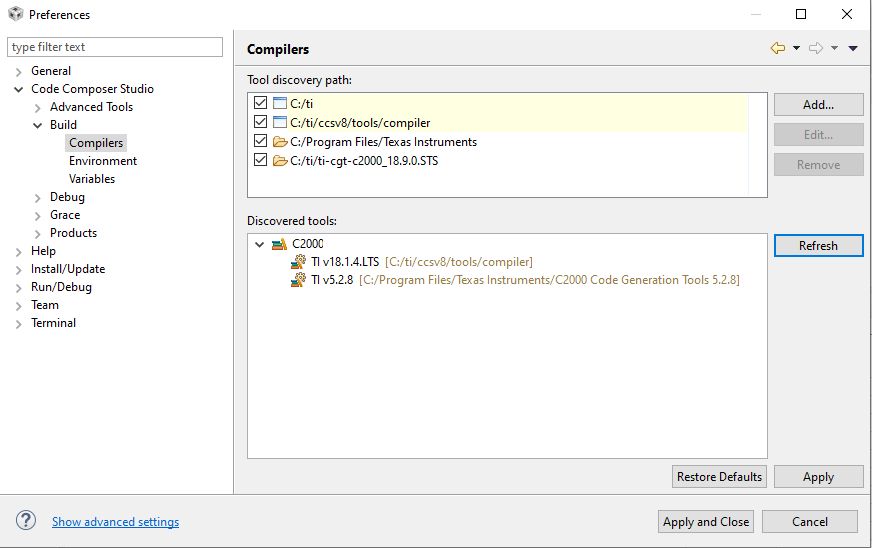
After starting CCS the tool does not identify the new compiler:

Can you please tell me what is missing?

I have no problems with the product identification on my 2nd Win 10 64-bit OS Laptop running the identical CCS version.

I already started CCS with the -clean option out of the command shell without success.

Thanks,

Andreas

  • Hello Andreas.

    Can you try pressing the "Refresh" button? If that does not help, try adding the full path to the compiler (C:\ti\ti-cgt-c2000_18.9.0.STS) in the discovery path list and then press 'Refresh" again.

    Thanks

    ki

  • Hi Ki,

    I just did but it does not help, even when pressing "Refresh".

    Andreas

  • That is odd. I tried this out on my machine and it works fine. 

    Can you check the contents of C:\ti\ti-cgt-c2000_18.9.0.STS and make sure it is not missing any contents?

  • As I already mentioned, the same CCS version works on my 2nd Laptop with a 64-bit OS without problems.

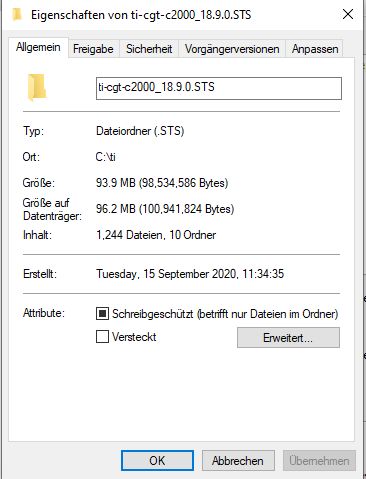
    I compared the folder properties on bioth machines, they look identical. This is from the working Laptop:

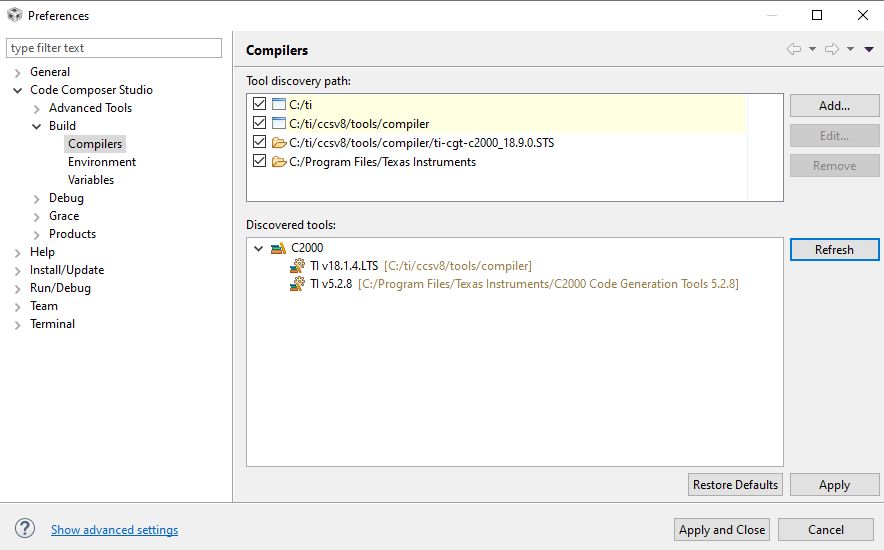
    This screenshot is from the non-working Laptop:

  • Can you remove your installation of the compiler and then use the CCS update manager (via 'Help -> Install Code Generation Compiler Tools') to download and install the compiler?

  • Hi Ki,

    I did but the behavior is the same. The CGT has just been installed in a different path:

       C:\ti\ccsv8\tools\compiler\ti-cgt-c2000_18.9.0.STS

    I added that path to the discovery window but still the Compiler wasn't added. But when I add the path "C:\Program Files\Texas Instruments" to the discovery settings, then CCS discovers properly the very old compiler version 5.2.8, which resides in that folder.

  • Hi Ki,

    I did but the behavior is the same. The CGT has just been installed in a different path:

       C:\ti\ccsv8\tools\compiler\ti-cgt-c2000_18.9.0.STS

    I added that path to the discovery window but still the Compiler wasn't added. But when I add the path "C:\Program Files\Texas Instruments" to the discovery settings, then CCS discovers properly the very old compiler version 5.2.8, which resides in that folder.

  • Hi Andreas, 

    Would you be able to open Command window, navigate to 18.9 compiler directory (either C:/ti or inside CCS) then "cd" into "bin" directory and try to execute "cl2000 -version" there should be a listing showing version information for various C2000 code generation tools. 

    If this showws a version listing, then would you be able to also attach workspace log file? It should be located in "YourWorkspaceDir\.metadata" directory and the file is called .log 

    Thank you,
    Martin

  • Hi Martin,

    I guess you had the right idea.

    Let me translate from German to English:

    "cl2000.exe is not compatible with the current Windows version. Check the system information of the Computer and afterwards get in touch with the editor of the software."

    As I mentioned above, I am using a Win10 32-bit OS. But the "cl2000.exe -version" command works for the 18.1.4.LTS compiler version, which is also installed. This one seem to be compatible.

    Thanks,

    Andreas

  • Hello Andreas, 

    It is most likely a missing library that 18.9 compiler depends on. I am not an expert on compilers, but I'll find out how to get this working. 

    Martin

  • Andreas,

    18.9.x.STS and 18.12.x.LTS were only released as 64-bit Windows applications.

    18.1.x.LTS was the last 32-bit windows.

    Thanks
    Greg

  • Hello Greg,

    Please consider checking this during the installation process of the code generation tools and if possible mention that also on the Web page where the CGT can be downloaded.

    Thank you very much for the support,

    Andreas