This thread has been locked.

If you have a related question, please click the "Ask a related question" button in the top right corner. The newly created question will be automatically linked to this question.

CCS/CC1352P: CCS - GNU Compiler error

Part Number: CC1352P


Tool/software: Code Composer Studio

Hi All,

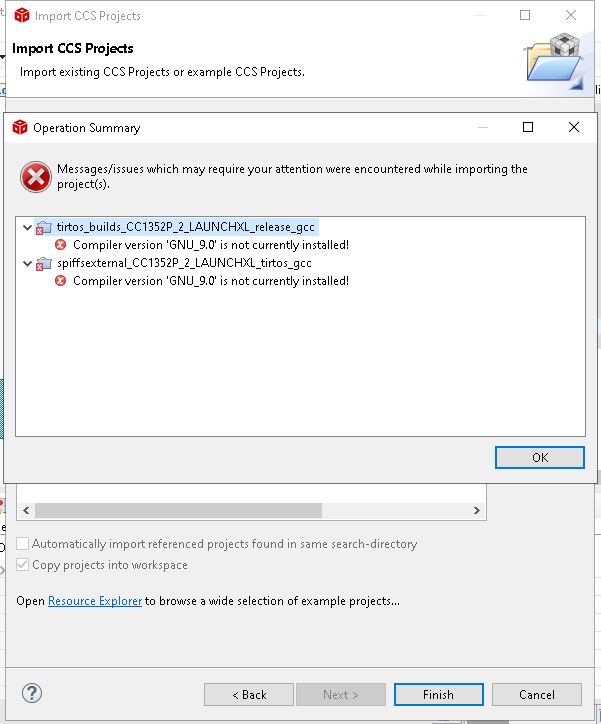
Trying to import C:\ti\simplelink_cc13x2_26x2_sdk_4_10_00_78\examples\rtos\CC1352P_2_LAUNCHXL\drivers\spiffsinternal project, but it is showing below error
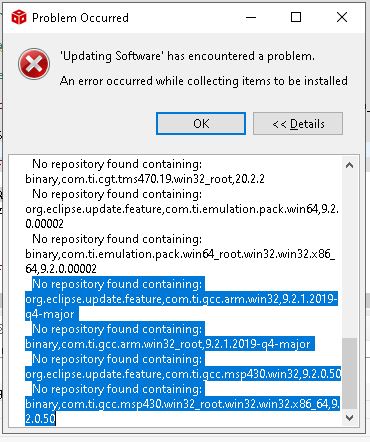
Tried to update GNU through "Check for Updates" and install, there also it is showing repository not found error
Kindly help in fixing this

Thanks & Regards,

Yasar Arafath

  • Yasar,

    In summary that SDK requires GCC9.  If you download the SDK from Resource Explorer it should give you the option to download it automatically.

    I am not sure what version of CCS you are running.  Lets try limiting the update sites that CCS checks when installing an update.  I worry that there is a firewall or anti-virus software blocking CCS from accessing the internet but we can try this first.

    Go to the help menu and select "Install GCC ARM Compiler Tools". 

    In the dialog that opens uncheck the box to "contact all update sites during install...". 

    Then select the GCC9 update.

    If you still get the error then something is blocking CCS from accessing the update sites.  You can download GCC from Arm here:

    https://developer.arm.com/tools-and-software/open-source-software/developer-tools/gnu-toolchain/gnu-rm/downloads

    You will want this version:

    Regards,

    John