This thread has been locked.

If you have a related question, please click the "Ask a related question" button in the top right corner. The newly created question will be automatically linked to this question.

CCS/TMS570LS0914: Debugging C code, field names within a structure do not display

Part Number: TMS570LS0914

Tool/software: Code Composer Studio

I upgraded to CCS V9 and the following problem started:  I am debugging C code with a structure.  If I hit a breakpoint and look in the "Variables" tab, I can find my structures and when I open them the fields within them are there.  However, if I hover over the structure variable in the code the popup that used to contain the fields and values is mostly just white (with (x)= being the only thing that shows for each field) until I click on the field.   However, then I can only see one field value at a time.  I have a feeling this may be a font color issue, but I can't find the right place to fix it.  Any thoughts?

  • Burns,

    I gave this a try yesterday but I have had no luck changing the colours.  For me it shows up fine but I think you are right that on your system the text and background colours for the field are the same.  Fo rme I can see that (x)= is one colour and then the field name is another.  Thus what you see would be possible.  Then when selected you can see it as it uses a differnet color for the font and background when selected.

    I tried every setting I could find in CCS/Eclipse but had no luck changing it.  The only thing that made an impact was changing the theme.  However that changes everything.  In my case I changed from a dark theme to a light theme.  Even then it looks like just the background changes.  I think the font colour is coming from the OS for this.

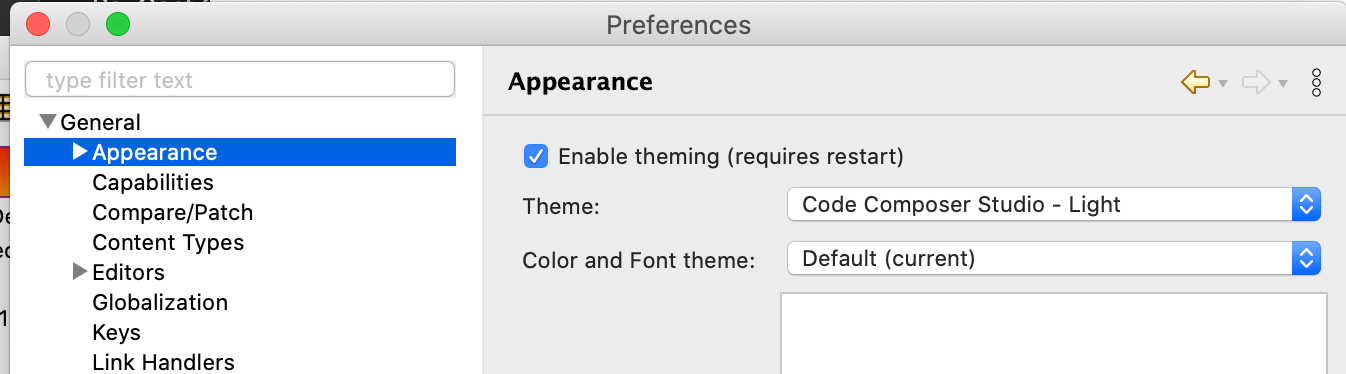
    You could try changing the theme here to see if that helps:

    Regards,

    John

  • JohnS said:
    I think the font colour is coming from the OS for this.

    It's an old stack overflow thread, but Change eclipse's quick watch view colors says:

    That background color cannot be configured in the eclipse because it uses your OS 's ToolTip 's background color .

    Burns, which OS are you running CCS on?

  • John, thanks all the attempts to find a way to change the font color!

    From your pictures, and mine, I am also pretty convinced that it is font color.  In fact, my background is white.  If I select one of the structure fields, the text is highlighted in orange, and the text (that I can't see when it is not highlighted) shows through the orange in white.  And indeed, like yours, the (x)= is in a different color.

    I tried a couple themes.  Some (like Dark) are REALLY HORRIBLE!  In fact some windows were changed and some were not even after restarting, not to mention that the icons are nearly illegible.  But in all cases the popup expressions windows is not changed.

    BTW, I forgot to mention that this is on Linux (Ubuntu 20).  I suppose you might be right that it is using some default OS-supplied color, but I've never seen this behavior on any other application.

    At worst, I guess I can look on the Expressions tab, but the popup is a lot more convenient.  Other thoughts appreciated!

    Thanks again!

  • Just saw Chester's reply.  I'll look at that.  Thanks.

  • Ok, I have followed all the links from Chester, I have changed the Ubuntu 20 theme, but NOTHING seems to change the white font that that "quick view" or "tool tip" seems to use.  Lots of other things changed both in Eclipse and the rest of the OS, but never the tooltip.   Those links give me a better idea, but I still can't seem to make it change.  Thanks for trying. 

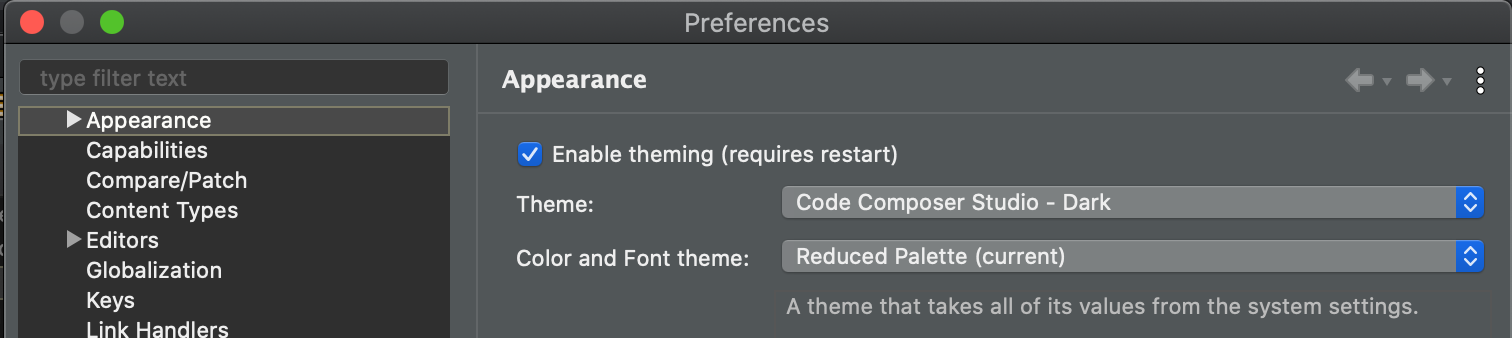
  • One last thing to try might be to reduce the colour palette.  That is supposed to force everything to come from the system settings.

    The dark theme will be better in 10.2.  Previously I always had to go in and make additional changes to make it work right.  I have been a 10.2 beta for a while and it looks a lot better to me.  My mac is running dark mode and the 2 match well.

    Regards,

    john

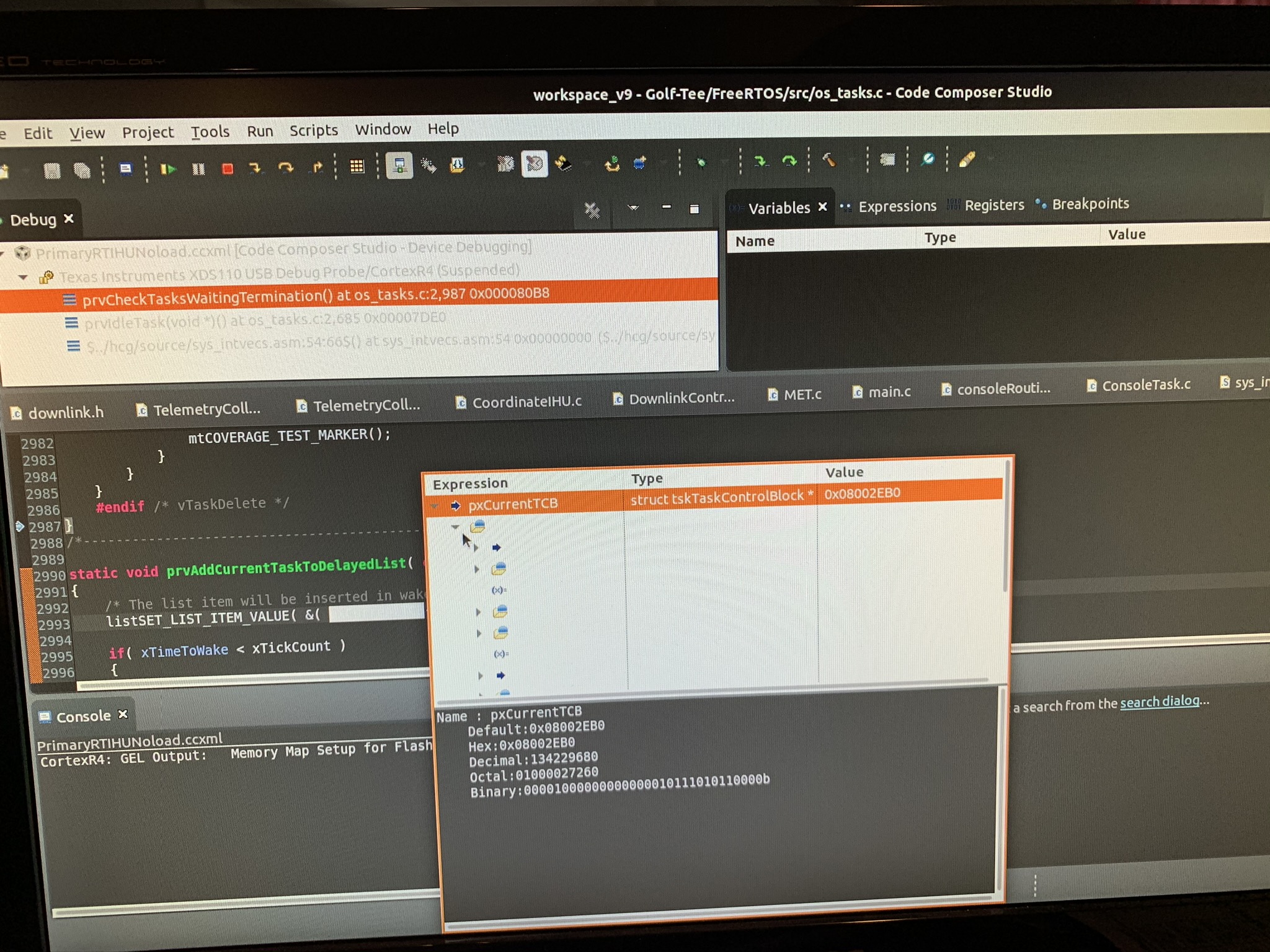
  • Thanks.  Good try, but NOTHING I do changes the colors on the tooltip.  That seems to be true of some of the other windows as well.  See this picture, for example, and you'll see that the debug tab is gray on white rather than the dark that the other windows are.  (BTW, I used the "Dark" theme.  I did not have CCS-Dark like you did.  (This is with a camera, not a screenshot, since taking a screenshot closed the tooltip :-(