This thread has been locked.

If you have a related question, please click the "Ask a related question" button in the top right corner. The newly created question will be automatically linked to this question.

CCS/DRV8301-69M-KIT: Changing to Run From Flash

Part Number: DRV8301-69M-KIT
Other Parts Discussed in Thread: MOTORWARE

Tool/software: Code Composer Studio

I have an application that we are trying to be able to download the *.out file to the device and run from Flash. When I look at some simple samples like LED_Blink and I look at the linking file it is 28069_RAM_Lnk.cmd. And the configuration available is Titled Debug [Active]. When I look at one of the sample applications from the Motorware (our main interest) it has two items in the configuration dropdown; Debug [Active] and Flash. When I select Flash it changes the link file to F28069F.cmd. Is there something else that needs to be done to configure the resulting compiled *.out file to run in Flash? So far we are unsuccessful in getting the project to run in flash. I can download the *.out file to the processor and as long a CCS is connected it works but immediately after removing the probe/CCS it stops. What else is required?

  • Terry,

    Do you mean to say that the application does not work when the device is powered up standalone without debugger connected?  If yes, make sure that the boot mode pins are configured for flash boot.

    OR

    If you say that the application is running with debugger connected and stopped working when the debugger is removed: Did you do a free run in the debugger or not?

    Thanks and regards,
    Vamsi

  • Thanks for replying. 

    Yes when we disconnected the XDS110 the code does not run. I can check the boot mode pins tomorrow.

    Yes the application is running with the debugger connected and when the debugger is removed it stops. I don't find any definition by searching the docs for what you mean free run. Can you tell me where to look for this config please?

    Thanks for your help,

    Terry

  • Terry,

    In CCS debug view, there is a free run button in the top row (hover over the icons and you will see free run).  I can provide a snap tomorrow if needed.  

    Also, you may find below helpful:

    1. https://e2e.ti.com/support/microcontrollers/c2000/f/171/t/757590

    2. Please review the workshops at https://training.ti.com/c2000-mcu-device-workshops . TI has invested considerable resources to develop these self-paced workshops and most questions can be answered by reviewing the workshop material for your specific device family or its closest equivalent. The workshops are an excellent introduction to the basics of C2000 MCUs and the process of writing and running your first example. Good introductory videos about CCS are available at https://www.youtube.com/user/CodeComposerStudio.

    Thanks and regards,
    Vamsi

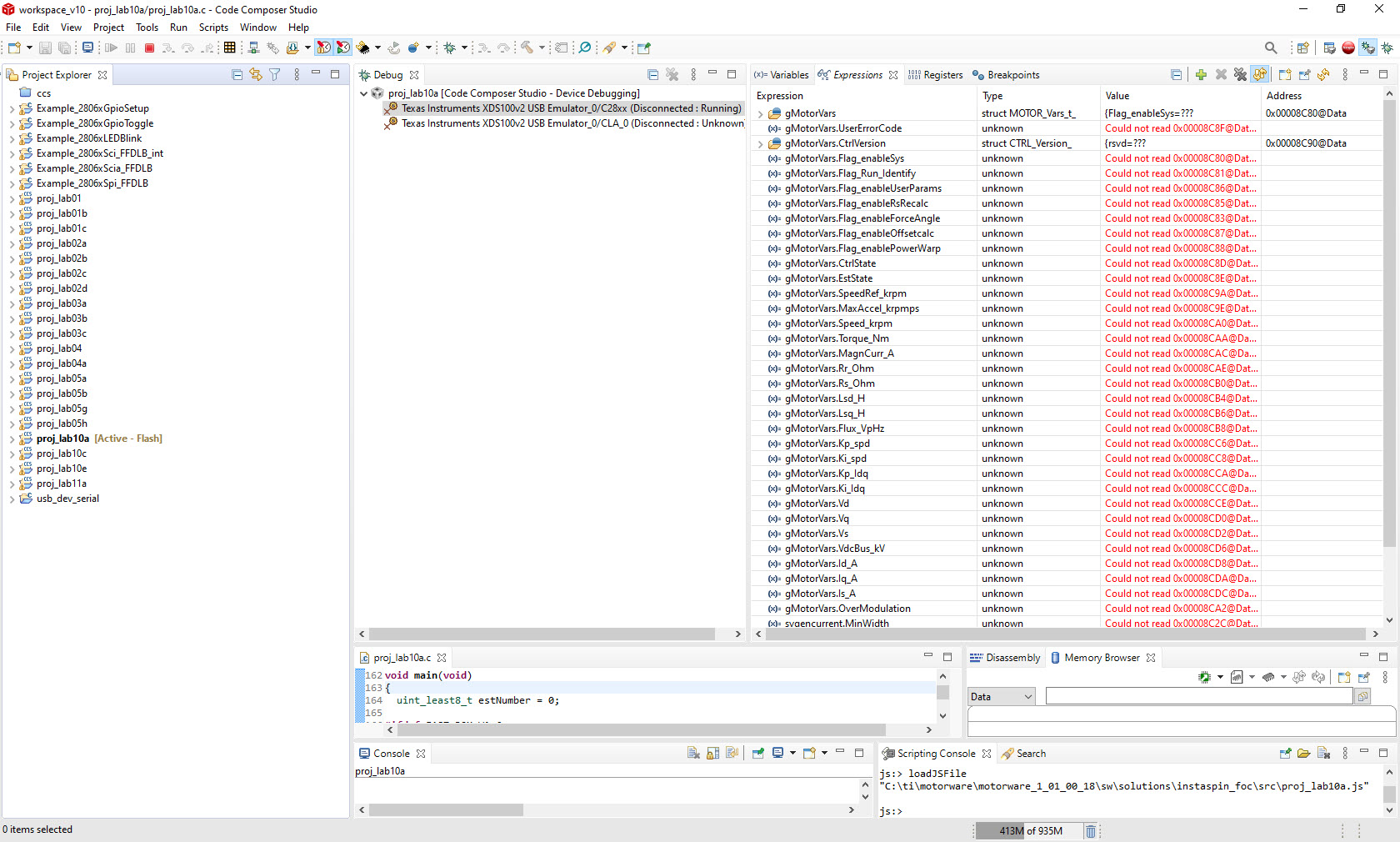
  • Ok thanks this has helped. I achieved being able to download the file and run. I can then disconnect the debugger completely from the eval card and the app runs. But if I turn the power off and then back on it will not run. I am also having an issue trying to find the Free Run button. I have hovered over all of the buttons and none say Free Run. I am enclosing a snapshot of the screen I see.

    What am I missing? I have also searched the CCS docs and find no mention of Free Run. I am running version 10.1.0 of CCS.

  • I have also confirmed that the Piccolo board has the boot switches in the position for boot from Flash. I can go to debug which builds the project and says it flashes it. I can run the app. I can click on the button Disconnect device in CCS and the app still runs. I can disconnect the usb from my dev computer and the app still runs. But when I turn power off of the eval board and then turn back on it will not do anything.

  • Terry,

    Glad there is good progress.

    Based on the info that you gave (especially that the application is executing fine when loaded with debugger and that the boot pins are set for flash), I feel there are still some (or one) initialized sections mapped to RAM in your application (check your map file/linker cmd file).  Please map them to flash in the linker cmd file.  

    Regarding the free run button: In the snapshot that you copied above, in the menu bar, please click on Run and you will notice Free Run in the drop down menu.

    Thanks and regards,
    Vamsi

  • Terry,

    Couple of other things that you need to check:

    1. Please make sure that f28x_codestartbranch.asm file is included in your application and that the codestart is mapped to the flash entry point location (generally defined as BEGIN in TI provided linker CMD files) in the linker cmd file.

    2. Please make sure that code_start (--entry_point=code_start) is added as the entry point in the project's linker options.     

        Project build settings -> Build -> C2000 Linker -> Advanced options -> Symbol Management -> --entry_point:  code_start

    Thanks and regards,
    Vamsi

  • The linker file was corrupted a bit. I went back to a lab and corrected what I found and now it works. Thanks for your help. BTW I found the Free Run selection but can you tell me what it does exactly? I have searched the docs and nothing tells me what this specifically does. Thanks,

    Terry

  • Terry,

    Glad it is working now.  Could you mention the change that you did in your linker cmd file to fix this?  It helps others that may read this post.

    Thanks and regards,
    Vamsi

  • Terry,

    Free Run is basically running the target and then “detaching” the debug connection. The behavior of the run would be similar to as if the physical JTAG connection was disconnected.  Any breakpoints set by the debugger on the target would also be disabled.  I will file a ticket to CCS team to get this documented.

    Thanks and regards,

    Vamsi