This thread has been locked.

If you have a related question, please click the "Ask a related question" button in the top right corner. The newly created question will be automatically linked to this question.

CCS/CODECOMPOSER: HTTP 400 Error When Importing Example Programs

Part Number: CODECOMPOSER
Other Parts Discussed in Thread: LAUNCHXL-F28027F, C2000WARE

Tool/software: Code Composer Studio

I am attempting to install the i2c_eeprom example program for the LAUNCHXL-F28027F board, and Code Composer keeps throwing this error message.
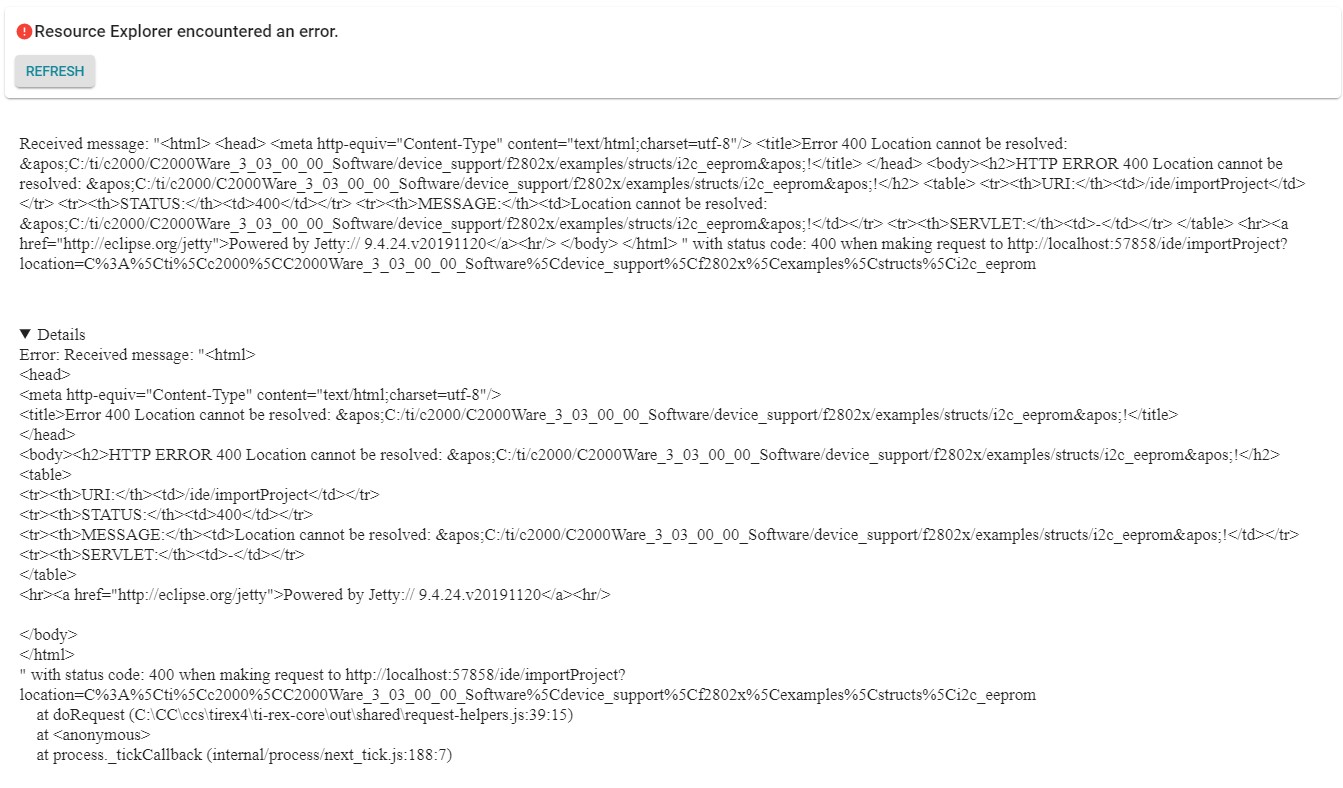
I did find a forum post about this problem from a few months ago. Unfortunately, neither one of the solutions they proposed worked. I have confirmed that my .metadata folder is named correctly and even did a completely fresh install of C2000Ware (and confirmed that the .metadata folder was still correct) and I am still getting the error.

Any assistance would be appreciated.

  • Hi Gabriel,

    I assume that you installed C2000Ware by manually downloading it from the ti.com webpage and installing it yourself. This can cause issues with Resource Explorer and C2000Ware due to a mismatch in a folder name. The workaround is to either install C2000Ware via Resource Explorer from CCS, or rename the folder from C:\ti\c2000\C2000Ware_3_03_00_00 to C:\ti\c2000\C2000Ware_3_03_00_00_Software


    Thanks

    ki