Other Parts Discussed in Thread: OMAPL138
Tool/software: Code Composer Studio
Hello
I am working on LCDKOMAPL138 development board.
i have installed starter-ware processor SDK package (processors.wiki.ti.com/.../StarterWare) and I am using CCS studio V.10.1.0
I imported the GPIO_led blink code from location
"..\ti\OMAPL138_StarterWare_1_10_04_01\build\c674x\cgt_ccs\omapl138\lcdkOMAPL138\gpio"
when i build the project i got following warning
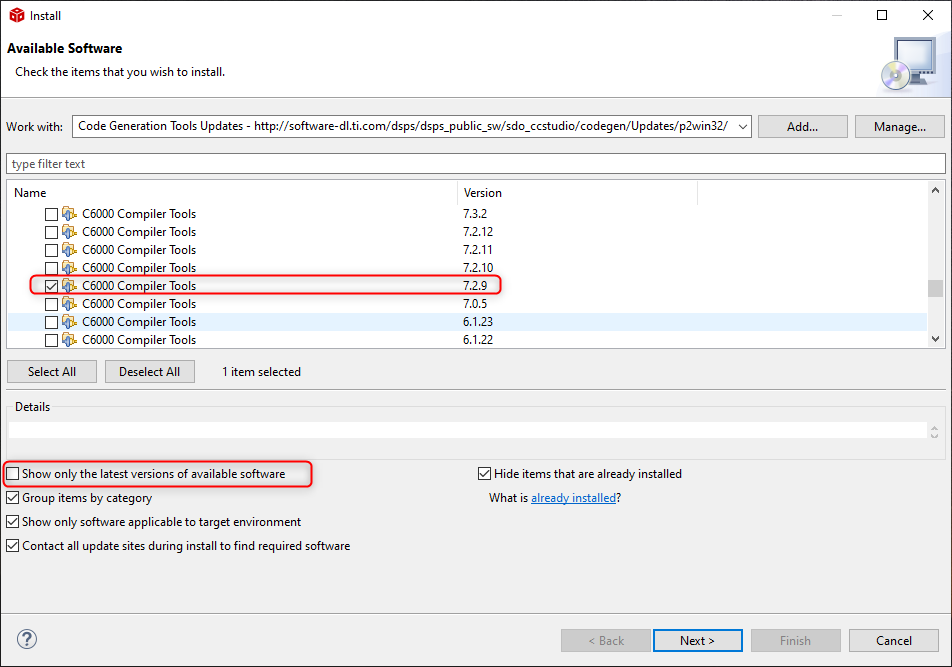
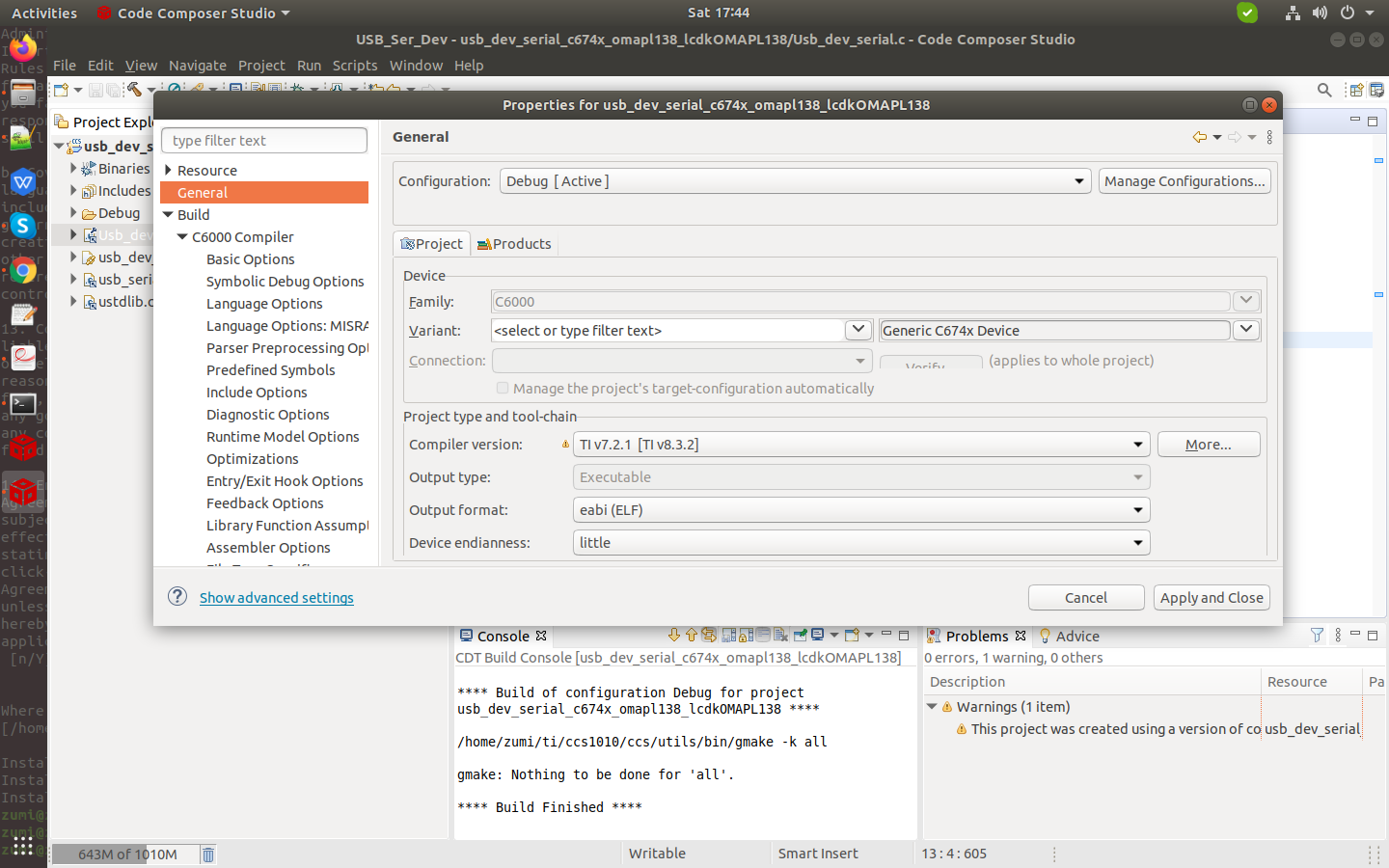
This project was created using a version of compiler that is not currently installed - 7.2.1 [C6000]. Another version of the compiler will be used during build - 8.3.2. See 'Help > Install New Software' and select 'Code Generation Tools Updates' to check if this compiler is available through a CCS update. Visit <a href="liveaction:OpenAppCenter">CCS App Center</a> to get the latest compiler support. Or <a href="software-dl.ti.com/.../a> and install the compiler, then register it with CCS through 'Preferences > CCS > Build > Compilers'
And on console window i got following message
**** Build of configuration Debug for project gpio_c674x_omapl138_lcdkOMAPL138 ****
/home/zumi/ti/ccs1010/ccs/utils/bin/gmake -k all
gmake: Nothing to be done for 'all'.
**** Build Finished ****
I did not get the .out file and i did not have any error.
This process i have also tried on Usb_Serial_Device project and I got following warning message
1.entry-point symbol other than "_c_int00" specified: "Entry"
2.specific address 0xc3ff7ffc
3.This project was created using a version of compiler that is not currently installed - 4.6.4 [ARM]. Another version of the compiler will be used during build - 15.12.7.LTS. See 'Help > Install New Software' and select 'Code Generation Tools Updates' to check if this compiler is available through a CCS update. Visit <a href="liveaction:OpenAppCenter">CCS App Center</a> to get the latest compiler support. Or <a href="software-dl.ti.com/.../a> and install the compiler, then register it with CCS through 'Preferences > CCS > Build > Compilers'.
All these warning are from .cmd file which I have attached with this message.
/****************************************************************************/
/* usb_dev_serial.cmd -  v4.5.0 COMMAND FILE FOR LINKING TMS470 32BIS C/C++ PROGRAMS */
/*                                                                          */
/*   Usage:  lnk470 <obj files...>    -o <out file> -m <map file> lnk32.cmd */
/*           cl470 <src files...> -z -o <out file> -m <map file> lnk32.cmd  */
/*                                                                          */
/*   Description: This file is a sample command file that can be used       */
/*                for linking programs built with the TMS470 C/C++          */
/*                Compiler.   Use it as a guideline; you may want to change */
/*                the allocation scheme according to the size of your       */
/*                program and the memory layout of your target system.      */
/*                                                                          */
/*   Notes: (1)   You must specify the directory in which run-time support  */
/*                library is located.  Either add a "-i<directory>" line to */
/*                this file, or use the system environment variable C_DIR   */
/*                to specify a search path for libraries.                   */
/*                                                                          */
/*          (2)   If the run-time support library you are using is not      */
/*                named below, be sure to use the correct name here.        */
/*                                                                          */
/****************************************************************************/
-stack  0x8000                             /* SOFTWARE STACK SIZE           */
-heap   0x2000                             /* HEAP AREA SIZE                */
-e Entry

/* SPECIFY THE SYSTEM MEMORY MAP */

MEMORY
{
		DDR_MEM    	: org = 0xC1080000   len = 0x2F7FFFF     /* RAM */
}

/* SPECIFY THE SECTIONS ALLOCATION INTO MEMORY */

SECTIONS
{
    .init 	 : {
    			 system_config.lib<init.obj> (.text)
    		   } load > 0xC1080000

    .text    : load > DDR_MEM              /* CODE                              */
	.data    : load	> DDR_MEM
    .bss     : load > DDR_MEM              /* GLOBAL & STATIC VARS              */
    				RUN_START(bss_start),
					RUN_END(bss_end)
    .const   : load > DDR_MEM              /* SOFTWARE SYSTEM STACK             */
    .cinit   : load > DDR_MEM              /* SOFTWARE SYSTEM STACK             */
    .stack   : load > 0xC3FF7FFC           /* SOFTWARE SYSTEM STACK             */

}
How to resolve this error and get .out file please help me regarding this issue.
Thanks in advance
Best regards
shubham