Part Number: TPS546C20A
Other Parts Discussed in Thread: TPS54J060
Tool/software:
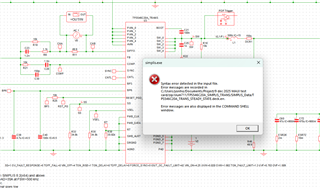
Can I request for SIMPLIS file that is support run pop analysis
This thread has been locked.
If you have a related question, please click the "Ask a related question" button in the top right corner. The newly created question will be automatically linked to this question.
Part Number: TPS546C20A
Other Parts Discussed in Thread: TPS54J060
Tool/software:
Can I request for SIMPLIS file that is support run pop analysis
Hi Yong,
That model doesn't contain POP trigger on schematic.
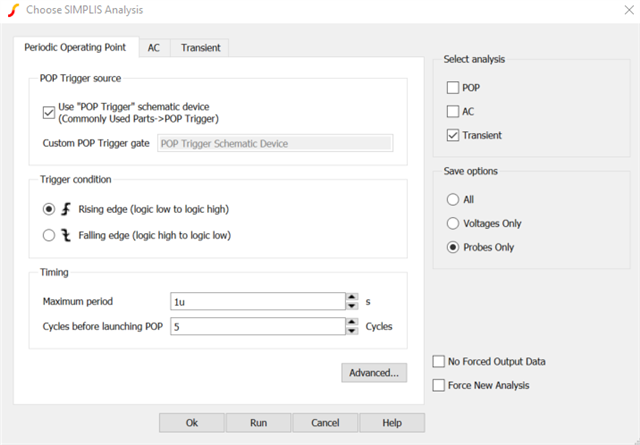
If using STEADY_STATE model, make sure you have the settings for model set like this:

Regards,
Eileen
Hi Yong,
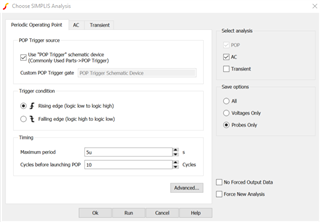
If you are trying to add bode in Simplis, you will need:
a. Settings as:

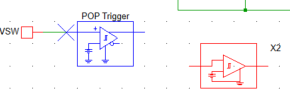
b. Pop trigger, either of the below can work:

Typically connected at SW node
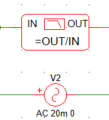
c. Bode probe with AC source:

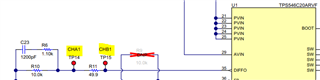
Typically connected same as EVM bode -> CHA and CHB

You can get the needed setting and bode tools from other devices that offer loop response model like TPS54J060: https://www.ti.com/lit/zip/slvmdc5 for example.
Also to note: if sim fails, try running Transient Analysis first to set component conditions, and then AC+POP Analysis. Do this every time you re-open model or make a change to it.
Other ways to analyze bode:
- Using EVM
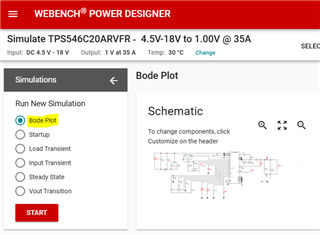
- Use WEBENCH sims:

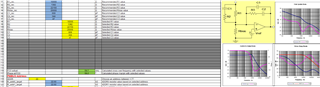
- A bit less accurate, device calculator https://www.ti.com/tool/download/SLURB05 has bode calculation section

Regards,
Eileen