


Part Number: PMP23338
Tool/software:
Hello everyone
I am a new user for CCS. I am now researching PMP23338 project. I meet serveal issues.
- I am trying to follow the guideline '3.6kW Single-phase totem-pole bridgeless PFC reference design with e-meter functionality'. I have imported the correct project and connect the control card with PC using the USB cable. When I click on debug icon to download the code to the control card, there is nothing happened but show:
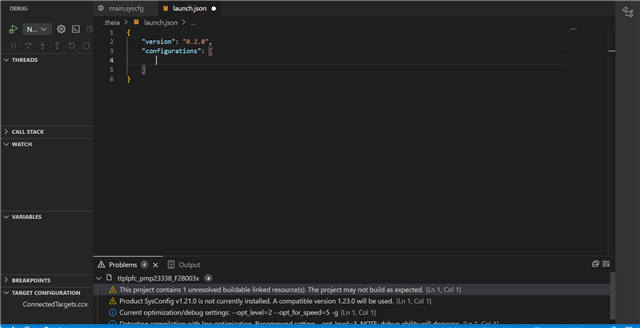
- I am not sure what should I do next. Does the system identify my device? Or else issue?
- I am trying to follow 'GaN-based 3.6kW Single Phase Totem Pole Bridgeless PFC with E-meter using C2000TM MCUs' guideline, and run Build-1 to Build-4 to to test PFC operation. When I select the View → Scripting Console and want to open a script file to watch, there is nothing happen. And I cannot typing any command in Scripting Console's window. What should I do.
- When I run Debug Project, a notification of 'starting CCS debug session....' jump out like below and nothing happened.

I hope I didn't misunderstand any operation. I guess there is a connection issue between the USB and JTAG, may not real connected. I am first time using the CCS system, could anyone told me what is the problem and what should I do? Thank you so much.
