This thread has been locked.

If you have a related question, please click the "Ask a related question" button in the top right corner. The newly created question will be automatically linked to this question.

WEBENCH® Tools: PLLatinum Tool, PLL Locking tool calculation

Other Parts Discussed in Thread: LMK04832

Tool/software: WEBENCH® Design Tools

Can anyone offer advice on how to get this to work within the tool?

  • PLLatinum Sim has question mark boxes that you can click for a description of the nearby section. After selecting the device and the PLL/VCO to model, you can configure the loop filter and input noise for the OSC, VCO, and PLL and view the simulation result. I hope this helps.

    Kind regards,
    Lane

  • Lane,

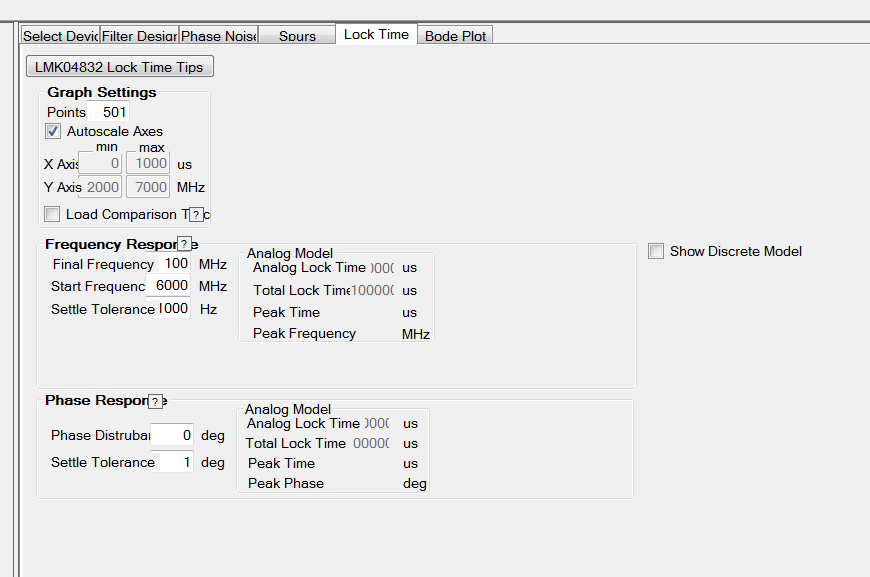
    I do that, but the locking time always remains at 100000us. Why would that be?

  • Austin,

    We need more specifics to debug this, like a saved file or screenshot, or at least the device and output frequencies.

    If your loop filter is unstable or the bandwidth is set to 0 Hz then you can get this.

    Regards,
    Dean

  • Part: LMK04832

    Setup:

    Lock Time:

  • Austin,

    The key specific detail that I got is that the device is the LMK04832, which is has no model for lock time.

    In the current version, there is a lock time tab, but in the next version that goes to the web, this tab gets removed.

    The issue here is that the lock time simulation is not supported for all devices.  Specifically, for the LMK series devices, there is no support for lock time and no plan to add this.    The VCO calibration does impact the lock time, but as there is no characterization data for lock time, it cannot be added for the tool.  In the next version of the tool, PLLatinum Sim will automatically remove  tabs for simulations that are really not supported.

    For the analog PLL lock time, you can create a custom PLL and change the parameters, but that is all we have at this time.

    Regards,
    Dean