Other Parts Discussed in Thread: CC110L
Tool/software: WEBENCH® Design Tools
The Tx/Rx devices of our existing products use the 433.92MHz ASK module.
Therefore, the RF of CC110L needs to be OOK.
We purchased and acquired the TI TrxEB and CC11XL 433 MHz Evaluation Module Kit
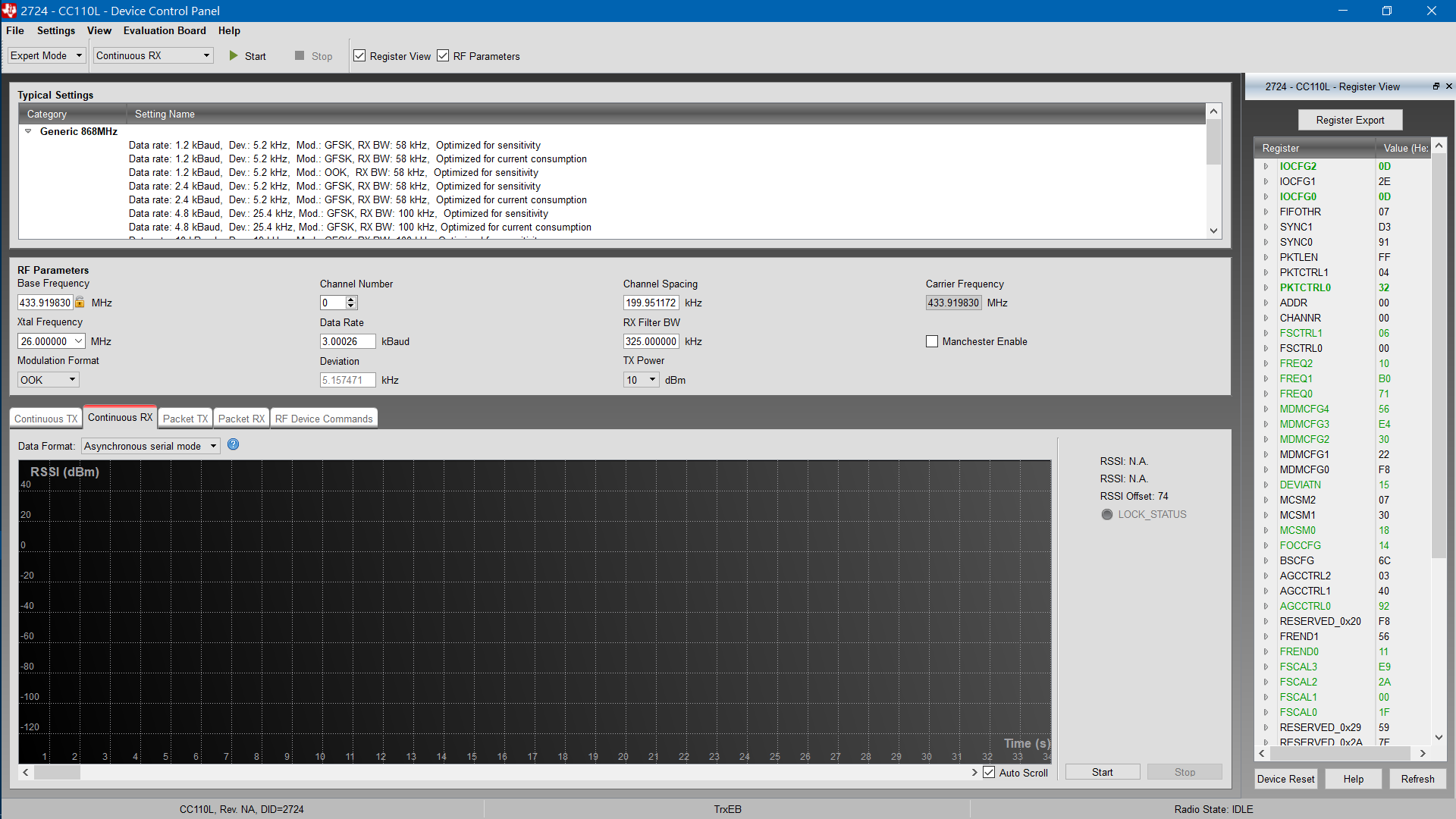
Use SmartRF Studio to make the following test settings
1. Select to use the sample setting with OOK
2. Select the frequency to use 433.92MHz
3. Data Rate is set to 3.0k This is the available settings found after the test.
4. RX Filter BW is 325.0 kHz This is the available settings found after the test.
5. Select Continue RX mode
6. Select Asynchronous Serial mode
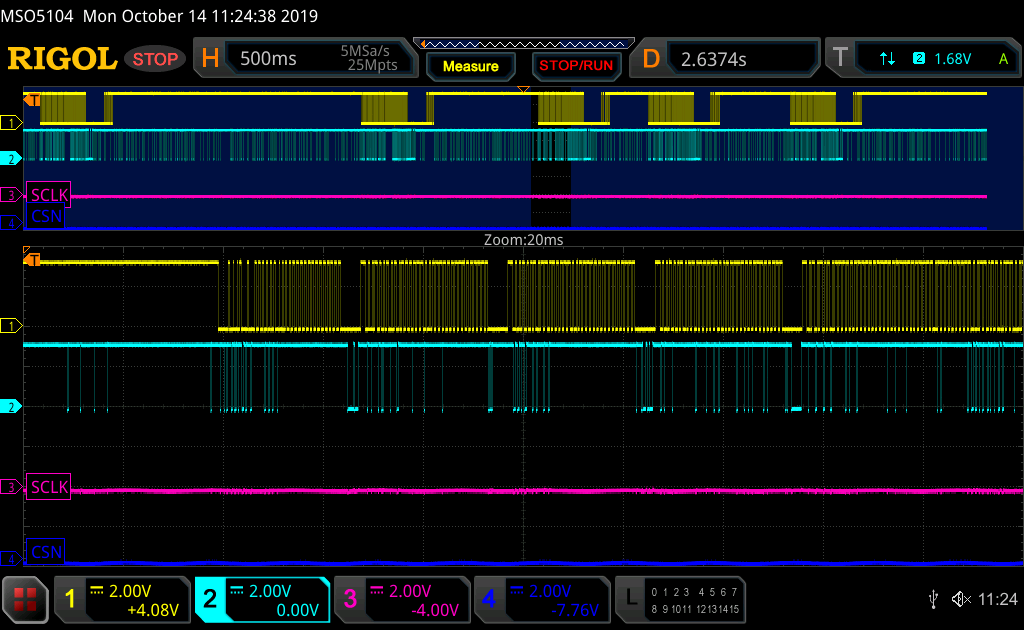
In the figure below, A, B, C, D, E, F, and G are RSSIs when the signal is received. The RF signal source is the RF Tx device developed by the company.
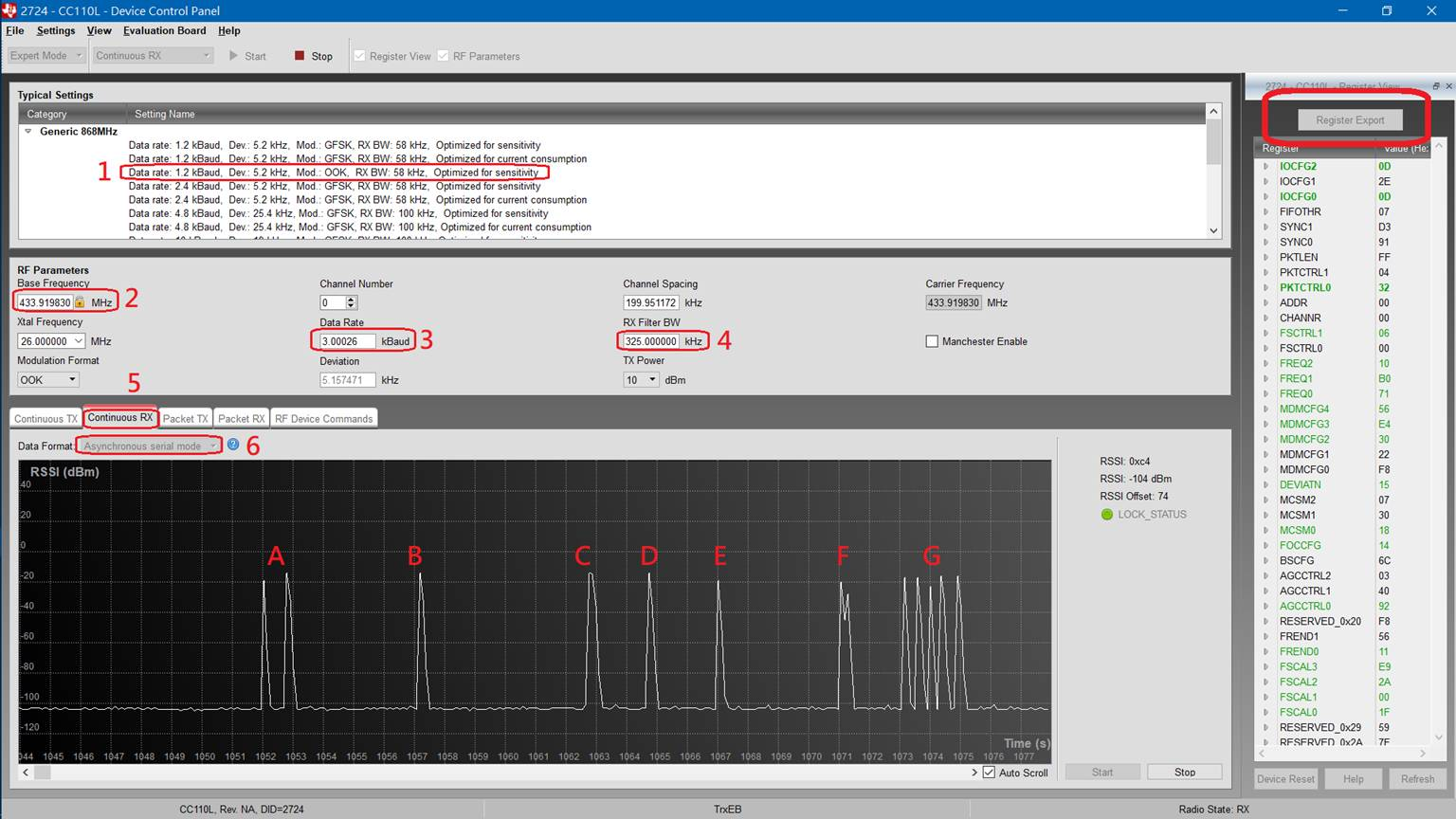
The figure below
The RF signal source is the TX device developed by the company.
CH1 and CH2 are the other RX device products developed by the company, and the Serial data output after receiving the RF.
CH4 is the Serial data output by the CC110L on the TrxEB board using GDO0 after receiving the RF.
(Our RX device includes an MCU that will resolve the actual RF data received after receiving Serial Data.)
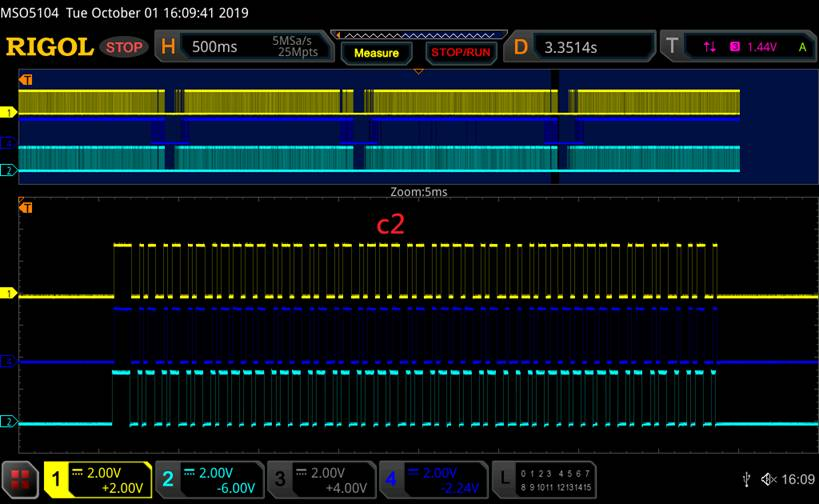
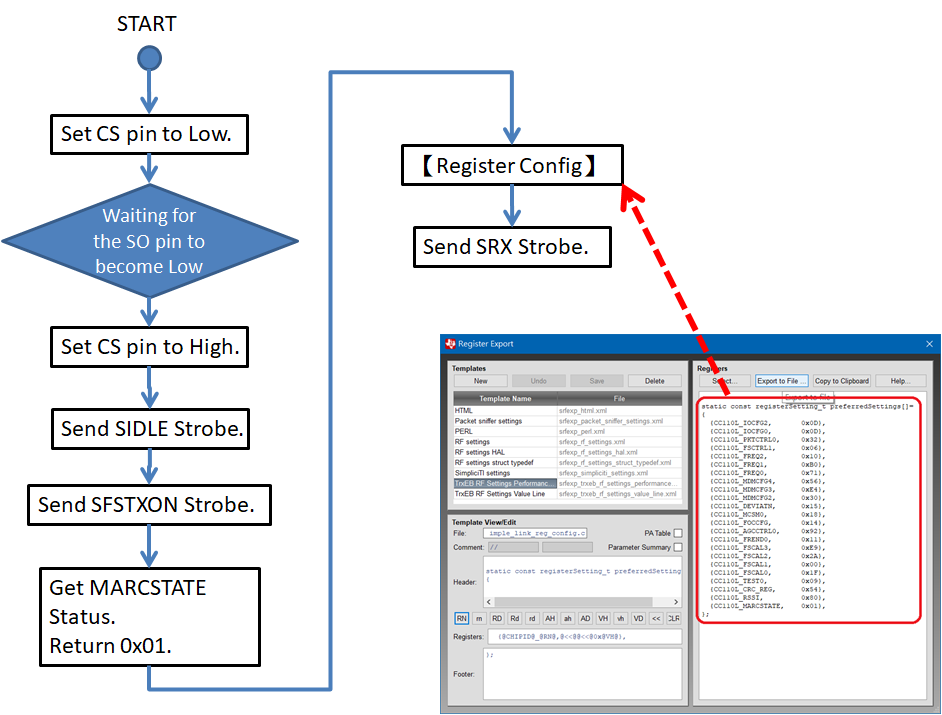
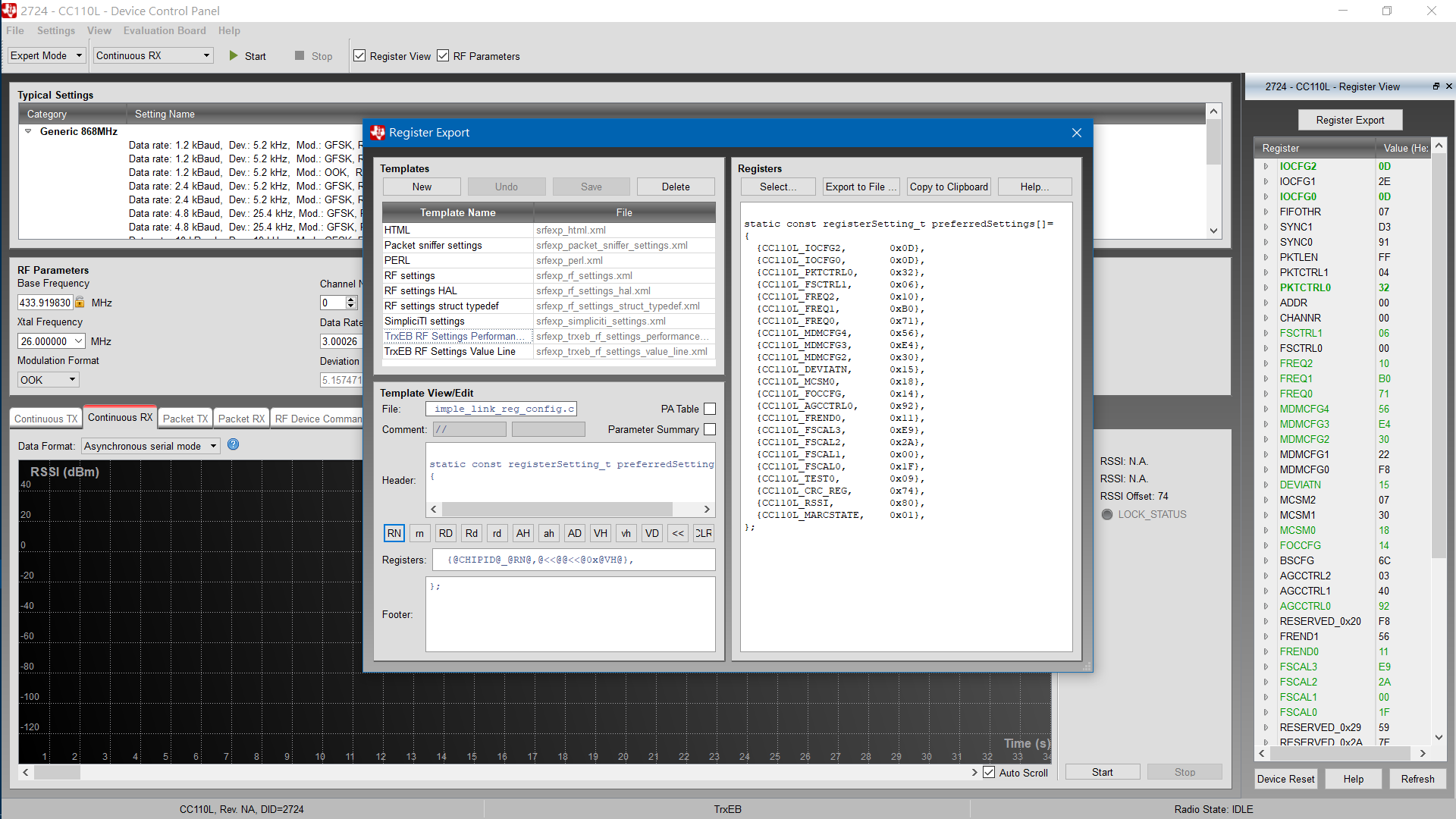
Will I use the Register settings generated after the SmartRF Studio test, how to set and set the flow to CC110L.
Moreover, the CC110L's State machine is not very clear, I do not know when the register can be set.
Is there an example of OOK usage, or a reference direction!
Thanks a lot