This thread has been locked.

If you have a related question, please click the "Ask a related question" button in the top right corner. The newly created question will be automatically linked to this question.

LP-CC2652RB: The project_zero_app cannot work normally when reboot.

Part Number: LP-CC2652RB
Other Parts Discussed in Thread: UNIFLASH

Hi team,

Here's the request from the customer:


The device named Project Zero BAW can be connected under debug mode.

Reboot the device, the name changed to Project Zero and the logo became red lattice.

The process is shown below;

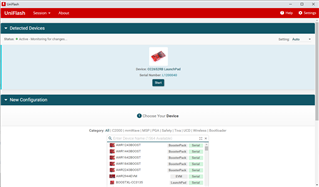
  1. Burning cc2652rblp_bim_offchip.hex via Uniflash.
  2. Compiling the project: project zero via CCS.
  3. Downloading the project via CCS.

Customer wants to know if CCS will brush the previous bim image when downloading the project, so that it cannot be run again. How should customer do? He was following the quick start guide.

Could you help check this case? Thanks.

Best Regards,

Nick    

  • Hi Nick,

    The customer can navigate to Run -> Debug Configurations -> Target -> Flash Settings -> Program Load Settings -> Erase Settings during Program Load inside CCS to determine what sectors are erased during the download/debug session.  The default should be Necessary Sectors Only which would not erase the BIM.  They can also refer to the OAD section of the BLE5-Stack User's Guide and the BLE Enhanced OAD SimpleLink Academy Labs.

    Regards,
    Ryan

  • Hi Ryan.

    Here's the respond from the customer:

    As you said, the default is Necessary Sectors Only. However, the program cannot run successfully after downloading again. if there are any specific steps to be missed?

    SDK is 6.20.00.29, which is downloaded from Resource explorer.

    The custom's steps is shown in the following figure:


    Than open the CCS and import project.

    The cellphone's app shown below:

    When reboot the device, the name is changed in the app.

    Best Regards,

    Nick    

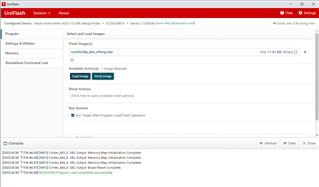
  • CCS programs the default project output file but not the *_oad.bin file which is created post-build by the OAD Image Tool to pad the image and embed the CRC.  Without this content the BIM will fail to start the application, hence the reversion to the factory app inside the off-chip flash memory that you are observing.  This is why Uniflash must be used to load the OAD and BIM images consecutively.  This is covered inside the documents that I shared earlier.

    Regards,
    Ryan