


I am learning to compile and program on CC2540 Mini Development Kit. According to "TI CC2540 Bluetooth Low Energy Developer's Guide (SWRU271 Version 1.0) page 26," it says that after make the project as long as I connect the keyfob using a CC debugger, I can just press "Debug" button in IAR to download and program the keyfob. However, I connected the keyfob using the CC debugger in the kit, and the LED on the debugger is green. When I press the "Debug" button in IAR, it shows the following window ("Target selection"):
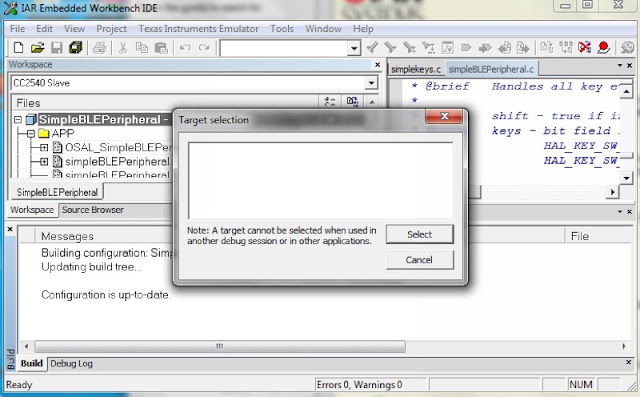
Because it's empty, so I can do nothing but press "Cancel," then a dialog box shows:

And back to the main window with some error message at the bottom:

Could somebody help me on this? I would like to know that if I missed anything that I should do so that I cannot program the keyfob as in the Developer's Guide.
Furthermore, I have another question. In IAR, after I make the project, it seems that the output file is a .d51 file. However, I don't understand what is the difference between .hex files and .d51 file. How can I convert a .d51 file to a .hex file? If I can do so, then I will be able to use SmartRF Flash Programmer to program the keyfob, which only accepts .hex file.
Thank you very much in advance.


