This thread has been locked.

If you have a related question, please click the "Ask a related question" button in the top right corner. The newly created question will be automatically linked to this question.

CC2745R10-Q1: CC2745R10-Q1: OAD dual image project can not work

Part Number: CC2745R10-Q1
Other Parts Discussed in Thread: UNIFLASH

Hi TI support team,

I am planning to implement the OAD function using the SDK example basic_ble_oad_dual_image and perform OAD through the TI app SimpleLink Connect.

However, UniFlash shows an error when flashing "basic_ble_oad_dual_image_LP_EM_CC2745R10_Q1_freertos_ticlang_sb.hex".
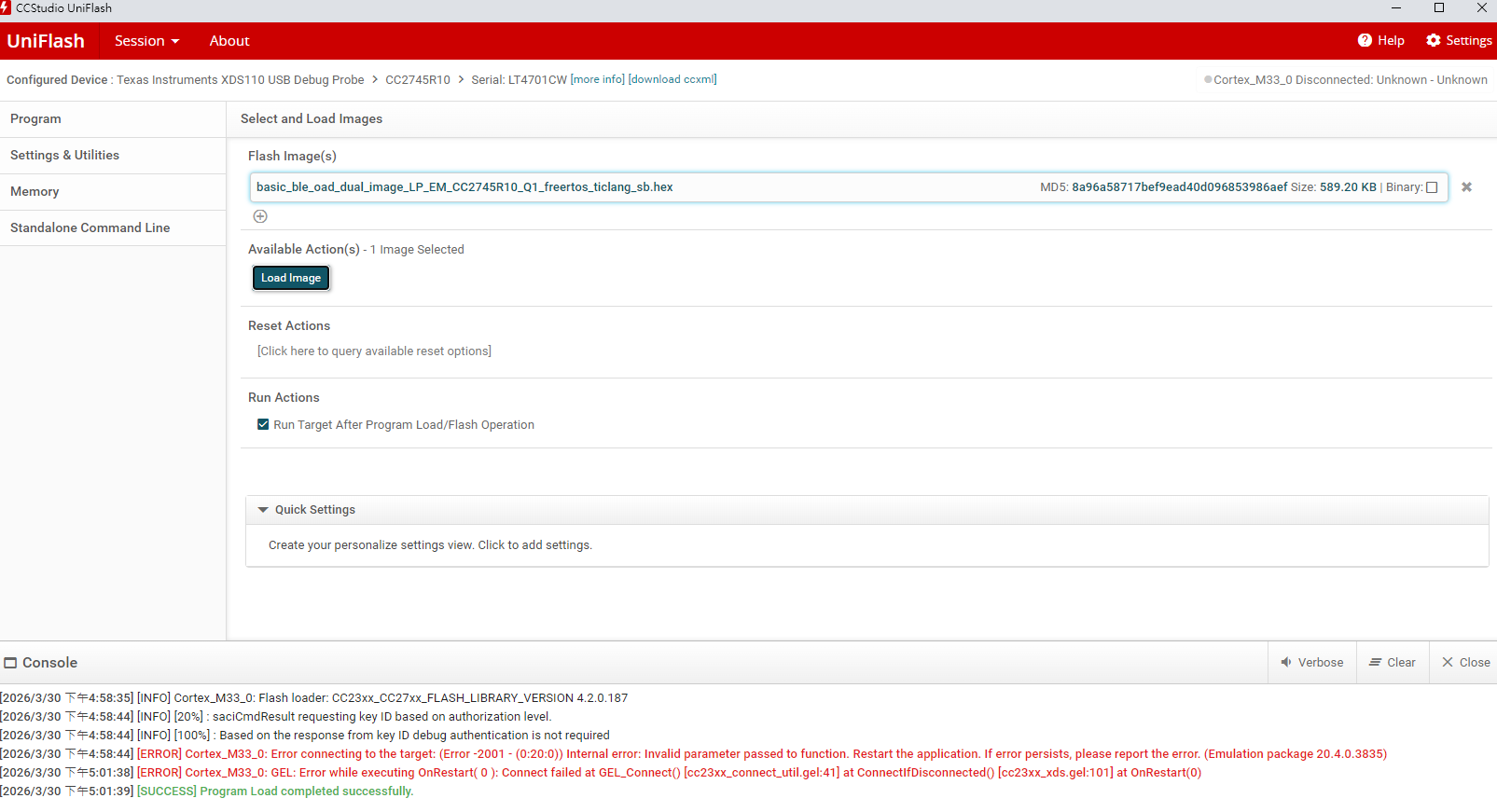
image.png

Could you please provide some advice on how to resolve this issue and successfully implement the OAD function?

Best Regards,

WT


  • Hello,

    This error message can happen sometimes, but it does not always mean that there is an issue.
    Could you please attempt to run the program to see if it functions correctly and let me know the outcome?

    Best,
    Josh Alderson

  • Hi Josh,

    I am trying to evaluate the OAD functionality using the basic_ble_oad_dual_image example on the CC2745 LaunchPad.

    I flashed the image basic_ble_oad_dual_image_LP_EM_CC2745R10_Q1_freertos_ticlang_sb.hex using UniFlash.

    To verify whether the application is running, I added functions to turn on the LEDs. However, the LEDs on the LaunchPad do not turn on or show any activity after reset.

    I would like to ask:

    1. Is there any additional configuration or step required to run the OAD dual image example on CC2745?
    2. Does this example require a specific bootloader or pre-installed image before flashing?
    3. Could this behavior be related to secure boot or image signing issues?

    Thank you for your support.


    Regards,

    WT

  • Hello Weiting,

    Thank you for checking. If it is not running, then it will require some more investigation on our part to find a root cause.
    Due to the holiday response time will be slightly slower. We will try to have a response by Monday.

    Best,
    Josh Alderson

  • Hello,

    I believe the HSM firmware may not be flashed which is causing the application not to boot.

    Here is how you can check if the HSM is flashed onto the device:

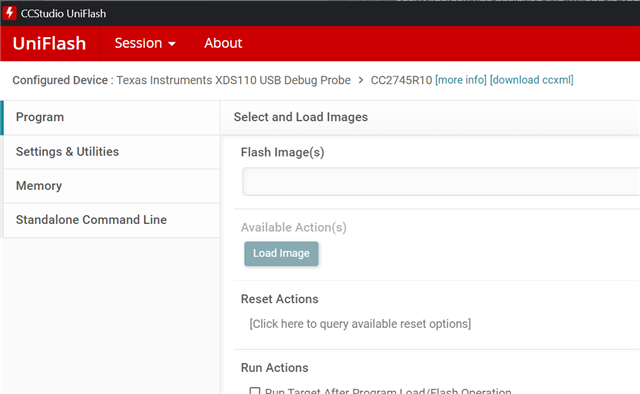
    First, open up Uniflash and connect to the CC2745 device:

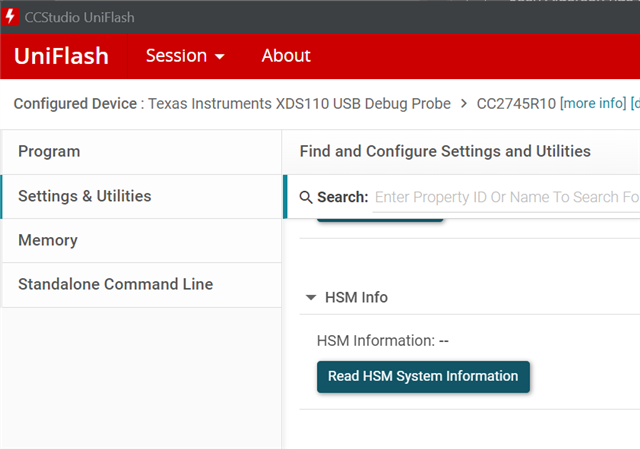
    Next go to Settings & Utilities and scroll down until you see HSM Info:

    Click the Read HSM System Information button:

    If Uniflash does not populate the HSM information or an error is thrown, that means that the HSM firmware is not flashed. The HSM firmware is necessary for Secure Boot enabled images which OAD requires.

    Please follow the guide on this page: https://dev.ti.com/tirex/content/simplelink_lowpower_f3_sdk_9_14_00_41/docs/ble5stack/ble_user_guide/html/cc23xx/hsm-programming-guide-cc27xx.html?highlight=hsm#programming-the-hsm

    Once you have the HSM re-flashed, ensure that when flashing the OAD software that you do not do two back-to-back chip erases as this will remove the HSM firmware and require it to be reflashed.

    If after these steps you still encounter the issue please provide the following information:

    1. The exact process that you followed to build and flash the software to the device.

    2. Attach the debugger to the device via CCS and provide the callstack/location in which the device is when the issue occurs i.e. start a debug, let the device run, then take an image of debug window showing the callstack.

    3. If the device fails to connect to debug, please let me know.

    Once we have all this information we can move forward.

    Best,

    Nima Behmanesh

  • Hi Nima,

    Thank you for your time and support.

    I was able to read the HSM information from this LaunchPad.

    After flashing the dual-image firmware on another LaunchPad, I found that it works properly and the LED turns on.

    It appears that my original LaunchPad was faulty.

    I can now scan the device using the SimpleLink app and proceed with executing OAD test.


    Regards,

    WT