A related question is a question created from another question. When the related question is created, it will be automatically linked to the original question.
If you have a related question, please click the "Ask a related question" button in the top right corner. The newly created question will be automatically linked to this question.
CC256X Bluetooth Hardware Evaluation Tool nothing happens
I guess you will have to download and use the 32-bit version of the jre.
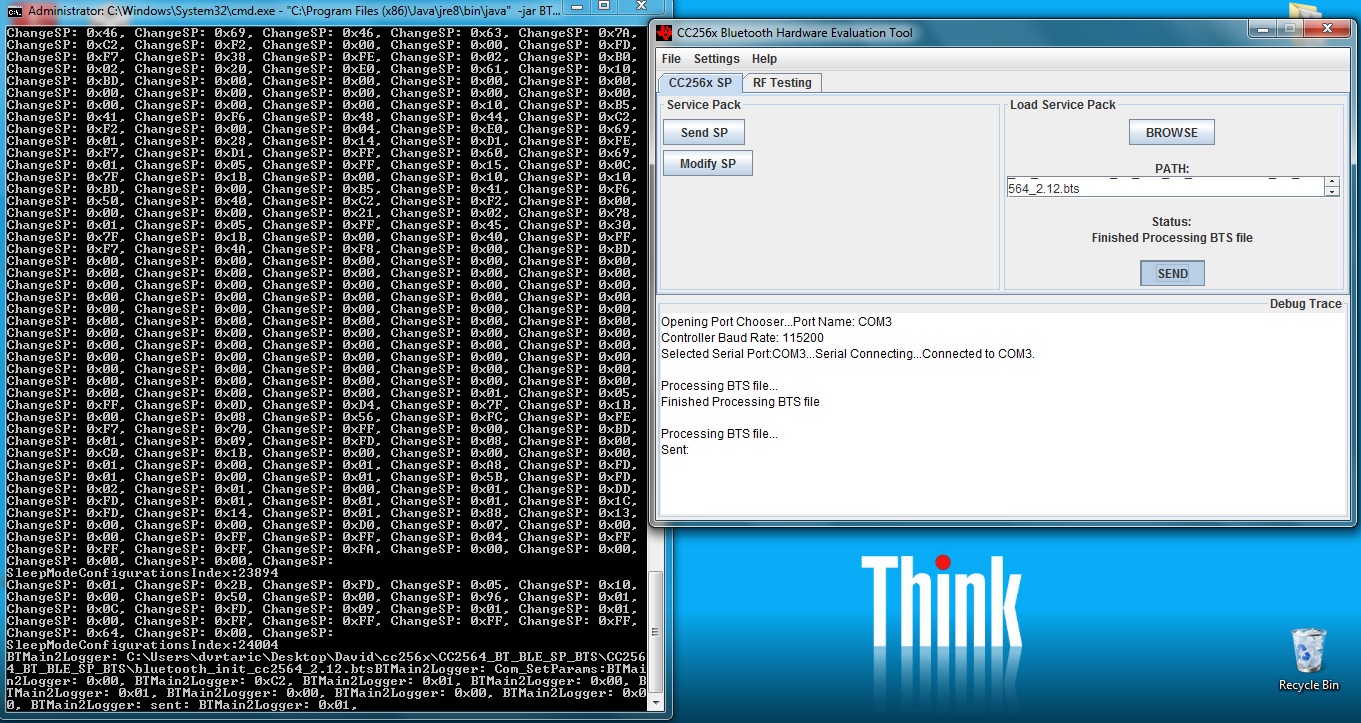
I had the same problem on my Windows 7 (64-bit). I had to download the 32 bit version of JRE from https://jdk8.java.net/download.html and do the below to open the port chooser:
1. Open a command prompt window
2. cd "C:\ti\Connectivity\CC256X BT\CC256x Bluetooth Hardware Evaluation Tool\v1.0"
Please note that the java is from "Program Files (x86)" which is meant for 32 bit versions.
Of course you can do all the path modifications and run the "CC256x Bluetooth Hardware Evaluation Tool" directly from the start menu, but the above might be a faster way.
I guess you will have to download and use the 32-bit version of the jre.
I had the same problem on my Windows 7 (64-bit). I had to download the 32 bit version of JRE from https://jdk8.java.net/download.html and do the below to open the port chooser:
Microsoft Windows [Version 6.1.7601]
Copyright (c) 2009 Microsoft Corporation.  All rights reserved.

C:\Windows\system32>cd C:\ti

C:\TI>cd "Connectivity\CC256X BT\CC256x Bluetooth Hardware Evaluation Tool\v1.0"


C:\TI\Connectivity\CC256X BT\CC256x Bluetooth Hardware Evaluation Tool\v1.0>"C:\
Program Files (x86)\Java\jre8\bin\java" -jar BT_TOOL_EXE.jar

java.lang.UnsatisfiedLinkError: no rxtxSerial in java.library.path thrown while
loading gnu.io.RXTXCommDriver
Exception in thread "AWT-EventQueue-0" java.lang.UnsatisfiedLinkError: no rxtxSe
rial in java.library.path
        at java.lang.ClassLoader.loadLibrary(Unknown Source)
        at java.lang.Runtime.loadLibrary0(Unknown Source)
        at java.lang.System.loadLibrary(Unknown Source)
        at gnu.io.CommPortIdentifier.<clinit>(CommPortIdentifier.java:83)
        at bt.terminal.PortChooser.populate(PortChooser.java:178)
        at bt.terminal.PortChooser.<init>(PortChooser.java:77)
        at bt.terminal.BTmain2.openComm(BTmain2.java:1035)
        at bt.terminal.BTmain2$ListenMenuComm.actionPerformed(BTmain2.java:504)
        at javax.swing.AbstractButton.fireActionPerformed(Unknown Source)
        at javax.swing.AbstractButton$Handler.actionPerformed(Unknown Source)
        at javax.swing.DefaultButtonModel.fireActionPerformed(Unknown Source)
        at javax.swing.DefaultButtonModel.setPressed(Unknown Source)
        at javax.swing.AbstractButton.doClick(Unknown Source)
        at javax.swing.plaf.basic.BasicMenuItemUI.doClick(Unknown Source)
        at javax.swing.plaf.basic.BasicMenuItemUI$Handler.mouseReleased(Unknown
Source)
        at java.awt.Component.processMouseEvent(Unknown Source)
        at javax.swing.JComponent.processMouseEvent(Unknown Source)
        at java.awt.Component.processEvent(Unknown Source)
        at java.awt.Container.processEvent(Unknown Source)
        at java.awt.Component.dispatchEventImpl(Unknown Source)
        at java.awt.Container.dispatchEventImpl(Unknown Source)
        at java.awt.Component.dispatchEvent(Unknown Source)
        at java.awt.LightweightDispatcher.retargetMouseEvent(Unknown Source)
        at java.awt.LightweightDispatcher.processMouseEvent(Unknown Source)
        at java.awt.LightweightDispatcher.dispatchEvent(Unknown Source)
        at java.awt.Container.dispatchEventImpl(Unknown Source)
        at java.awt.Window.dispatchEventImpl(Unknown Source)
        at java.awt.Component.dispatchEvent(Unknown Source)
        at java.awt.EventQueue.dispatchEventImpl(Unknown Source)
        at java.awt.EventQueue.access$400(Unknown Source)
        at java.awt.EventQueue$3.run(Unknown Source)
        at java.awt.EventQueue$3.run(Unknown Source)
        at java.security.AccessController.doPrivileged(Native Method)
        at java.security.ProtectionDomain$1.doIntersectionPrivilege(Unknown Sour
ce)
        at java.security.ProtectionDomain$1.doIntersectionPrivilege(Unknown Sour
ce)
        at java.awt.EventQueue$4.run(Unknown Source)
        at java.awt.EventQueue$4.run(Unknown Source)
        at java.security.AccessController.doPrivileged(Native Method)
        at java.security.ProtectionDomain$1.doIntersectionPrivilege(Unknown Sour
ce)
        at java.awt.EventQueue.dispatchEvent(Unknown Source)
        at java.awt.EventDispatchThread.pumpOneEventForFilters(Unknown Source)
        at java.awt.EventDispatchThread.pumpEventsForFilter(Unknown Source)
        at java.awt.EventDispatchThread.pumpEventsForHierarchy(Unknown Source)
        at java.awt.EventDispatchThread.pumpEvents(Unknown Source)
        at java.awt.EventDispatchThread.pumpEvents(Unknown Source)
        at java.awt.EventDispatchThread.run(Unknown Source)
I waited for 30 min, and nothing happened then I unplug the USB module by force and then on the window of the BHET printed out this: see "BHET log.txt"
same issue here... The window comes up, however the Port Chooser never shows no matter how often I try.
None of this seems to be working for me. The PATH being extended in the batch process doesn't help. If I copy the libraries into the same folder as suggested in your last post there is no change. I also manually select the jre as suggested earlier.
Is there any log output for when exceptions occur? The exception message would probably give some useful hints as to what I am doing wrong.
My jre is 8r20. Are there any known compatibility issues?
Have you tried setting the java path as mentioned in the previous posts?
latest jre version should work. please the above post related to jre compatibility.
You can just add the path of jre in the batch file "C:\ti\Connectivity\CC256X BT\CC256x Bluetooth Hardware Evaluation Tool\v1.0CC256x Bluetooth Hardware Evaluation Tool.bat" and run it.
REM echo on
cd "C:\TI\Connectivity\CC256X BT\CC256x Bluetooth Hardware Evaluation Tool\v1.0"
set path=%PATH%;C:\TI\Connectivity\CC256X BT\CC256x Bluetooth Hardware Evaluation Tool\v1.0\BT_TOOL_EXE_lib
start "C:\Program Files (x86)\Java\jre8\bin\javaw -jar" BT_TOOL_EXE.jar
REM pause