This thread has been locked.

If you have a related question, please click the "Ask a related question" button in the top right corner. The newly created question will be automatically linked to this question.

WL1835MOD Bluetooth Low Energy

Other Parts Discussed in Thread: WL1835, CC2540, WL1835MOD

Dear Sir,
         

            I am trying to connect WL1835MOD Bluetooth Low Energy(Bluetopia stack on Linux) with CC2540(we call the instrument LBT). The connection is created succesfully but it lasts less that 1 sec.
I connect the WL1835MOD BLE with BLED112 dongle(from Bluegiga, built around CC2540) with no problem.
 If I try  Dongle-LBT connection, there is no problem too.3286.ProblemConnect.rar

Following you can see the command and responses of the first scenario process and attached are the FTS logs of WL1835+ bluetopia enabled stack debugging


    GATM>ConnectWithRemoteDevice 1CBA8C1B7635 1

    Attempting to Connect With (LE) Remote Device: 1CBA8C1B7635 (Flags = 0x80000000).

    Local Device Properties Changed.
    Device Flags: 0x80000000
    LE Scan Mode:    FALSE, 0x00000000
    LE Adv Mode:     FALSE, 0x00000000
    LE Slv Mode:     Not in Slave Mode
    GATM>
    LE Device Discovery Stopped.
    GATM>DEVM_ConnectWithRemoteDevice() Success: 0.
    GATM>
    GATT Connection
        Connection Type: LE
        Remote Address:  1CBA8C1B7635
        MTU:             23


    GATM>
    Remote Device Connection Status: 1CBA8C1B7635, 0 (SUCCESS)
    GATM>
    Remote Device Properties Changed.
    BD_ADDR:             1CBA8C1B7635
    Address Type:        Public
    LE Type:             Dual Mode
    Device Flags:        0xC00C8001
    LE Connect State:    TRUE
    GATM>
    GATT Disconnect
        Connection Type: LE
        Remote Address:  1CBA8C1B7635


    GATM>
    Remote Device Properties Changed.
    BD_ADDR:             1CBA8C1B7635
    Address Type:        Public
    LE Type:             Dual Mode
    Device Flags:        0xC0080001
    LE Connect State:    FALSE

  • Hi Beatriz,

    From the logs what I can see is that.

    1. WL18xx has initiated a LE connection and is been accepted by CC2540.
    2. After connection complete the CC2540 device, sends the L2CAP_Connection_Parameter_Update command to update the connection parameters with the parameters: Connection interval Min = 7.5, connection interval Max=7.5, Connection supervision timeout =10000.
    3. But it is rejected by the Bluetopia stack(WL18xx), as the min/max connection interval as set to 10 and 20 respectively by the Bluetopia stack device (and the spec allows the master to reject the connection_parameter_update from slave).
    4. After this, I think the connection is dropped because of LSTO.


    I have try to test the same scenario on my side with the same connection parametes, unfortunately the CC2540 does not send any update parameter request, so my connection does not disconnect (same as with Dongle).

    I think you can try changing the Connection interval Min value to >= 10 and Connection interval Max value to >= 20 on CC2540 and try the same scenario.

    Alternatively, you can try to use the “Bluetopia” binaries (example on how to run: ./LinuxSPPLE 1 1 3000000, located at BluetopiaPM\Bluetopia\bin) where there is no restriction on connection interval min/max.

  • Please, see here feedback from the Customer:

    Hello,

            I am afraid I can´t modify CC2540 software. I have tried the other way you propose:

     Now the CC2540 is on::

     Client>ConnectLE 1CBA8C1B7635

     Connection Request successful.

     Client>DiscoverSPPLE 1CBA8C1B7635

     No Connection Established

    Function Error.

    Client>

    Client>DisconnectLE 1CBA8C1B7635

     Unable to disconnect device: -1.

    Function Error.

     Now the CC2540 is off:

    Client>ConnectLE 1CBA8C1B7635

     Connection Request successful.

    Client>ConnectLE 123456789123

     Connection Request successful.

    Client>

     The device 123456789123 doesn´t exist.

    It doesn´t work apparently, why?

  • Hello again,

                     The result has changed, I don´t know why, maybe is for a RF reason. Now apparently there is communication between both LE devices, but now the behaviour of the bluetopia stack + CC2540 is similar to the one we observed at the beginning with LinuxSPPLE_SPP:


    Client>ConnectLE 1cba8c1b7635


    Connection Request successful.

    Client>etLE_Connection_Complete with size 20.

       Status:       0x00.

       Role:         Master.

       Address Type: Public.

       BD_ADDR:      0x1CBA8C1B7635.


    LE>

    etGATT_Connection_Device_Connection with size 16:

       Connection ID:   1.

       Connection Type: LE.

       Remote Device:   0x1CBA8C1B7635.

       Connection MTU:  23.


    LE>

    LE>

    LE>

    etGATT_Connection_Device_Disconnection with size 16:

       Connection ID:   1.

       Connection Type: LE.

       Remote Device:   0x1CBA8C1B7635.


    LE>etLE_Disconnection_Complete with size 16.

       Status: 0x00.

       Reason: 0x13.

       BD_ADDR: 0x1CBA8C1B7635.


    As you may see, after a successful connection, very quick the disconnection happen.

  • Hello,
    I just replied with the feedback from the Customer, is there  a way for you to move this post to a public forum? I posted it in the internal forum by error and I would like the Customer to be able to see the answers and reply directly. Thanks, Beatriz.
     
    From: Sundeep Mandava [mailto:bounce-791144@mail.e2e.ti.com]
    Sent: Tuesday, March 11, 2014 3:15 PM
    To: int_ecs@mail.e2e.ti.com
    Subject: RE: [INT - ECS Forum] WL1835MOD Bluetooth Low Energy
     

    Hi Beatriz,

    From the logs what I can see is that.

    1. WL18xx has initiated a LE connection and is been accepted by CC2540.
    2. After connection complete the CC2540 device, sends the L2CAP_Connection_Parameter_Update command to update the connection parameters with the parameters: Connection interval Min = 7.5, connection interval Max=7.5, Connection supervision timeout =10000.
    3. But it is rejected by the Bluetopia stack(WL18xx), as the min/max connection interval as set to 10 and 20 respectively by the Bluetopia stack device (and the spec allows the master to reject the connection_parameter_update from slave).
    4. After this, I think the connection is dropped because of LSTO.


    I have try to test the same scenario on my side with the same connection parametes, unfortunately the CC2540 does not send any update parameter request, so my connection does not disconnect (same as with Dongle).

    I think you can try changing the Connection interval Min value to >= 10 and Connection interval Max value to >= 20 on CC2540 and try the same scenario.

    Alternatively, you can try to use the “Bluetopia” binaries (example on how to run: ./LinuxSPPLE 1 1 3000000, located at BluetopiaPM\Bluetopia\bin) where there is no restriction on connection interval min/max.

  • Hi,

    Could you please let me know what is the Bluetopia version and for what platform you are using?

    The Init script(Service pack) you are using?

    Bluetopia V4.0.1.3 is available http://www.ti.com/tool/linuxezsdk-am335x-wilink8

    I have tested the same "LinuxSPPLE_PM" on Sitara(Am335x) + WL18xx. I don't see the issue see the logs

    Arago 2013.05 am335x-evm ttyO0
    
    am335x-evm login: root
    root@am335x-evm:~# cd ss1-production/
    root@am335x-evm:~/ss1-production# ./SS1BTPM &
    [1] 1726
    root@am335x-evm:~/ss1-production# ./LinuxSPPLE_PM
    
    ******************************************************************
    * Command Options: 1) Initialize                                 *
    *                  2) Cleanup                                    *
    *                  3) QueryDebugZoneMask                         *
    *                  4) SetDebugZoneMask                           *
    *                  5) ShutdownService                            *
    *                  6) RegisterEventCallback,                     *
    *                  7) UnRegisterEventCallback,                   *
    *                  8) QueryDevicePower                           *
    *                  9) SetDevicePower                             *
    *                  10)QueryLocalDeviceProperties                 *
    *                  11)SetLocalDeviceName                         *
    *                  12)SetLocalClassOfDevice                      *
    *                  13)SetDiscoverable                            *
    *                  14)SetConnectable                             *
    *                  15)SetPairable                                *
    *                  16)StartDeviceDiscovery                       *
    *                  17)StopDeviceDiscovery                        *
    *                  18)QueryRemoteDeviceList                      *
    *                  19)QueryRemoteDeviceProperties                *
    *                  20)AddRemoteDevice                            *
    *                  21)DeleteRemoteDevice                         *
    *                  22)UpdateRemoteDeviceAppData                  *
    *                  23)DeleteRemoteDevices                        *
    *                  24)PairWithRemoteDevice                       *
    *                  25)CancelPairWithRemoteDevice                 *
    *                  26)UnPairRemoteDevice                         *
    *                  27)QueryRemoteDeviceServices                  *
    *                  28)QueryRemoteDeviceServiceSupported          *
    *                  29)QueryRemoteDevicesForService               *
    *                  30)QueryRemoteDeviceServiceClasses            *
    *                  31)AuthenticateRemoteDevice                   *
    *                  32)EncryptRemoteDevice                        *
    *                  33)ConnectWithRemoteDevice                    *
    *                  34)DisconnectRemoteDevice                     *
    *                  35)SetRemoteDeviceLinkActive                  *
    *                  36)CreateSDPRecord                            *
    *                  37)DeleteSDPRecord                            *
    *                  38)AddSDPAttribute                            *
    *                  39)DeleteSDPAttribute                         *
    *                  40)EnableBluetoothDebug                       *
    *                  41)RegisterAuthentication                     *
    *                  42)UnRegisterAuthentication                   *
    *                  43)PINCodeResponse                            *
    *                  44)PassKeyResponse                            *
    *                  45)UserConfirmationResponse                   *
    *                  46)ChangeSimplePairingParameters              *
    *                  47)RegisterGATTCallback                       *
    *                  48)UnRegisterGATTCallback                     *
    *                  49)QueryGATTConnections                       *
    *                  50)SetLocalDeviceAppearance                   *
    *                  51)ConfigureSPPLE                             *
    *                  52)Send                                       *
    *                  53)Read                                       *
    *                  54)Loopback                                   *
    *                  55)DisplayRawModeData                         *
    *                  56)AutomaticReadMode                          *
    *                  57)StartAdvertising                           *
    *                  58)StopAdvertising                            *
    *                  Help, Quit.                                   *
    ******************************************************************
    SPPMLE>1 1
    
    BTPM_Initialize() Success: 0.
    DEVM_RegisterEventCallback() Success: 5.
    SPPMLE>9 1
    
    [   63.803833] Gpio value is :117
    [   63.822326] WL1271: BT Enable
    Changing HCI baud rate to 3000000
    Status: Executing BTS Script /lib/firmware/TIInit_11.8.32.bts.
    Status: BTS Script successfully executed.
    DEVM_PowerOnDevice() Success: 0.
    SPPMLE>
    Device Powered On.
    SPPMLE>RegisterGATTCallback
    
    GATM_RegisterEventCallback() Success: 1.
    SPPMLE>StartDeviceDiscovery 1 0
    
    Attempting to Start Discovery (INDEFINITE).
    
    Local Device Properties Changed.
    Device Flags: 0x80010000
    LE Scan Mode:    TRUE, 0x00000000
    LE Adv Mode:     FALSE, 0x00000000
    LE Slv Mode:     Not in Slave Mode
    SPPMLE>
    LE Device Discovery Started.
    SPPMLE>DEVM_StartDeviceScan() Success: 0.
    SPPMLE>
    Remote Device Found.
    BD_ADDR:             3C2DB784022C
    Address Type:        Public
    Device Name:         Heart Rate Sensor
    LE Type:             Single Mode
    Device Flags:        0x40003001
    Device Appearance:   0
    LE RSSI:             -76
    LE Paired State :    FALSE
    LE Connect State:    FALSE
    LE Encrypt State:    FALSE
    GATT Services Known: TRUE
    SPPMLE>StopDeviceDiscovery 1
    
    
    Local Device Properties Changed.
    Device Flags: 0x80000000
    LE Scan Mode:    FALSE, 0x00000000
    LE Adv Mode:     FALSE, 0x00000000
    LE Slv Mode:     Not in Slave Mode
    SPPMLE>
    LE Device Discovery Stopped.
    SPPMLE>DEVM_StopDeviceScan() Success: 0.
    SPPMLE>ConnectWithRemoteDevice 3C2DB784022C 1
    
    Attempting to Connect With (LE) Remote Device: 3C2DB784022C (Flags = 0x80000000).
    DEVM_ConnectWithRemoteDevice() Success: 0.
    SPPMLE>
    Remote Device Connection Status: 3C2DB784022C, 0 (SUCCESS)
    SPPMLE>
    Remote Device Properties Changed.
    BD_ADDR:             3C2DB784022C
    Address Type:        Public
    LE Type:             Single Mode
    Device Flags:        0x4004B001
    LE Connect State:    TRUE
    SPPMLE>
    GATT Connection
        Connection Type: LE
        Remote Address:  3C2DB784022C
        MTU:             23
    
    
    SPPMLE>
    Data Indication Event, Received 2 bytes.
    
    Data Indication Event, Received 2 bytes.
    
    Data Indication Event, Received 2 bytes.
    
    Data Indication Event, Received 2 bytes.
    
    Data Indication Event, Received 2 bytes.
    
    Data Indication Event, Received 2 bytes.
    
    Data Indication Event, Received 2 bytes.
    
    Data Indication Event, Received 2 bytes.
    
    Data Indication Event, Received 2 bytes.
    
    Data Indication Event, Received 2 bytes.
    
    Data Indication Event, Received 2 bytes.
    
    Data Indication Event, Received 2 bytes.
    
    Data Indication Event, Received 2 bytes.
    
    Data Indication Event, Received 2 bytes.
    
    Data Indication Event, Received 2 bytes.
    
    Data Indication Event, Received 2 bytes.
    
    Data Indication Event, Received 2 bytes.
    
    Data Indication Event, Received 2 bytes.
    
    Data Indication Event, Received 2 bytes.
    
    Data Indication Event, Received 2 bytes.
    
    Data Indication Event, Received 2 bytes.
    
    Data Indication Event, Received 2 bytes.
    
    Data Indication Event, Received 2 bytes.
    DisconnectRemoteDevice 3C2DB784022C 1
    
    Attempting to Disconnect Remote Device: 3C2DB784022C.
    DEVM_DisconnectRemoteDevice() Success: 0.
    SPPMLE>
    GATT Disconnect
        Connection Type: LE
        Remote Address:  3C2DB784022C
    
    
    SPPMLE>
    Remote Device Properties Changed.
    BD_ADDR:             3C2DB784022C
    Address Type:        Public
    LE Type:             Single Mode
    Device Flags:        0x40003001
    LE Connect State:    FALSE
    SPPMLE>

    With remote as CC2540 with the hex image 4263.heartrate_hex.zip

  • Hello,

        Bluetopia version: 

                       AM335xBluetopiaLinuxEvaluation-4.0.1.3-linux-installer.run.exe

    Init script:

                  BTS Script /lib/firmware/TIInit_11.8.32.bts.

    I can´t access to the CC2540 software. I have followed the steps you suggested, I got the following:

    root@am335x-evm:~/bin# ./SS1BTPM &
    [1] 1458
    root@am335x-evm:~/bin# ./LinuxSPPLE_PM

    ******************************************************************
    * Command Options: 1) Initialize                                 *
    *                  2) Cleanup                                    *
    *                  3) QueryDebugZoneMask                         *
    *                  4) SetDebugZoneMask                           *
    *                  5) ShutdownService                            *
    *                  6) RegisterEventCallback,                     *
    *                  7) UnRegisterEventCallback,                   *
    *                  8) QueryDevicePower                           *
    *                  9) SetDevicePower                             *
    *                  10)QueryLocalDeviceProperties                 *
    *                  11)SetLocalDeviceName                         *
    *                  12)SetLocalClassOfDevice                      *
    *                  13)SetDiscoverable                            *
    *                  14)SetConnectable                             *
    *                  15)SetPairable                                *
    *                  16)StartDeviceDiscovery                       *
    *                  17)StopDeviceDiscovery                        *
    *                  18)QueryRemoteDeviceList                      *
    *                  19)QueryRemoteDeviceProperties                *
    *                  20)AddRemoteDevice                            *
    *                  21)DeleteRemoteDevice                         *
    *                  22)UpdateRemoteDeviceAppData                  *
    *                  23)DeleteRemoteDevices                        *
    *                  24)PairWithRemoteDevice                       *
    *                  25)CancelPairWithRemoteDevice                 *
    *                  26)UnPairRemoteDevice                         *
    *                  27)QueryRemoteDeviceServices                  *
    *                  28)QueryRemoteDeviceServiceSupported          *
    *                  29)QueryRemoteDevicesForService               *
    *                  30)QueryRemoteDeviceServiceClasses            *
    *                  31)AuthenticateRemoteDevice                   *
    *                  32)EncryptRemoteDevice                        *
    *                  33)ConnectWithRemoteDevice                    *
    *                  34)DisconnectRemoteDevice                     *
    *                  35)SetRemoteDeviceLinkActive                  *
    *                  36)CreateSDPRecord                            *
    *                  37)DeleteSDPRecord                            *
    *                  38)AddSDPAttribute                            *
    *                  39)DeleteSDPAttribute                         *
    *                  40)EnableBluetoothDebug                       *
    *                  41)RegisterAuthentication                     *
    *                  42)UnRegisterAuthentication                   *
    *                  43)PINCodeResponse                            *
    *                  44)PassKeyResponse                            *
    *                  45)UserConfirmationResponse                   *
    *                  46)ChangeSimplePairingParameters              *
    *                  47)RegisterGATTCallback                       *
    *                  48)UnRegisterGATTCallback                     *
    *                  49)QueryGATTConnections                       *
    *                  50)SetLocalDeviceAppearance                   *
    *                  51)ConfigureSPPLE                             *
    *                  52)Send                                       *
    *                  53)Read                                       *
    *                  54)Loopback                                   *
    *                  55)DisplayRawModeData                         *
    *                  56)AutomaticReadMode                          *
    *                  57)StartAdvertising                           *
    *                  58)StopAdvertising                            *
    *                  Help, Quit.                                   *
    ******************************************************************
    SPPMLE>1 1

    BTPM_Initialize() Success: 0.
    DEVM_RegisterEventCallback() Success: 5.
    SPPMLE>9 1

    Error: Module gpio_en is not currently loaded
    Changing HCI baud rate to 3000000
    Status: Executing BTS Script /lib/firmware/TIInit_11.8.32.bts.
    Status: BTS Script successfully executed.
    DEVM_PowerOnDevice() Success: 0.
    SPPMLE>
    Device Powered On.
    SPPMLE>RegisterGATTCallback

    GATM_RegisterEventCallback() Success: 1.
    SPPMLE>StartDeviceDiscovery 1 0

    Attempting to Start Discovery (INDEFINITE).

    Local Device Properties Changed.
    Device Flags: 0x80010000
    LE Scan Mode:    TRUE, 0x00000000
    LE Adv Mode:     FALSE, 0x00000000
    LE Slv Mode:     Not in Slave Mode
    SPPMLE>
    LE Device Discovery Started.
    SPPMLE>DEVM_StartDeviceScan() Success: 0.
    SPPMLE>
    Remote Device Found.
    BD_ADDR:             1CBA8C1B7635
    Address Type:        Public
    Device Name:         LBE
    LE Type:             Dual Mode
    Device Flags:        0xC0000001
    LE RSSI:             -74
    LE Paired State :    FALSE
    LE Connect State:    FALSE
    LE Encrypt State:    FALSE
    GATT Services Known: FALSE
    RSSI:                0
    Friendly Name:
    App. Info:   :       00000000
    Paired State :       FALSE
    Connect State:       FALSE
    Encrypt State:       FALSE
    Sniff State  :       FALSE
    COD:                 0x000000
    SDP Serv. Known :    FALSE
    SPPMLE>StopDeviceDiscovery 1


    Local Device Properties Changed.
    Device Flags: 0x80000000
    LE Scan Mode:    FALSE, 0x00000000
    LE Adv Mode:     FALSE, 0x00000000
    LE Slv Mode:     Not in Slave Mode
    SPPMLE>
    LE Device Discovery Stopped.
    SPPMLE>DEVM_StopDeviceScan() Success: 0.
    SPPMLE>ConnectWithRemoteDevice 1CBA8C1B7635 1

    Attempting to Connect With (LE) Remote Device: 1CBA8C1B7635 (Flags = 0x80000000).
    DEVM_ConnectWithRemoteDevice() Success: 0.
    SPPMLE>
    Remote Device Connection Status: 1CBA8C1B7635, 0 (SUCCESS)
    SPPMLE>
    Remote Device Properties Changed.
    BD_ADDR:             1CBA8C1B7635
    Address Type:        Public
    LE Type:             Dual Mode
    Device Flags:        0xC00C8001
    LE Connect State:    TRUE
    SPPMLE>
    GATT Connection
        Connection Type: LE
        Remote Address:  1CBA8C1B7635
        MTU:             23


    SPPMLE>
    GATT Disconnect
        Connection Type: LE
        Remote Address:  1CBA8C1B7635


    SPPMLE>
    Remote Device Properties Changed.
    BD_ADDR:             1CBA8C1B7635
    Address Type:        Public
    LE Type:             Dual Mode
    Device Flags:        0xC0080001
    LE Connect State:    FALSE

    SPPMLE>

    as you can see, It is not as expected.

    Best Regards


  • Hi,

    Thank you for providing the complete details.

    I suspect  the Bluetopia package "AM335xBluetopiaLinuxEvaluation-4.0.1.3-linux-installer.run.exe" you are using.

    Could you please take the pain of downloading the Bluetopia package again from http://www.ti.com/tool/linuxezsdk-am335x-wilink8 It should look something like

    AM335xBluetopiaLinuxEvaluation_4013_linux_installer.run - if you have downloaded evaluation version.

    AM335xBluetopiaLinuxProduction_4013_linux_installer.run - if you have downloaded Production 

    I think there was a mistake in the files uploaded to the site, and later got corrected. 

    I hope this will solve the problem.

  • Dear Sundeep,

                 first of all, than you for your support.

    As you adviced, I downloaded and I installed BeagleBoneWhiteBluetopiaLinuxProduction_4013_linux_installer.run(I am working with the BB white).

    And I am afraid I got the same result:

    SPPMLE>1 1

    BTPM_Initialize() Success: 0.
    DEVM_RegisterEventCallback() Success: 5.
    SPPMLE>StopDeviceDiscovery 1


    Local Device Properties Changed.
    Device Flags: 0x80000000
    LE Scan Mode:    FALSE, 0x00000000
    LE Adv Mode:     FALSE, 0x00000000
    LE Slv Mode:     Not in Slave Mode
    SPPMLE>
    LE Device Discovery Stopped.
    SPPMLE>DEVM_StopDeviceScan() Success: 0.
    SPPMLE>RegisterGATTCallback

    GATM_RegisterEventCallback() Success: 1.
    SPPMLE>ConnectWithRemoteDevice 1CBA8C1B7635 1

    Attempting to Connect With (LE) Remote Device: 1CBA8C1B7635 (Flags = 0x80000000).
    DEVM_ConnectWithRemoteDevice() Success: 0.
    SPPMLE>
    Remote Device Connection Status: 1CBA8C1B7635, 0 (SUCCESS)
    SPPMLE>
    Remote Device Properties Changed.
    BD_ADDR:             1CBA8C1B7635
    Address Type:        Public
    LE Type:             Dual Mode
    Device Flags:        0xC00C8001
    LE Connect State:    TRUE
    SPPMLE>
    GATT Connection
        Connection Type: LE
        Remote Address:  1CBA8C1B7635
        MTU:             23


    SPPMLE>
    GATT Disconnect
        Connection Type: LE
        Remote Address:  1CBA8C1B7635


    SPPMLE>
    Remote Device Properties Changed.
    BD_ADDR:             1CBA8C1B7635
    Address Type:        Public
    LE Type:             Dual Mode
    Device Flags:        0xC0080001
    LE Connect State:    FALSE
    SPPMLE>

    Best Regards.

    Francisco.

  • Hi Francisco,

    Let me summarize.

    1. You are using BeagleBone white + BeagleBone white 18xx cap + Bluetopia version 4.0.1.3(LINUXEZSDK-WILINK8-BT-BB)
    2. You tried to establish LE connection with CC2540, using the BluetopiaPM demo “LinuxSPPLE_PM” (executables located at BluetopiaPM\bin)  and the connection is getting dropped.
    3. You have also tried to establish LE connection with CC2540, using the Bluetopia demo “LinuxSPPLE” (executables located at BluetopiaPM\Bluetopia\bin) and the connection is getting dropped.

    I don’t see this problem with the same set up and same remote device. You too don’t see the issue when you use BLED112 dongle.

    You can provide me the air sniffer logs for both cases mentioned above. But It looks like the problem is in CC2540(The image you are using on that).

  • Dear Sundeep,

                 have attached the image of CC2540. In the meantime I am preparing the air sniffer.

    Best Regards.

    Francisco.

    8203.BLE.zip

  • Dear Sundeep,

                          have attached the air sniffer that I caught under both scenarios.

    Best regards.

    Francisco.5773.Airsniffer_Wl1835_BLE112Dongle.psd

    4061.Airsniffer_Wl1835_CC2540.psd

  • Hi,

    I hope you are having problem with the "IndigoBLE_V1_1_1_3.hex"  image, right?

    I have tried it on my side and I don't see any disconnection even after 1 minute. 

    I think I have not mentioned that I am using the https://github.com/TI-ECS/bt-firmware/blob/master/Bluetopia_InitScript_for_TI_WL8.zip service pack.

    and also It will be great if you can provide the sniffer logs in ".cfa" format as provided initials.

  • DEar Sundeep,

                          I got the air sniffer log from TI packet sniffer, and cfa logs from bluetopia stack. I don´t know how to convert between each other.

    Best Regards.

  • Dear Sundeep,

                             I have downloded the driver from the git you mentioned, I got the same result:

    SPPMLE>ConnectWithRemoteDevice 1CBA8C1B7635 1

    Attempting to Connect With (LE) Remote Device: 1CBA8C1B7635 (Flags = 0x80000000).
    DEVM_ConnectWithRemoteDevice() Success: 0.
    SPPMLE>
    Remote Device Connection Status: 1CBA8C1B7635, 0 (SUCCESS)
    SPPMLE>
    Remote Device Properties Changed.
    BD_ADDR:             1CBA8C1B7635
    Address Type:        Public
    LE Type:             Dual Mode
    Device Flags:        0xC00C8001
    LE Connect State:    TRUE
    SPPMLE>
    Remote Device Properties Changed.
    BD_ADDR:             1CBA8C1B7635
    Address Type:        Public
    LE Type:             Dual Mode
    Device Flags:        0xC0080001
    LE Connect State:    FALSE
    you said you tried with "IndigoBLE_V1_1_1_3.hex" and it connected fine, didn´t you?

    What do you suggest?

    Best Regards.

  • Hi,

    Yes,  I have tried with "IndigoBLE_V1_1_1_3.hex" and it connects fine.

    From the logs(.psd format) you have provided, I can only see the Advertising indication, I don't see any connection happening. 

  • Hi,

    What I can see is you have provide me the logs with WL18xx and LBT for failure case and Dongle and LBT for successful case logs.

    My analyses provided in the first post stands. 

    Successful case( SIG_Connection_Param_Update_Req is accepted):

    Failure case( SIG_Connection_Param_Update_Req is rejected):

    The SIG_Connection_Param_Update_Req, rejected case is not handled properly by CC2540, so the connection is dropped. Please check it on CC2540 forum. 


  • Dear Sundeep,

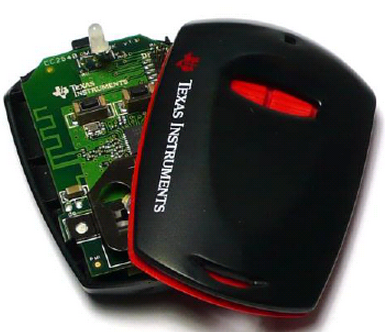
                one question. Wich board did you use to try IndigoBLE_V1_1_1_3.hex?

    Best regards.

  • Dear Sundeep,

                         I meant wich evaluation board, keyfob, dongle..?

    Best regards.

  • Hi,

    Keyfob, not the USB dongle.

    Regards,
    Sundeep.

  • Hi Sundeep,

                             I have tried to connect with WL1835MOD(beaglebone cape) + BB White to Keyfob+IndigoBLE_V1_1_1_3.hex, and I get:

    SPPMLE>33 9059AF09D867 1

    Attempting to Connect With (LE) Remote Device: 9059AF09D867 (Flags = 0x80000000).
    DEVM_ConnectWithRemoteDevice() Success: 0.
    SPPMLE>
    Remote Device Connection Status: 9059AF09D867, 0 (SUCCESS)
    SPPMLE>
    Remote Device Properties Changed.
    BD_ADDR:             9059AF09D867
    Address Type:        Public
    LE Type:             Dual Mode
    Device Flags:        0xC00C8001
    LE Connect State:    TRUE
    SPPMLE>
    Remote Device Properties Changed.
    BD_ADDR:             9059AF09D867
    Address Type:        Public
    LE Type:             Dual Mode
    Device Flags:        0xC0080001
    LE Connect State:    FALSE

    So the same result as the other board. Can you please try with the same system?
    Best regards and thanks.


  • Hi Sundeep,

                     I also tried have tried to connect with WL1835MOD(beaglebone cape) + BB White to Keyfob+CC2540_keyfob_SimpleBLEPeripheral.hex, and the connection was successful.

    Best Regards.


  • Hi,

    Sorry for the delay.

    So you are only having problem with the below specific case.right?

     WL1835MOD(beaglebone cape) + BB White to Keyfob+IndigoBLE_V1_1_1_3.hex

    Let me try this and get back to you.