This thread has been locked.

If you have a related question, please click the "Ask a related question" button in the top right corner. The newly created question will be automatically linked to this question.

CC2541 Programming and Initial Set Up

Other Parts Discussed in Thread: CC2541

I am doing my first project with a CC2541 to measure sensor data and send to an Iphone. I just made and populated my PCB and I am going to program the chip tomorrow. I am using the TPS power conditioner as by Ti's reference design. 

I noticed today that when I supply 3V to the board, that all general I/O pins on the chip are sitting at 2.1V, which is the voltage that is coming of off the TPS and powering the chip as expected. The chip is brand new out of package so I was wondering if this is normal before it gets programmed.  I didnt want to try to program this and have something go wrong.

Thanks 

  • Hello Paul,

    The reset condition for all the GPIO pins are to be set as input with pull-up enabled (approx 20 kOhm). So this is expected. So based on that observation alone its seems fine, but be careful not to short 3 V to 2.1 V when you connect the debugger. See here for a simple overview of the debug header and pins:

    4885.Debug_Connector.pdf

  • I tried programming the device today and I could not get the debugger to turn green. I also noticed that the debugger is not outputting the 3.3v on the bottom pin. I was not going to use this voltage but I thought it was weird it wasnt happening. The debugger seems to work fine when we plug it into the keyfob dev kit. 

    We did have the programmer backwards in at first but the chip should be fine since i set a current limit on the power supply I was using. 

    Any advice on moving forward? Is there a good testing method to see what the problem is. I checked and all of my connections are going to the right place and they are connected. Is there a way to tell if the chip was accidentally destroyed or not. 

    Thanks

  • Hello Paul,

    If you post the schematic and you debug connections on to it i can have a quick look. Make sure that you do not have any dominating pull-up or downs that limit the debug interface from signalling correctly. For it to work you need to connect DD, DC, GND, VDD to the chip on VDD sense and Reset.

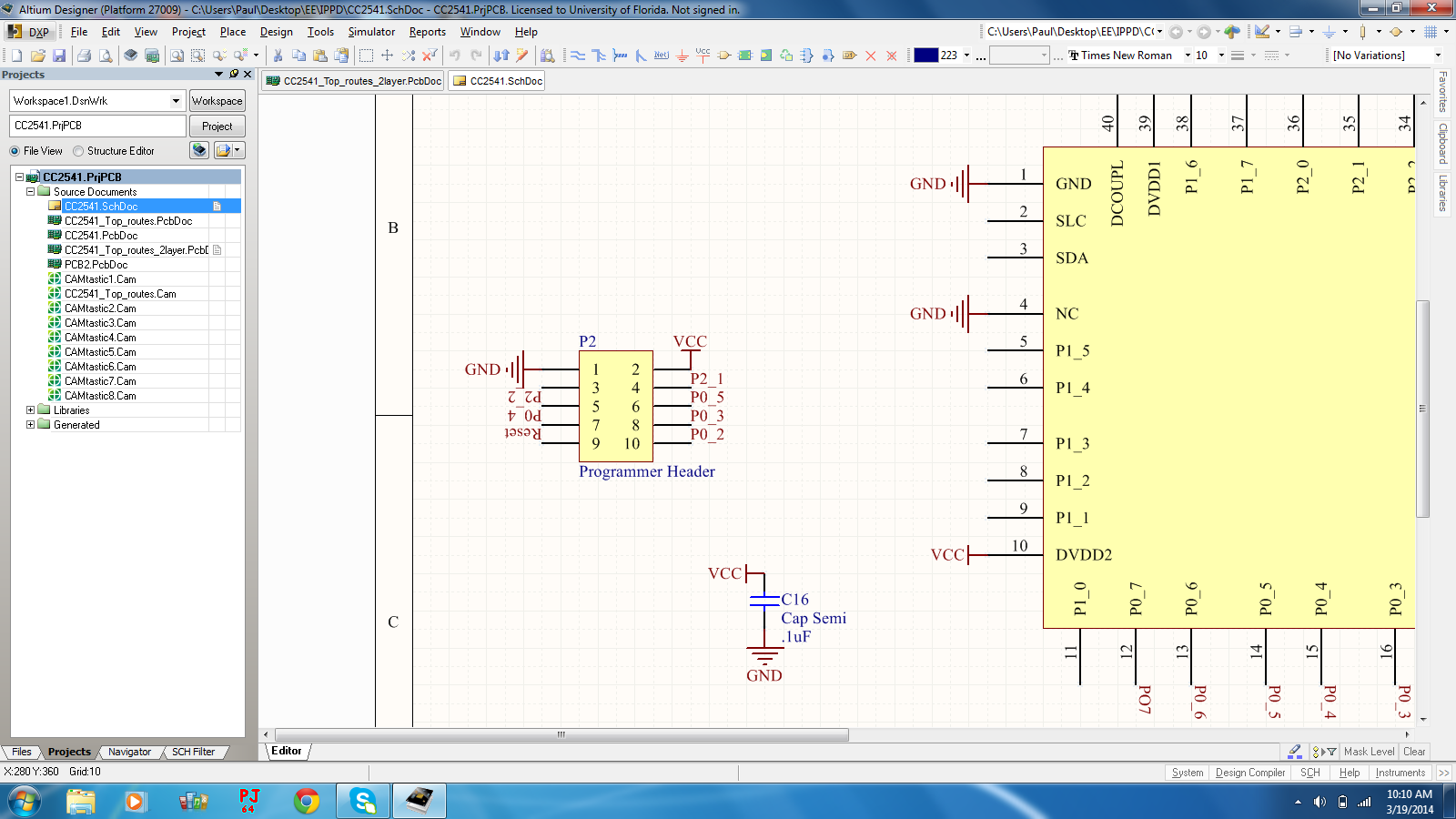
  • Attached are two schematics. The first is the wiring for the programmer. All of the pins are the same ones on the reference design and I have confirmed that they are all connected properly. The power on the programmer is the same voltage that is being seen on the chip.

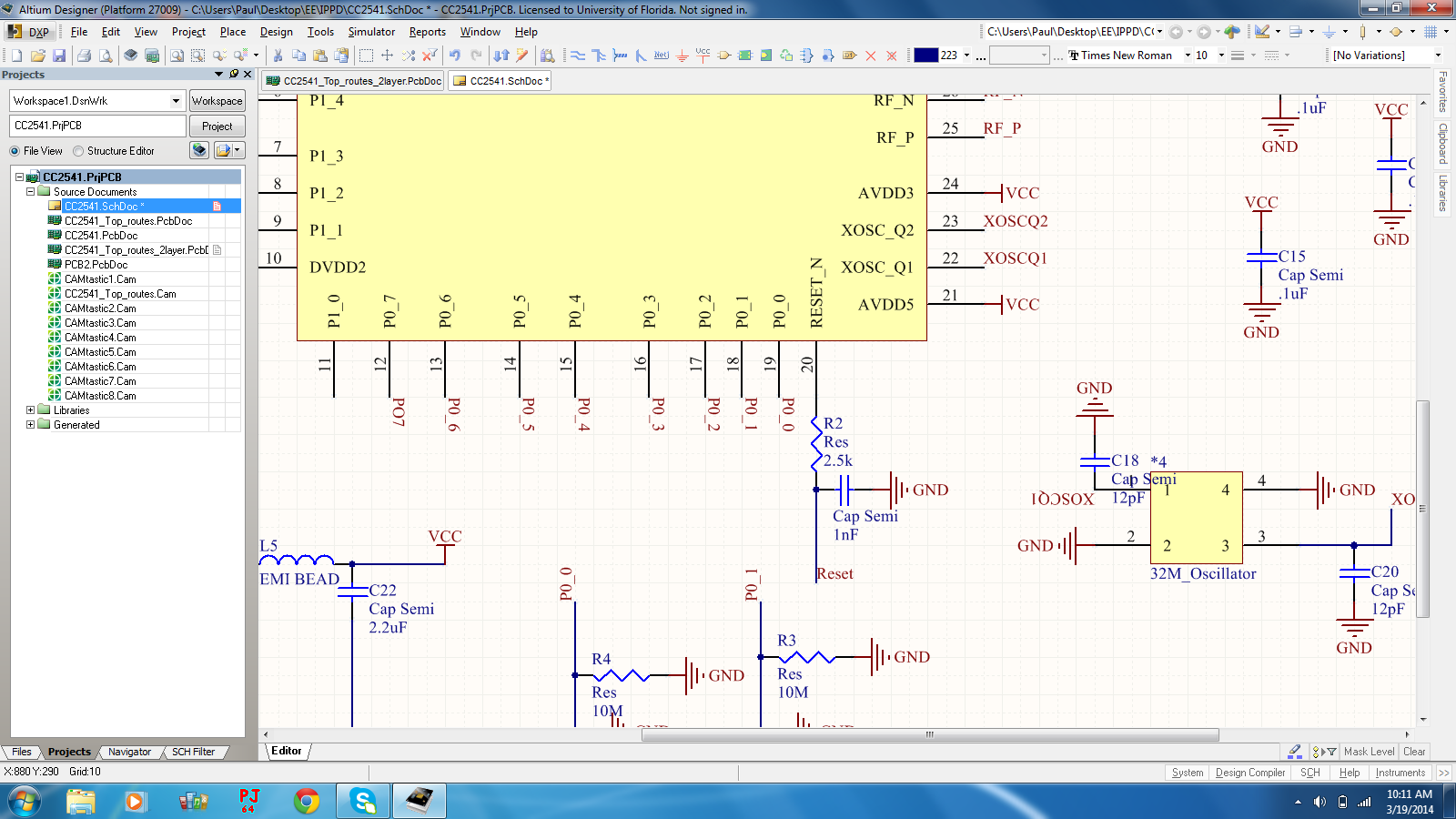
    I also have attached the schematic for the reset. All of the connections except for the reset are going straight to the chip. For the reset I used the same connections show in the reference design. I did make one change though. We had lost our 1nF cap during assembly so I put a .1uF cap instead. I figured it was just to steady the signal, but I think I may have made a large time constant. Would this be the case for the failed connections. It may hold its charge too long and not discharge quick enough. 

  • It might be the case. Try to remove the capacitor and try again.