This thread has been locked.

If you have a related question, please click the "Ask a related question" button in the top right corner. The newly created question will be automatically linked to this question.

to program cc2541

Other Parts Discussed in Thread: CC2541, TMP102, TMP006

hello all,

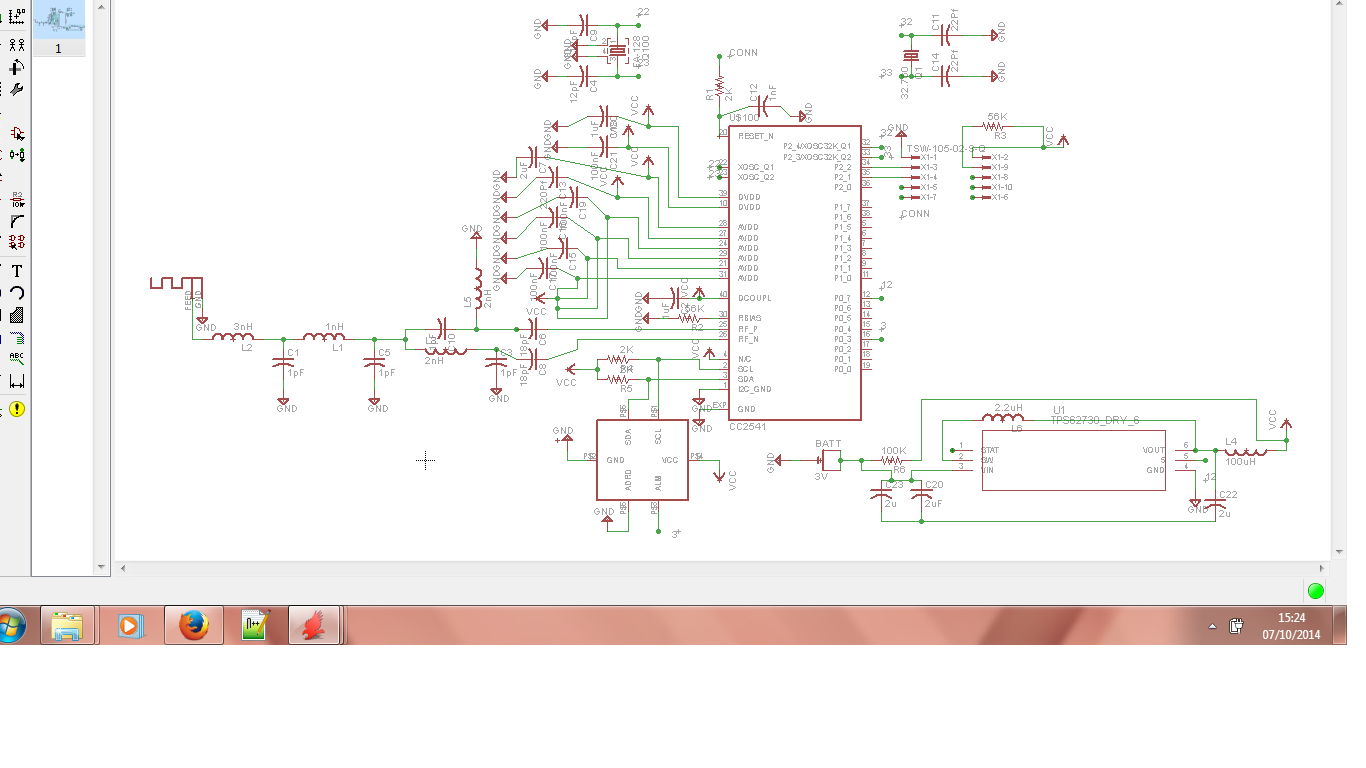
I am working on a project where I have to design the PCB. I have design the PCB similar to the CC2541 sensor tag... I have used cc2541 soc, temp sensor TMP102, DC-DC convertor and a soc debug flash...I have completed the designing part and now I am working on the code....


Since I am new to this CC2541 I want to built the code...I have read CC2541bluetooth low energy software guide...can any one help me or guide me from where to start the coding...??

  • Hi Dushyant, 

    Provided you have kept the same pin-out, I would expect that you can just comment out the support for the sensors you did not mount in the Sensor Tag code. 

    Did you get the Sensor Tag code up in IAR yet? 

    Peder

  • yes I have the sensor tag code in IAR....I was going through that code.........but I couldn't understand from where to start......and yes I have kept the same pinout...I am attaching the .jpg image of schematic file of my PCB from eagle software...

    you can look at it and help me with the codes....

  • Hi,

    Look at these videos 

    http://focus.ti.com/docs/training/catalog/events/event.jhtml?sku=OLT313005

    Then use the sample projects and read "Sample applications User guide".

    Regards,

    Vijay

  • Hi,

    If you are using the Sensor Tag project as an example code, please open it in IAR and start modifying that. The files sensorTag.c/h contains most of the application functions. You can comment out those sensors that are not available in your board and hence not needed in your application. You can also remove the unused profiles if required. 

    As for Board files, all your board files need to be located under Components/Hal/Target/<Your_board_name> folder. You can write these board files using the files under Components/Hal/Target/cc2541st files as reference. 

    Your application will make reference to your board drivers(e.g Components/Hal/Target/<Your_board_name>/Hal_acc.c) to access accelerometer readings and settings. Hence make sure that you define the correct calls in your board drivers and use them in the application.

    Regards,

    Arun

  • thanks for reply Arun...

    I started modifying the sensor tag code...since I am using only temp sensor, so I am commenting all the other sensors that are not on my board...

    secondly, do I have to modify OSAL file also..??

    and in the profile folder in IAR software do I have to comment all the other sensor that I am not using..??

    and also I am using temp sensor TMP102 not TMP006, can you tell me if  I can use same lib for TMP102 also..??

  • thanks for reply Vijay..

    I'll surely watch the videos and do as the instruction...

  • Hi,

    Its better to comment out the sensors that you are not using, No need to comment anything in the Osal_sensorTag.c file as no hw related functions are called in it. 

    You can remove the profile files apart from IR temperature service. Even if you leave them there, there is no harm as you just don't update the values in it. 

    What ypou can comment out is where you read the sensor value or where you configure the sensors. Most of these calls are in sensorTag.c file. So use your discretion in commenting out those calls.  

    The sensors are conneccted via I2C lines. So select the correct I2C line for your sensor and modify the Hal_IrTemp.c/h files to read/write/configure the correct sensors that you are using,

    Regards,

    Arun

  • Thanks for your reply arun...

    I'll do accordingly and will get back if any problem occurs....