This thread has been locked.

If you have a related question, please click the "Ask a related question" button in the top right corner. The newly created question will be automatically linked to this question.

CC-DEVPACK-DEBUG firmware update

Other Parts Discussed in Thread: CC2650, CC2640, CC2650STK

Hi folks!

This is very frustrating!


I set up a brand new Windows7 PC and installed the "SmartRF Flash Programmer 2" (Version 1.7.2) in order to flash the Sensortag 2: cc2650stk

I have also bougth the SimpleLink SensorTag Debugger DevPack to carry out the task.

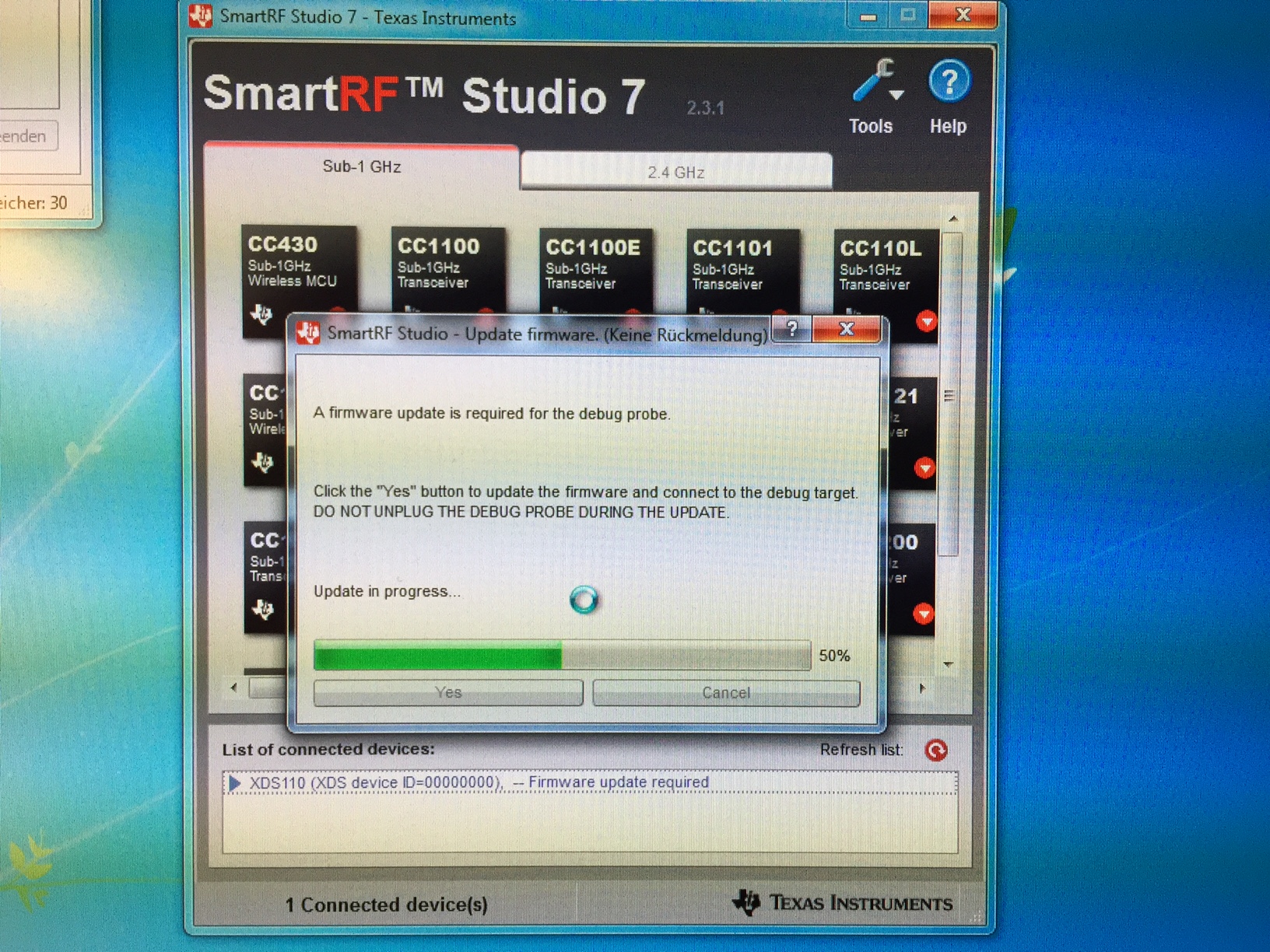
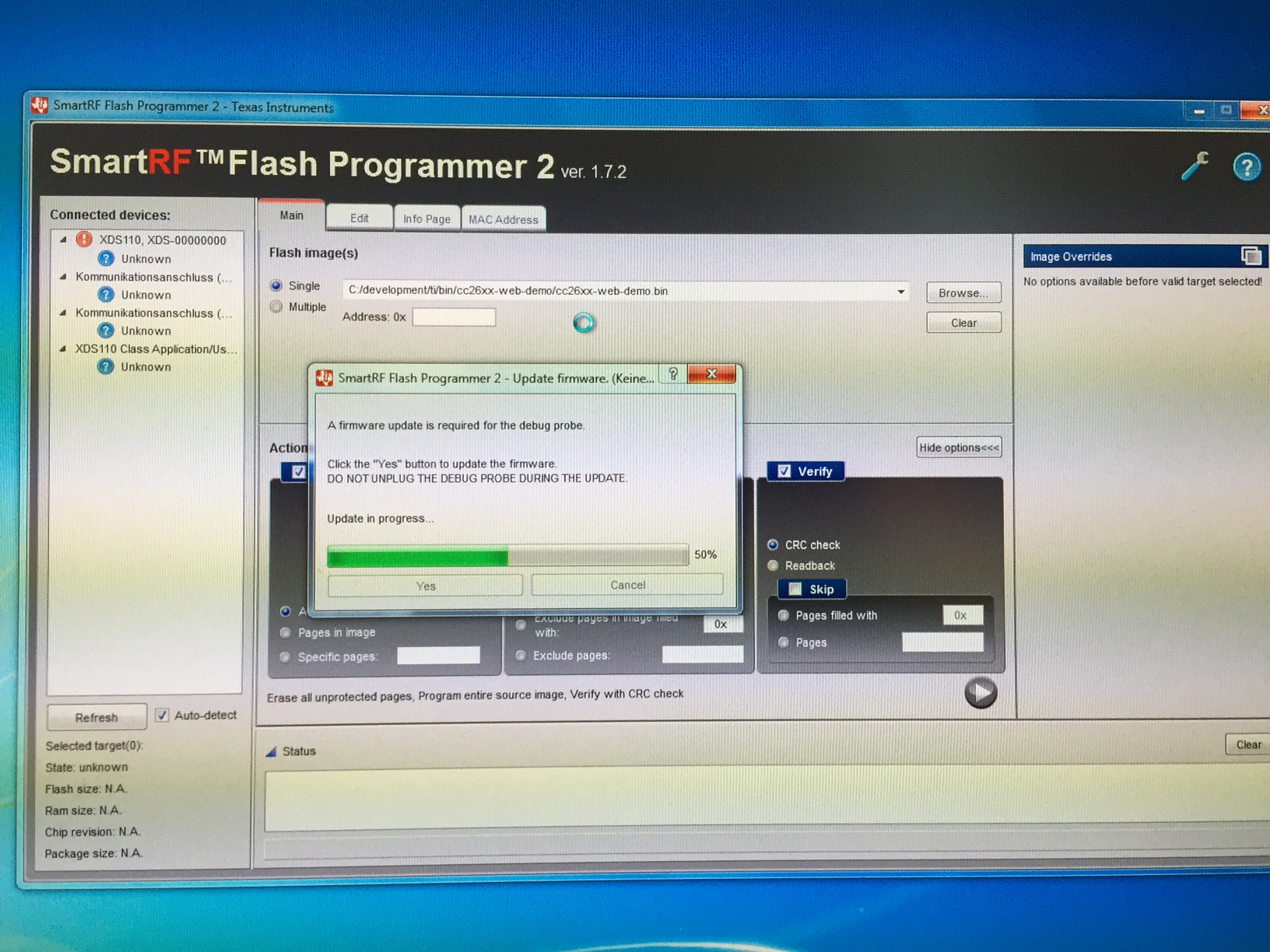
However ... when i connect the DevPack (with or without the Sensor Tag attached !!! With or without the battery !!!) to the PC using the USB cable, the "SmartRF Flash Programmer 2" Software list the DevPack with an red exclamation point. When i select the item ("XSD110, ...") a dialog pops up, telling me that a firmware update is required for the debug probe.

When i click "Yes" ... it jumps to 50% and get stuck there. I have to kill the "SmartRF Flash Programmer 2"...

WTF...

I mean... a brand new Win7 PC.

All stuff out of the box...

Very frustrating...


Any ideas?

Best Rgds
Stefan
  • By the way... I get the same result using the "SmartRF Studio 7" Software...

  • The trick mentioned in the paragraph "Device Firmware Upgrade" mentioned here Debug DevPack User Guide SensorTag with Debug DevPack doesnt help...

    Very frustrating!

  • Hi Stefan,

    I am sorry to hear about your frustration. A couple questions so that we may swiftly resolve your issue,

    1. When encountering these issues, do you have multiple devices that are accessing the XDS PC driver open? Such as CCS, IAR, Smart RF Studio, flash programmer, etc?
    2. Have you installed the latest processors.wiki.ti.com/.../XDS_Emulation_Software_Package ?
    3. Can you give further details about your new PC?
  • Try to replace an USB cable. It sometimes make this work. If it still doesn't work, I suggest you to ask for replacement from www.ti.com/.../faq-returns-and-refunds.page
  • Hey,


    we found a problem with the xds110 debugger -> We transmit some UART messages and some of them are not there after the debugger. We buy a new one and see that the problem is gone.

    TThen we try to flash the cc2650 device with the IAR 7.40 and get the error message: "firmware update required". Following instruction is show by the IAR:

    1) open this folder C:\ti\ccs_base\common\uscif\xds110

    2) read the readme in there

    3) first command: xdsdfu -m

    4) second command: xdsdfu -f firmware.bin -r

    after that you can use the debugger for flash the btle controller but the UART errors are back again :(

    at this moment we use one of them to flash the devices and the other one to flash them. Because we need the UART communication to the pc

    hope i can help

  • Hi Sean,


    1. I boot my Win7 PC and only start the "SmartRF Flash Programmer 2". Nothing else.
        I have tried to start the Flash Programmer first and then connect the SensorTag DevPack ... and the other way arround.

    2. The XDS110 Debug Probes Came with the "SmartRF Flash Programmer 2". Just in case something went wrong i installed the
        complete Code Composer Studio (adding the XDS110 Debug Probes).
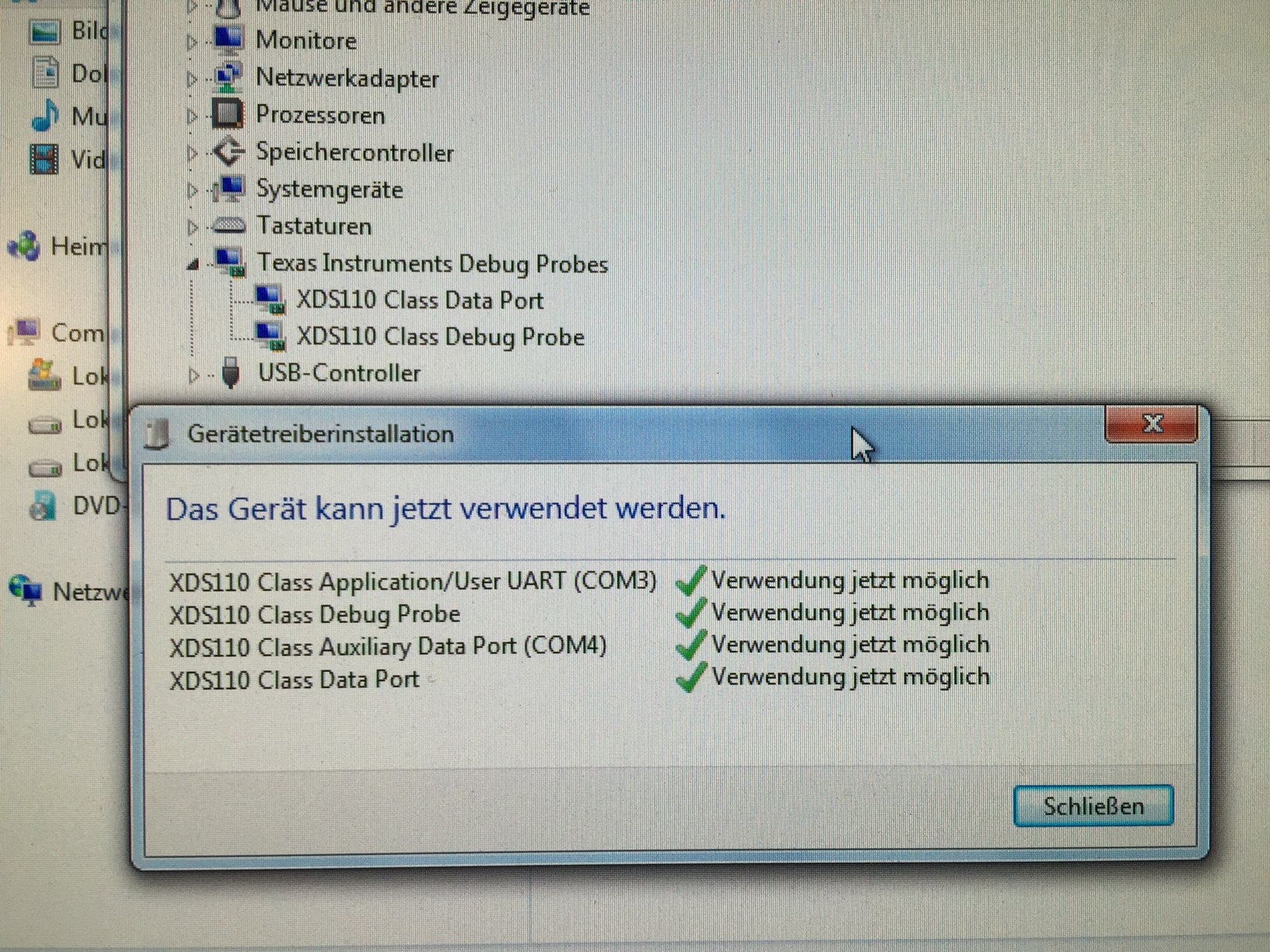
        As far as i can see, the debug probes are up and running. Pls see screenshot below.

    3. My PC hardware isn't the very newest, which dfinitely means, that Windows has all the drivers on board.
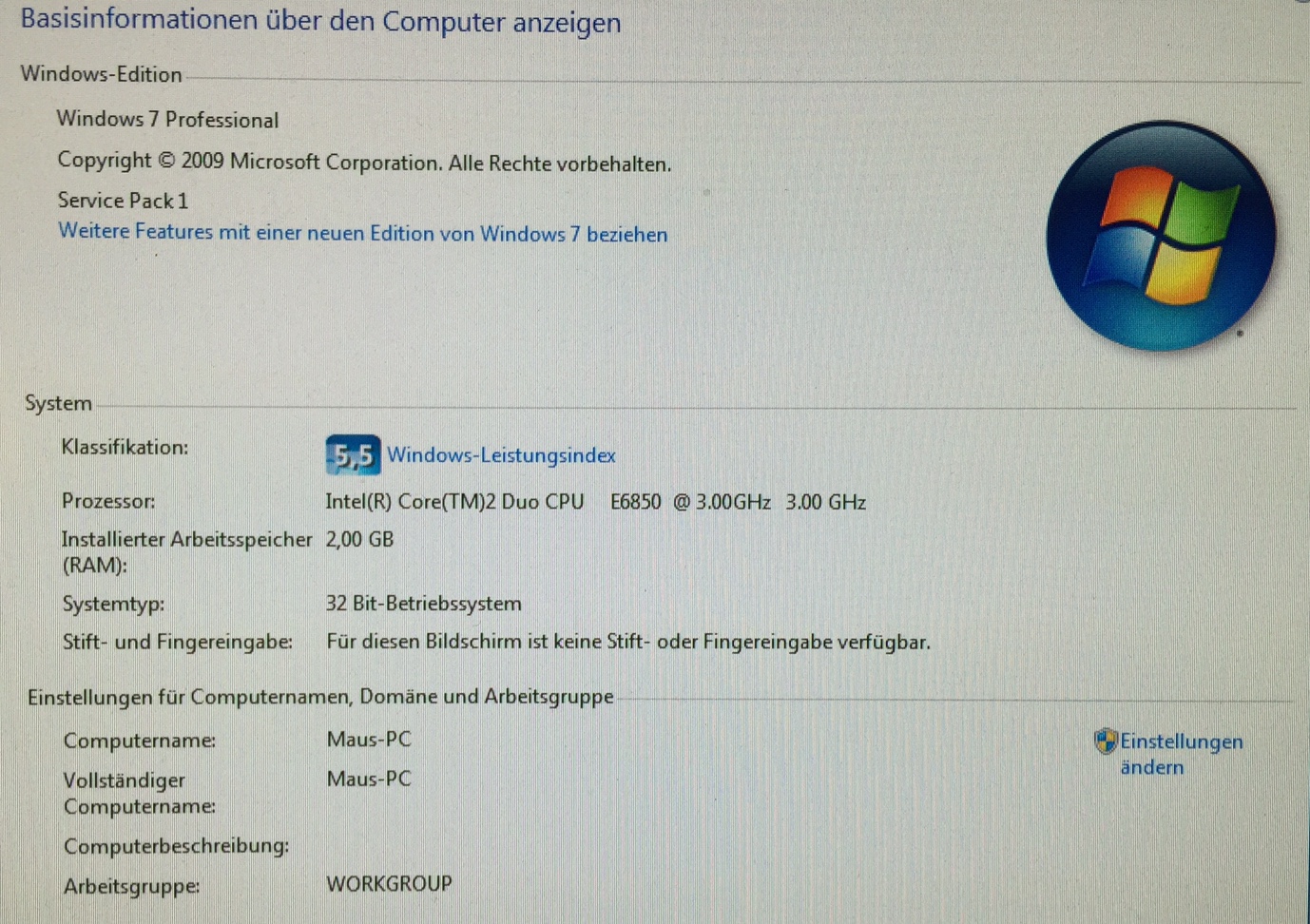
        And the Win7 installation made no problems. Pls see screenshot below for details.
        Its an installation on native hardware. No virtual machine.

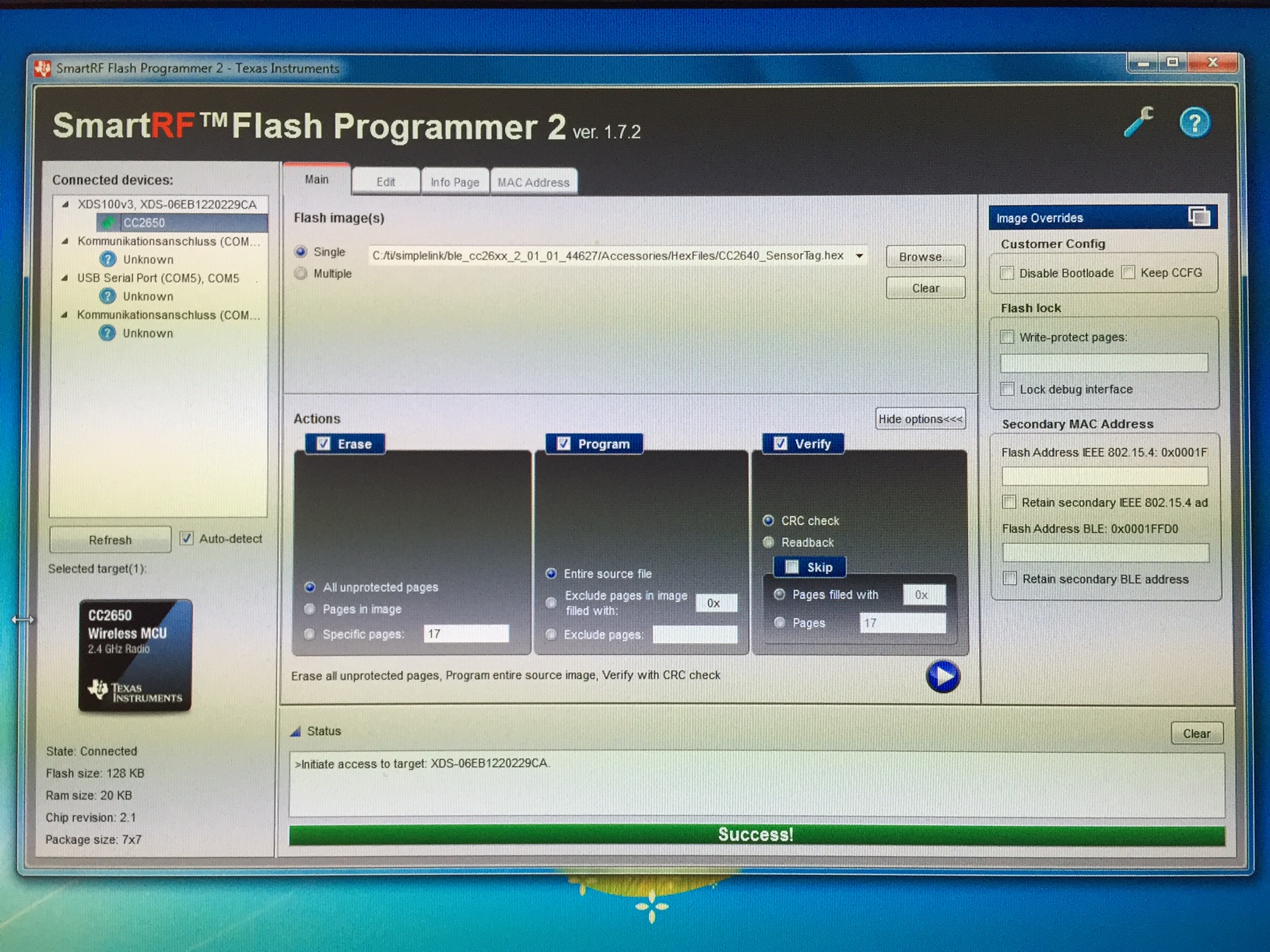
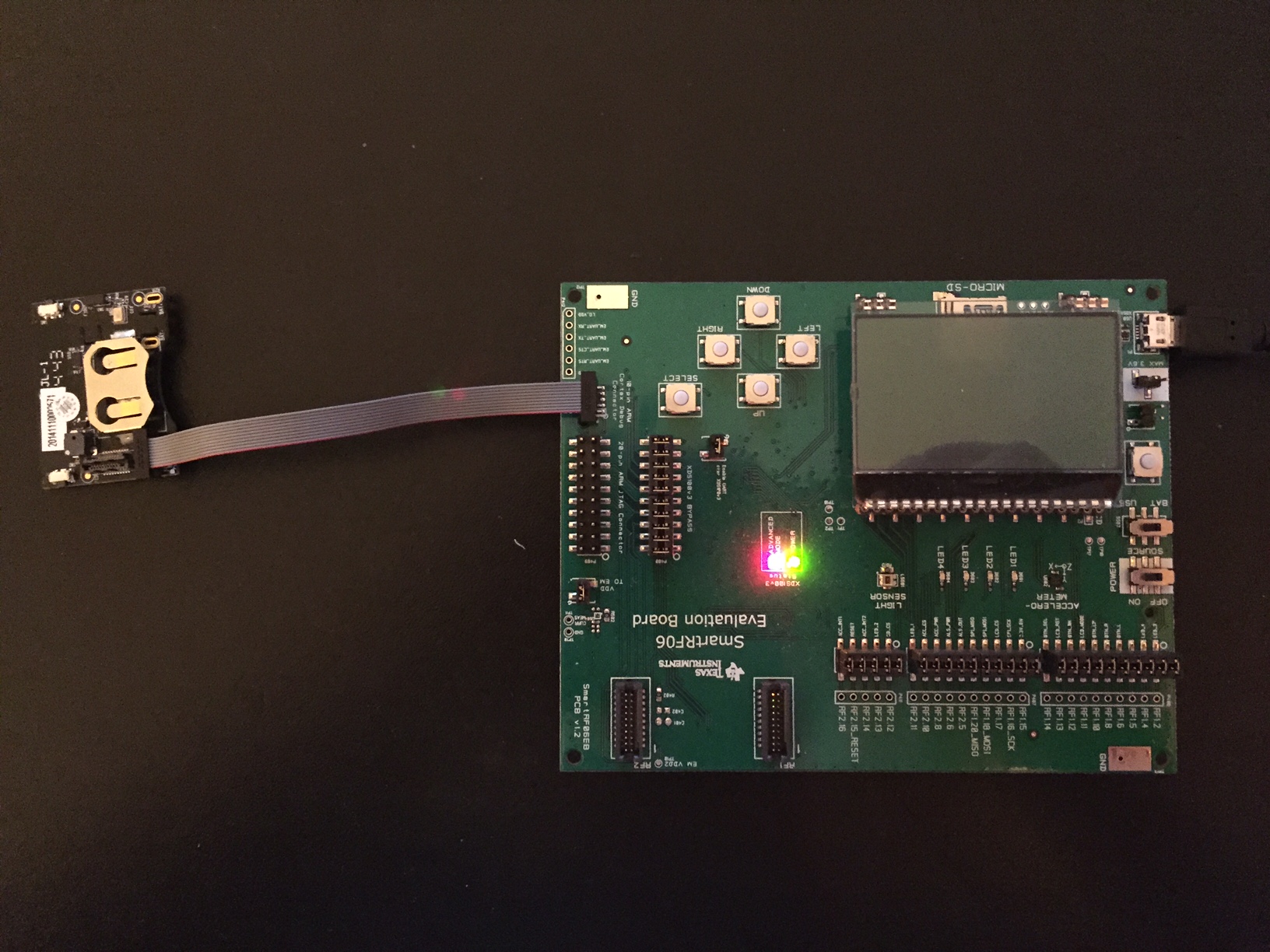
    In the meantime i succeded in flashing the SensorTag 2, using the "SmartRF 06 Evaluation Board".

    I tried to flash the SensorTag 2 with the TI pre installed demo firmware, found in the "Bluetooth Low Energy Software Stack"
    , that can be used together wit the iOS SensorTag App from the App Store (ti/simplelink/ble_cc26xx_2_01_01_44627/CC2640_SensorTag.hex).
    Unfortunately with no success. The iOS App didn't find the Sensortag... But that is a later problem... ;-)

    My original intention is to flash the SensorTag 2 with the TI Contiki "CC26xx--web-demo", compiling it using "Instant Contiki".

    Still the question ist: Why doesn't it work with the SensorTag DevPack? ... :-(

    The screenshot below shows the SmartRF Flash Programmer 2 using the "SmartRF 06 Eval Board".

    The picture below shows the Eval Board and the connected SensorTag 2

    The picture below shows the device manager of my Win7 PC

    The picture below shows the essential data of my Win7 PC.
    (In german, but i think it's still clear, what it says)

    Best Rgds and thanx!

    Stefan

  • When you use CC-DEVPACK-DEBUGGER, you have to connect it to PC without CC2650STK mounted on it. After it connects to PC and get recognized, you can mount CC2650STK to it. If you use Flash Programmer 2, you have to press refresh button to make it show up on list.
  • I had the exact same problem, this solved my issues and allowed SmartRF to be able to update the firmware right after:

    1) Download Code Composer Studio, any up to date free version is fine

    1) Connect the Debugger Devpack to PC without any Sensortag connected to it

    2) Start the cmd prompt and go to the path: D:\ti\ccsv6\ccs_base\common\uscif\xds110 【Select path according to your installation】

    3) Run the following two commands in the command prompt

    xdsdfu -m

    xdsdfu -s firmware.bin -r

    -----
    This will flash your devpack back to factory settings