This thread has been locked.

If you have a related question, please click the "Ask a related question" button in the top right corner. The newly created question will be automatically linked to this question.

CC256x Absolute Volume Command

Hi, working with the absolute volume command under iOs i see from Bluetooth Accessory Design Guidelines for Apple Products this note
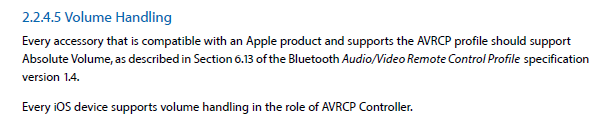
If i initialize the AVRCP Controller configuration like this trying to initializate the board as a target

/* Set up the remaining AVRCP Controller configuration. */
InitializationInfoAVR.InitializationFlags = 0;
InitializationInfoAVR.TargetRoleInfo = &RemoteControlRoleInfo;
InitializationInfoAVR.ControllerRoleInfo = NULL;
InitializationInfoAVR.SupportedVersion = apvVersion1_4;

And try to send a command using AUD_Send_Remote_Control_Command the return is:

Error - AUD_Send_Remote_Control_Command() 2 returned -2033. That means BTAUD_ERROR_REMOTE_CONTROL_ROLE_NOT_INITIALIZED 

The remote command is initialized like this:

RemoteCommand.MessageType = amtSetAbsoluteVolume;

RemoteCommand.MessageData.SetAbsoluteVolumeCommandData.AbsoluteVolume = absolute_volume;

Someone has more information about the absolute volume command and the initialization as a target? The AUD_Send_Remote_Control_Command function only works if ControllerRolerInfo is set?

  • Hi,

    Yes, only the Controller can send commands.

    Regards,
    Gigi Joseph.
  • So in this case change Absolute Volume from the TM4C using bluetopia TI library it's not supported correct? The volume can only be changed from the iOs device because the volume PassThrough commands are not supported on iOs and as a target we can not send commands.
  • Hi,

    This is as per the spec - only the controller can send commands. If you want the TM4C to send commands, then it should play the controller role (controlling the media playback)

    Regards,
    Gigi Joseph.
  • And as a controller sending Absolute Volume command It has no effect on the device can you confirm that AUD_Send_Remote_Control_Command function can be used to send Absolute volume command?

    My example:

    AUD_Remote_Control_Command_Data_t RemoteCommand;
    RemoteCommand.MessageType = amtSetAbsoluteVolume;

    RemoteCommand.MessageData.SetAbsoluteVolumeCommandData.AbsoluteVolume = absolute_volume;//using the values from the datasheet increasing or decreasing them

    I don't need to specify the AVRCP_SPECIFIC_AV_C_COMMAND_PDU_ID_SET_ABSOLUTE_VOLUME id?
  • Looking inside Bluetopia® Audio/Video Remote Control Profile API Reference Manual Release 4.0.1 provided from TI Absolute volume feature is not present on the document, and using AUD_Send_Remote_Control_Command function with the RemoteCommand struct provided from TI i can see this:

    Remoteplay and remotepause commands are working as expected but sending absolute_volume using AUD_Send_Remote_Control_Command nothing is received on the device.

    RemoteClient.cpp:580 commandInd Notice Remote Received AVRCP Play command from device C4:BE:84:XX:XX:XX "TI"
    RemoteClient.cpp:580 commandInd Notice Remote Received AVRCP Pause command from device C4:BE:84:XX:XX:XX "TI"
    AppFramework.mm:471 __44-[BTAppInteraction applicationStateChanged:]_block_invoke Notice Core State of application "com.apple.Preferences" is now "foreground-running"
    XpcLeConnection.cpp:57 handleMsg Notice XPC Received XPC message "CBMsgIdPairingAgentRetrievePairedDevices" from session "com.apple.Preferences-central-182-0"

    Can you give me some more information about Absolute_volume?

    Thank you.
  • Hi,

    Your code looks fine to me.
    Can you confirm:

    (1) That the AUD_Send_Remote_Control_Command() call returns success?
    (2) That the iOS AVRCP TARGET supports Absolute volume control?

    Regards,
    Gigi Joseph.
  • The response and the event:

    AVRCP command 1 sent successfully.

    etAUD_Remote_Control_Command_Confirmation
    BD_ADDR: 0xXXXXXXXXX
    TransactionID: 8
    ConfirmationStatus: 0

    Tested under ios 9.2.1 and 9.3 with the same result i can't see the command on the ios device.
    Looking on the Bluetooth Accessory Design Guidelines for Apple Products says that the absolute volume feature is only supported when the Apple device acts as a controller maybe here is the problem.

    You can confirm that absolute volume command can be send using AUD_Send_Remote_Control_Command ?

    Regards,
  • Hi,

    Yes.

    Regards,
    Gigi Joseph.