This thread has been locked.

If you have a related question, please click the "Ask a related question" button in the top right corner. The newly created question will be automatically linked to this question.

Insufficient buffer space problem

Other Parts Discussed in Thread: CC2564

Hello!

I am using the cc2564 bluetooth module with the stm32L476 MCU.

In my application i connect to a smartphone, update the connection interval to the minimum (11 miliseconds), make sure that the update request was accepted

and start sending periodic mouse notifications.

I use the "HIDS_Notify_Input_Report" API to send my notifications.

It all works well unless the period of the mouse notifications is lower than 20 miliseconds, then the

whole businesses gets stuck and stops working. when this happans  the "HIDS_Notify_Input_Report" function

returns (-65) - BTPS_ERROR_INSUFFICIENT_BUFFER_SPACE. 

I wish to understand what causes this and how can this problem be dealt with.

Please advise on how to debug this issue.

I have added the proper log file.

6403.Log.rar

thanks alot,

Yuri.

  • hi, your query has been assigned to BT expert. We will get back to you shortly
    Saurabh
  • Hello Yuri,

    From going over the file you've attached which is a BT FW logger everything seem to be working well.
    Therefore the error code you get returns from the UPS level.

    It seems that once your interval level is under 20ms like you say and we are using HCILL - which means we save power by sending the chip into sleep mode unless there is data then the UPS gets congested and you receive an ERROR code.

    I would suggest using a larger interval which you know already works unless your system requires very fast response time.
    In that case i suggest trying to work without putting the system into HCILL.

    BR,
    Chen Loewy
  • Hello Chen!

    Thank you for your response,

    In did, our system requires a very quick response time and therefore the interval we need in even lower than 20 mS.

    What is the proper way to disable HCILL?

    I've seen  the  "VS_Enable_Sleep_Mode", i have tried using it but it returns starnge values (returns 1 instead of zero or negative value, as it says in the documentation).

    Also, what is the proper moment to disable the HCILL? (during stack startup? before connecting to a device? etc...)

    thanks

    PS: I tried changing the ( HCI_DRIVER_SET_COMM_INFORMATION(&HCI_DriverInformation, 1, VENDOR_BAUD_RATE, cpHCILL_RTS_CTS)  )

    to ( HCI_DRIVER_SET_COMM_INFORMATION(&HCI_DriverInformation, 1, VENDOR_BAUD_RATE, cpUART_RTS_CTS) )  in the initialization function. it didnt help and the error returned.

  • Hello Yuri,

    The easiest way would be not to enable it in the first place.

    You are probably using the latest .bts file (correct me if i'm wrong - it can be downloaded from: 

    Please let me know if you already have downloaded TI Wireless tools - in this kit you should have the logger and hci_tester tools.

    You can use the hci_tester tool in order to open the .bts file and comment out the add on at the end of the file:

    #################################################################

    ## START of CC2564 Adds-On
    #################################################################

    ## Enable fast clock XTAL support
    Send_HCI_VS_Fast_Clock_Configuration_btip 0xFD1C, 0x01, 0x00001388, 0x000007d0, 0xff, 0xff, 0x04, 0xff, 0xff, 0xff, 0xfa, 0x00, 0x00, 0x0000
    Wait_HCI_Command_Complete_VS_Fast_Clock_Configuration_btip_Event 5000, 0x00, 0xfd1c, 0x00

    ## Enable eHCILL
    Send_HCI_VS_hcill_parameters 0xFD2B, 0x0010, 0x0050, 0x96
    Wait_HCI_Command_Complete_VS_hcill_parameters_Event 5000, 0x00, 0xfd2b, 0x00

    Send_HCI_VS_Sleep_Mode_Configurations 0xFD0C, 0x01, 0x01, 0x00, 0xff, 0xff, 0xff, 0xff, 0x0064
    Wait_HCI_Command_Complete_VS_Sleep_Mode_Configurations_Event 5000, 0x00, 0xfd0c, 0x00

    #################################################################
    ## END of CC2564 Adds-On
    #################################################################

    BR,

    Chen Loewy

  • Hello Chen!

    Regarding the version: How do i check whether i am using the latest version?

    We have downloaded from the link and in the folders there are several .bts files, none of them can be opened by the hci tester tool.

    We have also tried downloading the BHET tool in order to convert the .bts file into a header file and load it into our project, but during the installation we receive

    the following error:  "The installation of CC256x Bluetooth Hardware Evaluation Tool is finished, but some errors occurred during the install.  Please see the installation log for details."

    could you please advise on either how to deal with these issues or disable the HCILL in a different manner?

    thanks,

    Yuri.

  • Hello Yuri,

    You can download the Wireless tools from the following page: www.ti.com/.../WILINK-BT_WIFI-WIRELESS_TOOLS

    With the HCI_Tester you just open a file and it will be able to read a .bts file.

    Please let me know if you have any issues with that.
    Please send me your email and i can send you directly a version without HCILL.

    BR,
    Chen
  • Hey Chen!

    I already have the wireless tools installed.

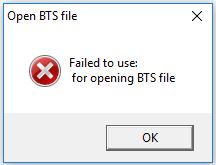
    when i try to open the .bts file with the HCI_Tester it pops out an error message and doesn't open it.

    my email address is: yuri@alconsystems.com

  • Also, could you please tell me whch exact .bts file are you refering to?
    in the CC256X_BT_SP folder i can find three .bts files...
  • Hello Yuri,

    Please use the basic one - initscripts-TIInit_6.7.16_bt_spec_4.1.bts

    if you still have a problem with removing these lines, please let me know and i'll send you one without these lines
  • Hi Chen!

    since i cant seem to open the .bts file with the HCI Tester, Please send me the edited one and instruct me exactly what to do with it if possible.

    my email address: yuri@alconsystems.com

    thank you very much,

    Yuri.

  • Hello Yuri,

    I've sent you the details through Ouri.
    Let's continue the discussion over emails

    BR.
    Chen Loewy