This thread has been locked.

If you have a related question, please click the "Ask a related question" button in the top right corner. The newly created question will be automatically linked to this question.

Connection between a central and peripheral

Other Parts Discussed in Thread: CC1350, CC2650

Hi all,

I am using simple ble peripheral example for CC1350 and I have a question.

After the setup the GAP and made custom profiles (simple profile 3 and simple profile 4) do I have to set up any kind of authentication between both modules central and peripheral or the stack does it automatically?

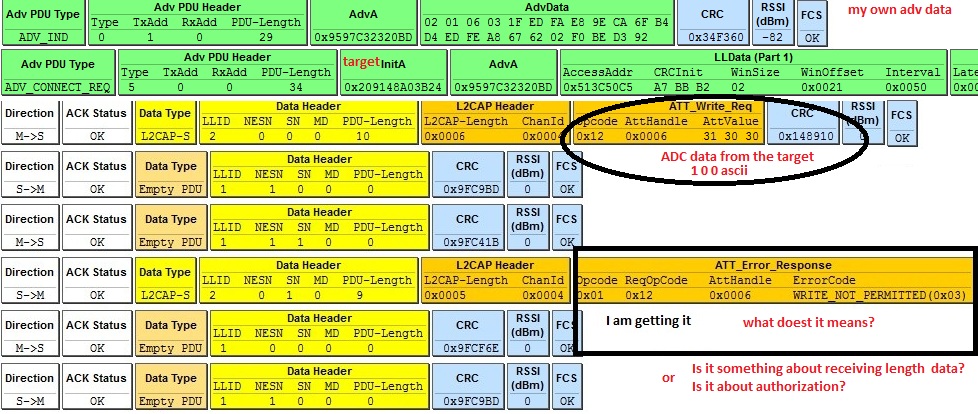
Beacause I am getting the follow after central response in L2CAP layer: WRITE_NOT_PERMITTED(0x03)

What do you think guys the possible causes for this issue?

Thanks

  • Hi Ela,

    Just wanted to note, if you're going to be doing just BLE development, I highly recommend getting the CC2650.

    Regarding your issue, could you send us a sniffer capture?

    Are you using the default simple_peripheral and simple_central?

    Regards,
    Rebel
  • Hi Rebel,

    I am getting this:

    I dont know what does mean the ATT_error_response or what causes it. I am using Simpleprofile4 and just edited the GAP advertising data.

  • It means that the attribute doesn't have write permissions. It's NOT due to authentication, so that's good!

    My guess is that handle 0x06 isn't what you think it is, can you verify that handle? I'm thinking it might be a read-only attribute like the descriptor.

    Use BTool or BLE Device monitor and post a screenshot of the GATT Table after a connection is established to the peripheral.

    Regards,
    Rebel
  • Hi Rebel,

    Thanks for answering.

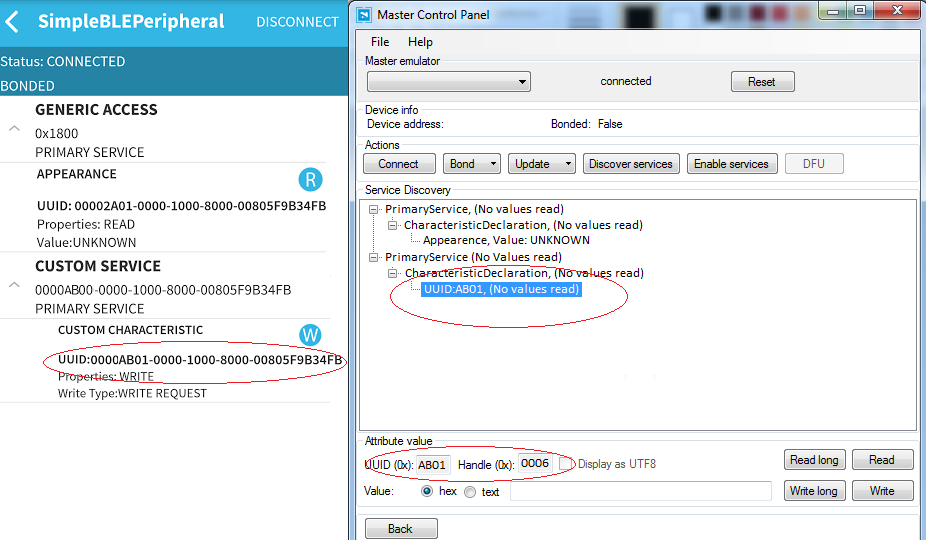
    I am unable to use Btool or BLE device monitor, but I tried to get a screenshot of the GATT table using a Nordic tool for PC and an app for Android. The following imagen is the GATT table I obtained:

    showing the handle 0x06 as write request 

    I made that table using BDS TI plugin and it is running on my simpleperipheral. I will check the table in BDS

    Thanks in advance

  • Hi Rebel,

    I double checked the attribute and finally I remade all the service using BDS and now is working I think It was a read-only attribute like you said.

    The next question is... now I am able to receive data to the Launchpad how can I process it data? I mean the variable where is the data I received is stored. I want to send it via UART or show it on a BCD 7-segment.

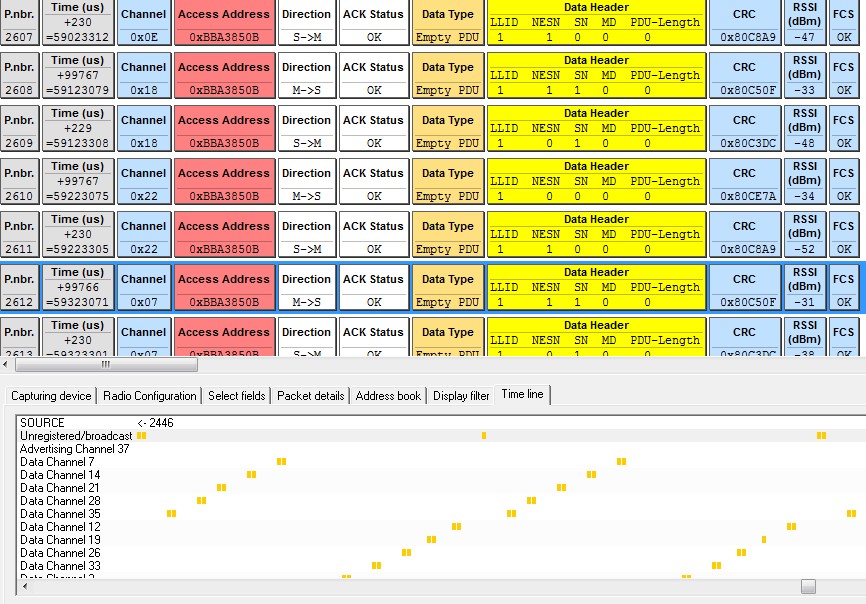
    And how can I close the connection link? beccause I am getting the following:

    Thanks