This thread has been locked.

If you have a related question, please click the "Ask a related question" button in the top right corner. The newly created question will be automatically linked to this question.

CC2640: GAPRole causing application to crash

Part Number: CC2640
Other Parts Discussed in Thread: BLE-STACK,

On the newest iteration of our board, we switched from an externally biased discrete balun to an internally biased integrated balun. After programming the chip with a modified version of project zero, the application runs up to the point of "Initializing the Scan Response Data". I went to ble_user_config.h and changed RF_FE_MODE_AND_BIAS for my chip, but it still freezes at the same point. Everything up to that point works fine. I even added some code in that area to test the lights and SPI. My first thought was to check the power level on VDD_RF. That checked at 1.67 as expected, so I can only assume there is some setting I am missing in relation to changing the bias.

  • As I am thinking the first iteration of this board ran from the LDO because the inductor between DCDC_SW and VDDR was accidentally left off. For this run it was added. Could that be an issue? All the VDDR pin are getting the proper voltage.
  • Hello Dorian,

    We're missing a few details about your SW setup. Can you confirm you are using the SDK build & setup procedure for BLE-Stack v2.2.1 as published in the SW Developer's Guide SWRU393? Specifically, are you using TI Compiler v5.2.6? A reconfigured RF_FE_MODE_AND_BIAS would not result in a SW freeze, so I would recommend checking for a task stack overflow and other items listed in the Debugging chapter of the SW Dev Guide.

    For confirming HW, please check the items listed inthe CC2640 HW Troubleshooting & Bring Up article on the BLE Wiki.

    Best wishes
  • Hi JXS,

    I am using CCS 6.1.3.0034 and yes I have the SDK and Bluetooth stack setup from SWRU393. I had this application running normally on rev 1 of our design. The RSSI values weren't as high as I would have liked so I changed to the integrated balun. Now the new board gets lost when starting the GAPRole. I did move some of the capacitors around to gain more space, but all the pins are reading the correct voltage. I believe you are right about a stack overflow, but how can this happen if I didn't change any code?

  • I tried loading an unmodified project zero and still have the same problem. I really don't think there is a problem with the application. It must be configuration or hardware. What else could cause this issue?
  • Hi Dorian,

    Based on your comment " the board gets lost when starting the gaprole" it sounds like you may be blowing the GAPRole task stack. If you pause the device are you at the exception handler (0x1000BDD6)? You can also use  the TI-RTOS ROV to get more information about the state of the processor when this occurs. Feel free to post those screenshots here.

    Further more, please confirm that you are using the TI ARM Compiler v 5.2.6, that is an easy way to fix those GAPRole Task stack issues that I mentioned earlier.

  • Hi Sean,

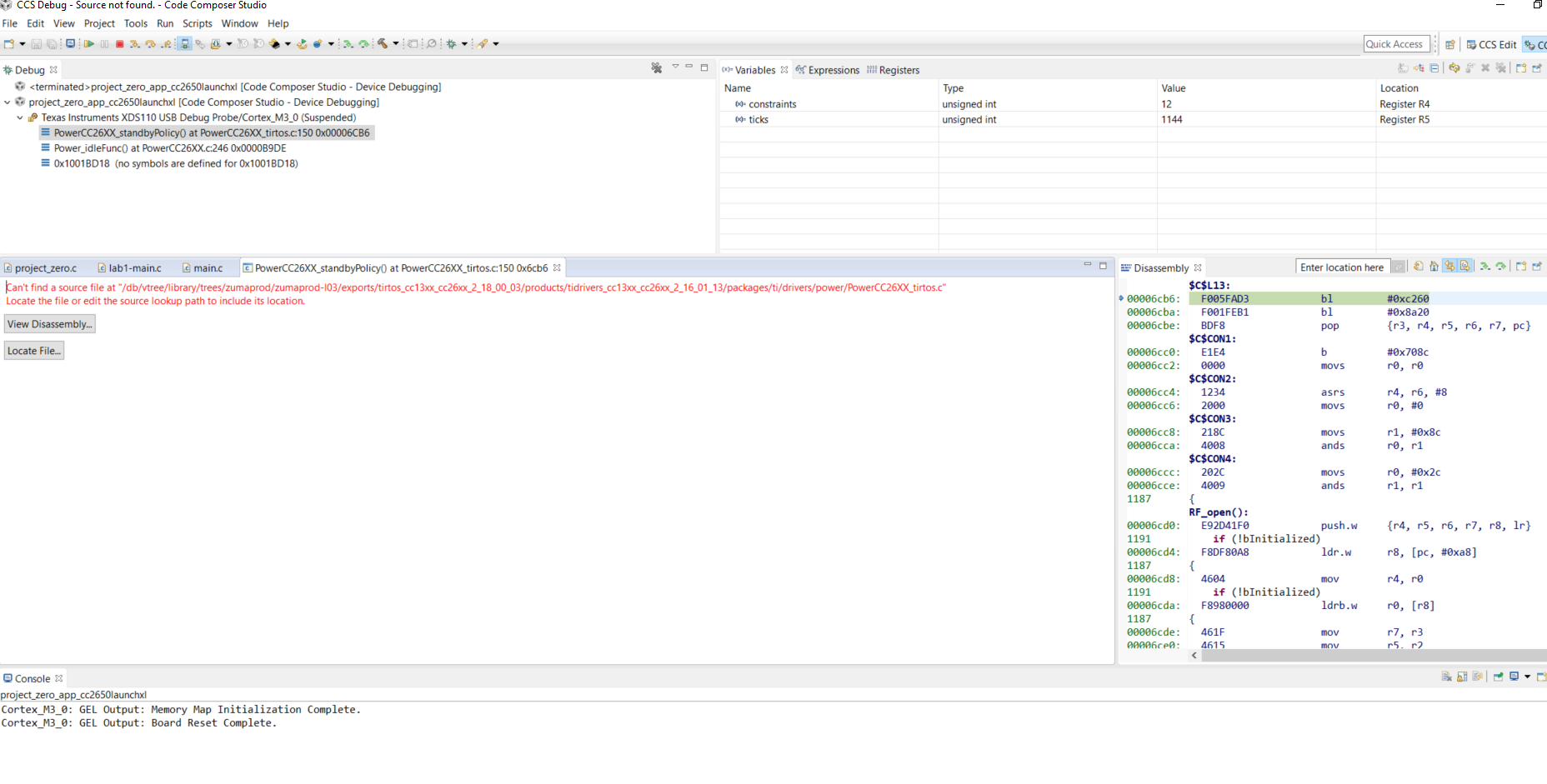
    Sorry the screenshot won't paste here is what I get:

    Can't find a source file at "/db/vtree/library/trees/zumaprod/zumaprod-l03/exports/tirtos_cc13xx_cc26xx_2_18_00_03/products/tidrivers_cc13xx_cc26xx_2_16_01_13/packages/ti/drivers/power/PowerCC26XX_tirtos.c"
    Locate the file or edit the source lookup path to include its location.

    I am using compiler TIv15.12.3.LTS
  • Hi Dorian,

    No worries, that sounds like you are not reaching an exception. Does the TI-RTOS ROV reveal anything strange?
    See the training here if you are unfamiliar with the ROV tools or with profiling RTOS exceptions: training.ti.com/debugging-common-application-issues-ti-rtos

    In any case, I believe the issue may be with the 15.12.3 compiler, can you move to TI ARM Compiler v5.2.6. You can follow the steps in chapter 2 of the software developer's guide for info on how to do so.
  • Hi Sean,

    I tried to do the ROV, but one there is no Task.initStackFlag or halHwi.initStackFlag. I did try to us the CheckStackFlag, but got an error about the ROM. I commented out the ROM, but then got an error saying there wasn't enough memory for the application. Did you see the screenshot above?
    I also tried the v5.2.6 compiler and still have the issue. Any more ideas of how I can get to the bottom of this?
  • Hi Sean,

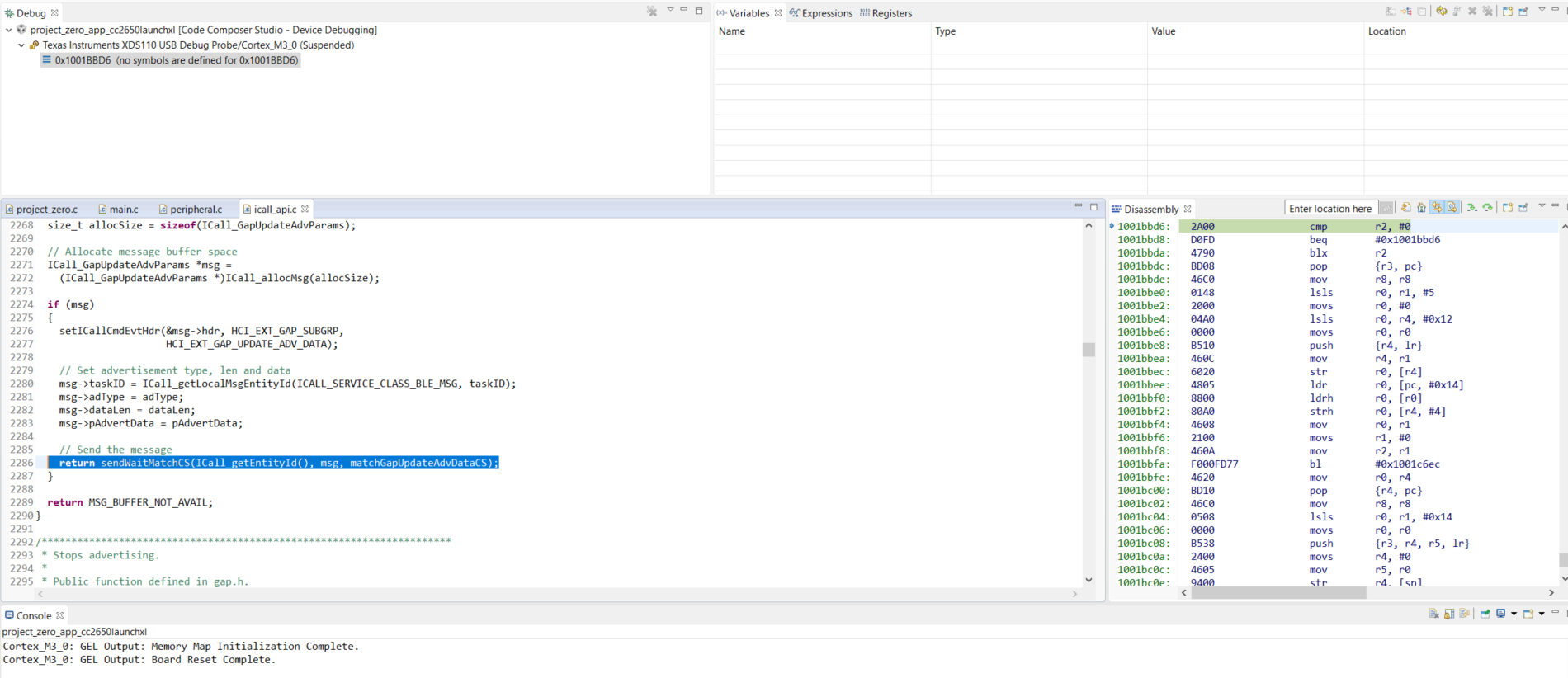
    I have stepping through the code to try to pinpoint the error. Here is what I have found. The highlighted line is where the error occurs. In the disassembly on the right it seems as though 0x1001bbd8 calls 0x1001bbd6 causing it to stick in a loop. It doesn't do this when using the Launchpad, but does when using my custom board.

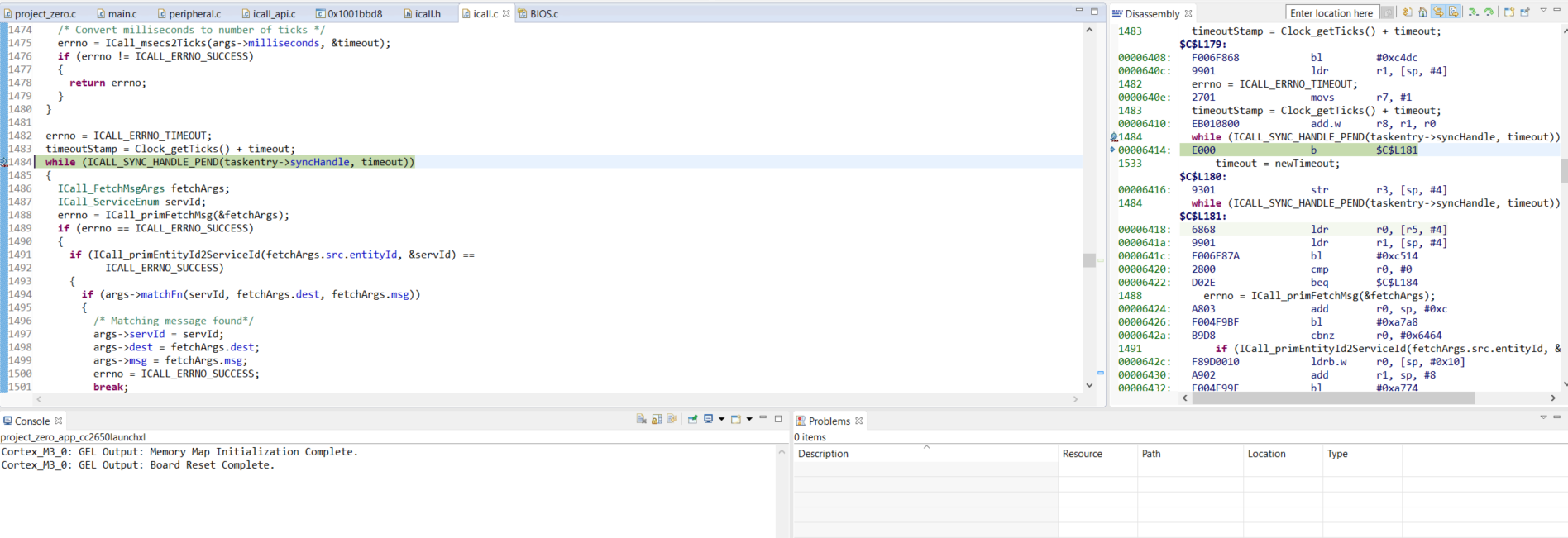
  • Digging deeper, I believe it is caught in this while:

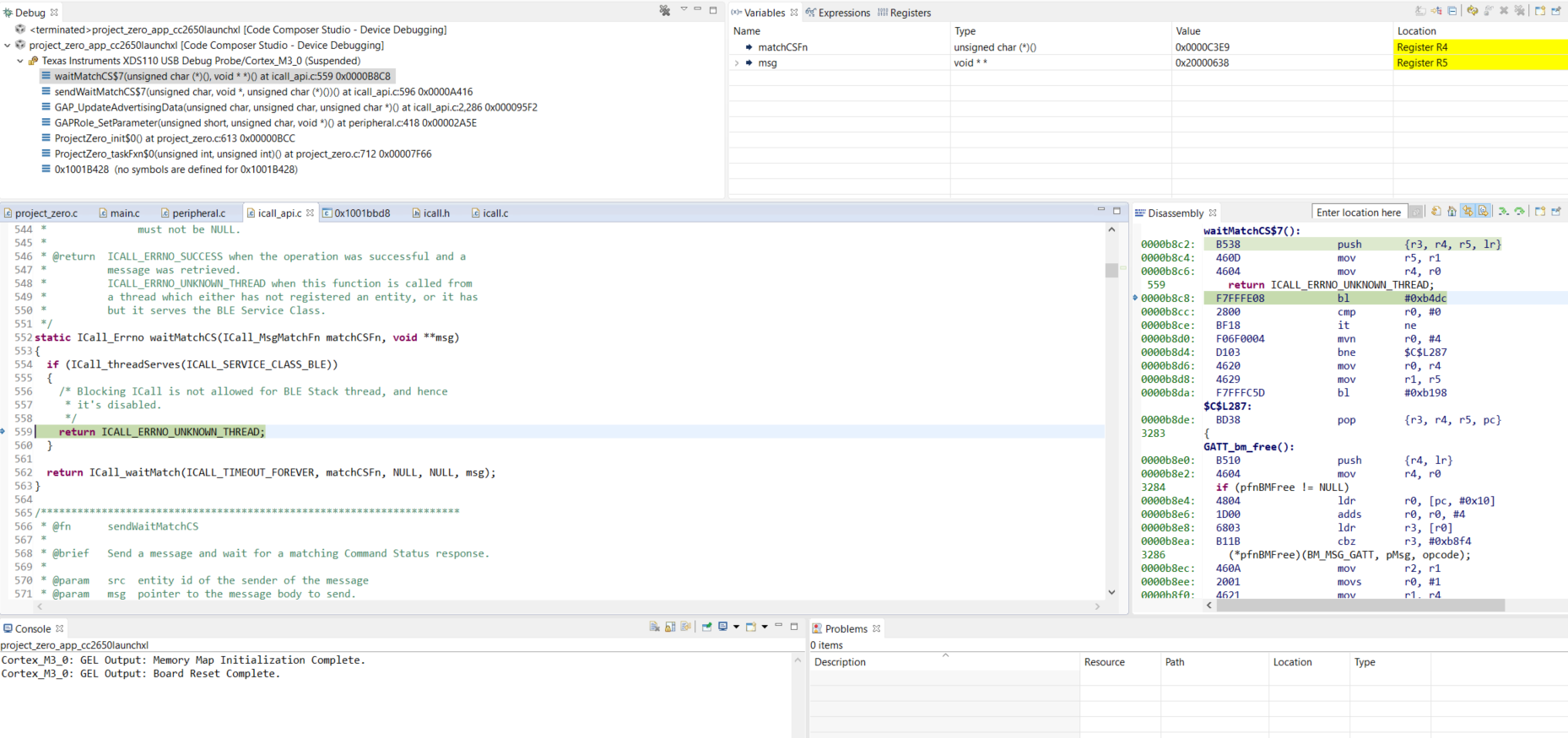
     I'm not sure if it's related but stepping through I do get and unknown thread in I call