This thread has been locked.

If you have a related question, please click the "Ask a related question" button in the top right corner. The newly created question will be automatically linked to this question.

Starterware/CC2650DK: MTU Size change in BTool

Part Number: CC2650DK
Other Parts Discussed in Thread: CC2650

Tool/software: Starterware

Hi All,

HW used : SmartRF06 board with eval module

Sw Used for Eval Module: host_test App provided by TI of V2.2.1 Modifying MTU size from 23 to 60 Bytes in ble_user_config.h file.

Expecting : By using BTool I should be able to read long characteristic which is having 40 bytes.

Result :
[110] : <Error> - 10:56:15.522
Command Failed
Status = Timed Out Performing Function
Event = GAP_HCI_ExtentionCommandStatus

Did I missed changing anything in host_test App or what could be the problem. Did any one faced this issue.

One more information is if I am trying to read the characteristic which is having less than 23 bytes then I am able to read the data without any problem.

Thanks for your response in advance.

Thanks,
Siva.

  • Hi,

    What is the MAX_PDU_SIZE set to? It should be set on both devices. See section 5.5.2.1 Configuring for Larger MTU Values in the SDG for more info.


    Best wishes
  • In Host_test Application I modified this macro from 27 to 60.

    From peripheral also I have modified the MAX_PDU_SIZE as from 27 to 60.

    By using iPhone 6 I am able to read 40bytes characteristic data from my peripheral. But by using BTool I am not able to read.

    Thanks,

    Siva.

  • Hi,

    I was able to read 40 bytes from BTool. Which version of BTool are you using, I am using v1.41?

    Best wishes
  • I am using BTool 1.41.16 version. Do I need to call any ATT_ExchangeMTURsp or ATT_ExchangeMTUReq apis in BTool?

    Because Still I am getting the same problem, as by using BTool I am not able to read more than 23 bytes.

    Do I need to change any thing in host_test App other than ATT_MTU_SIZE macro?

    Thanks,
    Siva.
  • All you have to do on the host_test project is change MAX_PDU_SIZE set in ble_user_config.h:

    // Maximum size in bytes of the BLE HCI PDU. Valid range: 27 to 255
    // The maximum ATT_MTU is MAX_PDU_SIZE - 4.
    #ifndef MAX_PDU_SIZE
    #if defined(BLE_V42_FEATURES) && (BLE_V42_FEATURES & SECURE_CONNS_CFG)
    #define MAX_PDU_SIZE 69
    #else
    #define MAX_PDU_SIZE 27
    #endif //(BLE_V42_FEATURES & SECURE_CONNS_CFG)
    #endif

    Best wishes
  • Hi Zahid,

    Thanks for your response.

    When I try to read the characteristic which is having 40 bytes, Still I am getting Timeout performing Function.

    How I can make sure like from host_test app + eval board that it is capable of receiving 40 bytes.

    This doubt I got Because in BTool,

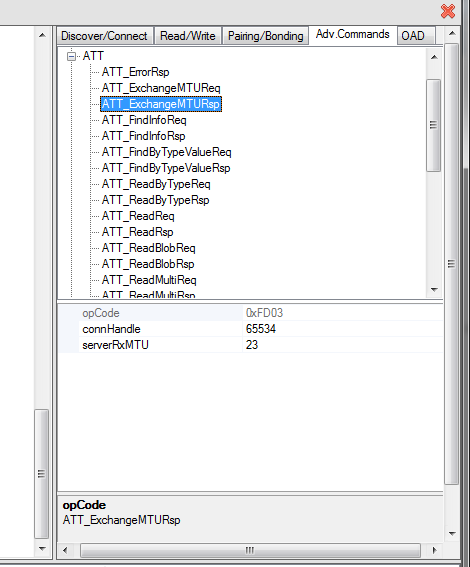
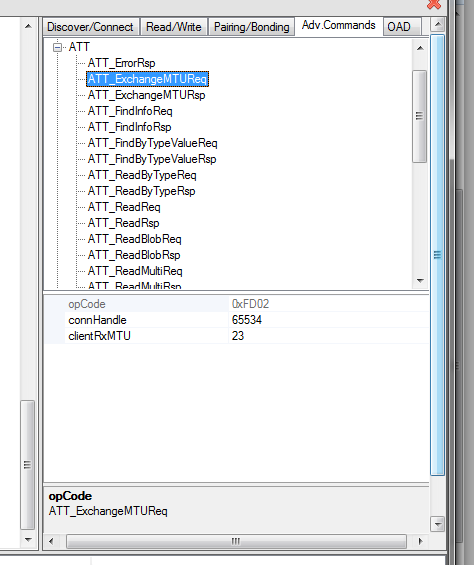
    Here if you see it is showing always 23 bytes.

    Because by using iPhone with the same peripheral device, I am able to read 40 bytes of data with out any problem. But with this smart RF eval board + cc2650 board with BTool only I am getting this Timeout Performing.

    BTool Version Using : V1.41.16

    Thanks,
    Siva.

  • Hi,

    That is the default value, it is not showing what is device is actually using. If you wanted to see what the actual MTU is being used, you would have to get an over-the-air sniffer trace.  

    Best wishes

  • Hi,
    Could you please conform me , $PATH$\ble_sdk_2_02_01_18\examples\cc2650lp\host_test, Is this is the project path what you are using or different project. Because I didn't find any difference between your setup and my setup. But still I am not able to read 40 bytes characteristic from peripheral to my Eval Board by using BTool.

    Thanks for your response in advance.

    Thanks,
    SIva.
  • Yes,

    I was using the project from:
    C:\ti\simplelink\ble_sdk_2_02_01_18\examples\cc2650em\host_test

    Also modified the stack project to include the following in build_config.opt:

    -DBLE_V42_FEATURES=SECURE_CONNS_CFG

    which makes it use MAX_PDU_SIZE of 69.

    Best wishes

  • Hi Zahid,

    Still I am getting the same error. Att Read Command Failed. Status = Timeout Performing Function. Is it possible that I can get the hex files which MTU size is 241 bytes which are provided by TI?. So that I will flash that and directly I will use it. Because Other than this I don't want to change any thing in host Test application.

    Thanks for your response in advance.

    Thanks,
    Siva.
  • Hi Siva,

    Please add this to predefined symbols on both projects:
    MAX_PDU_SIZE=255

    then in BTOOL, send GATT_ExchangeMTU with clientRXMTU=251 (MAX_PDU_SIZE - 4)

    Then you should see an ATT_MtuUpdatedEvt. Then you should be able to read/write long characterisitics.

    Best wishes
  • Hi Zahid,

    Thanks for your update. Now If I am sending this GATT_ExchangeMTU with the clientRXMTU as 251 then I am able to receive Server MTU size as 247 as response. But As you mentioned ATT_MtuUpdatedEvt is not available in the BTool. Could you please tell me which version of BTool are you using. I have tried with BTool version 1.41.11 , v1.41.16 and v1.41.17. I didn't see any command ATT_MtuUpdatedEvt.

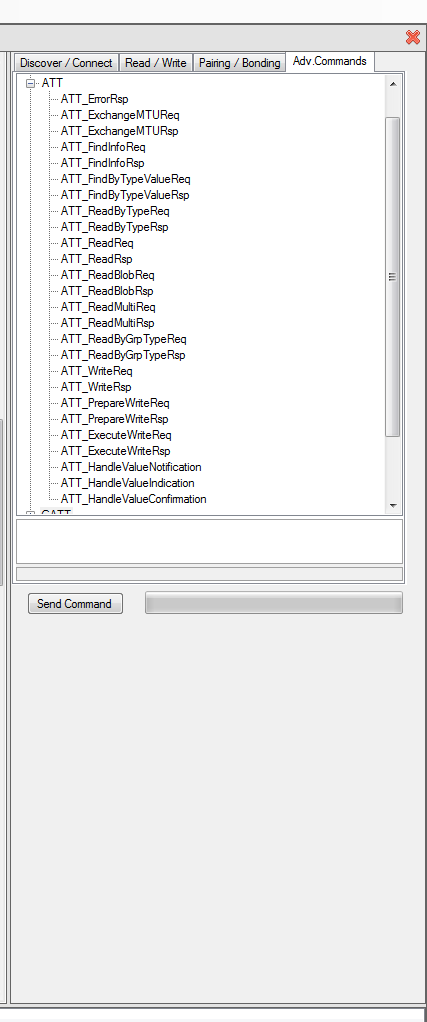
    This is the screen shot for your reference.

    Are you going to provide that option in the upcoming releases or already this version is available. Please let me know.

    Thanks so much for your response.

    Thanks,

    Siva.

  • Hi,

    The ATT_MtuUpdatedEvt is an event not a command that is received once the GATT_ExchangeMTU command is sent. The max ATT_MTU is MAX_PDU_SIZE - 4 to account for the 4 bytes of L2CAP Length and Channel ID. 

    Best wishes