Part Number: CC2650STK
Other Parts Discussed in Thread: CC2650, LAUNCHXL-CC2650,
I followed the OAD User guide and created a super hex file using CCS version 6.1.1.00022, below post build steps and changing reset vector address to 0x00001010.
"${CG_TOOL_HEX}" -order MS --memwidth=8 --romwidth=8 --intel -o "${ProjName}.hex" "${ProjName}.out"
"C:\Python27\python" "C:/Python27/Scripts/hexmerge.py" -o "${PROJECT_LOC}/FlashOnlyOAD_OaiBeacon/OaiBeaconSuper.hex" -r "0000:1FFFF" --overlap=error "${PROJECT_LOC}/FlashOnlyOAD_OaiBeacon/${ProjName}.hex":1000:1EFFF "${PROJECT_LOC}/../SensorTagStack/FlashROM/SensorTagStack.hex":1000:1EFFF "${PROJECT_LOC}/../../../../util/BIM_extflash/CC26xx/CCS/FlashOnly/BIM_ExtFlash.hex":1F000:1FFFF
"${CCS_INSTALL_ROOT}/utils/tiobj2bin/tiobj2bin" "${BuildArtifactFileName}" "${BuildArtifactFileBaseName}.bin" "${CG_TOOL_ROOT}/bin/armofd" "${CG_TOOL_ROOT}/bin/armhex" "${CCS_INSTALL_ROOT}/utils/tiobj2bin/mkhex4bin"
I used the Flash programmer and XDSV100V3 to ensure the super file worked first before trying update through the app. This is the order I followed:
- Download super hex file. No leds, no advertisement.
- Revert back to BIM_ExtFlash (FlashOnly_SensorTag config), stack and app images that I know worked. Programmed using Flash programmer separately using multiple image option. SensorTag started advertising.
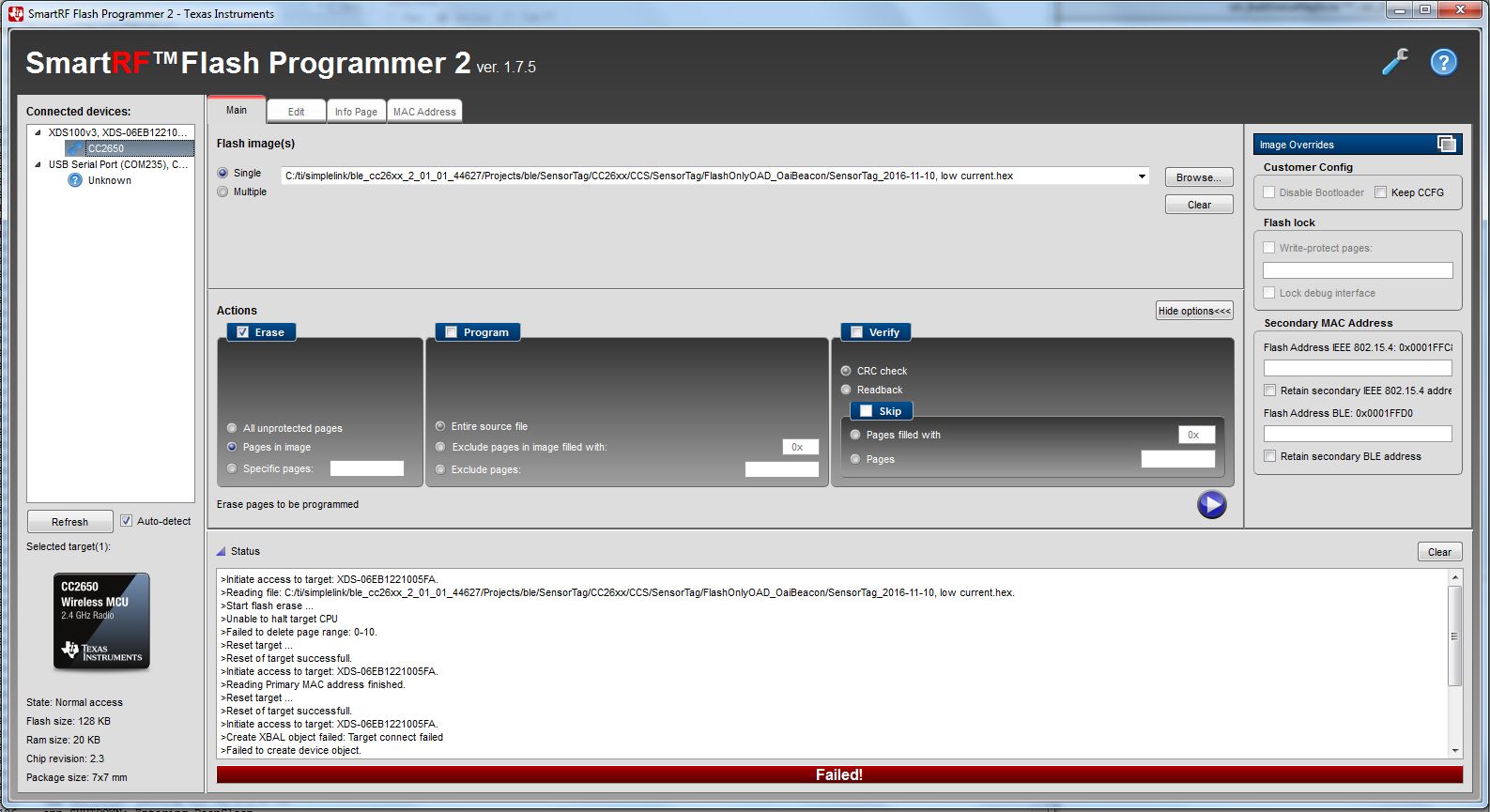
- Programmed BIM_ExtFlash (FlashOnly config) using single image option. Since then I keep getting this error even after following everything I found on the forums.
>Initiate access to target: XDS-06EB1221005FA.
>Create XBAL object failed: Target connect failed
>Failed to create device object.
I have tried using XDS110 devpack, restarting my PC, using 3V power supply, fresh battery, mass flash erase through the settings, but nothing works. Reads to any of the flash pages results in above error. The chip gets identified as CC2650 under connected devices.
What can be done to get the SensorTag working? Thanks!