This thread has been locked.

If you have a related question, please click the "Ask a related question" button in the top right corner. The newly created question will be automatically linked to this question.

CC2540EMK: TI Sniffer Packet Crashing Image

Part Number: CC2540EMK


I am experiencing frequent crashing of TI Packet Sniffer with Part No: CC2540EMK-USB

I have purchased three Sniffer modules. 
About 5 to 6 times a day I experience these crashes.

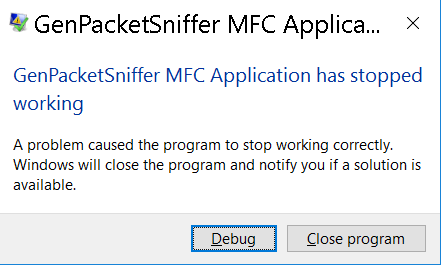
I have attached a snapshot with Error message from Windows, when this occurs.

Please help me fix this issue.
It is an urgent fix.
  • Hello Suhail,

    Unfortunately the error message does not provide insight into what the problem may be. What version of the TI Packet Sniffer are you using and did you program the firmware from this installation to the CC2540USB dongle?

    What is your PC's Windows version and are you running all updates from Microsoft?

    Lastly, have you notified any pattern, such as long capture times, when the failure occurs?

    Best wishes
  • "Unfortunately the error message does not provide insight into what the problem may be"

    There are no other error report or Log to provide you feed.

    "What version of the TI Packet Sniffer are you using and did you program the firmware from this installation to the CC2540USB dongle?"

    GenPacketSniffer.exe 2.18.1.0 is the latest update

    "What is your PC's Windows version and are you running all updates from Microsoft?"

    OS Name : Microsoft Windows 10 Enterprise

    Version : 10.0.14393 Build 14393

    "Have you notified any pattern, such as long capture times, when the failure occurs?"

    I have not observed patterns because the crash was random. Sometimes it was immediate and other times it was after 4 to 5 hours. But one thing I noticed was adding filters made the software more susceptible to the crash 

    Please help me fix this issue, I am finding it nearly impossible to run these tests. 

  • Hello Suhail,

    I have asked a member of our tools support team to look into this.

    Best wishes
  • Hi Suhail,

    You mentioned that adding filters had some impact on the behavior. Does it crash if you don't use any filters at all?

    The sniffer stores the data in a temporary file. Normally the file is removed when you close the sniffer but since it crash it might be that the file is available. This can be found under the "..\bin\general" folder. If you have installed the sniffer under "Program Files" this might be on the "virtual store" structure. The sniffer does not have access to the "Program Files" structure and therefore it will keep the file under the "virtual store". On my PC (WIN7) this is:  "C:\Users\<user id>\AppData\Local\VirtualStore\Program Files (x86)\Texas Instruments\SmartRF Tools\Packet Sniffer\bin\general". The file will be called "gpsdbxxx" with no extension. The "xxxx" will be a random number. If you can find the file and it is not too big (> 10 MB), it would of some help if you could attach it to this request.

    Regards,
    Øyvind