This thread has been locked.

If you have a related question, please click the "Ask a related question" button in the top right corner. The newly created question will be automatically linked to this question.

CC2640R2F: CC2640R2 BLE Stack connection issue

Part Number: CC2640R2F
Other Parts Discussed in Thread: CC2540

Hi,

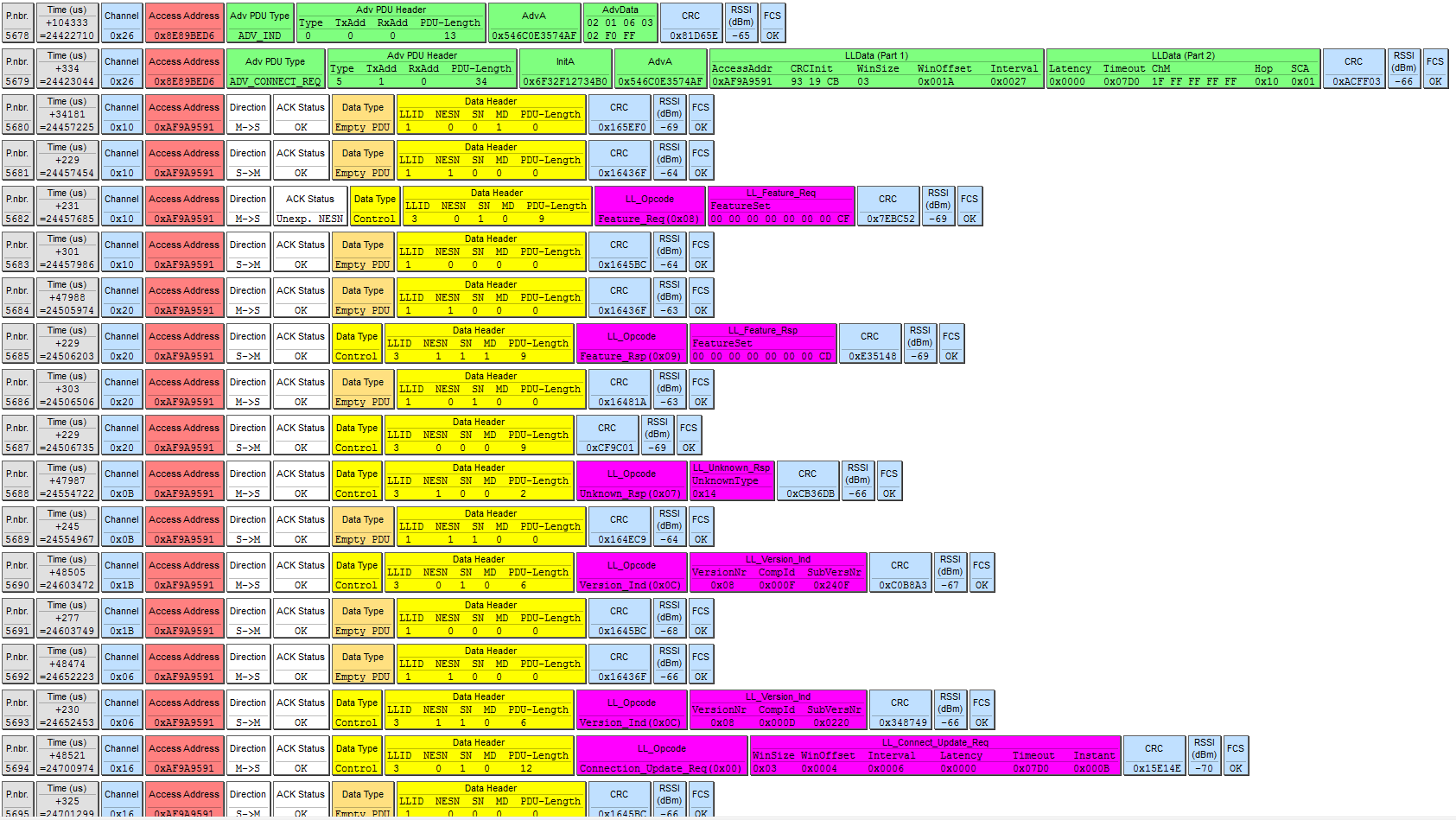
I'm developing on a CC2640R2F with BLE Stack v3.0.1. I started with the simple peripheral application and changed the board.c file to use it with my custom board. I didn't modify anything else but when I tried to connect to it with nRF Connect app on a Samsung Galaxy A5 with Android version 6.0.1 I get the following sniffer capture:

So the slave doesn't respond to the LL_VERSION_IND package and the connection events continue forever without any pdu data transmission. I also tried to connect with a Samsung Galaxy S6 with Android version 7.0 and it connects without any problem with following sniffer capture:
I also tried it with a OnePlus One with Android version 6.0.1 and it also works with the following sniffer capture:
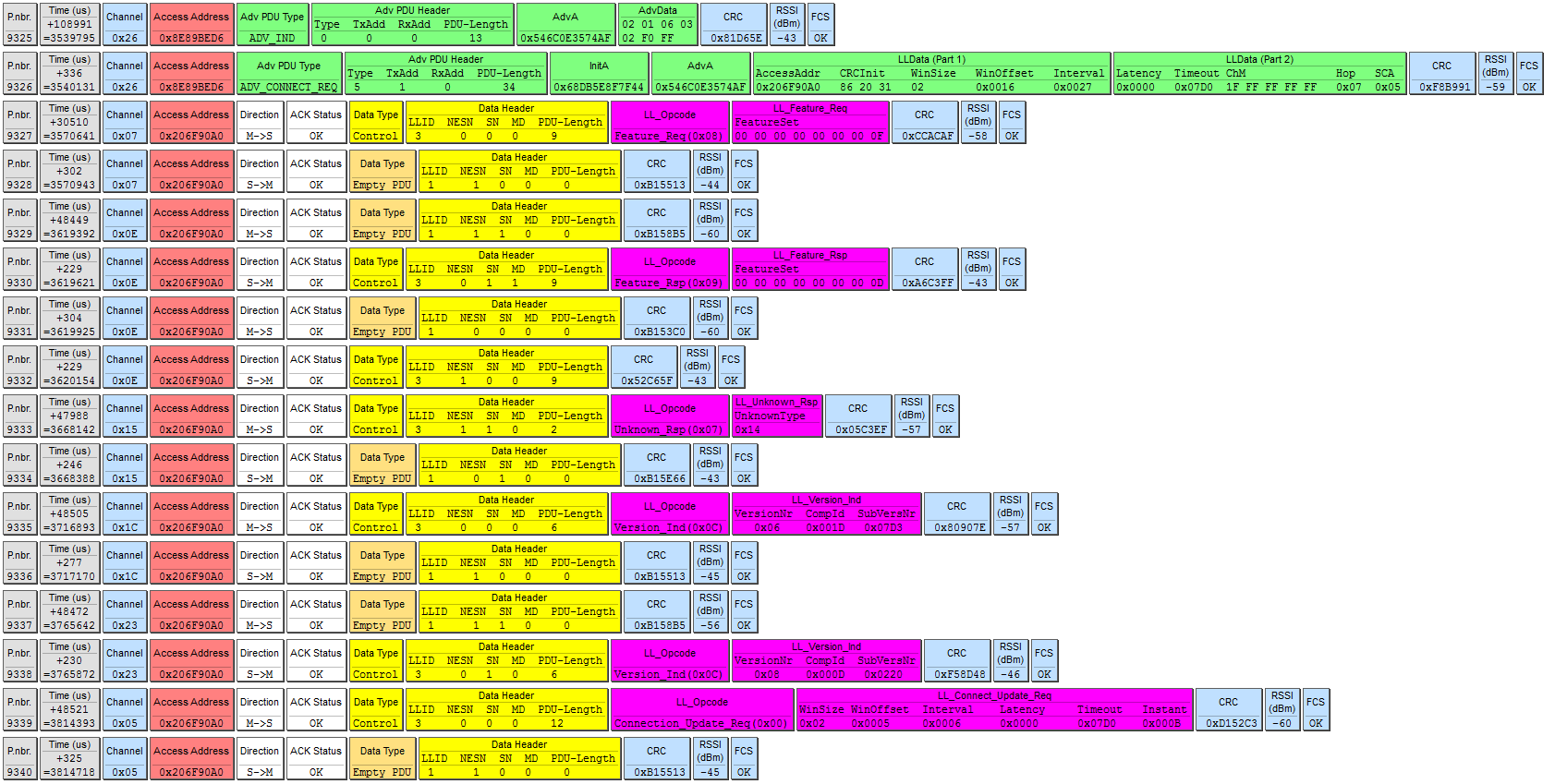
So I'm guessing this is not due to the master device that I'm trying to connect with. I'd be grateful if you can help me with the reason of this situation.

Best regards,

Ogulcan

  • Hi Ogulcan,

    What are the control procedures at P.nbr 4026 and 4027 in the Samsung Galaxy A5 with Android version 6.0.1 capture?

    Best wishes
  • Hi JXS,

    The CC2540 SmartRF05 EB sniffer doesn't show more data as it does with the other captures, so I don't know what the procedures are. I tried connecting several more times to see if the sniffer will show them but no luck. Seems like the simple peripheral is sending an unknown control package and expects an LL_UNKNOWN_RSP from the master. If not it enters in an unknown state. It could also be that the peripheral has the same package as P.nbr. 4024 which is LL_FEATURE_RSP but the payload is deleted other than the LLID header and PDU length.

    Is there a way to see what those packages are from the debugging interface? I'm using CCS 7.1.0 as the compiler.

    All the best,

    Ogulcan

  • Hi,

    It might just be easier for me if you attach the sniffer file.

    Best wishes
  • Hi again, here is the sniffer file attached.

    Best,

    simpera5ands6data.psd

  • Hi JXS,

    Do you have any explanation or progress on this topic? Thanks.

    Best,

    Ogulcan

  • Dear TI Employees, I have been waiting an answer on this for almost a month now. I am concerned that this topic might be forgotten. Please help me with what the problem is here.

    Best,

    Ogulcan
  • Hello Ogulcan,

    I apologize for the delay. After looking at your simpera5ands6data.psd sniffer, I can see on the first connection that the master does not respond properly to the LL_LENGTH_REQ on P.nbr 118. Note the opcode 0x14, byte offset 7 in the Packet data (Packet Details view). The peer device should respond with LL_UNKNOWN_RSP but it sends an unexpected opcode (0x13). The second connection is responding properly and, as you state, everything is hunky dory.

    I suggest that you disable the Data Length Extension by following the procedure in the SW Dev Guide: software-dl.ti.com/.../index.html

    Best wishes

  • Hello JXS,

    No problem about the delay, I understand that it can be busy and things can be forgotten. That's why I just wanted to remind it.

    Regarding the problem, I added that "HCI_EXT_SetMaxDataLenCmd" command to my init function and everything is hunky dory with all the phones. Thanks to you I learned a new phrase that means perfect. :) Also thank you very much for solving this problem.

    All the best,

    Ogulcan