Part Number: LAUNCHXL-CC2640R2
Other Parts Discussed in Thread: SYSBIOS, CC2640R2F
Tool/software: TI-RTOS
Could someone please offer advice on how I can get the RTOS Analyzer > Execution Analysis graph to work in CCS V7.1 with CC2640R2 LAUNCHXL and Project Zero. I get the following error:
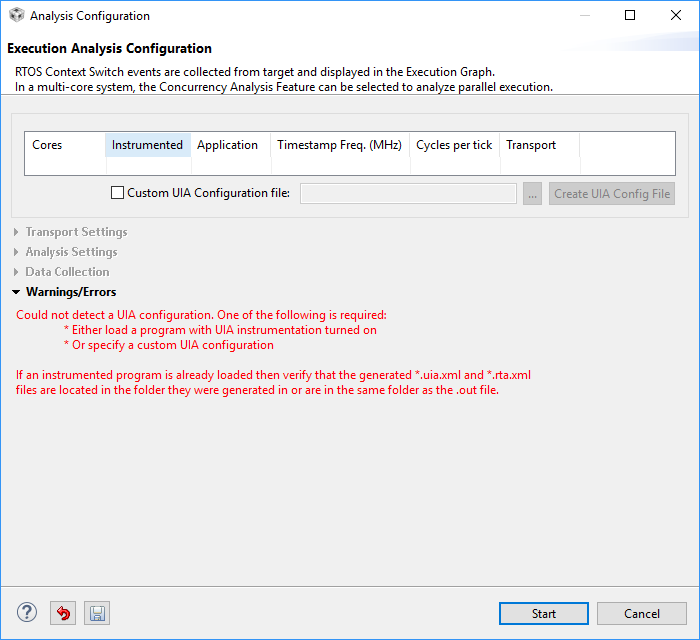
I have loaded the System Analyzer into CCS and enabled it under the project properties as shown below:
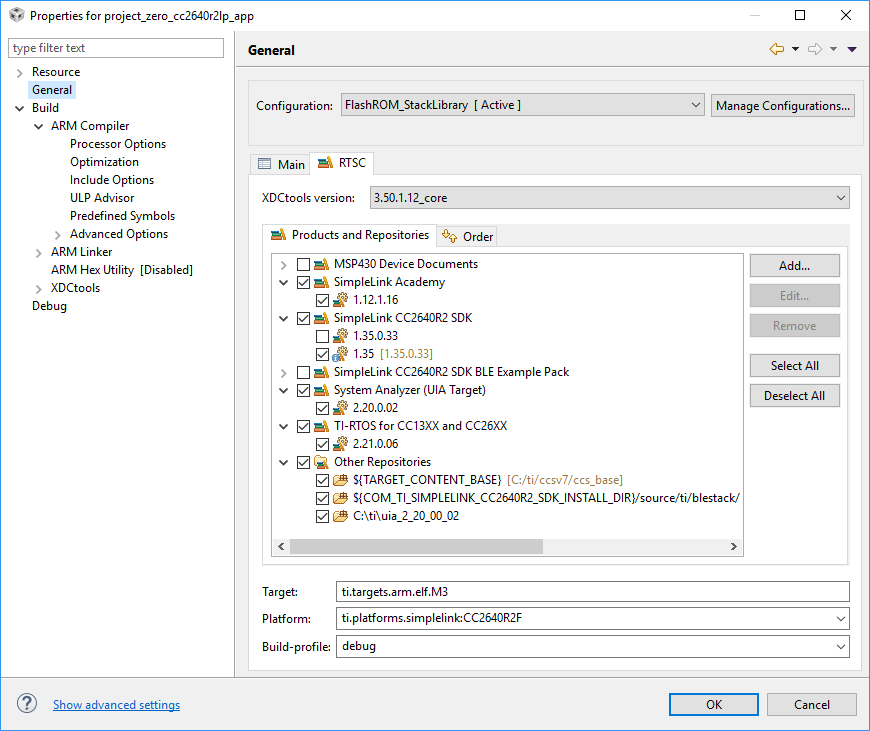
I have checked the debug.cfg file under: C:\ti\simplelink_cc2640r2_sdk_1_35_00_33\kernel\tirtos\builds\CC2640R2_LAUNCHXL\debug to be sure the debugging is enabled. Note, there is no RTOS .cfg file in the Project Zero project folder, so I am assuming that it will pull the degug.cfg from the path above. Debug.cfg is setup as follows:
/*
* Enable logs in the BIOS library.
*
* Pick one:
* - true (default)
* Enables logs for debugging purposes.
* - false
* Disables logging for reduced code footprint and improved runtime
* performance.
*
* When using BIOS in ROM:
* This option must be set to false.
*/
BIOS.logsEnabled = true;
//BIOS.logsEnabled = false;
and at the bottom of debug.cfg file:
/*
* LoggingSetup configures TI-RTOS modules to capture user-specified information
* such as CPU Load, Task Load and Task Execution so that it can be
* displayed by System Analyzer.
*/
var LoggingSetup = xdc.useModule('ti.uia.sysbios.LoggingSetup');
LoggingSetup.loadLoggerSize = 256;
LoggingSetup.mainLoggerSize = 512;
LoggingSetup.sysbiosLoggerSize = 1024;
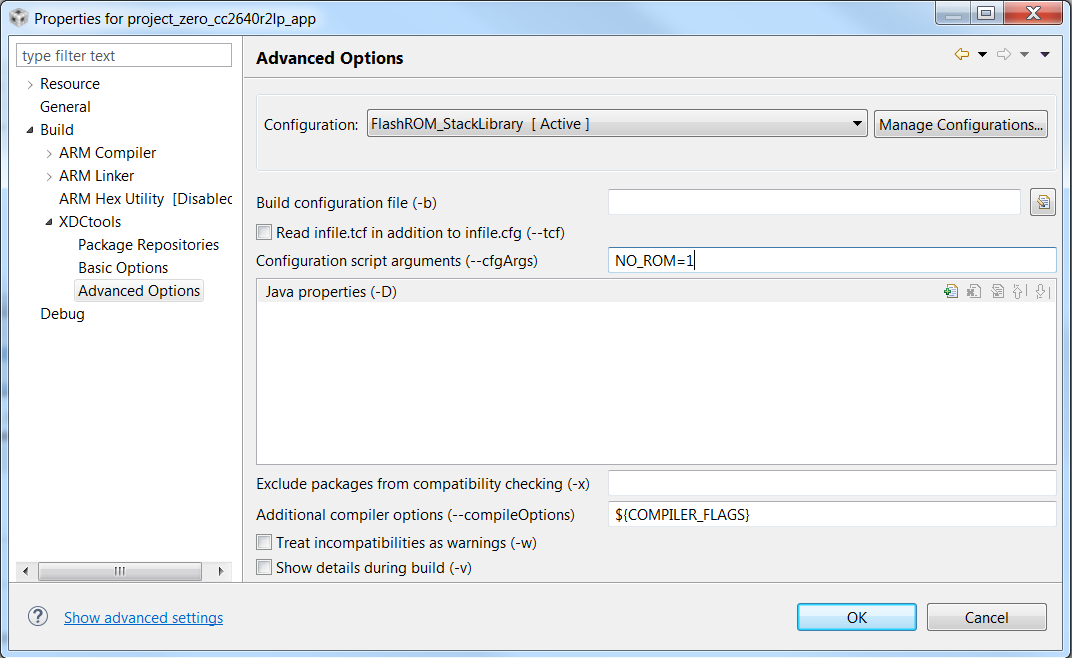
It is also configured for BIOS to run from FLASH, not ROM:
/* ================ ROM configuration ================ */
/*
* To use BIOS in flash, comment out the code block below.
*/
//var ROM = xdc.useModule('ti.sysbios.rom.ROM');
//ROM.romName = ROM.CC2640R2F;
Note, that I am able to import the helloxxx application as is shown in the SimpleLInk Academy lab, follow all instructions and the execution graph does work in this case, just not with project zero.

Any help would be appreciated!
Ed