


Part Number: LAUNCHXL-CC2640R2
Tool/software: TI-RTOS
Hi everyone,
I am trying to run sample simple_peripheral_oad_onchip but i could not make it work.
I read the instruction in this page
I have two CC2640R2 Launchpad.
Here is the list of what i did so far,
I imported the project files
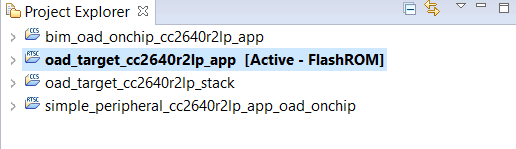
I built the bim_oad_onchip and oad_target_cc2640r2lp_stack projects.
Then, i built oad_target_cc2640r2lp_app project and the bin file was generated and i found the bin file in ...\oad_target_cc2640r2lp_app\FlashROM path
I embeded the host_test project to the first cc2640r2 launchpad to run BTool and I sent the bin file by using flash programmer to the second cc2640r2 launchpad.
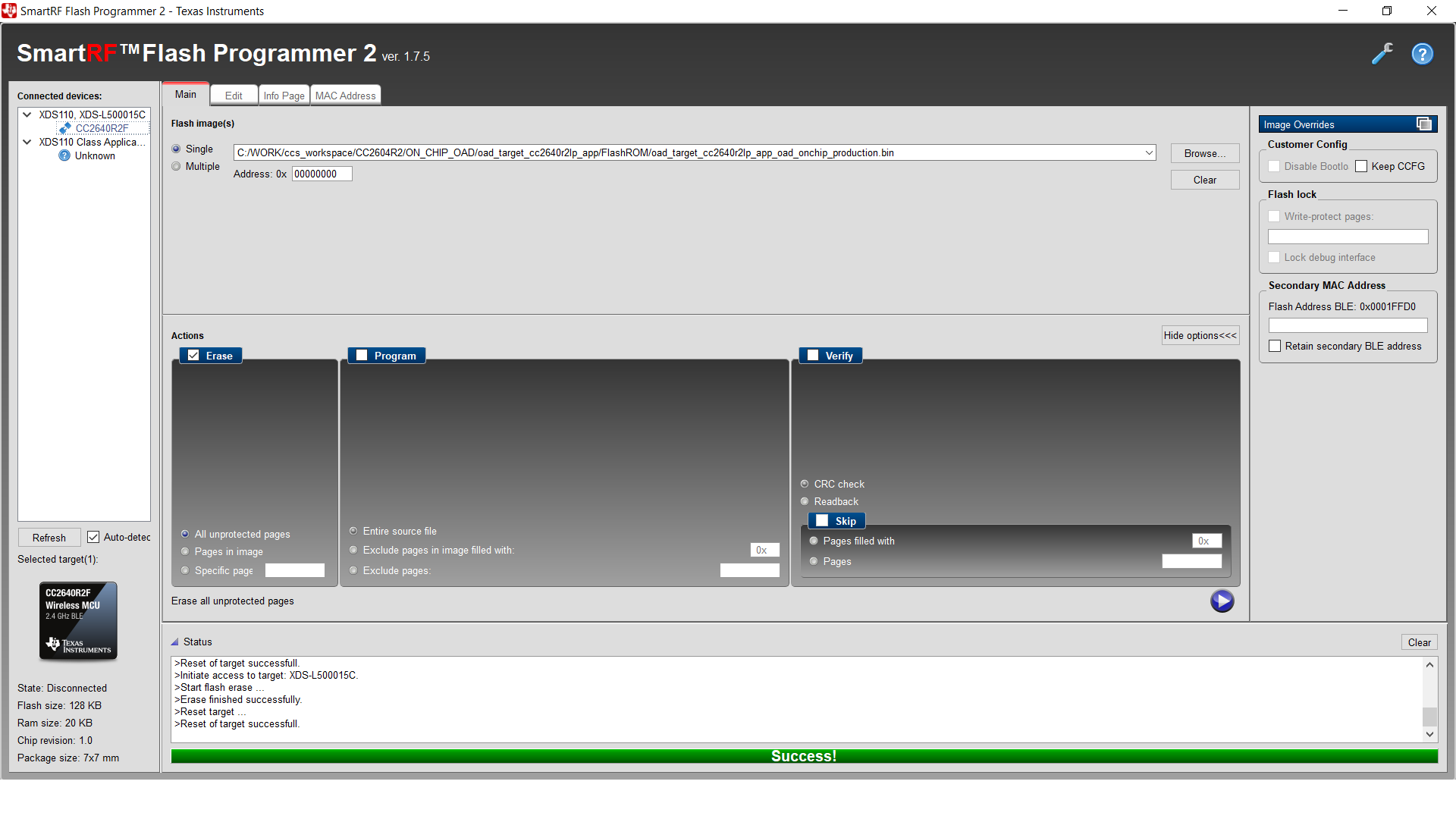
According to the BLE Software Developer's Guide (section On-Chip OAD);
You should now be able to observe that the device is advertising via BTool.
- The OAD Target App (Image A) advertises as “OAD Target”, it’s device addr is
0A:D0:AD:0A:D0:AD.- See BTool OAD Verify Advertising for steps.
I solved my problem, Program checkbox in smartRF flash programmer is must be selected.
Then, i run into new error
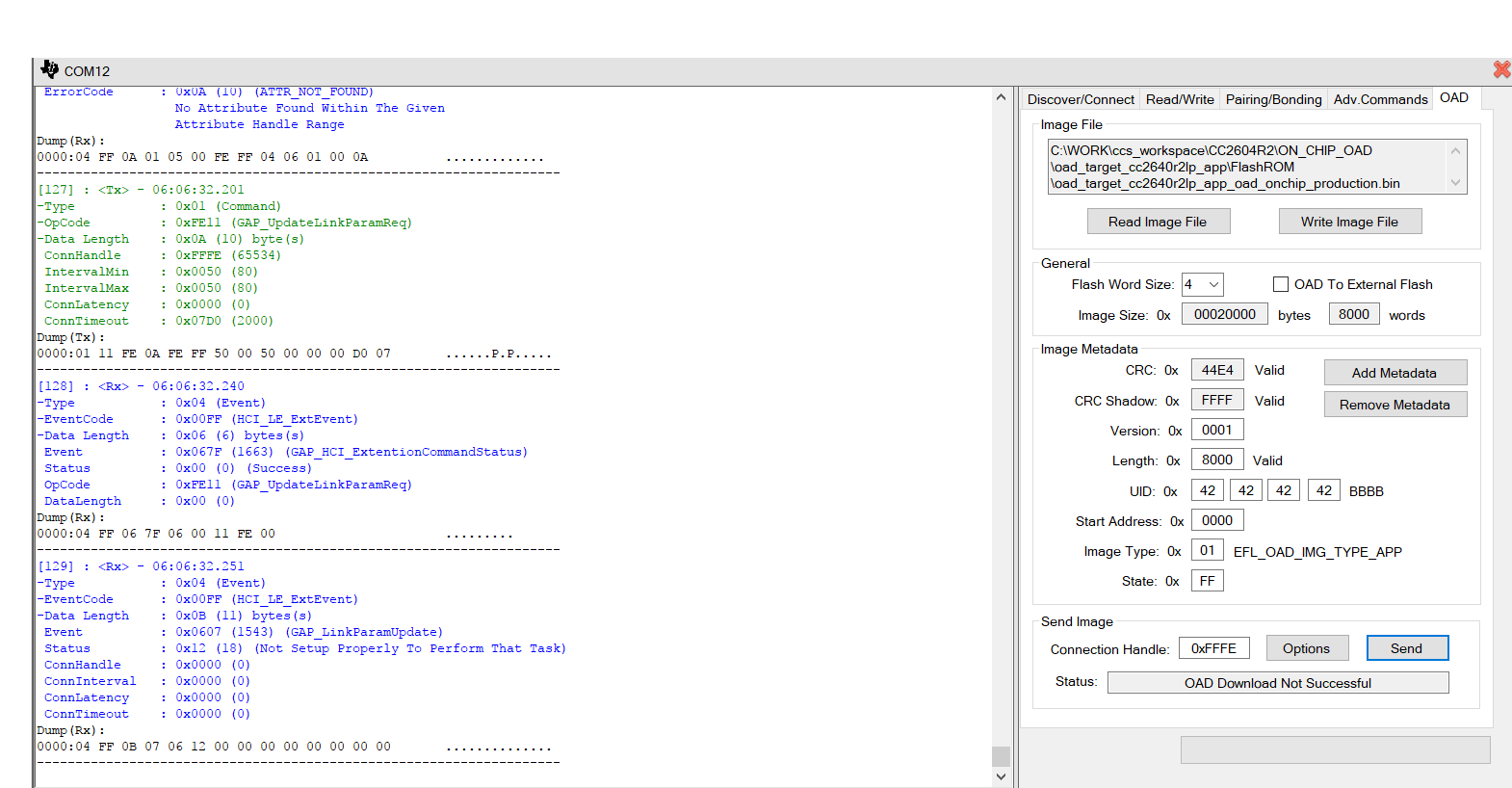
Error : OAD Download Not Successful
But, i couldn't see anything.
Probably, i misunderstand what i should do.
Please help me to figure out the problem.
Thank you
Best regard

