


Other Parts Discussed in Thread: TMP112,
Tool/software: Code Composer Studio
Hello expert,
I'm working on a self-modified CC2640 board and use it to collect and send temperature data from TMP112 temperature sensor. BLE service Firmware design is based on Project Zero. The system works well. To reduce the system power consumption, I would like to use AUX sensor controller part to get temperature data.
I build a project in sensor controller studio and it can successfully collect temperature.
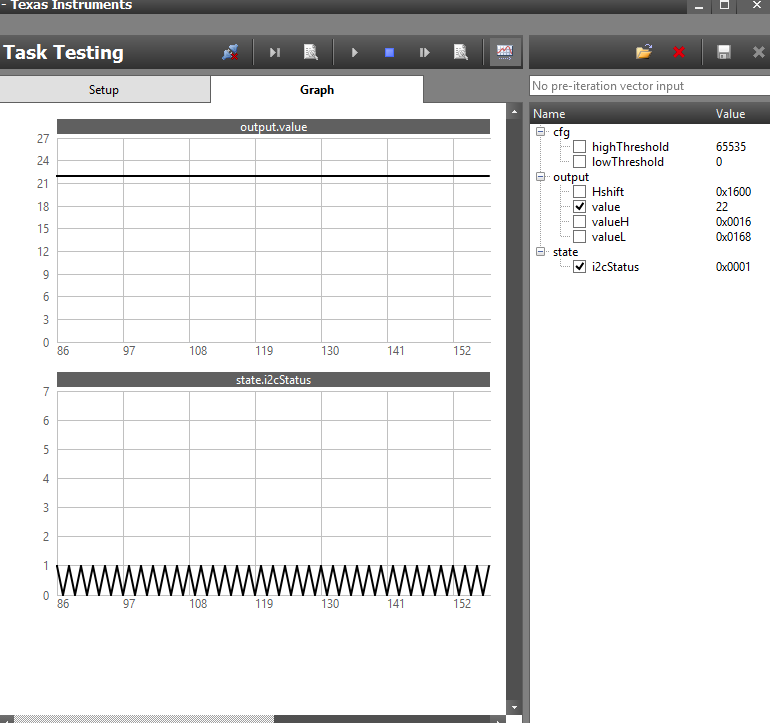
Then I used sensor controller code generation to generate all the scif function and frameworks. Next, I replace all frameworks and functions and modified the task of i2x_light_sensor sensor controller example. It also works well and can print out temperature in console.
I modified my previous temperature reading task code which is event triggered by the BLE temperature read callback function. However, after I used my mobile phone BLE Scanner app to connect the board and get data from service, it automatic disconnect in a few seconds and I could not find the device anymore.
The device will remain discoverable and don't have this problem when use original i2c task or comment the sensor controller in main function. Could anyone tell me what would be the possible reason for this problem?
I have several guesses:
1. I don't have 32 kHz crystal and use the CC2640 internal LF timer. Could it be the reason?
2. It seems that OS is stuck in the sensor controller task. Could you please give me an short example on how to add sensor controller task and send data to BLE service without conflict?
Thanks a lot!
Jianlin
