This thread has been locked.

If you have a related question, please click the "Ask a related question" button in the top right corner. The newly created question will be automatically linked to this question.

CC2640R2F: SDK 1.40 example simple peripheral offchip OAD issues

Part Number: CC2640R2F
Other Parts Discussed in Thread: CC2640, CC2650

When using the simple peripheral OFF-Chip example from the blestack examples (NOT ble5) I encounter some rather strange issues.

The first issues is that I can only get the chip up and running when I am in a debugging session in CCS. If I load the files via flash programmer 2, nothing happens after a power cycle of the chip. This is better described in: https://e2e.ti.com/support/wireless_connectivity/bluetooth_low_energy/f/538/p/614123/2261542  but the solution there does not work for me.

The second issue I have with the OAD example is when I try to do OAD then I get this message: 
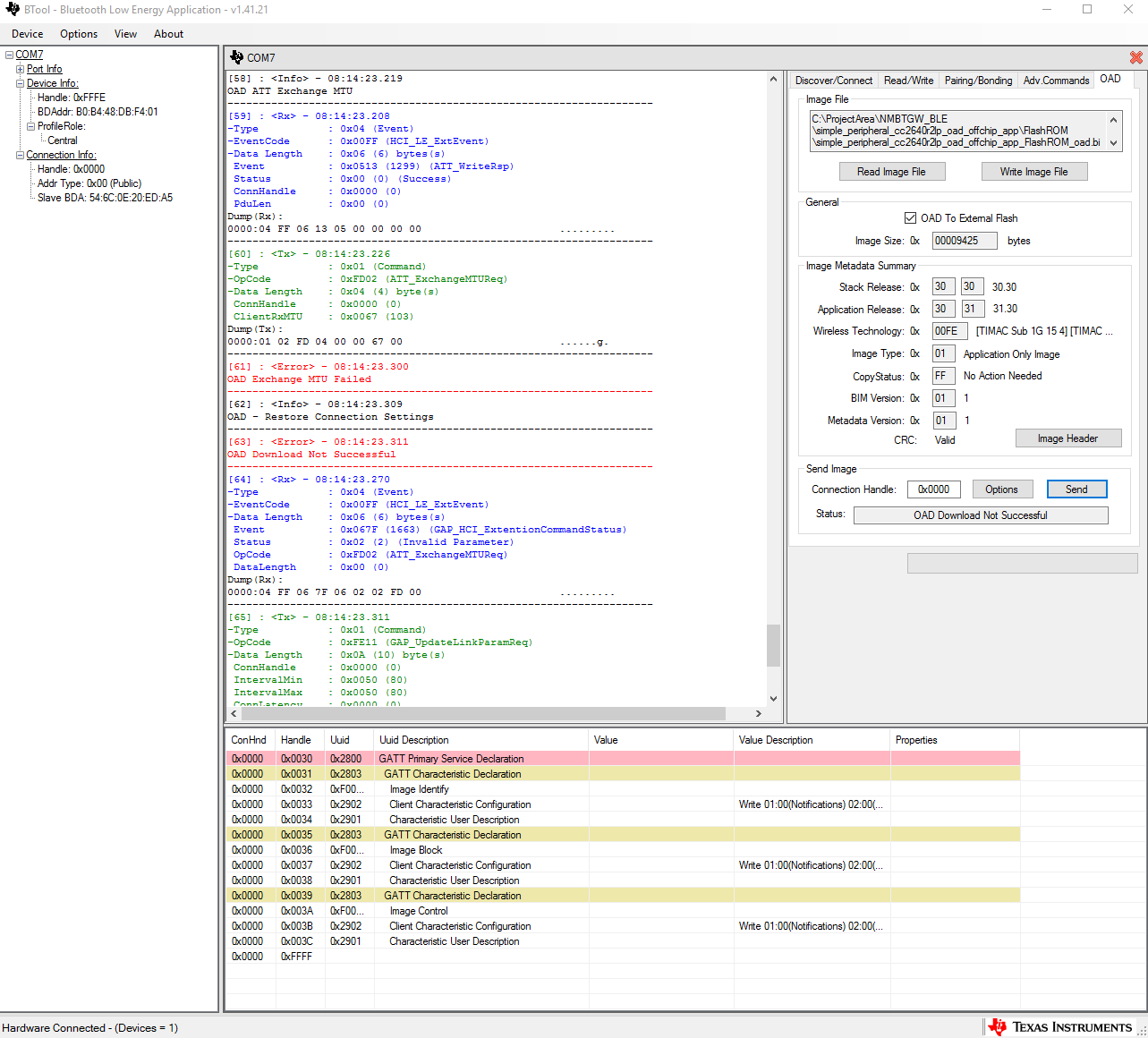
I have a hard time finding out the reason behind this failure. I have not done any modifications to the code except adaptation to my custom board. OAD worked without any problems on the same board layout but with the cc2640 processor.

  • Hi Niklas,

    For your first issue, which files are you flashing?

    For your second issue, it looks like the MTU exchange procedure fails. What are you using as your Host Test device - HW and SW version?
  • Hi Rachel,

    I use the generated files in the respective FlashROM folder with *_app_FlashROM_oad.bin as endings. I also did try loading the BIM and stack via CCS and the bin file for the APP via Flash Programmer 2 with no success.
    (Side note: I do find it a bit odd that the software works when debugging but not when I just restart the chip. Is this due to the BIM can't find a valid image header?)

    I use a CC2650 launchpad with host test from the 2.2.1 sdk. I was under the impression that the functionality that the OAD sequence was more or less the same.

    Regards,

    Niklas
  • Hi Niklas,

    The OAD Downloader must support Data Length Extension procedure to work BTool. You will have to rebuild the Host Test project with -DBLE_V42_FEATURES=EXT_DATA_LEN_CFG uncommented in build_config.opt. If it doesn't fit with Data Length Extension enabled, you can change the Host Build Configurations to -DHOST_CONFIG=PERIPHERAL_CFG only.

    Please try changing that and see if you can complete a successful OAD. If you device doesn't advertise after downloading, please let me know. I think your side question is correct: I think the BIM is having trouble with the image header. Checking after performing an OAD will confirm this.

  • Hi Rachel,

    Your suggestions works!
    The only thing I have as a problem now is that I can only do OAD with app but not with app+stack because then I get OAD_CRC_ERR. How shall I proceed to find this problem?

    Regards,

    Niklas
  • Hi Niklas,

    That error code means: the downloaded image’s CRC doesn’t match the one expected from the metadata. Which image did you try to send? How was it generated?
  • Hi Rachel,

    When it works I send: simple_peripheral_cc2640r2lp_oad_offchip_app_FlashROM_oad.bin

    When it don't work  I send: simple_peripheral_cc2640r2lp_oad_offchip_app_FlashROM_oad_merged.bin

    Both are generated from the post build script that came with the example code.

    ${TOOLS_BLE_DIR}/oad/oad_image_tool         ccs ${PROJECT_LOC} 1         FlashROM/${ProjName}_${ConfigName}.hex         ${WORKSPACE_LOC}/simple_peripheral_cc2640r2lp_oad_offchip_stack/TOOLS/ccs_compiler_defines.bcfg         ${WORKSPACE_LOC}/simple_peripheral_cc2640r2lp_oad_offchip_stack/FlashROM/simple_peripheral_cc2640r2lp_oad_offchip_stack_FlashROM.hex         -o ${WORKSPACE_LOC}/simple_peripheral_cc2640r2lp_oad_offchip_app/FlashROM/${ProjName}_${ConfigName}_oad

    Regards,

    Niklas

  • Hi Niklas,

    Can you flash simple_peripheral_cc2640r2lp_oad_offchip_app_FlashROM_oad_merged.bin and the BIM with SmartRF Flash Programmer 2, disconnect and power cycle your device, then check to see if it is advertising? If there is a problem with the generated metadata, it will not advertise.

    Does a stack only OAD work?
  • Hi Rachel,

    The device will advertise when loading the bim and the merged bin file with flash programmer 2 and power-cycle the device. The stack only OAD gives the same OAD_CRC_ERR error.

    Regards,

    Niklas
  • Hi Niklas,

    I was not been able to reproduce this with a CC2650 LaunchPad running Host Test from the BLE 2.2.1 SDK modified to use DLE + MAX_PDU_SIZE=255 with a CC2640R2 LaunchPad running Simple Peripheral Off-chip with no modifications. Can you provide a summary of the changes that were required to run on your custom board?

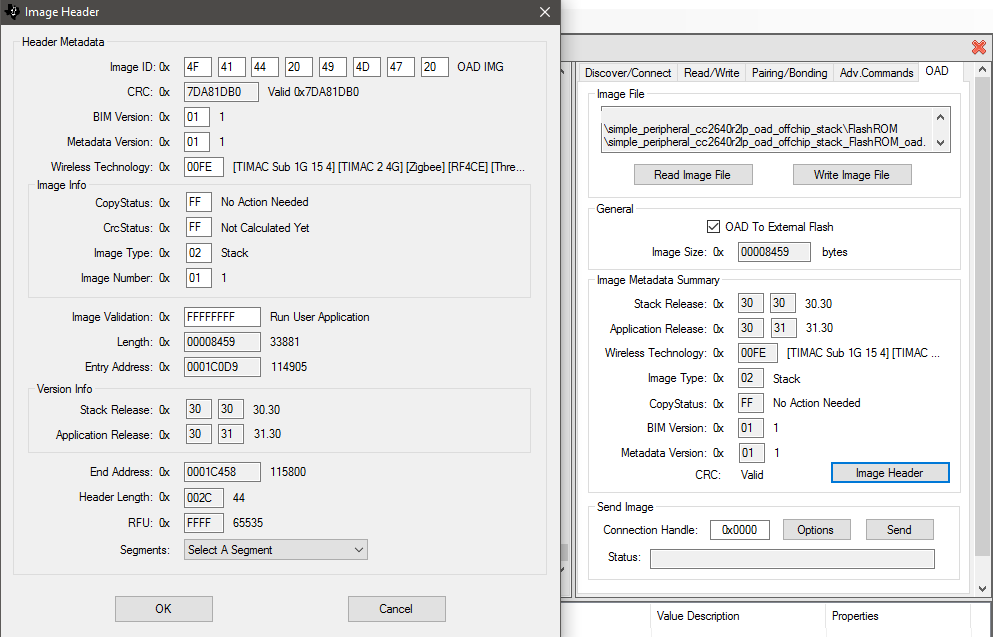
    Can you take a picture of your BTool Image Metadata Summary and Image Header Metadata? Click the Image Header button next to the CRC field in the Image Metadata Summary to see the full Header Metadata information.
  • Hi Rachel,

    The changes I made to get the custom board up and running was to define CC2650EM_7ID in CC2640R2DK_4XS.h and added the specific Pins in board.h for my LED and two SPI channels.

    Here is an image of the Metadata.

    Regards

    Niklas

  • Hi Niklas,

    I noticed that you're using a custom board and external flash OAD. Can you tell me more about your external flash part? Is it the exact same one used by the CC2640R2_LAUNCHXL? Specifically does your external flash use the same flash page size as the one on the LaunchPad (i.e. 4kB page).

    The CRC function has some slight dependencies on HAL_FLASH_PAGE_SIZE for better or for worse.

    Edit: Does the example work on the launchpad?  Also if you use jumper wires to connect your custom board to the external flash on the LaunchPad, does it work?

  • Hi Sean,

    I am using a s25fl032p memory from cypress and planning to start using s25fl064l, also from cypress, due to the s25fl032p is going out of production soon.

    I have other functionality that also requires an external flash and hence the 32 mb size of the memory.

    I tried the code on the launchpad and it worked without a problem but I could not test using the external flash from the launchpad with my custom board. 

    Best regards

    Niklas

  • Hi Niklas,

    Thanks for the update, looking at the datasheet of your part, it appears that the flash layout may be a little different than the one on the launchpad.

    It appears you are seeing issues with app+stack merged, and stack only updates. This is likely because stack only/app+stack merge updates are mapped to a different region than app only updates.

    Perhaps your ext flash requires an additional command to switch banks or something like that.

    The two files that are used to map an image to an ext flash region are oad.c:: oadFindExtFlImgAddr() and ext_flash_layout.h.
    Try to verify when doing stack only or app-stack merged image update the your are writing to the correct region.