This thread has been locked.

If you have a related question, please click the "Ask a related question" button in the top right corner. The newly created question will be automatically linked to this question.

CC2640: How the linker.cmd is generated?

Part Number: CC2640

Hello,

I am using the simple_peripheral with IAR 7.80.3. I have changed the project directories structure. Now the linker.cmd for simple_peripheral is getting updated. It is at path $PROJECT_PATH$\iar\config\configPkg.

But the files path in linker.cmd are not getting updated. following is the error in linker.cmd as it not updated according to new location of the project.

Although linker.cmd of the oad_target project is getting updated and it uses the updated path of the project.

How the linker.cmd file is generated? Where is the command being used that generates the linker.cmd

Waiting for your kind reply.

  • This is an auto-generated file. Do not edit this file by hand.This file is generated via XDCtools' configurio tool (http://rtsc.eclipse.org/cdoc-tip/xdc/tools/configuro/package.html) during the project's prebuild step. The file can change if you change the application's .cfg file.

    I'm not sure what changes you've made to the project's directory structure, but I'm advising you not to do this.

  • Hi Tom,

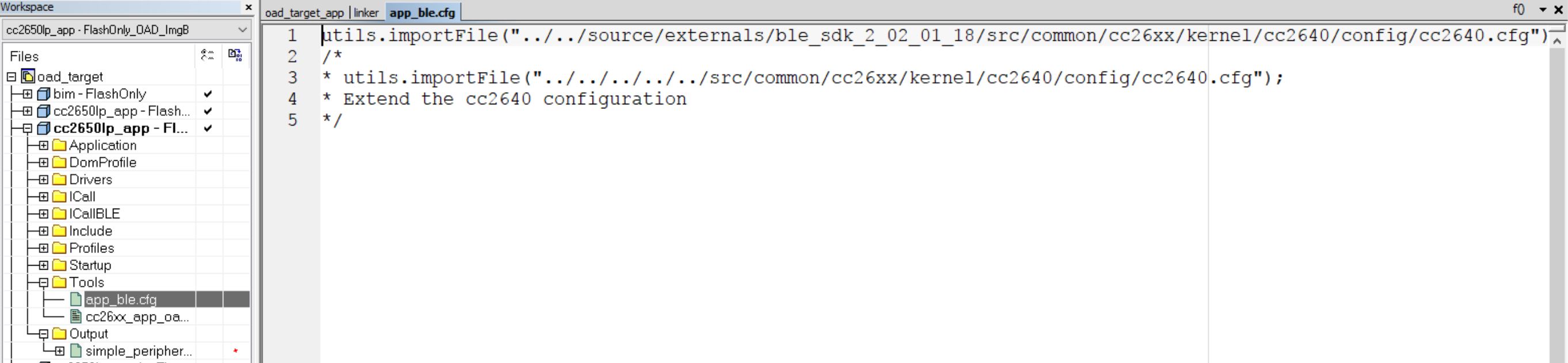
    Thanks for your reply. You are referring to app_ble.cfg?  I have changed it as following :

    It was utils.importFile("../../../../../src/common/cc26xx/kernel/cc2640/config/cc2640.cfg");

    after moving the the source folder to location C:\ti\source\externals\ble_sdk_2_02_01_18. So i changed in app_ble.cfg files as 

    utils.importFile("../../source/externals/ble_sdk_2_02_01_18/src/common/cc26xx/kernel/cc2640/config/cc2640.cfg");

    I have moved the IAR workspace and project files to  C:\ti\build\cc2640XX. 

    Is it not correct correct configuration?