Part Number: LAUNCHXL-CC2640R2
Other Parts Discussed in Thread: BLE-STACK
Tool/software: TI-RTOS
Hello,
I used Project Zero for Reference and now finished with my firmware,
Now I want to make my code modular so was trying to add a source (.c) and header (.h) file,
I have used I2C and PWM in my code so now i am willing make these i2c and pwm part modular which is currently a part of project_zero.c
However, when i did so and complied the project there are no errors nor any warning,
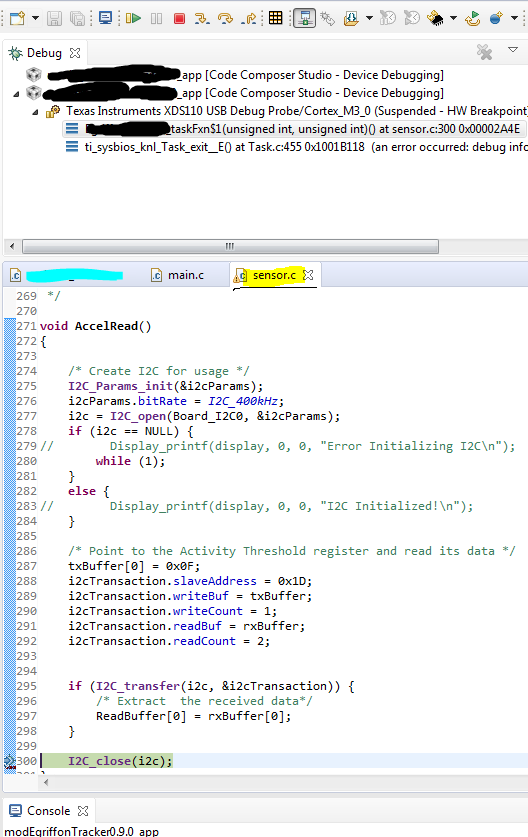
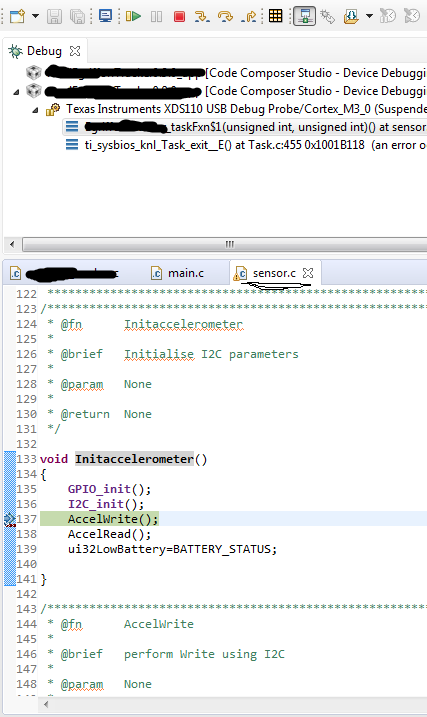
But when i run the code on CC2640R2-Launch XL my code is not working properply whereas before making the code modular it was working fine,
I tried adding these source(.c) and header(.h) file in profile, application, startup folder but still the issue remains the same.
I have attached my source(.c) and header(.h) header file below please check and help me if i am wrong anywhere,
Also if there are any other steps to add source(.c) and header(.h) file please guide me with those steps.
/*
 * sensor.c
 *
 *  Created on: Mar 1, 2018
 *      Author: uvpatil
 */

/* XDCtools Header files */
#include <xdc/std.h>
#include <xdc/cfg/global.h>
#include <xdc/runtime/Error.h>
#include <xdc/runtime/System.h>

/* BIOS Header files */
#include <ti/sysbios/BIOS.h>
#include <ti/sysbios/knl/Task.h>

#include <string.h>
#include <stdio.h>
#include <stdint.h>
#include <stddef.h>
#include <unistd.h>
#include <stdbool.h>
/* Driver Header files */
#include <ti/drivers/GPIO.h>
#include <ti/drivers/I2C.h>
#include <ti/drivers/PIN.h>
#include <ti/display/Display.h>
//#include <ti/drivers/PWM.h>
/* Example/Board Header files */
#include "Board.h"

#include <icall.h>
#include "hiddev.h"

#include "battery.h"
#include "sensor.h"


//I2C parameter Declaration
unsigned int    i;
uint16_t        ReadBuffer[2];
uint8_t         txBuffer[1];
uint8_t         rxBuffer[2];
I2C_Handle      i2c;
I2C_Params      i2cParams;
I2C_Transaction i2cTransaction;
uint16_t        temp;
uint8_t         txBuffer1[2];
uint8_t         rxBuffer1[2];

extern uint32_t ui32SenseLevel;
extern uint32_t ui32LowBattery;
/*********************************************************************
 *                        I2C
 *********************************************************************/
/*********************************************************************
 * @fn      Initaccelerometer
 *
 * @brief   Initialise I2C parameters
 *
 * @param   None
 *
 * @return  None
 */

void Initaccelerometer()
{
    GPIO_init();
    I2C_init();
    AccelWrite();
    AccelRead();
    ui32LowBattery=BATTERY_STATUS;

}


/*********************************************************************
 * @fn      AccelWrite
 *
 * @brief   perform Write using I2C
 *
 * @param   None
 *
 * @return  None
 */

void AccelWrite()
{

    /* Create I2C for usage */
    I2C_Params_init(&i2cParams);
    i2cParams.bitRate = I2C_400kHz;
    i2c = I2C_open(Board_I2C0, &i2cParams);
    if (i2c == NULL) {
        Display_printf(display, 0, 0, "Error Initializing I2C\n");
        while (1);
    }
    else {
        Display_printf(display, 0, 0, "I2C Initialized!\n");
    }

    /* Write to the Accelerometer Control register 1 to enable only accelerometer of the sensor */
    txBuffer1[0] = 0x20;
    txBuffer1[1] = 0x27;
    i2cTransaction.slaveAddress = 0x1D;
    i2cTransaction.writeBuf = txBuffer1;
    i2cTransaction.writeCount = 2;
    i2cTransaction.readBuf = rxBuffer1;
    i2cTransaction.readCount = 2;

    if (I2C_transfer(i2c, &i2cTransaction))
    {
        /* Extract written data */
        temp = rxBuffer1[0];
    }

    /* Write to the sensor Control register to enable active low interrupt from the sensor */
    txBuffer1[0] = 0x24;
    txBuffer1[1] = 0x00;
    i2cTransaction.slaveAddress = 0x1D;
    i2cTransaction.writeBuf = txBuffer1;
    i2cTransaction.writeCount = 2;
    i2cTransaction.readBuf = rxBuffer1;
    i2cTransaction.readCount = 2;

    if (I2C_transfer(i2c, &i2cTransaction))
    {
        /* Extract written data */
        temp = rxBuffer1[0];
    }


    /* Write to the Accelerometer Control register 3 to generate the Interrupt on INT1 pin */
    txBuffer1[0] = 0x22;
    txBuffer1[1] = 0xA0;
    i2cTransaction.slaveAddress = 0x1D;
    i2cTransaction.writeBuf = txBuffer1;
    i2cTransaction.writeCount = 2;
    i2cTransaction.readBuf = rxBuffer1;
    i2cTransaction.readCount = 2;

    if (I2C_transfer(i2c, &i2cTransaction))
    {
        /* Extract written data */
        temp = rxBuffer1[0];
    }

    /* Write to the Activity Threshold register to set the activity Threshold */
    txBuffer1[0] = 0x1E;
    txBuffer1[1] = ui32SenseLevel;
    i2cTransaction.slaveAddress = 0x1D;
    i2cTransaction.writeBuf = txBuffer1;
    i2cTransaction.writeCount = 2;
    i2cTransaction.readBuf = rxBuffer1;
    i2cTransaction.readCount = 2;

    if (I2C_transfer(i2c, &i2cTransaction))
    {
        /* Extract written data */
        temp = rxBuffer1[0];
    }

    /* Write to the Activity duration register to Set the activity Duration */
    txBuffer1[0] = 0x1F;
    txBuffer1[1] = 0x00;
    i2cTransaction.slaveAddress = 0x1D;
    i2cTransaction.writeBuf = txBuffer1;
    i2cTransaction.writeCount = 2;
    i2cTransaction.readBuf = rxBuffer1;
    i2cTransaction.readCount = 2;

    if (I2C_transfer(i2c, &i2cTransaction))
    {
        /* Extract written data */
        temp = rxBuffer1[0];
    }

    /* Write to the Interrupt Control register to enable Interrupt */
    txBuffer1[0] = 0x30;
    txBuffer1[1] = 0x2A;
    i2cTransaction.slaveAddress = 0x1D;
    i2cTransaction.writeBuf = txBuffer1;
    i2cTransaction.writeCount = 2;
    i2cTransaction.readBuf = rxBuffer1;
    i2cTransaction.readCount = 2;

    if (I2C_transfer(i2c, &i2cTransaction))
    {
        /* Extract written data */
        temp = rxBuffer1[0];
    }
    I2C_close(i2c);
}

/*********************************************************************
 * @fn      AccelRead
 *
 * @brief   perform Read using I2C
 *
 * @param   None
 *
 * @return  None
 */

void AccelRead()
{

    /* Create I2C for usage */
    I2C_Params_init(&i2cParams);
    i2cParams.bitRate = I2C_400kHz;
    i2c = I2C_open(Board_I2C0, &i2cParams);
    if (i2c == NULL) {
        Display_printf(display, 0, 0, "Error Initializing I2C\n");
        while (1);
    }
    else {
        Display_printf(display, 0, 0, "I2C Initialized!\n");
    }

    /* Point to the Activity Threshold register and read its data */
    txBuffer[0] = 0x0F;
    i2cTransaction.slaveAddress = 0x1D;
    i2cTransaction.writeBuf = txBuffer;
    i2cTransaction.writeCount = 1;
    i2cTransaction.readBuf = rxBuffer;
    i2cTransaction.readCount = 2;


    if (I2C_transfer(i2c, &i2cTransaction)) {
        /* Extract  the received data*/
        ReadBuffer[0] = rxBuffer[0];
    }

    I2C_close(i2c);
}
Thanks and Regards
Utkarsh