


Part Number: CC2640R2F
Tool/software: Code Composer Studio
Hy,
I try to generate a simple wave form from sensor controller. For that, I created that simple code within the execution code:
gpioCfgMode(AUXIO_O_SPI_FLASH_CS, GPIO_MODE_OUTPUT);
while(cfg.runMe != 0){
    U16 isOdd = state.counter & 0x01;
    if (isOdd != 0) {
        gpioSetOutput(AUXIO_O_SPI_FLASH_CS);
    } else {
        gpioClearOutput(AUXIO_O_SPI_FLASH_CS);
    }
    state.counter += 1;
}
When I start this from sensor Controller Task Testing (Connect, Run initialization code, Run) it works fine, so apparently I have set up IO pin correctly.
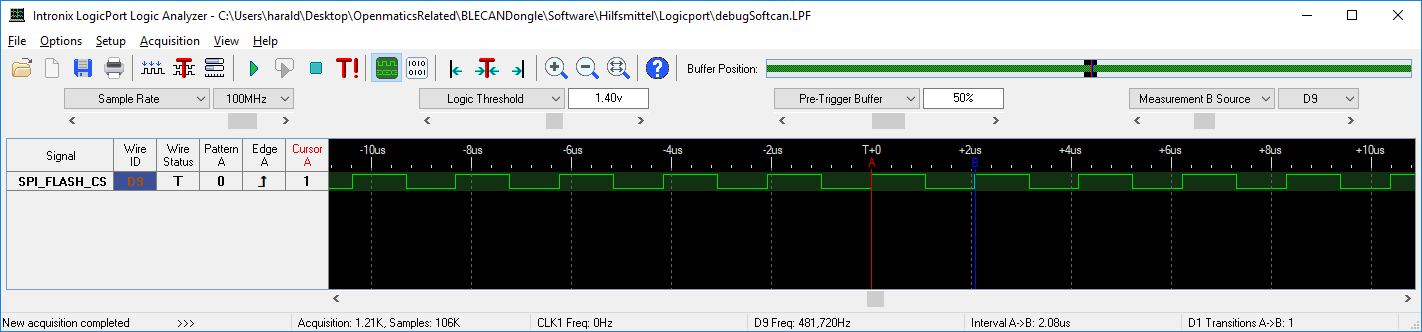
Now I try to import it into my CCS application. I compile all files and call this function from SimplePeripheral_init function:
uint32_t sensorControllerInit(void)
{
    /*
    Start Sensor Controller tasks and register callbacks
    */
    scifOsalInit();
    retVal = scifInit(&scifDriverSetup);

    if (retVal == SCIF_SUCCESS)
    {
        scifTaskData.mySCTaks.cfg.runMe = 1;
        retVal = scifStartTasksNbl(BV(SCIF_MY_SC_TASK_TASK_ID));
        if (retVal == SCIF_SUCCESS)
        {
            retVal = scifSwTriggerExecutionCodeNbl(BV(SCIF_MY_SC_TASK_TASK_ID));
        }
    }
    return retVal;
}
retVal is SCIF_SUCCESS but I do not see the pin toggle.
Any hints? Do I need to call another init function? Do I need to activate clock?
Best regards
Harald
