This thread has been locked.

If you have a related question, please click the "Ask a related question" button in the top right corner. The newly created question will be automatically linked to this question.

CC2650MODA: SimpleLink Starter iOS issue

Part Number: CC2650MODA
Other Parts Discussed in Thread: CC2540, LAUNCHXL-CC2650, CC2650

Hi,

I am using a CC2650MODA as a simple network processor, and a MSP432 as a simple application processor. I have created 6 custom services. I have verified that my services work using BTool and BLE Device Monitor applications in Windows.Now I have also verified that my services work using SimpleLink Starter app in Android. However, I am facing an issue in iOS. When I try to connect to my device in iOS, it was not showing any services. Even the standard Device Information service was not showing up. I could only see the advertisement information. When I started adding services one at a time, my services started showing up. I was able to see up to 5 of my custom services. The problem happens after I add my 6th custom service. Is there a setting that I can change in the SAP firmware to fix this problem I am having with iOS app?

Thanks,

Jeffrey

  • Can you try to use LightBlue app to do service discovery on iPhone? I would like to know if it's iPhone issue or the SimpleLink Starter issue.

    BTW, can you also provide sniffer log?
  • Hi Christin,
    I am seeing the same problem in the LightBlue app on iPhone. Regarding the sniffer log, could you provide instructions on how to do this and what hardware will I need?
    Thanks,
    Jeffrey
  • Now it sounds like it's an iOS issue since you also can't make it to work with LightBlue. I will try to reproduce the issue and get back to you once I have any finding.
  • Hi Christin,
    Were you able to reproduce this issue yet? It doesn't seem to be directly related to the number of services. It is dependent on how many custom attributes I have in total. I need to determine whether this is a limitation on the iOS app side. Or whether there is some setting I need to change in the firmware side.
    Thanks,
    Jeffrey
  • Hi,

    I am still working on it.

    According to what you are seeing 'the issue occurs depends on the amount of custom attributes ', can you tell us the number of attributes you are using when you saw the problem?

    Since both TI SimpleLink Starter and Light Blue are having the same issue, it could really be iOS limitation.
    But of course you can download more BLE apps to test out to see if that's the issue.

    There is also BLE Scanner available in app store you can give it a try. I am pretty sure you can just google to find more BLE apps to test with.
  • Hi Christin,
    I started having a problem with iOS app at 264 custom attributes.
    I have tried BLE Scanner and it is exhibiting the same issue in iOS.
    I did not encounter a problem with BLE Scanner in Android.
    Do you have any suggestions on how to workaround this iOS limitation?
    Thanks,
    Jeffrey
  • The best is to use sniffer to capture it so we can figure out what the differences are between android service discovery and iOS service discovery.

    What you can do is to buy a CC2540 USB dongle which is preprogrammed with packet sniffer image:
    www.ti.com/.../

    Then packet sniffer tool can be downloaded here:
    www.ti.com/.../PACKET-SNIFFER
  • Hi Christin,

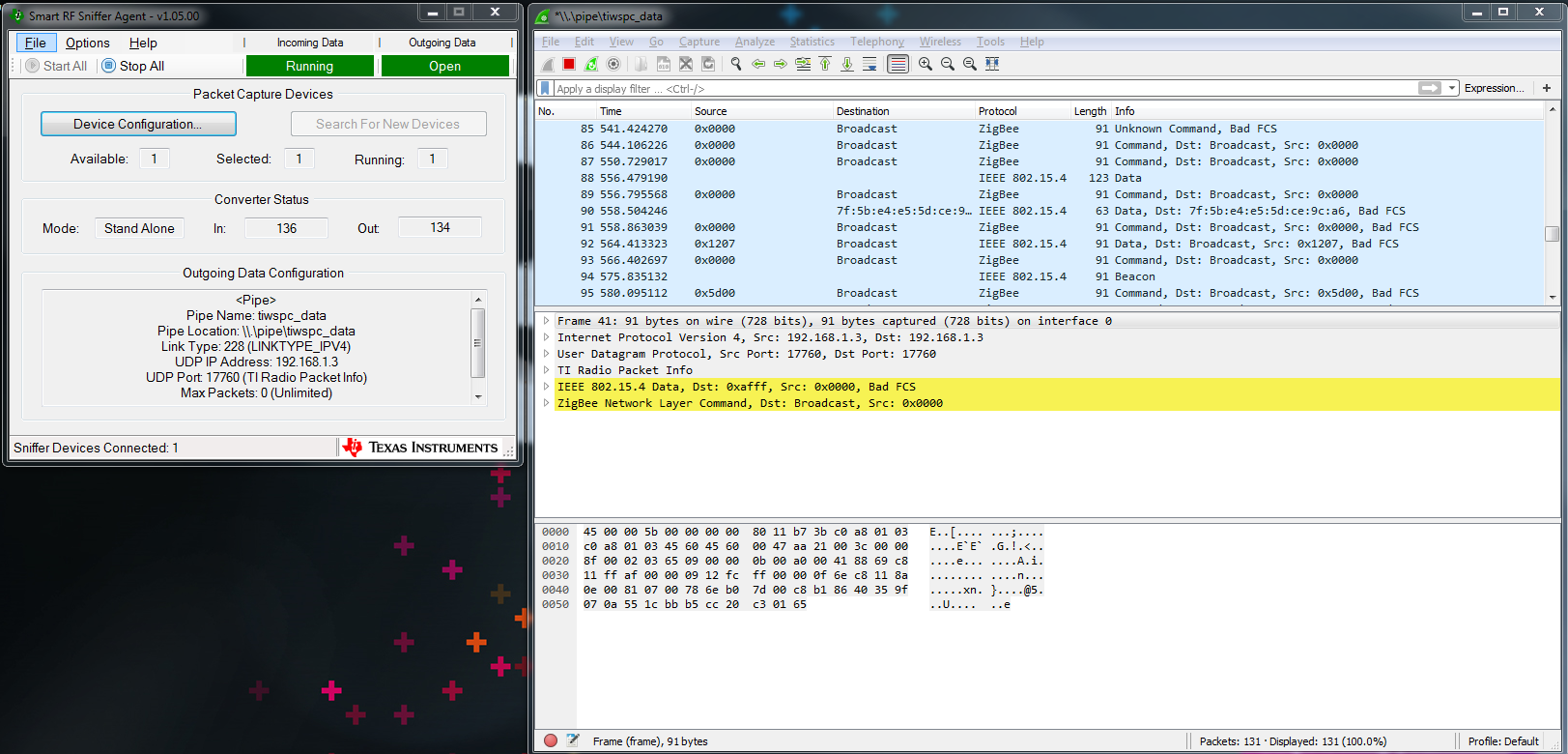
    Reading the Smart RF Sniffer user guide, I was able to locate the sniffer firmware image for a LAUNCHXL-CC2650 board and get the Smart RF Sniffer and WireShark tools running. However, I need some help configuring the tools to show the packets being transmitted from iOS to my device. I am currently using the default configuration of "Ch 11 - 2405.0 MHz". Attached is a screen capture of the data I am capturing. It does not look like any of the data transmissions from iOS is showing up.

    Thanks,
    Jeffrey

  • Hi,

    The sniffer for CC2650 is for 15.4, so it does not deal with BLE packets.
    We will have BLE sniffer for CC2652 and CC1352 in our coming SDK release. Target mid-Jan. Till then the only available BLE sniffer we have is the dongle as I posted earlier.