This thread has been locked.

If you have a related question, please click the "Ask a related question" button in the top right corner. The newly created question will be automatically linked to this question.

RTOS/CC2640R2F: No RTOS Object View possible

Part Number: CC2640R2F

Tool/software: TI-RTOS

Hy,

during development of the current project, some strange behaviour of the firmware is observed, i.e. bonding seems not possible. To find out root cause I wanted to look into RTOS Object View in CCS but get an error message in the window:

"C:/ti/xdctools_3_50_08_24_core/packages/xdc/rov/StructureDecoder.xs", line 518: java.lang.Exception: Target memory read failed at address: 0x20003414, length: 32This read is at an INVALID address according to the application's section map. The application is likely either uninitialized or corrupt.

I can read out the address with the memory browser
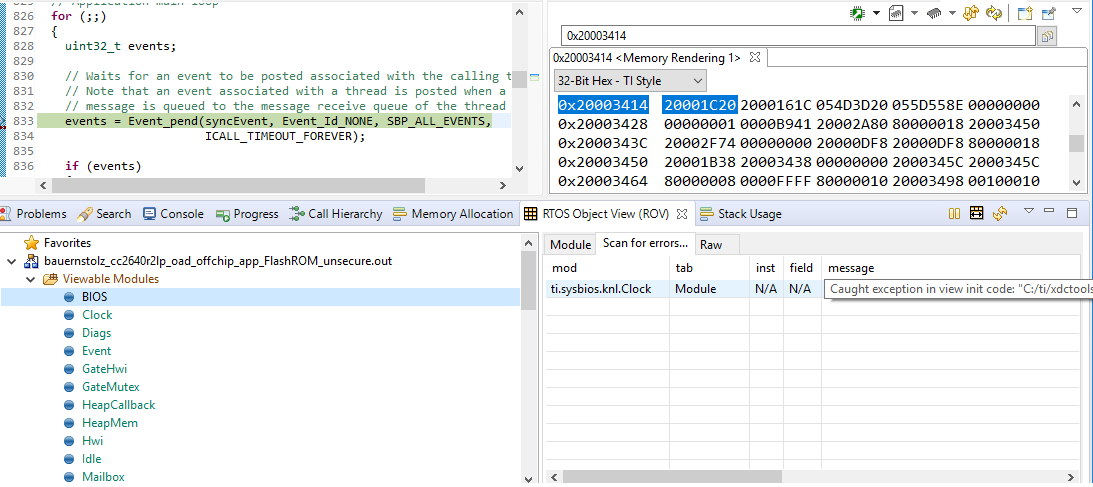
What do I need to do to look into the RTOS view? What other investigation do you recommed to guarantee the sanity of my firmware?

Regards

Harald

  • Hi Harald,

    It looks like there is some corruption going happening on the target. Have you ruled out stack overviews? That a look at this video/presentation to see how to do this: training.ti.com/debugging-common-application-issues-ti-rtos

    Does everything in ROV look ok in main()?

    Todd
  • Hy Todd,

    thanks for your response.

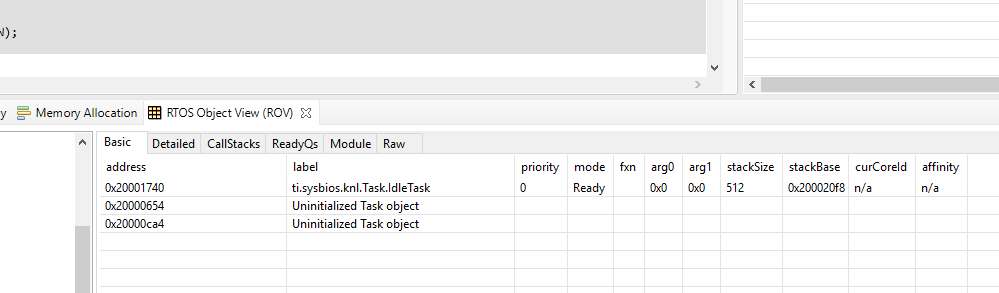
    Right after boot, the ROV view seems normal

    The ROV view gets defective after calling

    task = Task_create(ICall_taskEntry, &params, NULL);

    in

    void ICall_createRemoteTasksAtRuntime(ICall_RemoteTask_t *remoteTaskTable, uint8_t nbElems)

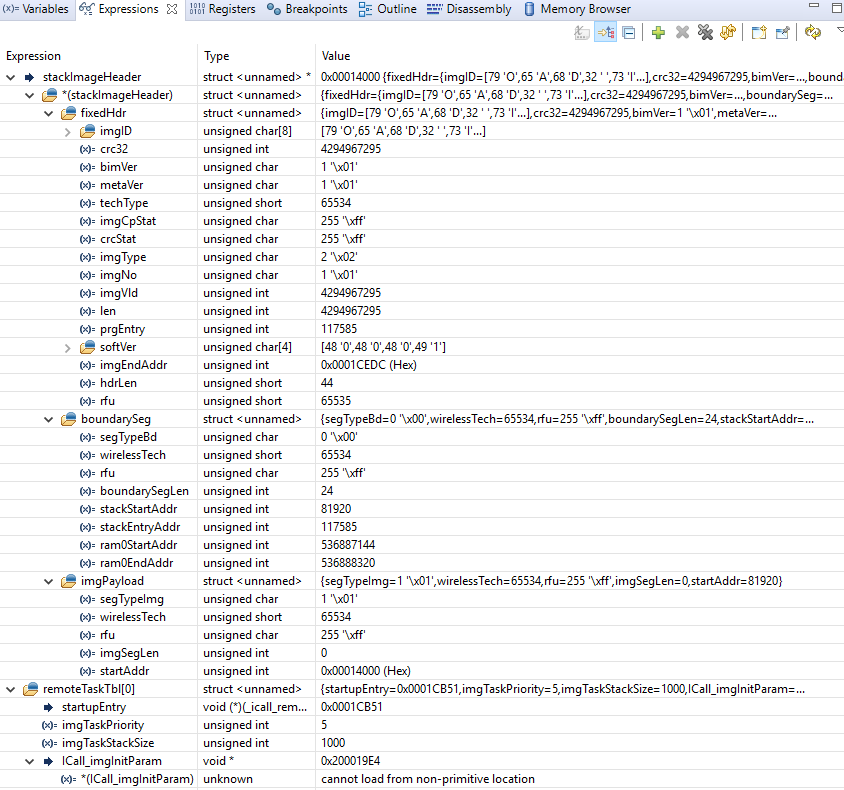
    I used BLE Peripheral OAD off chip as start project. When I understand correctly, this functions starts task in stack image. Therefore it retrieves all information about task within function findStackBoundaryAddr();.

    This looks good, it seems to find the correct image and header:

    When I look into map file of stack images this seems correct:

    OUTPUT FILE NAME:   <XXXXX_cc2640r2lp_oad_offchip_stack_FlashROM_unsecure.out>
    ENTRY POINT SYMBOL: "startup_entry"  address: 0001cb51

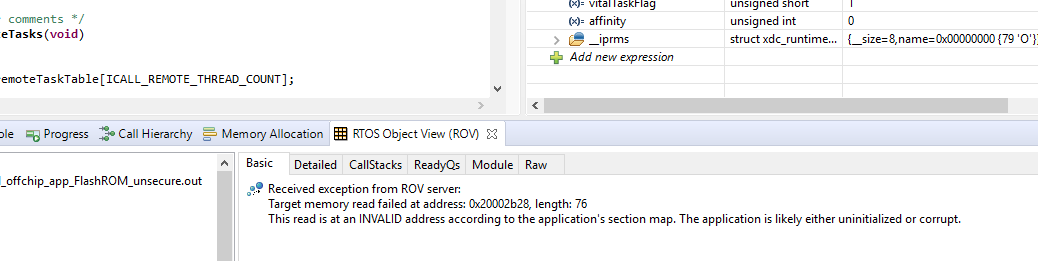
    But after calling     task = Task_create(ICall_taskEntry, &params, NULL); in ICall_createRemoteTasksAtRuntime the ROV view is empty.


    Rest of initialisation seems normal, the application starts without problems and normal running is OK, too.
    Still the application "feels" strange, one symptom is that I am not able to to paring/bonding/encryption.

    Any hints?

    Regards

    Harald

  • OK, I probably got this one: My stack image was outdated. I needed to flash the current stack image, now the ROV view seems normal:

    My main problem remains, I am still unable to pair / bond / encrypt. I hope to be able to describe my issues in more detail in order to get help...

    Regards

    Harald

  • More likely than the outdated stack it seems that I need to add symbols from BIM and stack project in the debug session. Is that possible?
  • Hi Harald,

    Yes, you can add symbols all day long if you want.

    Click "Browse project" to find .out or .elf files in your current project, click "Browse" to add from other places.

    You'll perhaps be interested in these as well:

    C:\ti\simplelink_cc2640r2_sdk_2_40_00_32\kernel\tirtos\packages\ti\sysbios\rom\cortexm\cc26xx\r2\golden\CC26xx\rtos_rom.out
    C:\ti\simplelink_cc2640r2_sdk_2_40_00_32\source\ti\devices\cc26x0r2\rom\driverlib.elf

    The first one is relevant if RTOS is partly using ROM'd content. This may or may not be the case when using OAD. The latter is driverlib/bootware in ROM. These symbols are not strictly necessary but stack traces would look more informative.

    I assume you are already familiar with the Debugging chapter of the Software Developers Guide? http://dev.ti.com/tirex/#/?link=Software%2FSimpleLink%20CC2640R2%20SDK%2FDocuments%2FBLE-Stack%2FBLE-Stack%20Debugging%20Guide 

    Please see the Warning box under the chapter ROV in CCS, I suspect this may be the source of your "Invalid memory" errors in ROV.

    Best regards,
    Aslak

  • Is it possible to automatically add symbols on start of the debugger? At the moment I need to do this manually on every new start.
  • Hi Harald,

    Not that I've found. But you don't need to click the red STOP and then green DEBUG bug icon to restart. Personally I just keep the debug session active and when the project is rebuilt it will usually ask if the new file should be flashed in.

    If it doesn't ask, you can click Load Program instead of Add Symbols to actually flash in new content. Both of these operations will clear the added symbols, but these can be added again via the same menu, they should be listed in the recently used list, so you're just a few clicks away.

    Best regards,
    Aslak