This thread has been locked.

If you have a related question, please click the "Ask a related question" button in the top right corner. The newly created question will be automatically linked to this question.

CC2650: Connecting a Sensor with CC2650 Launchpad (Multi role BLE example)

Part Number: CC2650

Hi,

I am using the multi-role BLE example and tried to connect 2 CC2650 launchpads. In addition to the existing functionalities in multi-role example, I am trying to interface a sound sensor to one of the GPIO pins and use the sensor data to send a value in GATT write request. Any suggestion on how to integrate this functionality in multi-role example?

  • Hi Chen,

    Thank you for your response. I referred to the SimpleLink Academy and a few other tutorials. I made a few modifications to the multi-role program to interface my sound sensor. My aim is to connect the signal output of the sensor to GPIO pin 0 in CC2650 LP. Once the sensor detects a sound impact, it sends a pulse in PIN 0. On receiving this signal, the GATT write operation should send a unique value (I just hardcoded it as 255) to the Master device (which is another CC2650). When I did this setup, my peripheral device sends the unique character irrespective of whether there is a sound impact or not.

    Modifications made:

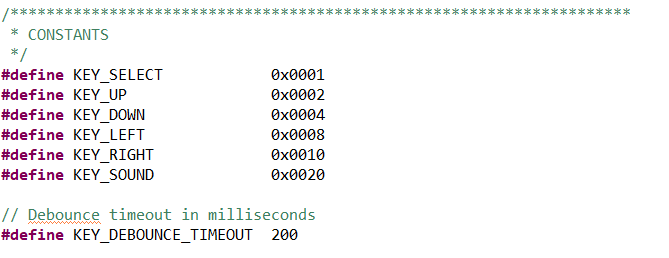
    1. Created a new variable "KEY_SOUND"  with value 0x0020 in board_key.h

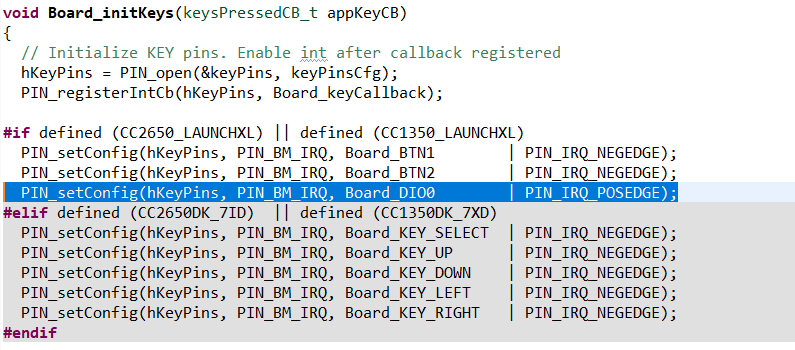
    2. Added the GPIO pin in the Board_InitKeys function - PIN_setConfig(hKeyPins, PIN_BM_IRQ, Board_DIO0        | PIN_IRQ_POSEDGE);

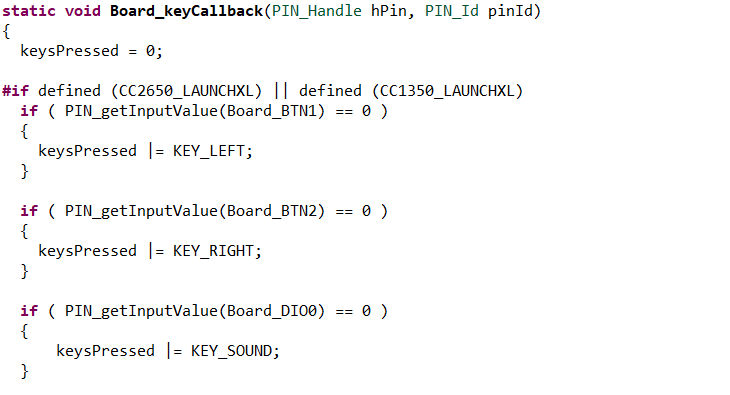
    3. Added the GPIO pin in the Board_keycallback function 

    if ( PIN_getInputValue(Board_DIO0) == 0 )
    {
    keysPressed |= KEY_SOUND;
    }

    4. Added GPIO pin in the PIN_config table - "BoardGpioInitTable[]"

    Board_DIO0 | PIN_INPUT_EN | PIN_PULLUP | PIN_IRQ_POSEDGE, 

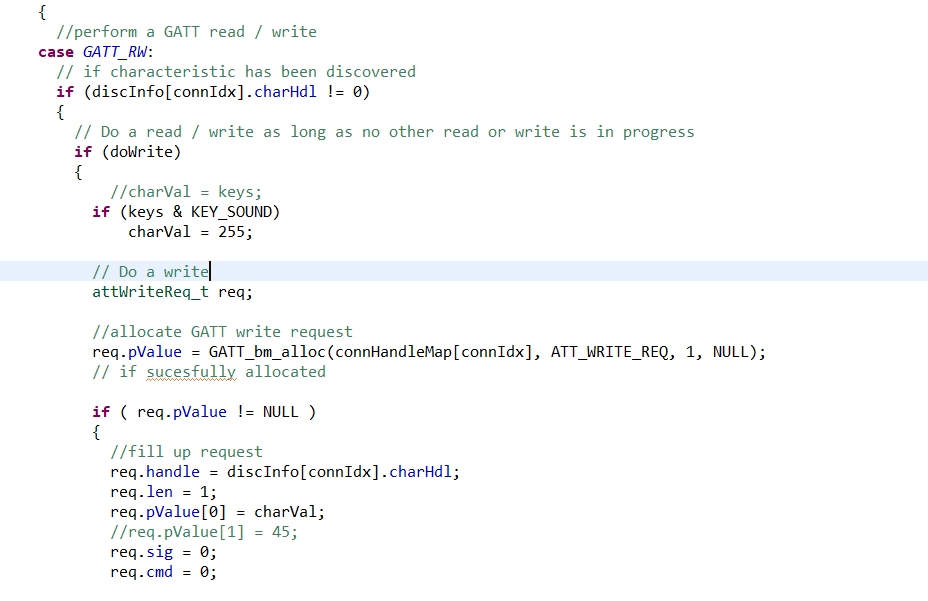
    5. Added an if condition in the GATT_RW case under CONN_MENU: (in multi_role_handleKeys function)

    My approach is almost similar to the method used in multi-role program for BTN_RIGHT and BTN_LEFT.  When I remove the sound sensor connection to the GPIO pin 0, My if-condition fails which is expected, but when I connect the sensor to the GPIO 0 pin, my if condition passes irrespective of whether the sensor produces output or not.

    Your guidance will be extremely helpful.

    Thanks. 

  • when I connect the sensor to the GPIO 0 pin, my if condition passes irrespective of whether the sensor produces output or not.

    Do you check DIO0 with scope when it connects to your sound sensor and causes if condition passes irrespective of whether the sensor produces output or not?

  • I am sorry, I did not understand properly. What do you mean by "Check DIO 0 with scope"?
  • I mean use scope to check the signal on GPIO 0 pin.
  • I figured out the mistake, It is in board_key.c file, I performed keysPressed |= KEY_SOUND; when the GPIO pin gives 0, which it always does when the sound impact is not detected. On changing this to 1, the behavior is as expected.