This thread has been locked.

If you have a related question, please click the "Ask a related question" button in the top right corner. The newly created question will be automatically linked to this question.

How to obtain IQ samples using rtls_aoa_iq_log.py file

Hello Sir,

I want to obtain IQ samples using rtls_aoa_iq_log.py file.

After making hardware connection when i run that python file, it is creating a .csv file of IQ samples but that is empty.

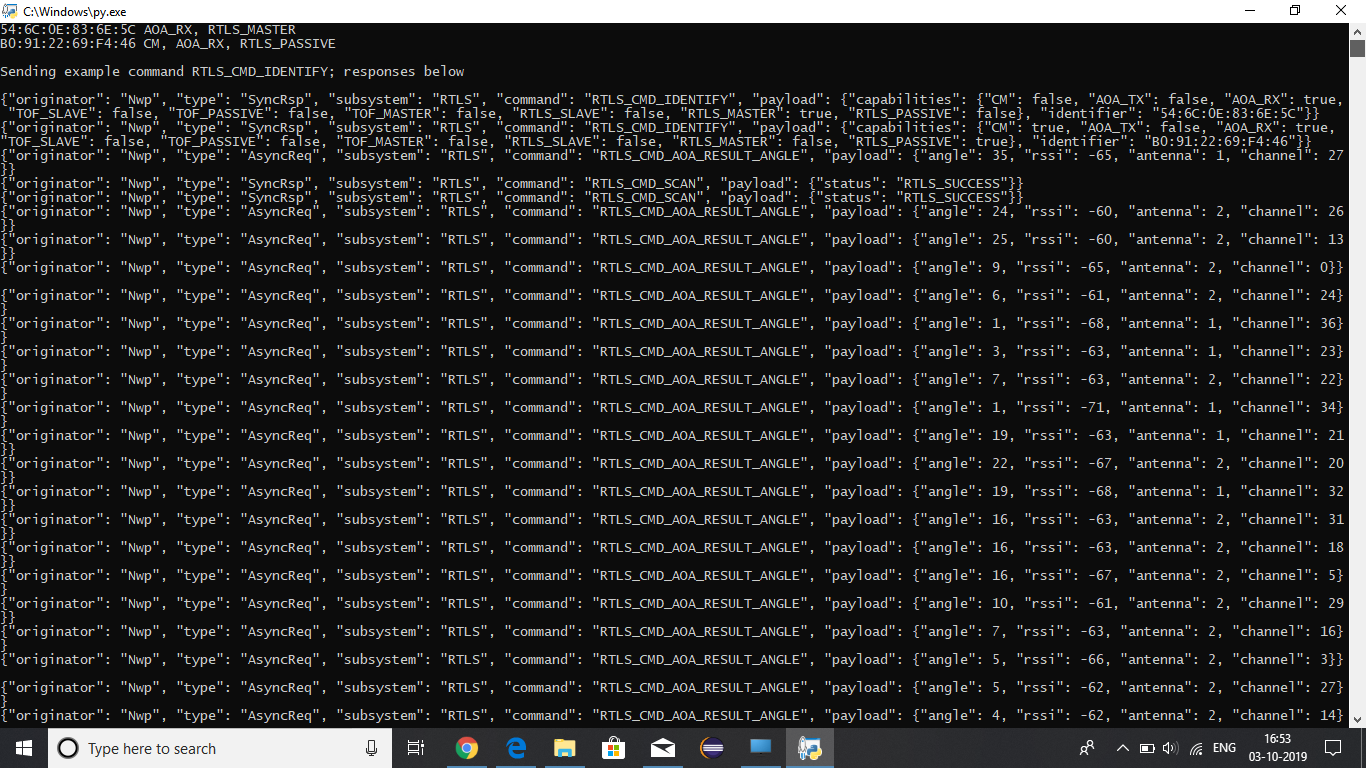
I am getting angle data on RTLS monitor.

So please tell me how to get IQ samples.

Thanks and Regards

Akansha 

  • Hi Akansha,

    - Are you using the RTLS monitor and the rtls_aoa_iq_log.py script at the same time? (this is not possible)

    - Have you modify the content of the rtls_aoa_iq_log.py script following the guidelines given in the Simple Link Academy training? http://dev.ti.com/tirex/content/simplelink_academy_cc2640r2sdk_3_20_03_00/modules/rtls_toolbox_ble3/rtls_intro/rtls_intro.html

    - What is the value of pkt_limit?

    By default the .csv file is stored in the path where you are when you execute the python script (i.e. this folder might no be the same as the folder where the pyhton script is stored)

    I hope this will help,

  • Hi Clement,

    Thanks for the early reply.

    I am not using RTLS monitor and python script at the same time.

    I checked that Academy link and made the mentioned modifications regarding editing COM port of master and passive in rtls_example.py.

    I run firstly the rtls_example.py file and got the angle values on cmd prompt window later i run the rtls_aoa_iq_log.py file and got the .csv file in the same folder but that file is empty.

    please tell me whether i am missing any step in between 

    Thanks and Regards

    Akansha

  • Ok, but have you modified the COM ports in rtls_aoa_iq_log.py file?

    Regards,

  • Hi,

    I have modified the port in both python files.

    First one is master and second is passive.

    Thanks

    Akansha

  • Hi,

    What is the output of the rtls_aoa_iq_log.py script?
    Have you verify if the empty .csv file is recreated if you suppress it? Have you verify that no file is created in C:\Windows\?

    Regards,

  •  Hi,

    I have attached the output of rtls_aoa_iq_log.py script.

    How to suppress the creation of .csv file?

    .csv file is obtained in the same folder of python files

    Thanks 

    Akansha

  • Hi again,

    The .csv file is created by the function open(), and the file is written using the csv_writer object. I let you have a look too the python files comments for the details.

    Regards,

  • Hi,

    Thanks to you for your consistency.

    I have commented the python code lines to suppress the production of .csv file.

    After running that python file now i am not getting .csv file of IQ samples.

    Thanks

    Akansha

  • Hi Sir,

    As you suggested to make changes in rtls_aoa_iq_log.py as given in link.

    Sir i edited the COM port of master and passive in both rtls_example.py

    In simplelink academy: 

    http://dev.ti.com/tirex/explore/node?node=AH8XHjccMiqVXNHg9bdCAw__krol.2c__LATEST

    Modification are suggested in rtls.example.py not in rtls_aoa_iq_log.py

    Please suggest what changes i need to make in files to obtain IQ samples.

    Thanks and Regards

    Akansha 
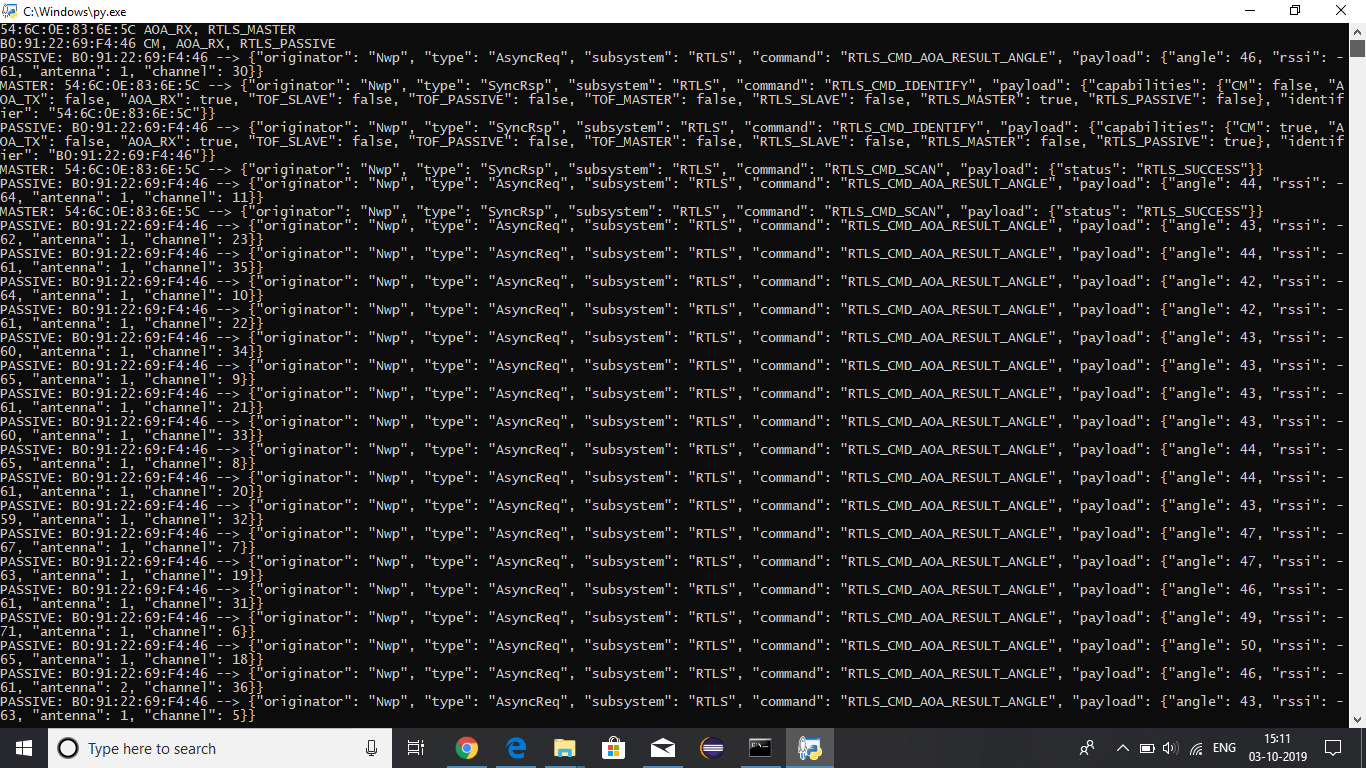
  • Hi Akansha,

    I am pretty lost about your problem. If we only focus on rtls_aoa_iq_log.py

    - Have you change the COM ports used?

    - Do you have any display on your terminal?

    - Is the .csv file created? If you delete the .csv file before executing the script, is it re-created by the script?

    - What have you tried to do / to modify in rtls_aoa_iq_log.py. What was the results?

    Regards,

  • Hi Sir,

    Thanks for your reply.

    - I have changed the COM ports according to my master and passive boards.

    -What do you mean by display on terminal? Please Elaborate.

    -Yes, when i deleted the old .csv file it is created again but it is empty.

    - I have made the following changes:

    1. Changed the COM port.

    2. Set packet limit to None

    3.Packet count to 0

    After running this modified python script .csv file is produced but it is empty.

    Please suggest if i am doing anything wrong

    Thanks and Regards

    Akansha 

  • Hi,

    Thanks for taking time to clarify.

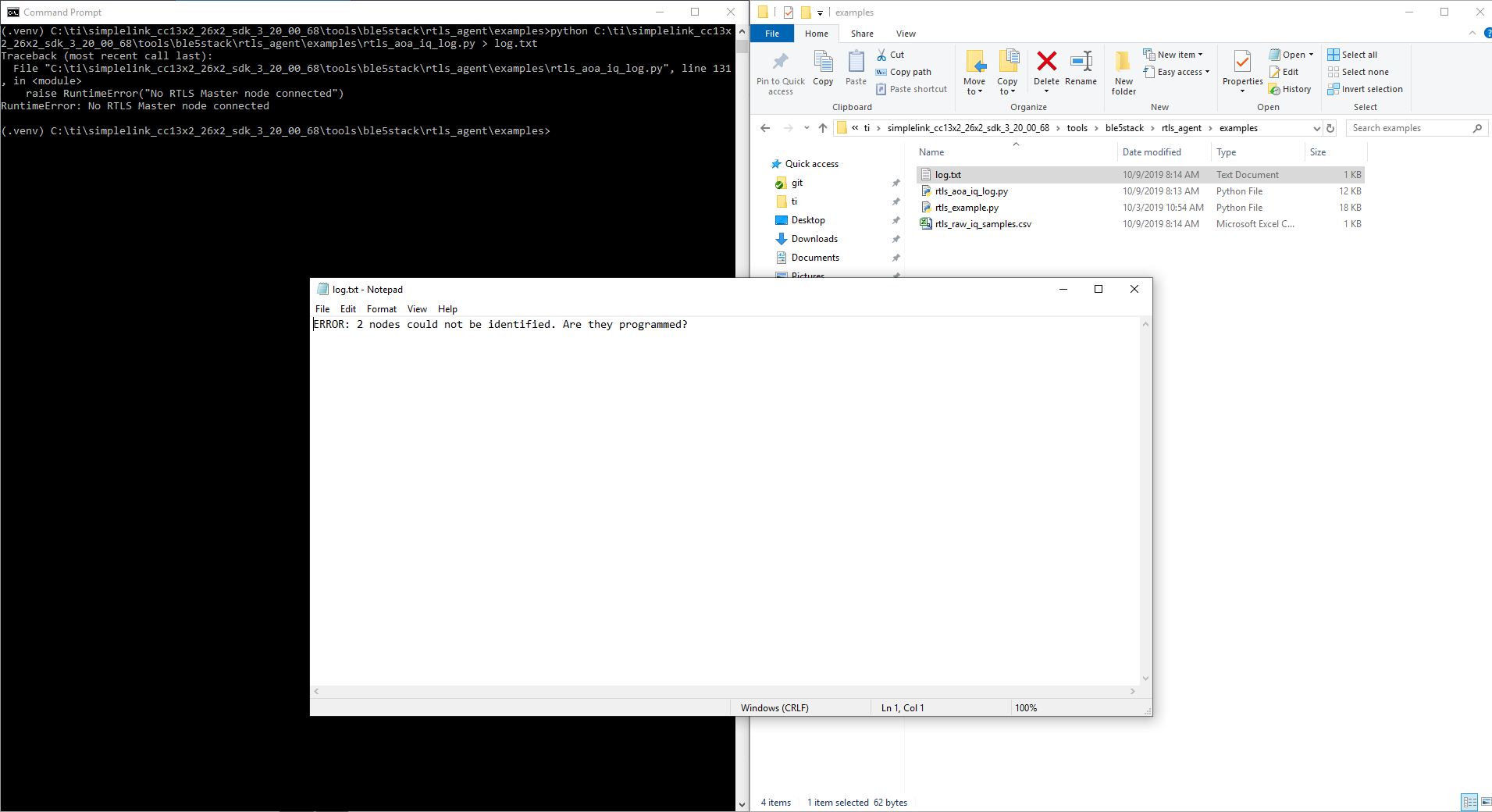
    - Now, it would be interesting to have a look to the log/debug messages provided by your script. Can you redirect the messages printed into a file and produce a screenshot as the one I produced below? (as I am not in the office, I basically launched the script without attaching any LaunchPad to my computer, so obviously it crashed...)

    - Maybe obvious, but can you confirm you are using the Virtual Environment?

    - Can you precise if the .csv file is completely empty? (i.e. is the very first line completely empty or does it contain "pkt" "sample_idx" "rssi" "ant_array" "channel" "i" "q")

    Regards,

  • Hi,

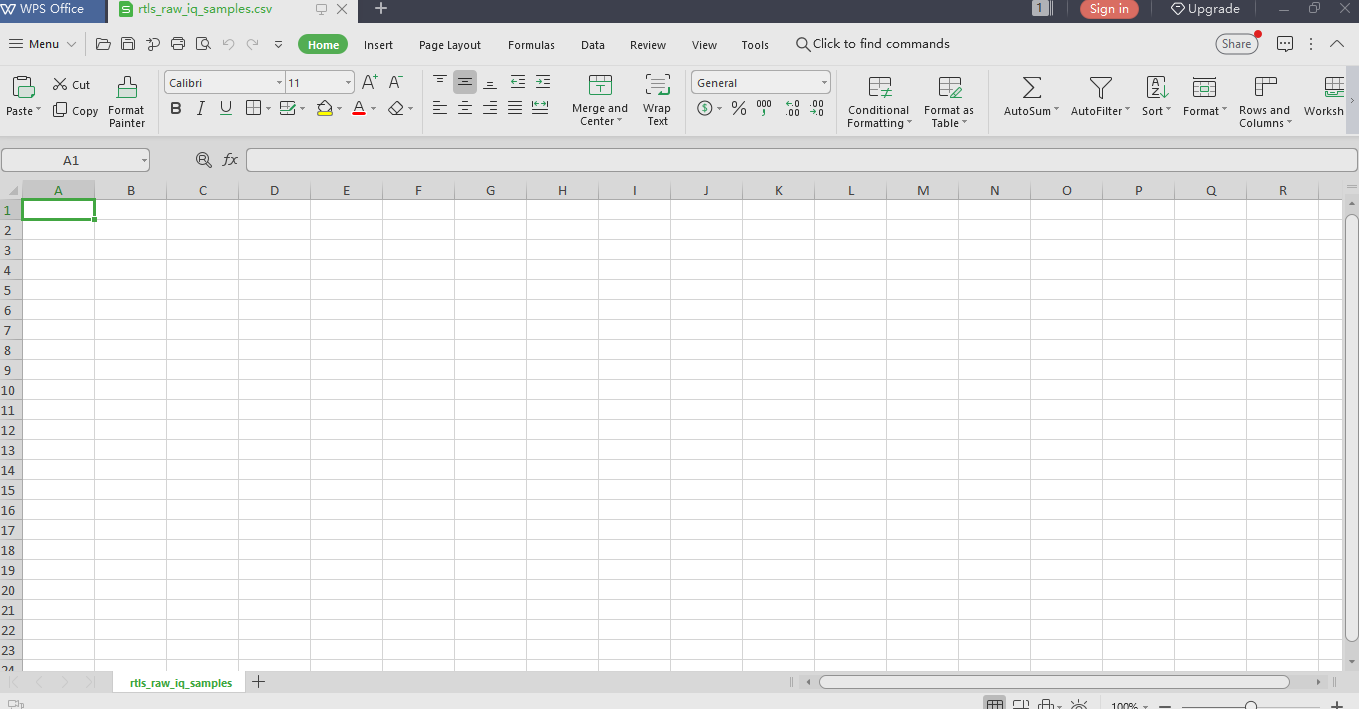
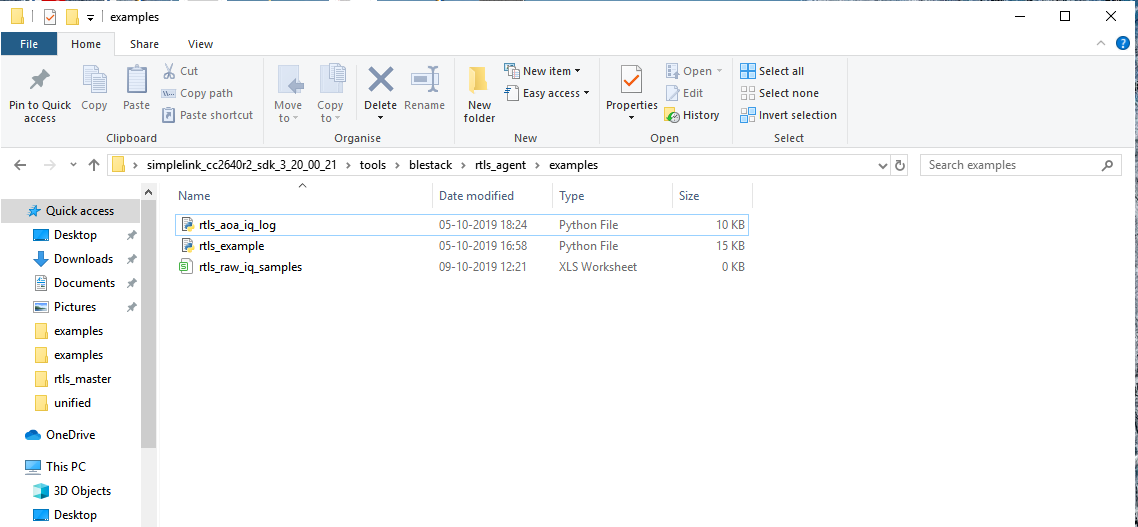
    I have attached .csv file, example folder screenshot, output of python script.

    I have created the virtual python environment in rtls_agent folder.

    .csv file obtained is completely empty as can be seen from file attached.

    Thanks and Regards

    Akansha

  • Akansha,

    I am wondering if the only problem is the csv python package.

    Can you try to write in the file using a different way? If it is working than the problem is more likely to come from the csv package.

    You can use the snippet below to do a test:

    outfile = open(filename, 'w', newline='')
    outfile.write("Akansha was here")
    outfile.flush()
    outfile.close()
    exit()

    Regards,

  • HI,

    I checked it out by writing that snippet in a new python file. It is working fine for that file i.e, csv file is created and displaying the same message.

    But again it is not working in case of rtls_aoa_iq_log.py file.

    It is producing the file but that is empty.

    Please suggest solution

    Thanks and Regards

    Akansha

  • Do you mean that using the same snippet inside "rtls_aoa_iq_log.py" produces an empty file (exactly as when you were using the csv package)?

  • Hi.

    On writing that snippet (outfile.write("Akansha was here")) in python script below the declaration of .csv file it is gain producing empty file.

    On writing (outfile.write("Akansha was here"))in the last of python script i.e, just above the below mentioned snippet in python script, it is not running.

    except queue.Empty:
    pass

    finally:
    outfile.flush()
    outfile.close()

    if manager:
    manager.stop()

    Thanks

    Akansha

  • - How are you stopping the execution of the script? Are you using Ctrl+C or is it ending by it self? Maybe you have an issue due to not closing properly the file you are writing to.

    - And if you try to write the whole snippet after line 77 (i.e. after outfile = open(filename, 'w', newline='')), what is happening?

    outfile.write("Akansha was here")
    outfile.flush()
    outfile.close()
    exit()

    By the way, it is important to use Syntaxhighlighter (the </> icon) when you post code on the forum. Thanks!

    Regards,

  • Hi,

    When terminating the script using Ctrl+C, .csv file doesn't have any samples but it contain the field names.

    On writing snippet after line 77, python script not running and stop abruptly.

    Thanks

  • It was expected that writing the code snippet would cause the python script to stop (due to the exit() command)... the question is, does the file is written or not at all?

  • Hi

    After writing that snippet after line 77 no .csv file is created.

    Thanks

  • Hi,

    On writing that snippet, .csv file is not created.

    Thanks

    Akansha

  • Hi,

    Sorry, I cannot help you anymore to debug this script. This is not a problem with the script it self but this is a problem with Python. Here are the last pieces of advice I can give you:

    - try to update the csv python package

    - try to update your python version

    - try to use the latest SDK (this script has been updated)

    Best regards,