This thread has been locked.

If you have a related question, please click the "Ask a related question" button in the top right corner. The newly created question will be automatically linked to this question.

CC2640R2F: AOA - Slave latency does not apply

Part Number: CC2640R2F
Other Parts Discussed in Thread: CC2640, CC2650, SIMPLELINK-CC2640R2-SDK

Hi,

Using simplelink_cc2640r2_sdk_3_30_00_20, I tried to increase the connection intervale to reduce the number of generated CTE and applied the settings below.

By setting the connection intervale timeout (DEFAULT_UPDATE_CONN_TIMEOUT ) to 20 seconds in the master, connection intervales up to 4 seconds can be used.

As described in the Developer's Guide for CC2640 and CC2650 SimpleLink™ Bluetooth® low energy Software Stack 2.2.0, chapter 5.2.1, the Effective Connection Interval is expected to be:

Effective Connection Interval = (Connection Interval) × (1 + [Slave Latency])

Issue

Using the rtls_aoa_iq_with_rtls_util_export_into_csv.py script to extract raw data with a 10 seconds timeout, the number of CTE matches the connection intervale and not the effective connection intervale, slave latency seems to be ignored?

Connection intervale value Slave Latency value Effective Connection intervale (ms) Time period (s) Number of CTE Expected number of CTE
connect_interval_mSec=2400 3 1,25*2400*(1+3) = 12000 timeout_sec =10 3 0
connect_interval_mSec=1600 3 1,25*1600*(1+3) = 8000 timeout_sec =10

5

1

connect_interval_mSec=800 3 1,25*800*(1+3) = 4000 timeout_sec =10 12 2

Below are the connection settings used in master and slave applications:

rtls_master.c

// Minimum connection interval (units of 1.25ms) if automatic parameter update
// request is enabled
#define DEFAULT_UPDATE_MIN_CONN_INTERVAL 400

// Maximum connection interval (units of 1.25ms) if automatic parameter update
// request is enabled
#define DEFAULT_UPDATE_MAX_CONN_INTERVAL 800

// Slave latency to use if automatic parameter update request is enabled
#define DEFAULT_UPDATE_SLAVE_LATENCY 3

// Supervision timeout value (units of 10ms) if automatic parameter update
// request is enabled
#define DEFAULT_UPDATE_CONN_TIMEOUT 2000

rtls_slave.c

// Minimum connection interval (units of 1.25ms, 80=100ms) for automatic
// parameter update request
#define DEFAULT_DESIRED_MIN_CONN_INTERVAL     80

// Maximum connection interval (units of 1.25ms, 800=1000ms) for automatic
// parameter update request
#define DEFAULT_DESIRED_MAX_CONN_INTERVAL     800

// Slave latency to use for automatic parameter update request
#define DEFAULT_DESIRED_SLAVE_LATENCY         3

// Supervision timeout value (units of 10ms, 1000=10s) for automatic parameter
// update request
#define DEFAULT_DESIRED_CONN_TIMEOUT          1000

I am apparently missing something, what is the correct setup to apply slave latency?

Kind regards,

David

  • Hi David,

    Thank you for the precision of your message. I need to run some tests on my own and I will come back to you within a week.

    In the mean time, don't hesitate to post any new result you are getting.

    Best regards,

  • Hi David,

    Due to the amount of activity on E2E these last days, I could not manage to do all the tests I wanted for the moment. Please, allow me a few more days (until Friday) to get back to you.

    By the way, have you done more tests on your side? Do you have more results?

    Thanks and regards,

  • Bonsoir Clément,

    No problem, this is not critical, take your time.

    I did several tests before posting but nothing more.

    Btw, could you re-open "SIMPLELINK-CC2640R2-SDK: AOA - Maximum number of samples", I closed it by mistake I am afraid. I investigate further and I would like to add the results.

    Kind regards,

    David

  • Hi,

    Thank you for your comprehension.

    I cannot easily re-open a closed thread, so the best solution is to basically open a new one using the orange button "Ask a related question" (at the top of the page).

    Best regards,

  • Hi David,

    Slave latency modification is possible but requires slightly more work than what you have done.

    Please note the following elements:

    - in SDK v3.30 the value of the slave latency cannot be chosen through the python script

    - the procedure described here will allow you to trigger the modification of the slave latency through the python script at the same time as you modify the connection interval

    - of course you can reuse the code I provide you to modify the slave latency when it suite you best

    In rtls_master.c, the following code modification is required around line 1446:

        // Connection update
        GAPCentralRole_UpdateLink(connHandle,
                                  conn_interval,
                                  conn_interval,
                                  slaveLatency + DEFAULT_UPDATE_SLAVE_LATENCY,
                                  connTimeout);

    In addition, the modification you have already done are required:

    * in rtls_master.c:

    // Slave latency to use if automatic parameter update request is enabled
    #define DEFAULT_UPDATE_SLAVE_LATENCY          6

    * in rtls_slave.c:

    // Slave latency to use for automatic parameter update request
    #define DEFAULT_DESIRED_SLAVE_LATENCY         6

    The slave latency will be updated at the same time as the connection interval. So don't forget to set your python script in order to update the connection interval :)

        ## Update connection interval on the fly Demo Enable / Disable
        update_conn_interval = True
    
        ## ...
    
        ## Update connection interval after connection is set
        if update_conn_interval:
             ## ...
             rtlsUtil.set_connection_interval(new_connect_interval_mSec)    

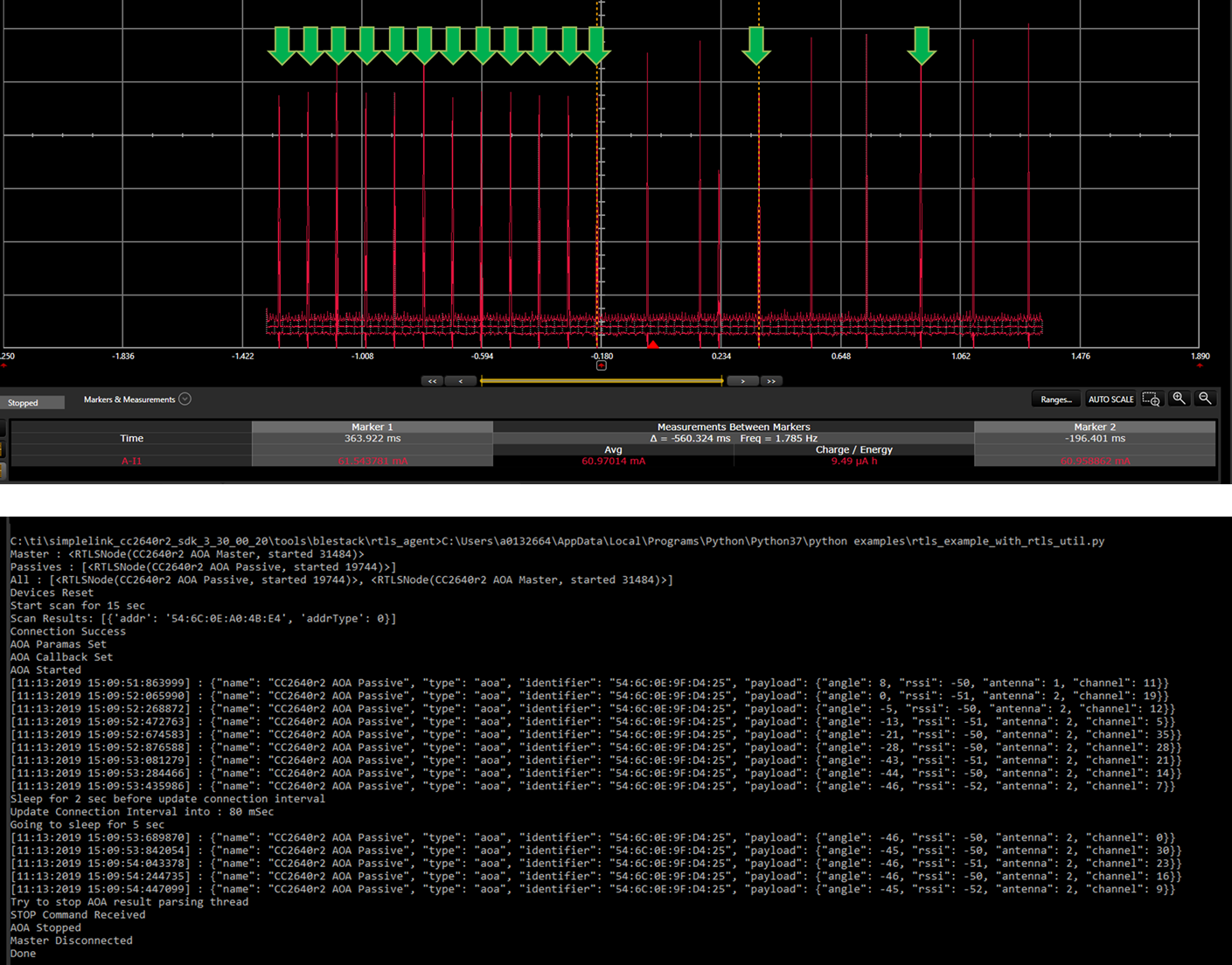
    I have done the described modification (I set DEFAULT_UPDATE_SLAVE_LATENCY to 6). Here is the power profile while running the script rtl_example_with_rtls_util.py (update_conn_interval has been set to true and I kept the other default values):

    I marked the connection events with the green arrows. Before updating the connection interval, there are 100ms between two connection events. After the update, there are 560 ms between two connection events (I set the connection interval to 80 ms and the slave latency to 6: (6+1)x80=560). You will notice some activity in between the green arrows: this is due to the recharge pulses of the device (I guess the definition is too low to see the difference so I ask you to believe me).

    To finish, you can see the passive is still reporting every 0.2 s. I am working to understand why.

    I hope this will help,

    Best regards,

  • Thank you Clément.

    I am mainly using a customized "rtls_aoa_iq_with_rtls_util_export_into_csv.py" script to extract raw data but added support for AOA_MODE_ANGLE.

    To test the slave latency, I updated the TGAP_CONN_EST_LATENCY using DEFAULT_UPDATE_SLAVE_LATENCY in the rtls_master.c as follows:

    // Slave latency to use if automatic parameter update request is enabled
    #define DEFAULT_UPDATE_SLAVE_LATENCY 5

    ...

    static void RTLSMaster_processRTLSConnReq(uint8_t *connReq)
    {

         ...

      if (state == BLE_STATE_IDLE)
      {
      ...
    
        //Set latency
        uint16_t defaultUpdateSlaveLatency = DEFAULT_UPDATE_SLAVE_LATENCY;
        GAP_SetParamValue(TGAP_CONN_EST_LATENCY, sizeof(uint16_t),
                             &defaultUpdateSlaveLatency);

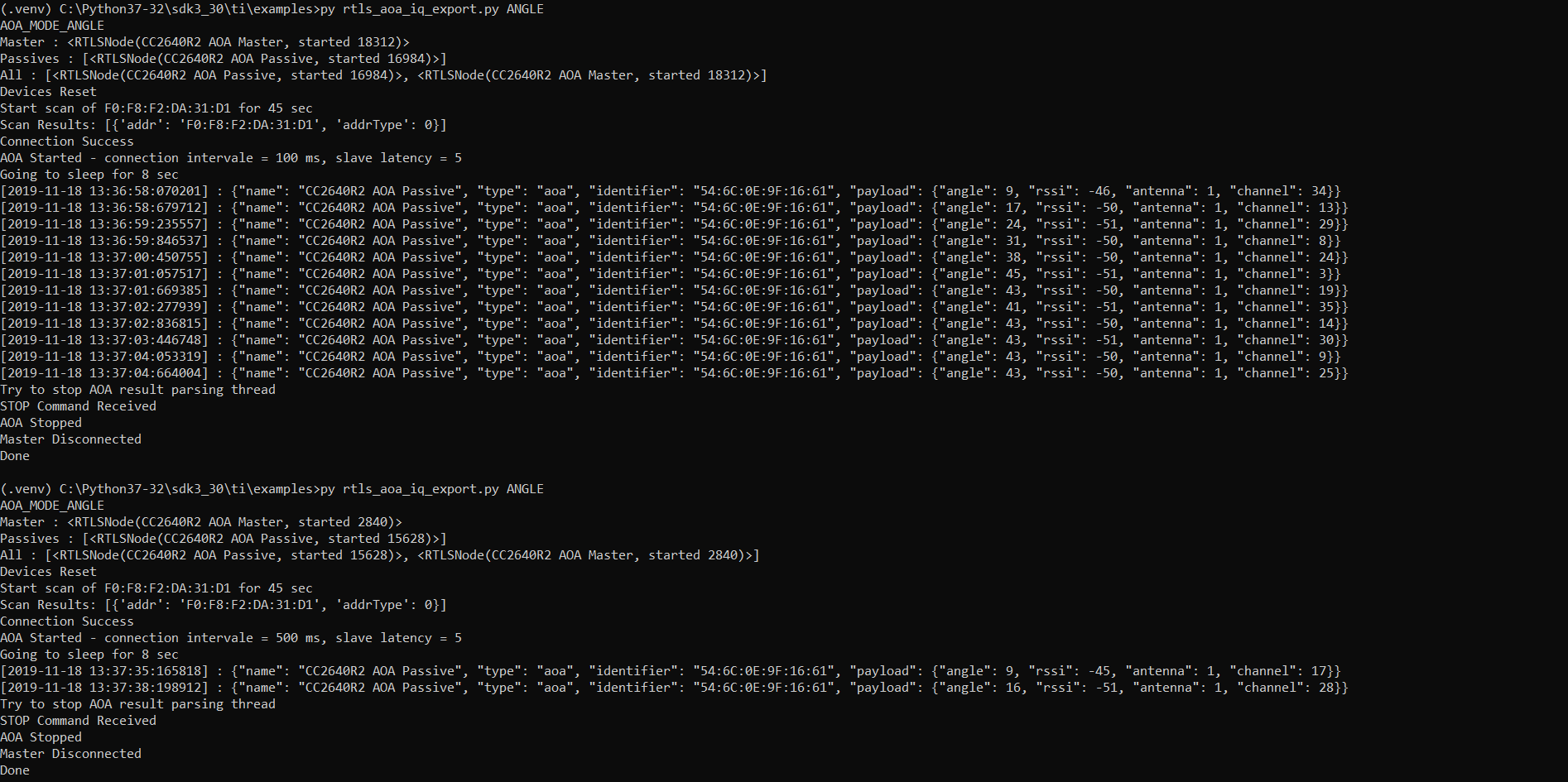
    The slave latency works as expected however I do not see any issue on the repoting intervale from the receiver?

    In the first run, the connection intervale is as expected i.e. 100 * (1 + 5) = 600 ms

    In the second run, the connection intervale is also as expected, 500 * (1 + 5) = 3000 ms

    Question:

    In the current setup, the slave latency is static but I would like to be able to changed it on the fly by adding the slave latency as a parameter to aoa_params thus allow connection intervales up to 16 s.

    Once I have added the slave latency as a parameter in RTLS_REMOTE_CMD_AOA_SET_PARAMS, where would you recommend to apply the new setting for the slave?

    Kind regards,

    David

  • Hi Clément,

    How many times are you able to call Rtls_Util.set_connection_interval(connect_interval_mSec)?

    I tried it out by increasing the value of TGAP_CONN_EST_LATENCY with +1 everytime RTLS_PARAM_CONNECTION_INTERVAL is called but after a few times everything stops?

    Kind regards,

    David

  • Hi David,

    The solution I provided does not allow changing the slave latency on the fly. That is why I saw the passive report every 0.2s even if I changed the effective connection interval was longer. You did not see the issue because you statically set the slave latency.

    I assume the error is coming from the passive device that does not update his slave latency at the same time as the master and the slave.For the moment I do not have a good solution to change the slave latency on the fly. As a temporary solution, I will advise you to close and reopen the connection every time you want to change the slave latency.

    I will keep you updated.

    Regards,

  • Hi Clément,

    Based on my observations, the slave latency only affects the transmitter but not the receiver, which is what I would expect.

    However, the report intervale is not constant but always twice as the connection intervale which indicates that the slave latency is at least 1 and not 0?

    These observation can be done by simply changing the connection intervale in the script for each run.

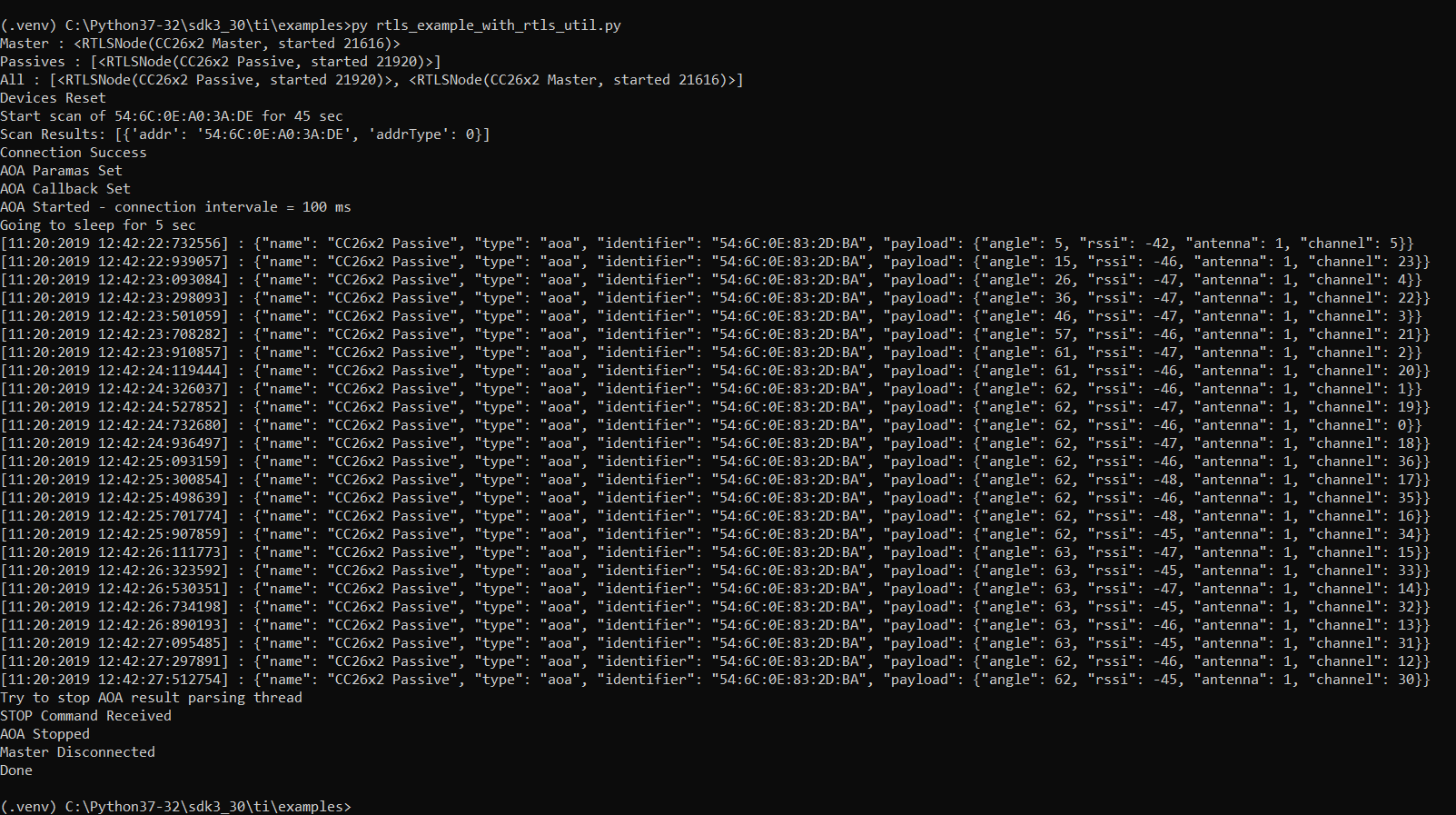
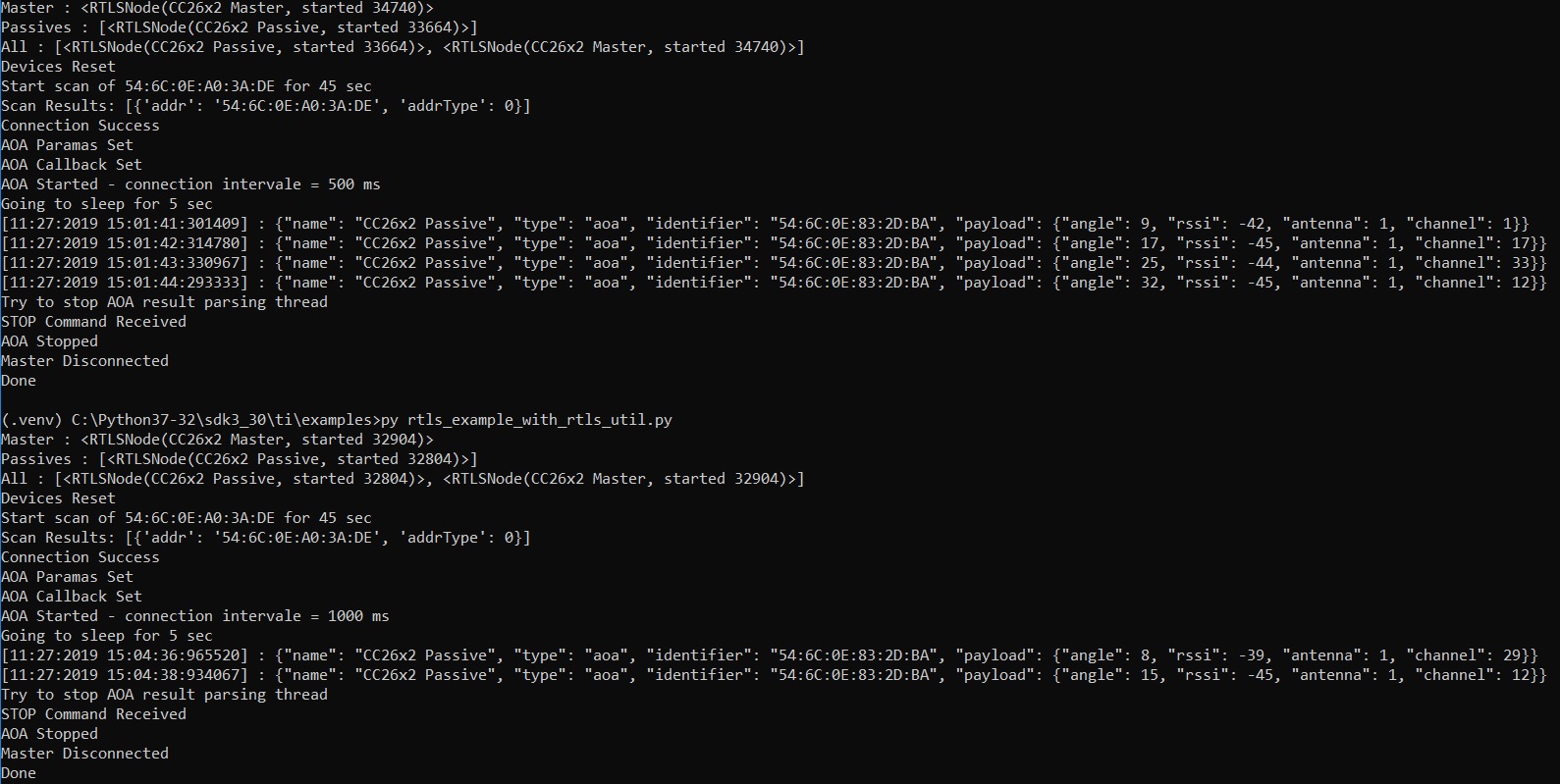
    Results: connection intervale at 100ms -> 200 ms report intervale

    Results: connection intervale at 300ms -> 600 ms report intervale

    Could you please check with R&D team why the slave latency is 1 by default?

    Thank you,

    David

  • Hi David,

    I get some more information / confirmation. As of today, the passive software is not able to handle slave latency.

    I see to workarounds for you. The first one consists in only using slave and master (no passive device - this is possible for CC26x2 since SDK 3.30). The second one consists in only play with the connection interval (instead of using the slave latency).

    I hope this will help,

    Best regards,

  • Thank you Clément,

    I understand and a static definition of the slave latency is fine, just less flexible.

    Could you please comment on my observation. Is the slave latency really 1 by default?

    Kind regards,

    David

  • Hi Clément,

    I understand. A static definition of the slave latency is fine, just less flexible.

    Could you please comment on my question, is the slave latency default value 1?

    Kind regards,

    David

  • Hi David,

    In the OOB software, the slave latency is set to zero. You might experience a different slave latency due to the code you modified following my advice. 

    Regards,

  • Hi Clément,

    Actually, I did not modified the code but the results indicate a default slave slatency set to 1?

    Kind regards,

    David

  • Hi David,

    I did not have the time yet to look in your issue. However, I am wondering if it could be due to the time required by the device to complete the UART transfer to the computer. In other words, due to the transfer time, all the samples are not sent to the computer. You can check this by increasing the connection interval (threw the python script for example)

    Regards,

  • Hi Clément,

    I actually did that many times and the reporting intervale is always twice the connection intervale therefore I beleive the latency is 1 by default.