


Part Number: CC2642R
Other Parts Discussed in Thread: SYSCONFIG
1- Import the simple_peripheral example in CCS. (the example is stored in <SDK>\examples\rtos\CC26X2R1_LAUNCHXL\ble5stack\simple_peripheral)
I highly recommend to merge the driver example into the simple_peripheral an not the other way.

2- In your Windows explorer, open folder containing the driver example you want (they are store in <SDK>\examples\rtos\CC26X2R1_LAUNCHXL\drivers)
3- Copy the file containing the main task of the example in your project. The file to copy is generally stored in <SDK>\examples\rtos\CC26X2R1_LAUNCHXL\drivers\<EXAMPLE>\<EXAMPLE>.c. Copy the file into the Startup folder. Select "Copy", not "Link".
(Note: I have chosen the timerled example)

4- In general, the code of the driver example is contain in the thread named "mainThread". So far we have the content of the "mainThread" but we haven'tcreate the thread.
Copy the code to create the main thread from the main.c file of the driver example. Paste this code in the main() function of the simple_peripheral example (Note: BIOS_start(); and Board_init(); are already called in the existing function - no need to copy this part of the code)

5- Modify SysConfig to add the missing configurations (here for example we have added one timer and one LED).
Make sure to use the proper name and the proper configuration for the different peripheral.
Here we need an extra GPIO (LED) and a timer:
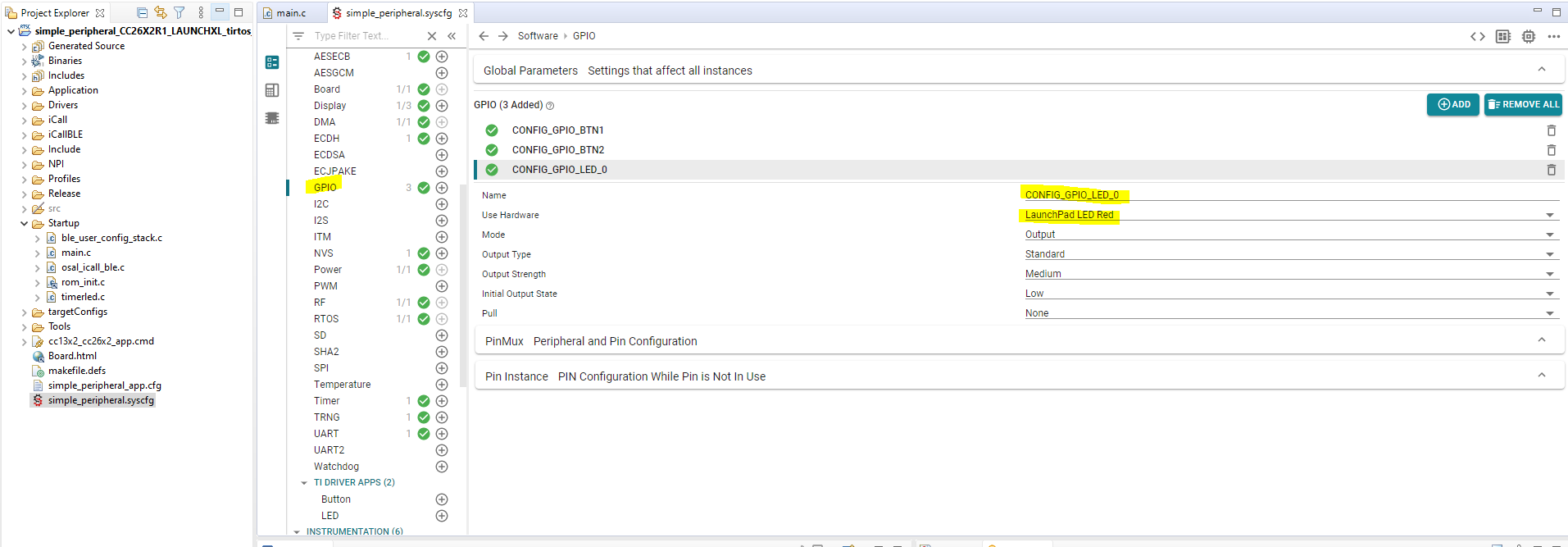

TIP: I you have some doubts you can still import the driver example project in your workspace an see how SysConfig is configured - Only the SysConfig modules in the TI-DRIVERS sub-menu have to be added.
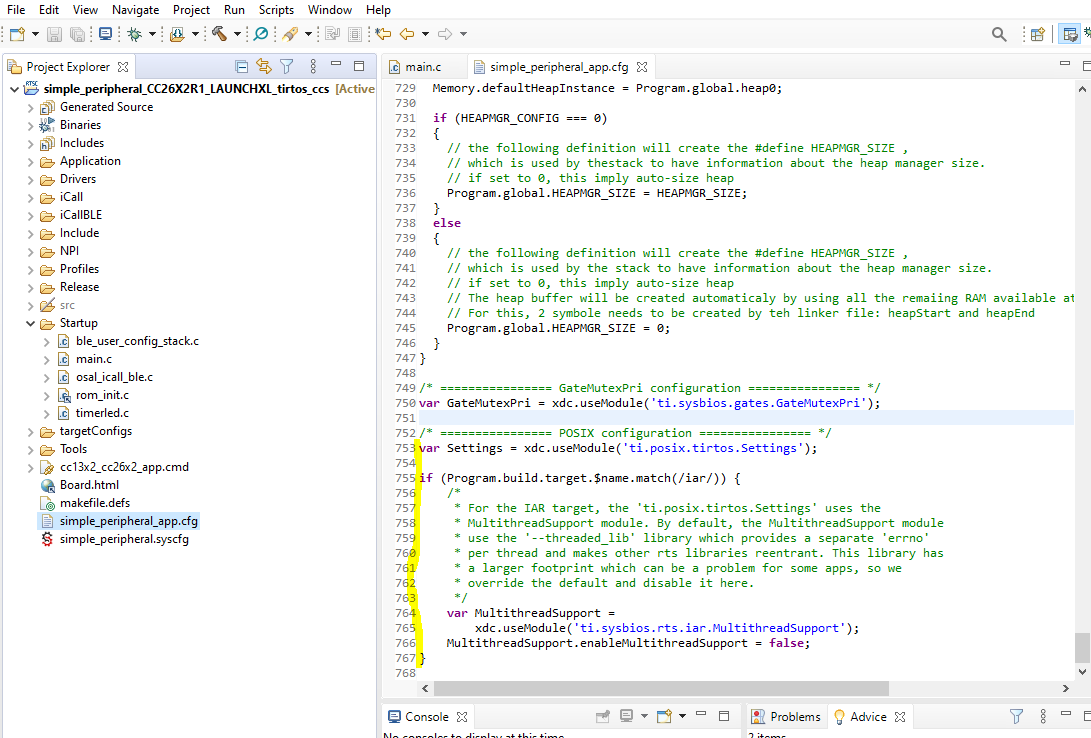
6- If needed add support for POSIX. The simple_peripheral does not use POSIX by default.
To do so, paste the following code at the end of simple_peripheral_app.cfg
/* ================ POSIX configuration ================ */
var Settings = xdc.useModule('ti.posix.tirtos.Settings');

if (Program.build.target.$name.match(/iar/)) {
    /*
     * For the IAR target, the 'ti.posix.tirtos.Settings' uses the
     * MultithreadSupport module. By default, the MultithreadSupport module
     * use the '--threaded_lib' library which provides a separate 'errno'
     * per thread and makes other rts libraries reentrant. This library has
     * a larger footprint which can be a problem for some apps, so we
     * override the default and disable it here.
     */
    var MultithreadSupport =
        xdc.useModule('ti.sysbios.rts.iar.MultithreadSupport');
    MultithreadSupport.enableMultithreadSupport = false;
}
7- Build and download the example on your launchpad.

