This thread has been locked.

If you have a related question, please click the "Ask a related question" button in the top right corner. The newly created question will be automatically linked to this question.

CCS/CC2640: Problem adding new files to the Application folder in the BLE Stack 2.2.5 examples

Part Number: CC2640

Tool/software: Code Composer Studio

Hi TI Team,

I am having a problem adding / creating a new C file in the Application folder. Kindly see below image for the said error.

But I can create a new C file in the root of project directory.

Regards,
Jonathan

  • Hi Jonathan,

    Based on the message and the fact you can create files in other locations, this behavior seems expected. Generally speaking, CCS won't allow you to create new files in a virtual folder. That being said, you can create your own "real" folders an store the files in them.

    If you absolutely need to add a file in the virtual folder, I suggest to create the actual file out of CCS. Then, using CCS, you can import the file / link to the file inside the virtual folder.

    I hope this will help,

    Kind regards,

  • Hi Clement,

    Thank you for your suggestion, I have now clearer picture of what I wanted. But one thing though, can I directly copy the files in the virtual folder? or create a local version of the virtual folders?

    Or should I do all things manually? like creating a file, adding predefined symbols, adding directory in include options?

  • Hi,

    This can be done manually.

    This can also be done by modifying the projectspec file see here for some documentation. For CC2640, this file is separated in three files stored in ble_sdk_2_xx_xx_xx\examples\<BOARD>\<EXAMPLE>\ccs\app.

    Best regards,

  • Hi Clement,


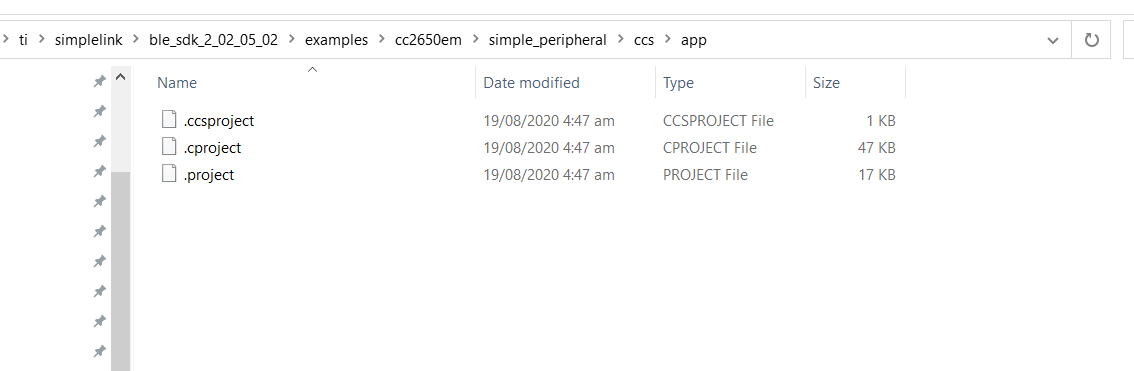
    I was not  be able to find the .projectspec file in the said directory 

    I only have this files 


    Please bear with me on my next questions :)

    1.) What should I modify in the Projectspec files?

    2.) Can I modify it so that if I imported the project files, it will load or copy all the linked files and directories instead of creating a virtual one?

    Thank you,
    Jonathan

  • Hi,

    1) The modification should probably be done in the .project file. You will see in the file how to add a folder and link a file.
    If you are not used to work with projectspec file, I would recommend to first do the modification manually (i.e. without modifying the .project file).
    For additional questions related to the .project / projectspec file, I will kindly ask you to open a new thread.

    2) This can be done but I don't know if some side effects may appear (I never tried).

    Best regards,